Sora 2 Training - How to make AI videos
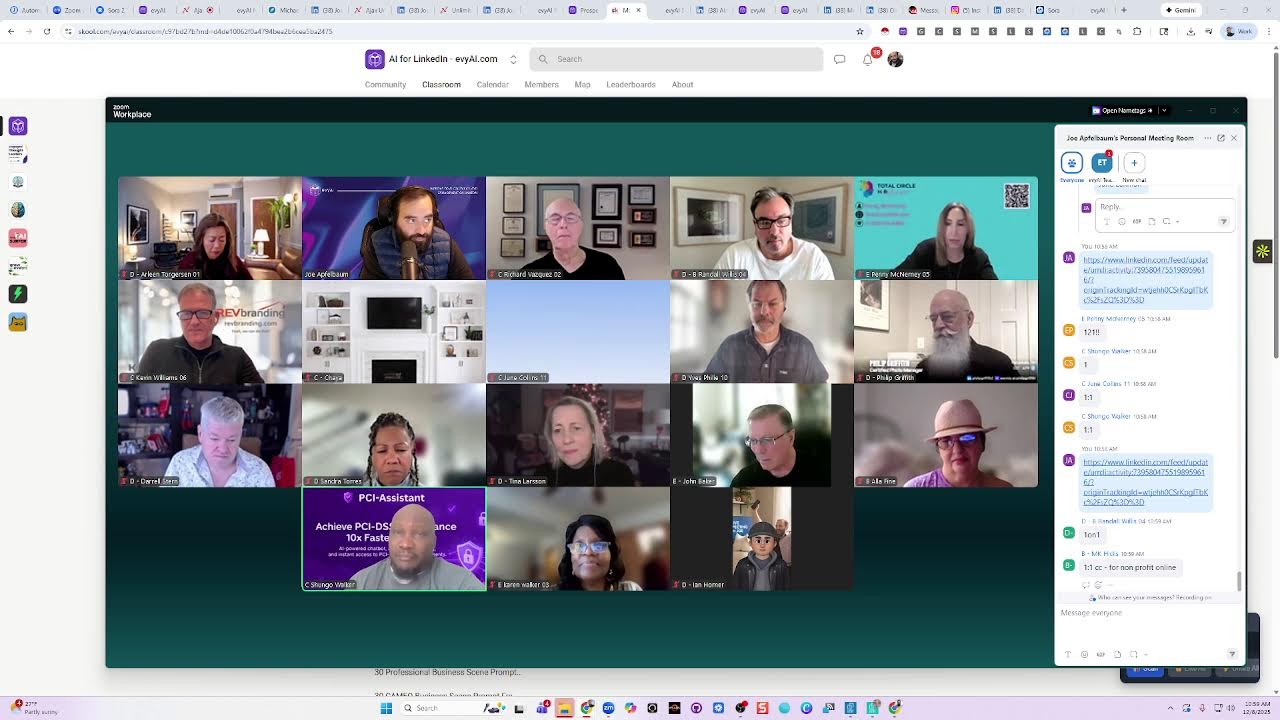
Joe Apfelbaum demonstrates Sora 2's new video tools: Storyboard creation, Persona/Cameo features, and a 6-video stitching generator. Learn to craft prompts, download clips, reverse-engineer existing videos with Gemini, and share across LinkedIn, Instagram, TikTok, and YouTube Shorts.
Chapters
Coming to our Sora 2 posting party. One of the benefits of using Sora 2, as you guys might know already, is the ability to create 30 pieces of AI-generated video content that are fully edited and fully done for you by AI that you can download and repurpose over and over and over. There is a new feature called Storyboard. Have you guys seen it yet or not? Not seen it yet. Not yet. Yes or no? Not seen it yet. Okay. You haven't seen it. You have to log in from the website. And then on the bottom, it literally just came out a few days ago. On the bottom of the website, you see it says storyboard here. So you can do scene 1 and you can select the amount of time, then scene 2, scene 3, scene 4. And on the bottom right, you can decide if you want it to be 10 seconds, 15 seconds. I tried the 25 seconds, but I think you need to be paying $200 a month for that. So it didn't work for me. But you could either do 10 seconds or 15 seconds. So if you want to create a 15-second video and you want each one of them to be 5 seconds each, the different frames, you can say, okay, make this 15-second video and then do 5 seconds of this, 5 seconds of that, and 5 seconds of that. You get what I'm saying? Like walking in the door, jumping up, and then sliding down the slide, whatever. Now we do have a storyboard persona tool. So if you, if you use Evie AI on the right side here, You can type in Sora to 6 video stitch prompt generator. Okay, so we have a 6 video stitch prompt generator. And so what I'm going to do is I'm going to say Joe Apfelbaum teach— I'm going to do @JoeApfelbaum, @JoeApfelbaum teaching LinkedIn to goats. Okay, so I'm just going to write that. I'm going to say Joe Apfelbaum teaching LinkedIn to goats. I'm going to press generate. And let's see what happens. Let's see if this actually works. I don't know if it'll actually work, but supposedly it'll come up with 6 separate prompts and each prompt will kind of lead into each other and it'll somehow be cohesive. So the idea is to come up with videos that you can then stitch together. So if I wanted to make 6 10-second videos, so for example, this one over here, narrative arc. You see video one, educational. In this educational series, we explore the whimsical concept of teaching LinkedIn. Okay, so video one, wide shot of a sunny farm with goats grazing peacefully. The camera zooms into a goat curiously approaching the laptop placed at the hay bale. The warm afternoon light casts gentle shadows. Blah blah blah blah blah. Transition: The goat nudges the laptop. Leading to the next video, we explore the basics of LinkedIn. Okay, so I'm going to put this into scene 1, and then I'm going to make this 5 seconds. Okay, so that's 5 seconds, scene 1. Then I'm going to go to scene 2. Okay, scene 2 is close-up of a goat looking at the laptop screen, playing and displaying LinkedIn homepage, blah blah blah. The goat then tilts its head, prompting the next video of creating a profile. So I'm going to do scene 2. which is also going to be 5 seconds. And then scene 3 would be creating a profile. A medium shot of a goat standing outside of a laptop with his hand off screen typing a name, blah, blah, blah. So that's scene 3, 5 seconds. You see, scene 1, scene 2, scene 3. Now, if I want to add myself, I just use a Cameo of myself. @JoeApfelbaum is pleased.
Okay.
Uh, @JoeApfelbaum is surprised. And over here, @JoeApfelbaum is curious. Okay, so I'm going to press create, and this is going to go ahead and create that 15-second video for me. I'm going to stop sharing my screen. If this was helpful, give me a thumbs up, what I just showed you. Okay. The, um, the prompt for that video, that storyboard video, uh, persona is available in our community. If you can't find it, I'll repost it or whatever. If you're not sure where it is, we're putting everything inside the Sora 2 Bootcamp classroom. So I'll show you with that. Richard says, can a premium member access the Sora 2 video stitch generator?
Yes.
This, even if you're a premium member of Evie AI, you still can access that. So getting the Sora 2 bootcamp, you don't need Evie AI Pro to, to get the Sora 2 bootcamp or to get any of the prompts or to use the personas or to do any of that stuff. It has nothing to do with, um, with premium or pro. Even Evie AI premium member could still use personas. You're just limited to how many personas you could install inside Evie AI if you have premium versus pro. So if you have Pro, you can—
lounge.
What did somebody say something? I don't know. Anyway, the bottom line is, if you're not sure how to use Sora, so I'll just show you where I'm going to share my screen and just show you where in the community you can find everything if you've got the Sora 2 bootcamp. So if you go into the community and you click on classroom, you get the Sora 2 video bootcamp. Now, if you don't have it already, it'll look like this. I'm just going to do Control Shift N, Control+Shift+N. It'll look like this and it'll ask you to buy it for $1,000. I don't want you to buy it for $1,000. I want you to buy it instead for $199. Get it? So just write $199 in the chat if you want the $199 coupon code so that you don't have to pay $1,000 for it.
Okay.
But if you want to pay $1,000, buy it, but whatever. It's unnecessary. I don't need the extra $800.
No, you're not.
Okay. So if I click on here, on the left side, do you see it says, What is Sora? This is the course. It's a 9-module course that walks you through the basics, how to create, how to export, how to remix, how to use Cameos, how to do Mobile versus desktop, advanced prompt engineering. We'll watch the first one just to kind of show you what that sounds like. And then what we'll do is we'll each create a video today, and then we'll all share the video with each other so we can all like and comment on it. And with Cameos, you can save and restart. Welcome to Module One: What is Sora Two and why it changes everything? Imagine typing a single sentence, and within seconds. Watching it turn into a full cinematic video—that's not the future. That's Sora Two, the next leap in generative AI that's redefining how we create, communicate, and connect. In this module, we'll explore where Sora Two came from, what makes it revolutionary, how it's reshaping industries like marketing and education, and why early adopters are going to turn on the sound, buddy. Okay, I turned on my sound, and I don't know why.
Click share.
Click share with— I did clear share sound. Hang on a second, I'm gonna stop sharing my screen. None of you heard the sound?
Yeah, no, nobody.
Okay, I'm gonna click share again with sound. I did share that. I did click share sound. Okay. Welcome to Module 1. Can you— did you hear that now? No, no, my computer audio for some reason is not playing. I don't know why my computer audio is not playing, but—
It was playing before, a second ago when you first touched it.
Welcome to Module 1. What is Sora 2 and why it changes everything?
I can't hear it.
Imagine typing a single sentence and within seconds watching it turn into a full cinematic video.
Oh, weird.
Okay, that's so weird.
But it looks good.
Oh, it looks good.
Okay, good.
All right.
Zoom in. Try turning the speaker off and on or something like that. You see a little speaker thing.
No, no, no. I don't know why. I don't know why my sound is having a little bit of a heart attack right now. My Zoom is not. allowing my sound to work, but that's okay. You guys can watch it. You guys can watch that video when you go into the thing and you'll be able to watch that video. But bottom line is we have so many different things that we make available there. We have all these different videos, we have all these different prompts. So we have hundreds of prompts that you, we have 500 different prompts here. We have all the resources. So the idea generator, the 6 video— 6 videos. Stitch prompt generators right here. So this is the one I just used. You can add this as a persona. You can see everything is right here for you to get. So you just copy and paste it here. And then we have a bunch of other things over here. So for example, we have 100 real estate video ideas. You can just copy and paste all these ideas and just tell AI to kind of turn it into ideas for your business. People to use in prompts. So like you could use Tupac, you could use Notorious B.I.G., You can use Ol' Dirty Bastard. You could use Juice WRLD. You could use all these people 'cause they all passed away. So I have tons and tons and tons of presidents and tons of people that you could use in your videos. So like all these different ideas, famous people saying famous quotes, Robin Williams, Humphrey Bogart, Audrey Hepburn, all these people you could use. So these are really powerful tools that you could use very quickly We have many links as well for things that we created. Like for example, if you want to create 30 prompts for your business, you could just enter your business name, what you do, your target audience, your key hook, and then boom, you create your 30 video ideas right here with the prompts ready to go. So that's kind of like the idea. So let's see what that goat video ended up looking like. If it's ready, then you just go to your profile Then you click on drafts and let's watch.
Learning something here on the farm. The goats are learning something new: how to use LinkedIn. Because in today's world, even a goat can benefit from a strong social media presence. Whoa! LinkedIn is a place where professionals connect, share their skills, and were you guys able to hear that or no?
No, no. You're not sharing sound.
Okay, I am sharing sound. It's just not. It's just not showing up for you guys.
Here on the farm, the goats are learning something new: how to use LinkedIn. Because today's rural farm even a goat can learn something strong.
How to use LinkedIn.
LinkedIn is a place where professionals connect, share their—
So, okay, so this is what I'm gonna do. I'm gonna share with you guys the actual—
Farm, the goats are learning here on the farm, the goats are learning something.
I'm gonna share with you guys the actual video. I'm gonna stop sharing my screen. I'm gonna go into the chat. I'm gonna share the actual video inside Sora and tell me if you're able to open up that video in Sora and you're able to like and comment on it. That's the video that was just created using the Using the prompt that you saw me create. Do you get what I'm saying? So those goats are learning how to use LinkedIn. I know it sounds a little ridiculous, but that's very entertaining for people. And then what I can do is I can create a series of those videos and then kind of stitch them all together and then publish a 60-second video because that's a 15-second video. Penny said she sees it inside Sora. That's great.
It works, Joe. You can— when you click on it, you can hear the sound.
Amazing.
LinkedIn is a place where professionals can share skills and discover opportunities. We build a profile.
That's yours. Amazing.
So go ahead and like that video and comment on it. And this way we can all follow each other on Sora. Do you get what I'm saying? And this way we can all find each other on Sora because we'll find all the people that liked and commented on that video, and then we'll all follow each other. And then once you follow someone on Sora, then we'll all go to each other's profiles and like and comment on each other's content. You get what I'm saying? And this way we'll become more popular on Sora. Because if you don't get any likes and comments on your videos on Sora, it's not even going to show up for anybody on Sora. But Sora is a new social network like LinkedIn, but it's for people who generate videos using AI. And Gary Vaynerchuk is promoting the crap out of it right now. Did you guys know that? Do you see him on every social channel? He's basically saying Sora 2 is a new TikTok. That's what he's announcing. Now, I said this a month ago, you know what I mean? When, when it was invite only. And all you guys got early access. We created the course. It's all ready to go. May you said, but the video LinkedIn time limit for videos. I'm not sure what that means, but the time limit for videos on LinkedIn is 15 minutes. You can have a 15-minute video on LinkedIn. If you want a short video, Instagram allows Reels to be up to 3 minutes now. WhatsApp, a status allows 1-minute videos. But even a 10-second video does well. And I'll show you, you could put it on Instagram, Facebook, LinkedIn, Twitter, YouTube Shorts, you could put it everywhere. So if you prepare a few really good videos that you really like, then you could share them online and you're gonna get a lot of exposure. Kind of like what Kevin said earlier. Kevin's like, he got a ton of exposure just by having videos available for Thanksgiving. So think about what's happening now. Christmas is happening. Do you guys have Santa Claus with you sitting on Santa Claus's lap asking him for a gift? Did you guys see mine? I'll show you mine just so you get an example. So you get ideas for what to do. And we'll do more of these Sora 2 posting parties so that we all can connect with each other. And also in our community, I'm gonna go to our community here and I'm gonna put a link for everyone to kind of their videos here. I'm going to write Sora 2 posting party, and I'm going to do 12/8/2025. 2020— oops, Ctrl+Z. 12/20. Let's— I'm going to say, let's all share our Sora 2 videos in the comments. Okay, so I'm going to go here. I'm going to do posting parties. I'm going to put a GIF. I'm gonna write goat. Okay, I have a little goat licking the screen, and then I'm gonna press post. Okay, so now we have here, and then when you go in here, I'm gonna take my Sora 2 video. I'm gonna copy the link to the Sora 2 video, and then I'm gonna go back into the community and I'm gonna put it in the comments here. So this way, in case you lose it, it's over here. Do you get what I'm saying? So if you have a Sora 2 video you want us all to like and comment on, then go ahead and put leave a comment on that school post that I just posted for you guys. And this way you can do that. Now, the Santa Claus post, I'm gonna show you how to find my prompts and to reverse engineer anyone's prompt. I'm gonna give you 2 strategies. I already gave one to Tina last time. I'll give you the same one in case you forgot it. But watch this. I'm gonna go to share my screen. We're gonna go to Sora 2 and we're gonna scroll down. I'm gonna look for Santa Claus. This one's a Hanukkah one that I just posted. I'm gonna go down to look for Santa Claus. So if you scroll down, you could find all my videos here. And I left all the prompts. You can remove the prompts on the videos and write whatever you want there, but I purposely leave the prompts. I'm not gonna leave them forever, but for now, as you guys are learning, I want you to go back and watch all these videos and literally just recreate these videos. So this is the Santa Claus video. You see it? Platform, every. Ho ho ho! And what would you like for Christmas, little— So this one over here, it says a miniature version of Joe Apfelbaum on Santa's lap talking about what he wants clients for Avi.ai. You see that? So I'm gonna do it again. I'm gonna make the video again.
Every day.
So you see how I do it. I'm just, instead of Ajax here, I'm gonna say a miniature version of Joe Apfelbaum as a miniature version of him on Santa's lap talking about how he wants lots of yummy Clients for Evvy AI that are engaged on LinkedIn. Okay, now I'm going to press— now I can choose how long I want the video to be. It's going to be 15 seconds, and I'm going to press go. Now keep in mind, if you request a 15-second video, it takes a little bit longer for it to make it, and also it takes up 2 video generations. So whatever, which means, you know, instead of having 30, you'll only have 15. Get it? So if you do all 15-second videos. But if you go to my profile on Instagram, let's just say, hopefully everybody has an Instagram. If you have an Instagram, share your Instagram in the chat. I'll share mine. But if you scroll down, you'll notice I have lots of videos. A lot of these are, people don't even know the difference now if it's like AI or not AI. But you see a Santa Claus video? I'm gonna go here, and I want everyone to go ahead and like and comment on that video. I see Tina already did, but leave a comment on this video and just write ho ho ho or happy holidays on that video I just shared with you guys. Go ahead and share on that video I just shared with you on Instagram. So this posting party is not just about liking and commenting on Sora 2. Once you take your Sora 2 video and you download it and upload it to Instagram, Then, or Facebook or TikTok or wherever, then we can share our Instagram video that has Sora too for all of us to engage with as well. Do you get what I'm saying? Isn't it cool? Isn't that video a cool video of me on Santa's lap? But now you know exactly how to do your own version of it. You can say a miniature version of you. It doesn't have to be miniature, but it would be really weird if it's a big woman sitting on a guy's lap. So you can say a miniature version of you. sitting on Santa's lap asking how to get clients for whatever your business name is. You know what I mean? Yeah. And so you can do exactly that. And you could even say Santa— you could even say there's a sign behind Santa that says, you know, now accepting clients for Penny's Total Circle HR. Or you can have on the bottom, it should say visit www.whatever. You can have a call to action at the end. You can, you can have fun with it. But you could do Santa, you can do a Hanukkah one. You could do New Year's is coming up, celebrating 2026. You can start with celebrating the New Year's now because New Year's is coming up in what, in like 3 weeks? So you can start putting together your New Year's prompts so that you have, let's say, 30, 40 New Year's videos created related to your business. You could also have like setting goals for the new year. You know, my goal is blah, blah, blah. And then you didn't achieve your goals and you did achieve your goals, 'cause that's what everyone's thinking about now. You can do things related to your vision board. Do you guys know what a vision board is? Where you kind of like put together a board with all the different things? Yes. Okay, so here's a hack of how you reverse engineer. Let's say you find a video that you really like. So the other day I found somebody doing the Flintstones. Do you guys know what Flintstones is? Back in the day, there used to be a cartoon that I forgot the song. Does anyone remember the song? Da da da da da da.
Flintstones. Meet the Flintstones. Meet the Flintstones. They're a family from the town of Bedrock. Excellent, excellent.
Very good. And so one of the things that they would do is that they would pedal their feet on the floor, and they would have a car made of like tiger skin or something. And then they would have round, round stone wheels, and they would like da ba ya ba da ba da ba doo whatever, right? And then they would go. So I wanted exactly Daryl. So I wanted me inside a Flintstones car wearing you know whatever they wear and pedaling my feet in the highway, and everyone else had modern cars. I thought that'd be cute because I saw somebody else have it, but I didn't know how to write the prompt for that. So what I did was I took their video, dragged it into Gemini, which watch— which is able to watch videos now. So gemini.google.com is able to watch videos. So you download someone else's video, drag it into Gemini and say, turn this into a Sora 2 prompt. And then Gemini goes ahead and does that and it makes a full prompt. And then you take that prompt, modify it, and put it into Sora 2. And now you have a prompt. for any of the Sora2 videos that you see on Sora2, which is a cute little hack. It's a nice little way of being able to reverse engineer someone's video. So I'll show you example video. So if I'm on Sora2, for example, I'm gonna go to Sora2 now. I'm gonna go to Sora2 and I see a video that I really like. For example, I see a video of this like, of this bird. You see that bird? And he's dancing with that thing. I don't know what's going on. Or this cat, or this person right over here. You see this person looking through the, through the window? Oh, there's a tsunami. That's cool. Okay, that's really cool. I like this video. So I'm gonna click on this little download button here, this little share button. Now there is no download button. So how do I download this video if there's no download? They removed the download button. You see that? Now they just want you to copy it. The good news is, is that I built a Google Chrome extension that allows you— Hold up, look at this. To have a download button right here. You see that? There's a download button, video button here. So I'm gonna press download video. The video will download. Hold up, look at this. Instantly. Now I'm gonna go to gemini.google.com and I'm gonna give it the video and I'm gonna say, make me a Sora 2 prompt. that can recreate this video perfectly. I'm gonna say detailed. Sora 2 prompt, I wanna recreate this video perfectly. So I uploaded the 9-second video to Gemini. Gemini's gonna watch the 9-second video and then it's gonna go ahead and adhere to my prompt and then make me a full-on prompt that says there's a guy on the plane, people are yelling in the background, there's a tsunami happening, he's looking out the window, blah, blah, blah, blah.
Blah.
You get what I'm saying? We'll see if it produces anything of value, but a photorealistic vertical handheld smartphone video filmed from the perspective of a passenger in an airplane seat window. The shot begins with a selfie-styled view of a young man in short dark hair with black t-shirt and blah blah blah blah blah. The camera then quickly, shakily pans to the right of the oval airplane window through the double-pane glass, the window's white wing, Blue vertical stabilizer tip is visible in the foreground. Below, the terrifying apocalyptic scene is unfolding. A colossal towering mega tsunami wave is crashing in a dense metropolitan— I love this. This is great, right? So I'm going to copy this. I'm going to go back to Sora 2. Back to Sora 2. Now I want my video in there. So what I'm going to do is I'm going to paste this in, and instead of having that guy there, A young man. I'm going to say Joe Applebaum. You see, Joe Applebaum with short hair. I'm going to say with long hair, with long styled hair in a bun. Because of course I need my hair in a bun. What are you talking about? If I'm going to have a hair, I need it to be in a bun with a purple t-shirt and gold t-shirt strapped into a blue airline seat. Blah blah blah blah blah through the window. Raw footage. Okay. Now I'm gonna press create video, and what this is gonna do is it's gonna take my likeness and put me into that seat and hopefully make a very similar video to the one you guys just watched. Interesting, right? Now let's see what Santa Claus.
Well, hello there, little fella.
What would you like for Christmas this year? Santa, I'm Joe Applebaum, and I want lots of yummy clients for Evie AI. People who are super engaged on LinkedIn. Yummy clients, huh?
That's a new.
Why LinkedIn? Because that's where they hang out. They read, they comment, they connect. Okay, not great. I'm not going to use this one. This one didn't come out good. No, we don't hear any audio. Ah, there's nothing I can do about that. I would have to leave Zoom and come back in or something like that to fix the audio problem. But bottom line is, I'm not— you don't have to publish every single thing that comes up on Sora. You could just leave it in the drafts. That one didn't come out good because the audio is not synced well and there's some issues. So sometimes that's going to happen. So I'm going to take the same exact prompt, paste it right again, and tell it to do it again. And then it's going to do it again, and hopefully it'll nail it the second time or the third time. But if you use this—
Joe, how do you, how do you put somebody else on Santa's lap? I want to make one of a snow globe with somebody inside the snow globe.
Yeah, so you'll put @MarkCuban or @SamAltman, or you'll put@— if, if B. Randall allows you, you can put @BRandall, or if Penny allows you to do @Penny or@ Arlene, but inside our course, we have a full-on module of how to make your Cameo and how to also use Cameos. So just FYI.
You have to have a Cameo. You can't just get some—
You can't just— no. So Sora 2 doesn't allow you to upload realistic pictures of human beings. Okay. If you want to do that, you would use a tool. There's other tools that you can use to do that. There's VO 3.1. There's Higgsfield. There's many tools that you can use that allow you to be able to use anybody's face and do anything with anybody's face. But there are legal issues with you using someone's face without permission. So I'd be careful just to not use anyone's face unless you have their explicit permission to use their face. But on Sora, if somebody does put their Cameo up like I do, that means I'm giving you permission to use my face. Like Gary Vaynerchuk doesn't really let anyone use his face, even though he says he does, he doesn't. If you try to make Gary Vaynerchuk's face, it doesn't work. It fails every time. I think he has to explicitly give each person permission or something like that. But anyway, bottom line is I have many videos of me dancing with Mark Cuban on Instagram. You know, the billionaire? So same thing with me and Sam Altman. Same thing with me and iJustine, which has 7 million followers on LinkedIn. She's sitting there talking about my business and promoting it, which is crazy. And then I can run ads with that. Which is insane. So I want you to think about how you're going to use this platform, but more importantly, let's support each other. How do you get the prompt from other videos? There's 2 ways to get the prompt, Zachary. Way number one is that you just read the prompt they have in the, in the description. Kind of like if you go to my profile, you'll see I just leave the prompt there. I just hit go. If the prompt's not there, because you can remove the prompt and write whatever you want there, most people are removing their prompts because they don't want people to copy them. Then you have 2 options. You could either download the video, upload it to Gemini and say, make me a prompt for Sora 2 like I just did a second ago. The second option is you could use a remix feature. You just push remix and then you can tell it how to change the video or keep it the same. Maybe have it, have it to have your cameo instead. And it'll do something very, very similar. You get what I'm saying? If remix is available, cuz you can turn remix off. So that's kind of like the idea, but we have all those how to do that inside the Sora 2 bootcamp. Okay. Um, are you gonna do a usual posting party networking today? Um, someone asked, just making sure, 'cause we don't have that much time left. Does anybody wanna share? You could unmute yourself. You can share what your Sora 2 videos are about. Richard, you can go first and then Arlene. What are your Sora 2 videos about?
Well, I just started to, um, try to do some things on surgical safety by having Einstein comment About, um, amazing, doing the same thing over and over again and expecting a different outcome.
I love that. That's really smart. Arlene, what about you? What's yours about?
Um, it, it's really about, um, what I do. Um, I usually do a little bit of inspiration storytelling. I'm introducing my, like you said, um, at the end, put my, um, my, my business URL there. And sometimes I'll just do cute, funny stuff too. Just play around with it, but mostly something that will hook and inspire people who watch my videos.
Love that. Thank you for sharing. B. Randall, go ahead. Why don't you share yours? What do you typically post videos about?
Well, I'm just trying to keep my videos in line with my overall message. So the video I did today was about how visibility plus engagement brings opportunity. Love that. Love that.
Can we see it? And what did you— and B. Randall, what did you— could post it in the, in the community and you'll be able to see it if you post the link in the community.
I did. I put it in the, in the community.
Amazing. Yeah. So Richard, go into the community and grab it from the community. Okay. Got it. And then like and comment.
Benefit from a strong social media presence. Okay.
Go ahead, Penny.
Yeah, I think I'm the same. I'm trying to have my message, what I put on LinkedIn, to correspond with the video, but I've also done some fun ones. Like my favorite one was when the penny went away. So I like to just go in there and play with it. And I agree, Joe, there are some like, I'm like, no, this is not what I want. And the better you get at the prompts and telling it, the better your video is going to come out.
Amazing. Amazing. You're 100% right. And for those of you that don't know how to post in the community, I'm going to quickly just show you. If you go to school.com/eviai, s-k-o-o-l.com/eviai, you'll notice that B. Randall posted his link. So did Tina. So did Kevin. You see that? They all posted links over here. So what you can do is you can click on the actual link just like this. I clicked on B. Randall's link and the video shows up here. So I click like on the video and then I can leave a comment. I'm going to be— I can say something like, Love the dog. Okay, and I press Enter right over here, and you can see my comment appears under Tina's comment. You see Tina wrote boom, I wrote love the dog. And so now I close this one, and then I go to Tina's video, and then I go into Tina's video and I click like, and I'll be like, nice style, well done. And then I press go, and I see that Tina used a style, a cartoon style, because now they have styles enabled in Sora too.
Oh, cool.
And then she's letting go of pigeons and so on and so forth. So I just kind of did that. And if you wanna see Tina's prompt, you see over here, Tina left her prompt here, whereas B. Randall changed and removed his prompt. Tina actually left her prompt, but she didn't write that she used a style. And then if I wanna check out Kevin's, I click on Kevin's over here and I see Kevin's. I'm gonna give it a like over here. I see nobody else liked on it or commented on it yet, which is fine. Kevin's presenting what he's doing. I say, that makes me want to get mugs with my logo. You see? And then I press submit and it submits this comment on his thing. Now the beauty is that if you actually leave comments on someone's video, then that person can click on your comment. You see, for example, Darryl Stern, I can like his comment, then I can click on Darryl Stern's name, and then I can go ahead and follow him. You see that? I just followed Darryl Stern. And I can go back.
Here on the farm, the goats are—
I can go back and then I can click on Heather, for example. I see Heather, love the goats. I can follow Heather Nelson. You see that? I just followed Heather Nelson.
Here on the farm, the goats—
And I can find Richard. You see Richard? I can follow Richard back. You see, that's the Einstein thing that he just—
Here on the farm, the goats are learning.
So you can keep scrolling down here and follow all these people. And if you haven't yet commented on this, I highly recommend you comment on it so people can go ahead and follow you. Now you can't see who liked it. Oh, you actually can. Okay, you can actually see who liked it. So if someone liked it but didn't comment on it, I can still go through this. And this is a little bit of a faster way to follow people. So for example, I wanna follow, follow, follow. Follow, follow, follow. You see that? So that kind of speeds up the process of following people. And one of the ways to get followers is to follow people that are following other people. So you see I have 200 followers on my profile. It's because I'm following 230 people. You see that? So if you follow people, the likelihood of them following you back is very high. So if you find people that are active, and I have lists of hundreds and hundreds and hundreds of people that are active on Sora inside the bootcamp. So you can find that list of popular Sora people in there and so on. But yeah, but that's the idea. That's how to do it. Makes sense? Was that worth the 2 minutes for me to kind of go through? Okay, good. All right. So Penny, you went, you shared what you talk about. Kevin, do you wanna share again what you typically post about?
Yeah, thanks, Joe. I just made that video you just showed this morning, and I posted it in association— it's more of a training, training video to encourage trade show professionals and executives that promotional products do provide a return on investment.
Wow. Amazing. Thank you for sharing that. Chaya, and then June. Chaya, do you want to share? We can't see you. We only see your background. But if you're here and you want to share, feel free to unmute yourself. June, you can go now.
Yeah, um, I'm basically sharing, like I was saying, dog training, some pet sitting, um, of course my pet store, and just having some fun with it too.
Amazing. And if you guys are here and your camera's off, I'm probably not going to call on you, no offense, but do put in the comments if your camera's off. Let us know what you are typically posting about. Karen Walker 03, Go ahead, why don't you share with us? Unmute yourself and share with us, and then Zachary, and then Yves, and then Philip. Go ahead, Karen. Unmute yourself if you know how to do that and share with us what you plan on posting about if you haven't posted yet. Karen, we can't hear you because you're muted, but go ahead. Now we can hear you.
Hi. This is all— this is very new to me. I love it. I love that Christmas video. It's so cute. So I'm thinking about posting on What is Sora? Anybody else seen this? Probably nurses and integrating AI. That's a wave.
That's a wave. It's hitting the whole city. Oh my God, look at the size of it. It's swallowing buildings. It's swallowing the sky.
It's the first time I'm hearing about Sora 2 and what it's able to do, so I have to really think about it, Joe, but thank you.
Oh, thank you so much. Appreciate it very much, and thank you for sharing. And we could always help you figure out what to do. This community is a great community of people, so if you're not sure what to do, We're always happy to help people, Zachary. It's a great community. Yes. Oh, say that again.
It is. It's a great community, and I want to thank you so much for your help the other night. You got you got no idea. I mean, you really with your banner. Yes, that was I was hitting a brick wall one after the other, and I'm thankful for you. Really, Joe.
What'd you think of the photo shoot? We did a photo shoot for June.
Oh my God! The photo shoot was great, and the branding kit was just phenomenal. I'm just so grateful for you. I just don't know if it was recorded though, because I just need to. I can't— I don't know if it was.
I don't think we record office hours because that would be a lot. However, if you need any resources or anything, you could always come back to office hours. If you need to learn how to do something, we're always happy to. And if you ever want to record, let's say we're helping you with something and you want to record, say, hey, can you give me record access? And then we'll let you record the screen as well because we can turn on record access for you. So just keep that in mind.
Yeah, because I don't want to keep bothering you for every little thing. That's why I was hoping that it was recorded and then, you know, you know what I mean?
We love when people bother us. That's why we have office hours every day at 12 and at 7.
Okay.
And so if you guys are not coming to office hours, I highly recommend you come at 12 and at 7.
12 and 7?
12, yeah, 12 Eastern.
Let me tell you, very much worth it.
Yeah, please come if you guys have questions or you need anything. So June needed a better photo of herself, so we did a photo shoot for her. If anybody wants a photo shoot, we're running a special deal right now to get your photos done. Many of you already got a photo shoot with us. So if you need a photo shoot, just write need photo shoot. We have a special deal for people that want a photo shoot done. And then what we also did was we created infographics for some of our clients. So if you need, say, 10 really good infographics for your business, just write infographics. I'll show you guys what the infographics look like while I'm at it, may as well.
They are amazing. I mean, I don't need 10 though.
Yeah, no, that's fine. But we created, we created infographics. So transform your brand with stunning infographics. So we started for people that don't have the time to do this themselves. We use artificial intelligence to, um, sit here and spend a really long time creating all these infographics for Korean. You see this? And, um, amazing. And it's basically, we're just charging cost price for the infographics. So if you need infographics, just say need infographics in the chat. We'll send you a link. to where you can get a really deep discount on one of our team members sitting down and making all these infographics for you in your brand colors. So we would need to know what your brand colors are and we would need to just have your LinkedIn profile. We would download your LinkedIn profile, throw it into AI, make 10 really, really, really good prompts. We'll send you the prompts and the infographics, but keep in mind there's no revisions. We just send you it and that's it. If you don't like it, too bad. So that's the deal. We're not gonna go back and forth for hours trying to perfect your infographic. So if you need it, no, you can buy it. We do it one time, we send it to you with the prompts. You have the prompts forever. You can modify the prompts and try it yourself again. But that's basically the idea. We set the whole thing up and look at all these incredible infographics you could use forever.
They're amazing.
In your business. Yeah. So, wow. Um, yeah, they're very special and they're really powerful and they have calls to action. They have everything. They're ready to go. So that's, that's an incredible, incredible thing.
Yeah, I think I just only need one. If I needed 10, believe me, it's worth it, guys. If you need 10 infographics, it's, it's, it's a very good deal.
And it's also good for advertising.
I just don't need it.
Yeah, 100%. So 100%, 100%. But you needed the photo shoot. So we got the photo shoot done for you.
Right, right, right. No, but I'm just saying, if I, if I needed the 10, I would buy it. And that's what I'm just telling, you know, these people, if you need 10, it's really worth it. Really worth it.
Awesome. Zachary, go ahead. 13. What are you, what are you posting videos about?
You know what? So I'm doing, uh, Soro 2. I'm just kind of playing around with it. I haven't really mastered it yet. I'm still— I have a lot. I have a full-time job and all kinds of stuff, and I try to fit these things in when I, when I can get to it. So I got to figure out— I guess one thing that I need is that with all the things that come up all the time is how do I prioritize What is actually going to resonate with the customers that I, that I work with. And so, but anyways, I'm just kind of playing around with it. Um, I don't, I need to put a messaging together, a strategy together, all that kind of stuff, which I haven't got to yet.
So, uh, so right now we do that with our clients every month in our strategy sessions, just so you know. B. Randall has a question. Oh, he can help you. I think he's offering help.
No, no, I have a question, Joe. I apologize. I don't mean to interrupt.
Okay, wait. Zach, are you done? Hang on one second, Zach. Are you done?
Yeah, yeah. No, I'm done.
I'm done. Awesome. Okay, go ahead, B.
Randall. Thank you, Joe. Did anyone else noticing that the share feature is not working in Sora too? Yeah.
So if you use the Chrome extension instead, you can download it.
And can you just real quickly say where to find that? Yes, I'll show you right now.
I'm gonna share my screen.
I appreciate it. Thank you.
Yep, no problem. So if you go into the Evie AI community. and you click on Classroom, you'll notice there's a box that says Sora2 AI Video Bootcamp. You see that? Yeah.
Yeah.
When you click on that, on the left side, there's something called Sora2 Resources. There are a few different resources. One of them is called a Profile Saver. This will save many, many, many profiles into a list so you can download like niche lists of profiles from Sora2. This is the Sora2 Downloader, and we have 2 separate ones that you can try. And there's a video that explains how to install it so you can download anyone's videos and then basically repurpose them.
Okay.
And then there are— and then also inside the, um, inside over here is saving and exporting thing. There's also how to do it without a Chrome extension. So we do have a hack. So if you right-click and you click on inspect element over here, you will be able to find the video somewhere here. And we teach you how to do that. Basically, it's a little technical, B. Randall, but you're pretty technical. So, but, um, excuse me, but yeah, that's— we have different resources there on how to download it. Okay. With the extension, without the extension and so on. Okay. Yves, Ten, do you want to share what you're posting videos about? And then Philip and then Darryl. Go ahead, Yves.
Well, I'd love to share, but this is my first acquaintance to SORA. So thank you very much for that introduction. It's giving me some ideas of what I can achieve and how I could use it. So I'm gonna have to do some reflection, but thank you.
Amazing, amazing. And yeah, getting the Sora 2 bootcamp at the discount that we're offering now can be really helpful for you. And we have a 4-hour video that walks you through every nook and cranny of it. And then we have the 9 module videos, each video is 2 to 3 minutes. And then you have the 500 prompts, you have the prompt generators, you have everything right there ready front and center for you. So that's That's all ready to go for you. Okay, Philip, Philip Griffith, and then Darryl, and then Sandra. Go ahead, Philip. So I'm posting about my business, basically people who are having trouble with their photos and their frustrations and how I solve them. But I'm also doing sort of those fun videos, um, with other people in the community playing an Alcorn with Jane Lehman in the Alps. Love that. Love that. And by the way, I love the happy birthday video that you guys made me while I was in Norway. Jane made this incredible happy birthday where she made a bunch of different scenes of different members in our community wishing me happy birthday in different ways. And it was such a nice example of how to use this in a community and really build relationships with people. So that's so powerful. So thank you for that, Philip. Thank you for that gift just now.
Okay. Share that someplace so that we can see it.
Just, do you know how to follow Jane Lehman?
Yeah, I think, yeah, I think I'm following Jane already.
Yeah. So just go through her videos and you'll see all of the videos that she posted. So that was one of them. But thank you. Yes. Great. Darryl Stern and then Sandra Torres and then Tina Larson and then John Baker.
Sure. Something that's fun to do is you can borrow somebody else's Cameo. So I don't have an iPhone, so I can't do a Cameo yet. But I was taking other people and putting them into my you know, videos, and even having them do like funny things like give me an award at a big award ceremony or something silly like that. So anything you can tag, like I think you talked about this, Joe, but if you can't do it yourself, you can use other people's, you know, as actors in your movies. That's all.
Another thing that you can do, just FYI, if you don't have an iPhone, is you can download the Android app. Now they have an Android app, and you can make a Cameo within the Android app.
So if you— okay, I didn't know they had that yet.
Yep, that just came out a couple weeks ago. Sandra Torres, take it away.
Hey, how's it going everyone? How you doing, Joe? So I'm creating cake hacks. So you know all the problems that a baker has when they bake stuff, uh, overcooked and undercooked. So creating hacks, and I created a, um, Avatar. That's— she's— her name is Sandrita, and she will be giving you helpful hints and tips.
I love that.
And tricks.
So for those of you that don't want to use your Cameo, you can create something called a character now, and you could use a character. So for example, I have Barbie Joe as my character, which is a version of me that's an actual Barbie with a pink suit. And I also have Basil the Samoyed, And I also have my Fortnite character called Mojo Boom Boom, which is a pink unicorn. So if you guys ever want to play Fortnite with me, you can join me. I was playing with two women from Saudi Arabia last night for like two hours. We had such a good time. They were teaching me Arabic, and I was like, تحتي عربي شوي عنا جوعان إماك. And we were having so much fun. And they're like, damn, you speak Arabic good. And I was like, you speak English good. They're like, why don't they teach Arabic in America? I was like, soon they might end up teaching Arabic in America because, you know. And then, and then I was like, the same reason they don't teach Chinese. She's like, they teach us Chinese. I was like, you guys are really smart. They teach the kids Chinese in Saudi Arabia. Isn't that crazy?
That's crazy.
Amazing. Okay, so they speak Chinese, English, and Arabic.
That's insane.
Okay, Tina, go ahead, take it away.
So I post about— thank you, Joe. I post about my business and trying to create kind of marketing-related videos, testimonial type of videos, and then I do some fun stuff too.
Amazing. And I love your fun stuff. I love watching your stuff, your stand-up comedy that you do. If you guys don't do any stand-up comedy, definitely check out Tina's profile. I follow her on all the different channels. And keep in mind, you can upload—
people say insanity is doing the same thing and expecting a different result.
You can upload videos to every profile. You could upload videos to Twitter. You could upload videos to Substack. You could upload videos to YouTube Shorts. You could upload videos to LinkedIn. So think about, think about being able to push videos everywhere. And we have a tool called unlimiteddigitalmarketing.com. That where you upload a video one time there and then you can send it to all your social platforms. If you don't use unlimiteddigitalmarketing.com, highly recommend it. It's a version of GoHighLevel and it allows you to automatically connect all your accounts on every platform and push one video to all the platforms at once. So that's powerful.
I have one more addition I wanted to make. So for anyone, if you are having a hard time with YouTube engagement, I have a hard time with with YouTube. If I get 50 likes or views of my videos, it's— and it's probably because of consistency. But my Sora videos, they're through the roof on YouTube. I mean, it's thousands, thousands of views. And I mean, it's mostly been the fun ones, the comedy ones and the dancing ones and singing ones and stupid ones, basically. But yes, huge increase in my YouTube visibility.
Yeah, it's 100% true. Like, when you start posting, um, Sora2 videos online, you'll notice that people really are gobbling them up. And YouTube, and, um, they all know it's you, the Sora2 videos, but they love it. People love Sora2 videos. So highly recommend you spreading it. A lot of people don't even know how to log into Sora2 or how to use it, but they're watching it on other platforms. So Um, you know what I also do—
Hey, Joe.
Yeah, go ahead, Karen.
A quick question.
What platform does Elf use?
Um, you know, I don't know, Elf like Santa's elves?
Um, it's an elf, um, log that, you know, dances around or whatever with music.
Um, I'm not sure what you're— oh, you're talking about JibJab? That's what I think. Yeah, I think you're talking about JibJab. I'll send you a link to JibJab in the, in the chat over here. That JibJab is like from like 20 years ago, whatever. It's from a million years ago where you can upload a picture of yourself and dance around like an elf or whatever. I think that's what you're talking about. Don't you think you're talking about JibJab? That's very different, but you can take a JibJab video, make a JibJab video of yourself. That's a good idea, by the way. Make a JibJab video of yourself and then turn it into a prompt for Sora 2. That would be actually a pretty good idea. Um, I wonder if you told Sora 2 to make you a Jib Jab video, if it would make you a Jib Jab video. Like, I— it like knows everything. Everyone knows what a Jib Jab is. I mean, it's like a thing, you know, like everyone knows what a Jib Jab is. But if you don't know what a Jib Jab is, go, go click on the Jib Jab link in the chat and you'll see. Um, yeah, thank you, Karen. Uh, John Baker, first of all, thank you for the referral. John referred me to a guy and he's earning commissions now from that referral. So first of all, Tina, thanks you for all the referrals. But John just referred his first person to Evvii, and Michael became a client, by the way, John. So thank you for that. Um, and John's part of a networking group, and he was just in a parking lot, and he saw this stranger walking into a synagogue, and he stopped him, and he's like, why don't you come to my networking event? And the guy's like, okay. And then he referred that guy to us, and that guy became a client. Turns out the guy does business financing. Um, so John Baker, if you want to unmute yourself, feel free to say hello to everyone and tell everyone what you plan on posting about?
Great. Can you hear me? Yes. Okay, great. This is my very first posting party. Yes. And so glad to meet you all. Y'all have some excellent ideas. And I'm looking forward to understanding what each and every one of you does. As far as I'm concerned, I've been in the payment processing industry since 1998. In 2016, I started my own company. I just, just enrolled as a master agent for 3 different top, very top processors, Visa, MasterCard processors. And I do business funding. And I do property and casualty insurance for— I'm Florida licensed only. At this time, but I can if you're in another state. I can get what they call an alien license, and I'm not from outer space. Okay. Aside from that, I'm, you know, the, my, my best market is businesses that are, they're paying a lot of fees because they're using banks or they're using third-party processors. Uh, that, that are advertised heavily. Um, so we can cut their rates in half. We can actually reduce their costs by 35 to 90%. And that goes straight to their bottom line.
Amazing. So guys, set up a one-on-one with John. Write one-on-one in the chat if you're interested in a one-on-one with John to get to know him. He's a great networker. He's also part of a Chamber of Commerce type association in Florida. So, um, you'll definitely— he'll definitely want to connect with you and build a relationship. So look at who's writing one-on-one in the chat, John, and connect with them. I put a link to the video that Richard asked for, where Jane took that Isora 2 video of my birthday and put it on LinkedIn. So everyone go ahead and comment on Jane's video if you can. I'll put the link again in the chat so you guys can see it. Um, okay, Shunga Walker, and then, uh, Ian Horner, uh, and then Ala Fine, go ahead, tell us what you post about, and then we'll wrap up.
Well, thank you, uh, for inviting me. My name is Shango Walker. I was invited by Fernando, uh, Fernando, yeah, uh, not too long ago. I'm in the payment card industry, very similar to what Mr. Baker does, and I'm very happy to be here. This is my first time. Uh, just did an invite with like a Fernando, like I said, but, uh, I'm gonna get started real soon. I have a premium on your, on your channel, on your platform. And I'm looking forward to being a part of the community. Thank you for allowing me to be a part of the community. I'm excited to be here. Thank you so much.
Amazing. Thank you for being here. Thank you for showing up. Thanks for being a client. Tomorrow at 1:00 PM, we have a class on From Crickets to Conversations: How to Spark Engagement in Your 2026 LinkedIn Posts. So that's gonna be a really good class. If you guys are coming, hopefully you guys are coming, write coming in the chat. If you're coming, there's a registration link in the chat. that you guys can register. It's completely free. This is a great webinar for you to bring your friends to. So think about people on LinkedIn that you could bring to that class. They will thank you for it. That's number one. Number two is if they become a client, you get 20% of whatever, whatever they pay. So there's a huge opportunity for you to bring people to the events that you're going to. Every time I go to an event, like a Tony Robbins event, I invite everybody to come with me. You know, I have 1,000 people that I bring with me to different things. So I highly recommend that you guys bring people to the events that you go to. It doesn't have to be just my event. Anytime you go to an event that's a fun event, it's an opportunity to connect with your audience and bring them together with you. And so we have a webinar. Um, it looks like Karen's coming. Eve's is coming. June is not sure, but register for the webinar and let people know about it so that they can get the benefit of knowing how to leverage LinkedIn. Okay. Go ahead, Ian, and then Allah. Ian, if you want to unmute yourself, feel free. If not, Allah, go ahead and unmute yourself. Hello. Hi. So what do you what are you posting about on LinkedIn?
Hi, Joe. I guess you don't remember me, or maybe you do. Um, so I've been. Just basically all about business, my niche. So I've been trying different apps, to be honest with you, and like Geo3 and, you know, different things and finding the, you know, the happy medium. I've done a video I'm gonna play. I don't know if it's gonna come out here.
Find real love.
I'm a matchmaker for highly successful singles. Get in touch for details now if you want someone special for the holidays. Ella, put it in the community. Um, put it in the community so this way people— do you have access to the community?
I do.
Yeah, so definitely put that, uh, video in the community so everyone can comment on it, and so we can all like and comment. And do you know how to do that? Do you know how to leave a comment on the post in the community?
No.
Okay, okay, I'll just quickly show you how to do that. It's really, really easy. You go into the community and you click on community on the top. Once you click on community, scroll down to where you see it says posting party. It's the 4th post. You see?
Okay. Yes.
When you scroll down, it says— click on that post and scroll down to the comments and then click into the comment box and then paste your link in there.
Okay.
And this way everybody can get to know you and they can see how, how much of an amazing matchmaker you are and how you help people and what you do and so on. And this way they won't forget you because you'll show up in the comments. Get it? Got it. Thank you. Amazing. Amazing. Excuse me, Joe, can you look at WhatsApp please? Of course. Yes. All right. So anybody have any questions, comments, concerns? I'm looking forward to seeing you guys, um, inside the, um, the webinar, inside the community. Remember, we have many, many resources constantly that we're posting in the community related to Sora too, related to growing your business and everything else. So if you guys have any questions, feel free to post them in the community so that we can answer them. And other than that, have a happy new year. Thank you everybody for being here. Thank you for being part of the community. Thank you for joining in. Get to know.
More from Joe


How to Beat the Algorithm: Remove Hidden Watermarks & Scale Content with evyAI









AEO & GEO: SEO's Future Explained! Master Answer & Generative Engines! #shorts