Sunday LinkedIn Lessons by Joe Apfelbaum // evyAI.com Tutorial
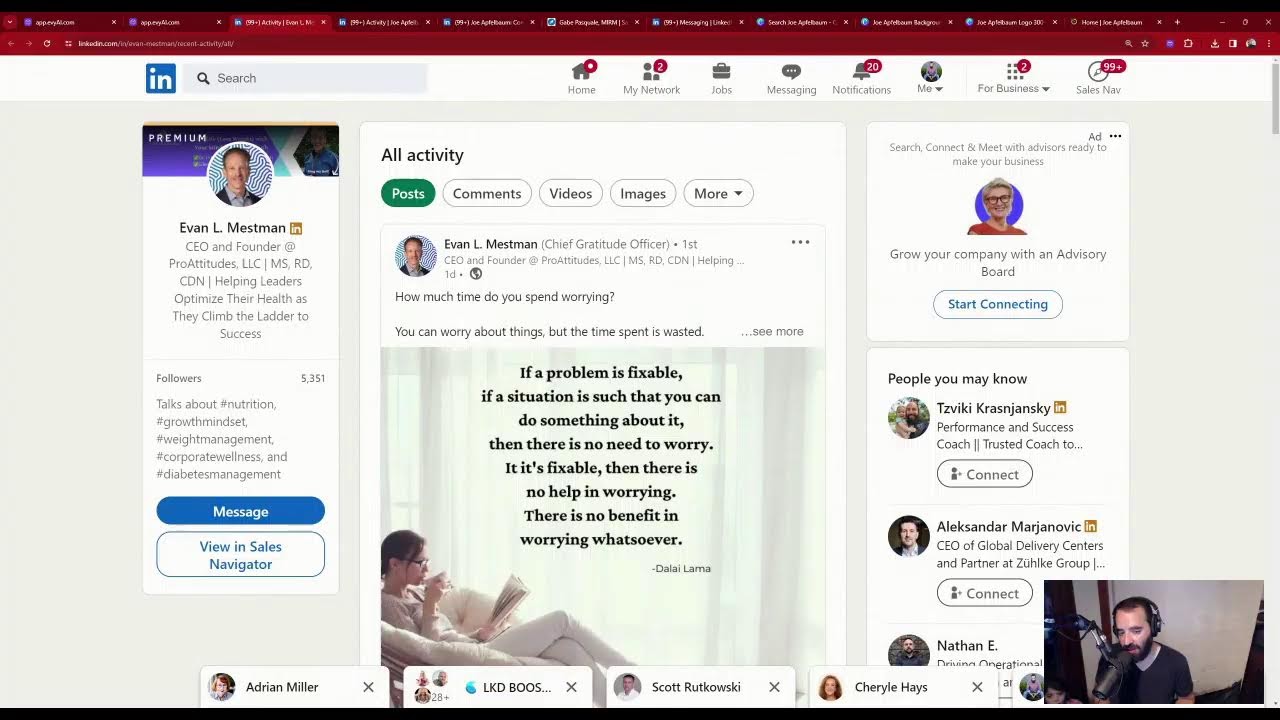
Joe Apfelbaum, CEO of Ajax Union, shows how to use Evvy AI to automate LinkedIn networking: drafting comments from multiple personas, generating AI summaries of profiles, and building company pages. He demonstrates recovering from a livestream crash, targeting active posters with Sales Navigator, and using games to boost engagement.
Chapters
School with Joe Apfelbaum. Today we're going to have some quick networking lessons and hopefully this time we won't have any technical difficulties. Really excited to be here today showing you how I post, engage, message, add new connections, build relationships, teach you how to get that exposure on LinkedIn. If you're logging in live with me today, let me know that you're here live with me by giving me a like, a thumbs up, or a heart or a light bulb. And also let me know if you're here, if you, if, where you're dialing in from, that'd be lovely. Put it in the chat. Let me know where in the world you're dialing in from. I am going to quickly introduce myself for those of you that don't know me. Hello, my name is Joe Apfelbaum. I am the CEO of Ajax Union, a business-to-business digital marketing agency. Been doing that for about 15 years now. And Recently I launched a software for LinkedIn called Evvy AI. It's an AI assistant for LinkedIn. It doesn't do things for you, but it assists you to be able to use LinkedIn better. It complies with LinkedIn's terms because it doesn't automate LinkedIn, but it'll help you draft comments. It'll help you draft posts. It'll help you save profiles so you can be top of mind with people. And I'll be showing you how I use LinkedIn much more effectively with artificial intelligence. It just saves me a ton of time. So let's dig into LinkedIn right now. And what I also want to do is while I'm on LinkedIn, I also want to just let the people know that, hey, there's a new video here. There's a new live going on because the last live that just went on kind of crashed. All right. So I'm going to go into my posts. I'm going to click on show all posts right on my profile. I'll zoom in so you guys can see what I'm doing. And you'll see if I refresh over here that there'll probably be 2 posts, one that where I'm live right now and one where I was live just a minute ago. So I was live just a minute ago and you see these 20 comments here and it all crashed. So what I'm gonna do is I'm gonna let people know to come to the new one. So how do I do that? I click on the 3 dots, I click on copy link to post, and then what I do is I go in here to these comments here And I'm going to say, tag Michael, tag Michael S, and say, we are live on a new post here. Okay? And I'm gonna delete all this little mumbo jumbo. Okay? And I'm gonna say, the other one crashed. Please join us. At the new video. Okay? So now I'm gonna copy it just like this, and he'll get notified because I tagged him. You see, when you tag somebody, they get notified. Okay. So boom, I just notified Michael. Let's see who else. I'll notify Jeff as well. I'll tag Jeff. Okay. So this is how you do it. Jeff, and then I'll just paste what I had there before, letting him know to come to the new one as well. And let's see who else. Oh, looks like Christina Leitner is here as well. So I'm going to tag her as well. Christina L-E-I. Tag her and let her know we are live here as well. And then of course, Jane. I'll let Jane know as well. Jane. Jani. Oh, let's see. I misspelled her name, so it's not coming up. You see that? And I pasted it. So just like that. Okay, so you see that I notified these, a couple of these people to come back to the new live that I have here. And hopefully you guys are on this new live. I'm gonna give myself a little heart. By the way, a quick recommendation for all of you is heart yourself. Give yourself a little heart whenever possible on your own post. So go ahead, give me a heart as well, but give yourself a heart. Make sure that you give yourself a heart on your posts. I'm gonna click on comments just to see all the different comments that people are leaving. Looks like Patrick made it back. Still here from Philly, guys. Let me know where you're dialing in from. I'm gonna say thanks for coming back. Okay, thanks for coming back. It looks like Amir— what's the lesson this morning? Okay, great question. Let's dig right into it. So if you're on the feed, Amir, and everybody else, you'll notice that there's posts from people that you're following or that you're connected to. For example, Cody It says Sunday reminder, you're more capable than you think. You see that? And she has a whole post. You've survived this far, all the data points to survive next. So of course I'm going to comment on Cody. Okay. I'm going to, I'm going to leave Cody a little comment here. I'm going to offer some tips. I'm going to keep it inspirational. Absolutely, Cody. We often underestimate our capabilities. Just remember, each challenge you face is an opportunity for growth. Okay. So I'm going to drop a comment at Cody. I'm also going to tag Cody so she knows. That I'm that I'm that I'm commenting. Okay, so I just tagged her. Now I'm one. I'm the. I'm like one comment in. You see that? I am one one minute ago. I am one comment in. How many likes is this post gonna get? How many people are gonna notice this? Well, let's see. Let's look at her history. So I click on her profile. She has 186,000 followers. I already saved her. You see on the right side says save profile. I already saved her to a list called influencers. You see, she's an influencer. Okay, so I have a list of influencers that I strategically, uh, that I strategically comment on. Okay, so I'm gonna go here and you can see that she has 1,000 likes, 500 likes, hundreds of comments. So I'm comment number 1 on her post, on her Sunday reminder. I'm gonna get seen by other people. So not only do I comment I also drop comments on other people's posts as well. Screw them. Nat, that is one way to do it. Okay. And I just also reply to other people's posts as well. Now, I don't always have to use AI. I can drop my own little thoughts, my own little witty comments as well. But if I did want to use AI, For example, maybe I wanted to use AI as a dog. Okay, so I'm gonna switch to a dog. Okay, so I switched to Basil the Samoyed and that's a company page. And now I'm gonna reply as Basil the Samoyed. You see, now I'm a dog and I have to change my persona on Evvy AI to be a dog. And now it's gonna reply to that guy's comment as a dog. Okay. Bark, bark. Just like a good game of fetch. Okay, just like a good game of fetch. Every challenge, blah blah blah, woof. Okay, so he just— my dog replied to me. I can also reply to Mondo as a dog. You see that? Now you might be saying, Joe, why are you replying as a dog? Well, for me, I want to be able to create as much exposure as possible for myself and for my business. And often that means tagging people who are active on LinkedIn with all the different resources that I have. So I have company pages, I have profiles, I have many different resources and ways for me to be able to connect and build relationships with people. So the more exposure I get, so now I have 2 separate properties that are commenting on a popular post, on an influencer's post. Now I want a 3rd property. I switch to Evvy AI. So check this out. Now I'm gonna drop a comment as my company page, Evvy AI. I just switched my persona cuz I'm, again, I have multiple personas. I'm using multiple personas right here, and I'm going to drop a comment as a company page. Absolutely. The power of self-belief is immense, Cody. Okay, so now I have a company page representing my company, Evvy AI, that remember, it's not defined by others' perceptions, but our own Um, okay, so I'm just gonna, I'm just gonna start from here. Instead of remember, I'm gonna do we are not. Whoop, cancel. Are you sure you wanna discard the comment? No, I'm not sure. I'm gonna press W and I'm gonna press post. Okay, so now this is gonna give my company page exposure as well. All right, so back at the feed. So I was at the feed, I saw that post come up and I took some action. By the way, let me— I'm going to show you guys how I strategically take action because the feed is not reliable. I'm going to go to my own profile just to kind of show you something. I'm going to go down here. I'm going to see all my recent posts just to give you guys a little bit of shout out. So if you guys are logging in live, you're watching me live right now, let me know that you're watching this live. Let me know where you're dialing in from. Jeff said, I lived in Passaic 1996 to 2000. Penny said, good morning, Joe. Okay, Patrick says still from Philly. Amir said what's the lesson? Hashi said could you use your AVI for this? Uh, probably I could probably use my AI for this, my AI avatar. Hello from New York. Roy said hello from New York. Penny said hello from Passaic, New Jersey. Okay, so I'm gonna like all these comments over here. These are all amazing people and these are people that I want to be in touch with. Okay, I want to connect with, I want to build relationships with. Now, if I go into app.eviai.com, you see, if, and if I wanna do this from LinkedIn, I would click on my little app on top. You see my little Chrome extension that I pinned, and I would click on saved profiles right here. See all saved profiles. And it takes me to this window. If I'm in, if I'm in this window over here, I can select, I wanna see all 50 people that are on this list. I can go to the last part over here and I could start strategically leaving comments on Renee, on Ira, on Tina, on Brynn, on Jeff Goldberg. You see that? I click on see all recent activity. I don't have to wait for this to come up on the feed for me to leave a comment on this person's post here. See, I don't have to wait for this. I can actually proactively check out the posts of my connections that I know are posting on a regular basis that are extremely, extremely powerful. Okay. Thrilled to hear about your upcoming social zen. For those aiming to elevate their skills, insights from Jeff are a goldmine. Okay, so I just left a comment on Jeff's post. I'm the only one that left a comment besides him. I'm the only one that left a comment. Think about the value that you can add to someone's life when they have thousands of followers and you're the only one that comments. You're the only one that cares. You're the only one that shows up. Write this in the comments, right? I want to show up. I wanna see how many of you want to show up. You got to show up. Don't show up and throw up, show up and follow up. So if I have 45,000 followers here on LinkedIn and I'm showing up consistently in my top 100, my top 50, my top 25, and even in my top 5, that adds massive value to their life. So write in the chat, I want to show up. I'm gonna show you how to show up. Okay, so Penny said, "I want to show up." I'm gonna write boom. You got to show up. If you don't show up, nobody will know that you're there. I want you guys to learn how to do this. Good morning from Jersey City. I'm gonna say need to spend more time there. Okay, I'm gonna press go. I'm gonna check out Jeff. Jeff is American Express risk manager, and he's also a realtor. You see that? Now I'm gonna save Jeff's profile because I see that Jeff is someone who's active. So I'm gonna press save profile. And then what I'm gonna do is I'm gonna click on the little dropdown here and I'm gonna press summarize profile. Now what this does is it gives me a summary of Jeff's profile. What does it mean to gimme a summary? It tells me who Jeff is. Now I could look at his profile and maybe spend 5 minutes reading it and trying to figure out who Jeff is. Or I can read this profile here that it explains to me where he is. You see, he's an associate at Christie's International Real Estate in Northern Jersey. I had no idea from looking at his profile. I had no idea. Uh, holds a science, a bachelor, uh, Master of Science, currently managing risk with a focus on evaluating merchant exposure. Simultaneously, he's involved in real estate residential investments. His dual expertise in finance and real estate has strong interpersonal skills. Make him a versatile professional. Love that. So Jeff, I do have a tip for you. I would, I would change your background banner and customize it into something a little bit better. Also, your about section can have call to action if you want people reaching out to you. And you haven't really posted anything recently, so I do recommend posting something on a more, uh, more regular basis. You can use Evie AI right over here, the post writer. If you go to app.eviai.com, you can have it write a post for you, Jeff, and you can try it for free. So I highly recommend everybody go ahead and write a post on LinkedIn today, and that post will get you exposure, especially considering the fact that you have thousands of followers already. You see that, Jeff? You have thousands of followers, but maybe you're not posting on LinkedIn regularly, and I highly recommend that you do it, you know, especially if you're in real estate. If you're an associate in real estate, as a real estate professional, You're working for this company called Christie's, right? Let's see if anybody works at Christie's. You know, they have hundreds of people that work there and how many of those people actually have posted in the past 30 days? So I can check, I can click on see in Sales Navigator. So if you guys don't know how to use Sales Navigator, Sales Navigator is a really powerful platform and you can really get to know Sales Navigator by taking our bootcamp. So just write bootcamp in the chat if you want to learn more about our Sales Navigator bootcamp, or write Sales Navigator in the chat. I'll send you some more information. But as you can see, out of the 225 people, these are the 82 that actually posted. So if I wanted to be top of mind with people in your company that actually posted in the past 30 days, these are the people that I would build relationships with because these are the people that are posting on LinkedIn. So if I want to check out this person's profile, I would just click on view profile. Now I can check out this person's profile, see what they've recently posted. You see, 3 days ago he posted something. So I can click on these 3 dots, click on view profile. I can go into his organic profile. So this is the Sales Nav profile. This is the organic profile. And now I scroll down and I want to drop a comment on this. Look at this post that he posted over here. His cell phone number's here. I can pop a call to him and say, hey, I noticed this post you posted on LinkedIn. If you want to Create a little bit of a better post or give him a tip about this. I give him a tip not including, not to include the link in the post, which will give Gabe more exposure. Now I'm just gonna drop a comment, change it to Joe Apfelbaum, and I'm gonna press generate. It's gonna read his post and it's gonna generate a comment in about 3 seconds. And the reason it does that really, really quickly is because it's using very, very advanced smart AI technology. To help be able to write these, these comments. So if you're not using this technology, highly recommend. So this is, this is a, a person that is posting on LinkedIn, but also his banner's not optimized and so on. And I can actually pick up the phone and call him because he popped his cell phone number right on LinkedIn. So highly recommend you guys take these types of activities, learn how to use LinkedIn properly if you want to grow your business. You gotta learn how to leverage LinkedIn. Um, same thing with messages. If you wanna reply to messages, um, let's say for example, I wanna reply to, to Adrian. I'm gonna say, thank you. Would love to meet you in real life too this year. Um, maybe come to a networking event. Okay. Now I'm gonna press GPT-4 generate. And you know, I could just write this like this, or what I can do is I can have the AI rewrite it for me. Hi Adrian, thank you so much for the message. Always a pleasure to connect with you. Like-minded individual on LinkedIn. I'm thrilled for the prospect of meeting you in person this year. Perhaps we can attend a networking event together. It'd be great opportunity to exchange ideas and leverage AI and I, da da da da. You see that? So insert a little bit more organized. I'm just gonna delete this right over here. Um, and I'm going to send. Okay, so I just edited it. So it's like, boom. So she wants to meet in real life. No problem. Let's meet in real life. But do you see the way it kind of rewrote it for me? If you think this is a powerful technology, write powerful in the chat. I'm curious to know who thinks it's powerful. I'm gonna go back to me. I'm gonna click on posts and activity, and I'm gonna check out who has been commenting here on my LinkedIn. Go ahead, drop a comment. Let me know what you do for a living. What do you guys do for a living? Give me your keyword. What is a keyword of what you do for a living? Okay, so web developer. Great to be here, Shmuel said. Somebody said, Joe, why do you show up on LinkedIn every day? I say because LinkedIn is a powerful platform. It's a platform where people literally come every single day. Can you guys guess how many people are on LinkedIn right now? Does anyone know how many people are on LinkedIn? I'm gonna say thanks to Sally. Thank you for showing up, Sally Good. You have such a good name, Sally Good. You have such a good name. I love how good your name is. I'm trying to tag you and it's not—it's not—it's not finding you, Sally Good, comma, P H. Dot D dot. Oh, I found you. I got. I had to put the comma. I had put. I had to put the comma space PH dot D dot in order to tag you. I had to put that comma. Let's check out Sally's profile. Sally, I love your background photo. I love that you help people prevent dementia. Very, very clear. This white over here is a little hard to read. Just FYI. You're a speaker, author, coach, psychologist. Amazing. You're based in Texas. Love that. I love that you verified your profile. Well done. I don't love that your company page doesn't have a logo associated to it. So I would improve that by actually creating a company page. I can show you how to do that really quick. So right now you don't have a company page associated with Goodbody. I highly, highly recommend creating a company page. So the way that you do that, if you want to learn how to create a company page, just write, I want to learn how to create a company page in the chat, and I'll teach you guys in a minute. I'm curious to know if nobody wants to learn, I'm not going to teach it. But if you guys want me to teach you how to create a company page, I will show you how I create a company page in a matter of minutes. And then you can use that company page to like and comment on posts. That's what I love about that. And mainly on your own posts. So if you want to create comments from 10 different resources, you can have 10 different company pages and you can have 10 different likes and 10 different comments on each one of your posts, just like that. I love that little hack. Um, okay. It talks about microbiome flourishing, mental health, neuroscience. Let me drop her a comment over here. Let's see if she posted 14 hours ago. She posted. So I see you posted a link here. So Sally, I would not recommend just including a link like this because that's not gonna get very far. Um, I'm just gonna write boom here just to remind you that I exist. I'm just gonna boom on you a little bit. Um, but you can easily go to our app over here, app.vei.com, click on Post Writer, write what you want the post to be about. Like in your case over here, let's go back here to— I don't remember where you were. You're here. So plan your year on a one sheet of paper, various dates available, but no replays. Um, and I'll just go in here and say, give 3 tips to plan your year on a one sheet of paper. Okay. I'm going to choose An informative tone. I'm gonna provide value. In this case, I'm gonna say, um, do it as Ajax Union CEO, and I'm gonna press generate. And what it's gonna do is it's gonna go through 1.7 billion parameters in GPT-4, and this is the more advanced version. We, you know, it's, it's, it's really smart. I mean, this AI is so smart. So instead of, Sally, instead of just, you know, writing a link over here, you can actually take the time to properly write a post. That could be so helpful. So helpful. It's so helpful to properly write a post. Um, and GPT-4 does take a little bit of time, but you can see, ever wondered how to fit an entire year's worth of planning into a single sheet of paper? It sounds impossible, right? But as we say in the marketing world, the right strategy will save you a decade. That's in the persona. That's something I say all the time. As a seasoned marketing consultant and CEO of Ajax Uni, I learned the value of strategic planning. I learned, I learned the value of strategic planning, uh, and how it can be simplified. Let me share it with you in 3 tips. 1, prioritize. 2, break it down. 3, review and adjust. You see that? So now I'm going to press copy here. I'm going to press copy this post. I'm going to go here into the feed. I'm going to click home. I'm going to click start a post and I'm going to paste this just like this. Look, I just got an idea from your post, right? And I could have, I wrote the whole thing just like that. Now I'm going to schedule this for right now. You know what? I'm going to schedule it for right now. If you're a marketing director, I'm going to say, if you are watching my video, My LinkedIn Live. Drop a comment with your top goal for 2024. Now it did include a link to Ajax Union. Okay, let's see somewhere there's a link to Ajax Union here. Yeah, there's a link to Ajax Union which will kill the post's reach. So what I'm going to do instead of doing this is remove this. I'm gonna remove this. Okay, so I remove that, and instead of doing that, what I'm gonna do is I'm gonna add media. I'm gonna go in here, and I'm going to grab this post here just like that. I'm gonna press insert. Press next. Everyone have anything? Let's say right side. I'm gonna be like Jack Daly is coming to New York. And you don't want to miss it on Jan 10th. Ask me for info in the comments if you want to set amazing sales goals. Okay, as a seasoned marketing consultant, I learned to value strategic planning, prioritize. Da da da da da. Okay, if you're watching my LinkedIn Live, drop a comment. Now what I'm going to do is I'm going to schedule this for later, so we're not going to do this. You know what, I'm not gonna schedule. I could schedule it for later right over here. I'm gonna go back and I'm just gonna hit post. Yeah, I'm just gonna hit post so you guys can comment on it right now if you want. Okay, just to kind of show you how cool this is. So I just left a post right now. I'm gonna press the 3 dots. I'm gonna press that copy and post a link to post. I'm gonna click on me. I'm gonna click on posts and activity. I'm gonna scroll down over here and I'm gonna drop a comment right over here just like that. Okay? And you guys can grab it right from my recent posts here. Now, if you wanna see all recent posts, you just go to my profile and you can see all my recent comments just like that. You see that? Great session. I love this AI tool. Joining from Singapore. I'm an organizational psychologist, executive coach, and strategic change guy brain. Love that. Yes to a company page. Anybody wanna learn how to do company pages? Write company page in the chat. Roy said title insurance is vital. Title is vital. I like that. It said 1 billion. Yes, now there's a billion people on LinkedIn. It said powerful. Okay guys, listen, I want to educate you, train you, guide you, consult with you, help you be able to grow your business with AI, help you be able to grow your business with LinkedIn. So smash the like button here if you haven't created a little like over here, go ahead, smash that like button. Also hit the repost button. If you find a little repost button somewhere next to your video, click on it. This way more people will be able to join us live here and we'll be able to get more bang for our buck. And also drop a comment. Don't be afraid to drop a comment. Give me a boom right now in the chat, but don't give me a regular boom. Give me a boom separated by the O's. Okay, so do like this. Go like this. Press B Press B and then press post, and then press O and then press post, and then press O again and then press post, and then press M and then press post. And look, I just wrote boom like that. Okay guys, let's see how many of you can write boom like that. B-O-O-M. It's only 4 comments, but if you do that Then you're gonna own the feed in my comments, and I want you guys to own it. So let's see if that works. Let's see if how many of you can actually write that and actually get the boom in fast enough. Can you do it? Can you do it? Let's see. Let's see. Because otherwise, people are gonna boom in between you, and you know. Let's see if you guys can actually get a boom. It's a little game we're playing. Oh my God, I didn't even get the boom. Did I even get the boom? I'm not sure if I got the boom. All right, let's— we're having fun here, ladies and gentlemen. If you're not having fun, what are you doing? Okay, you gotta have fun. All right, let's see. Let's take a look at Sandrine's, um, stuff over here. Okay, so she's a top voice. She has 9,200 followers. Look at that. We're first-degree connections. That means that me and her are direct connections on LinkedIn. I'm gonna check out her recent posts. 2 weeks ago is the last post. Oh, she reposted this, but she posted 2 weeks ago. So let's see, Forbes, Forbes. So, you know, one of the things I always tell people is don't include a link in your posts. Why? Why? Because when you include a link in your post, it crushes the reach of that post. That post does not get out very, very far. And it doesn't look like you're really posting very often, but you're reposting a lot. It's totally fine to repost, but you want to at least post on a regular basis, especially if you have so many followers. When you repost, your followers don't really see it. It boosts that original post, but your followers are going to see your posts, not your reposts. If I go through your recent posts, I'll see all your reposts. But if I'm just on the feed, you don't really see that many reposts on the feed. You see posts, you see. Gary Vaynerchuk's post. You see, I'm gonna drop a comment for Gary Vee. I love Gary Vee. I love dropping comments on Gary Vee, and it also gets me a ton of exposure. Gary Vee starts from within. Kindness starts from within, Gary Vee. As you just said, kindness is the ultimate strength. Okay, so you see, I just left a comment for Gary Vee. True story. I'm gonna give this Debbie a boom. Just like that. So Debbie gets notified that I boomed on her, on her comment, just like that. Okay, so highly recommend you guys learn to drop comments properly on LinkedIn. And let's see what we've been doing here. Okay, let's see if anybody got the boom. Did anyone get the boom? Uh, you can see, you could see over here. I can't really see these comments here. Oh, here from Tenafly. Welcome from Tenafly. So glad you made it. Okay guys, let me know where you're dialing in from. Let me know what you do for a living in the chat and give me a boom and try to do B-O-O-M in the order that I just shared and see if you can get a full boom out. Okay, B-O-O-M in separate comments. Let's see if that works. And also go to my most recent post and drop a comment letting me know that you're watching this live just so that you can see this post here and how you saw how quickly I created this post. Now I want to give myself 5 likes on this post. Did you know that you can give yourself 5 likes? You want me to show you? I'm going to show you 2 things. So number one is, if you want to see company page, write company page in the chat. If you want to see 5 likes, write 5 likes in the chat. Let's see if we can get at least 2 people to say 5 likes in the comments, and then I'll show you guys how to create 5 likes on your own post. Just write 5 likes. Okay, I'm gonna click on comments. Let's see if I can find anyone that wrote 5 likes. I'm gonna press on most recent. Oh, looks like company page. Sally said company page. I'm definitely gonna do that. Um, and somebody said— anyone wrote 5 likes? It looks like we got almost— you almost got the boom, Hassan. Almost. You got O-O-M, but you didn't get the B. Let's see, let's see if anybody else— B-O-O-M. But no, Roy wrote ka-ching boom in between your boom, so you got to do it again. It's— it's— you got to do it again. Isn't that a nice game to try to see if you can get the boom straight without somebody commenting in between? Let's see, I'm gonna do this again and then I'm gonna show you, um, I'm gonna show you likes. I'm gonna show you how to give yourself 5 likes on one post yourself. Most people don't know how to do this. 5 likes. Okay, so Militza showed 5 likes, said he's at 5 likes. Okay, so we have 2 people that are interested. Good. So I'm gonna click on like. Okay, so the first step is I click on like. So I just liked on my own post. Right? I'm going to refresh this over here. So if I like on my own post and then I want to like again on my own post, what do I do? How do I like again on my own post? You can't really like again on your own post unless your post shows up somewhere. So I'm going to copy this link to this post. I'm going to go here just like that. And do you see the way that there's a dropdown now? If I go into the post just like this, there's a dropdown. Do you guys see that? You guys see the dropdown? Say yes or no. If you see the dropdown, let me know. So I have one like here. I want to add an additional like. I have to click on this dropdown. I have to change the liker to now Ajax Union, and I'm going to give it a round of applause. Now I'm going to change it to Evergreen Networking, and I'm going to give it a— let's see, what should we give it? What should we give it? We'll give it a support. Now I'm going to change to the Executives Association of New York City. And I'm gonna give it a light bulb and we're gonna change to Basil the Samoyed and we're gonna give it a laughing face. We're gonna change to Evvie AI and we're gonna give it a heart. Okay? We're gonna give it some hearts. We have 2 hearts, we have 1 laughy face, we have 1 light bulb, we have 1 cheer, and we have 1 round of applause. Write amazing in the chat. I just showed you how to give yourself 6 likes. Now you can also give yourself 6 comments as well. Make it a goal to learn AI this year. Okay, so I'm going to drop a comment just like that. I dropped one comment. Now you do the same thing. Go back to Ajax Union. Set your marketing goals. Early. Okay. You see Ajax Union, Evie AI. I'm going to switch to now Evergreen Networking. I'm going to drop a comment for Evergreen Networking. LinkedIn networking goals are so important. Okay. I'm going to press post. LinkedIn networking goals are so important. So we have 1 company, 2 companies, 3 companies. Do you guys see this? Now I want to leave a comment as a dog, but I don't want to use my own creativity. I'm going to have the AI drop a comment as a dog just like this. I'm going to select the dog. I'm going to press here and the AI will actually create the comment as the dog. Come in. What's up, sweetie? Give me a second. What? I'm on a video. Yeah. What's up? I'm, I'm not recording. I'm just done live. What? Yeah, I'm gonna be finished live. I'm gonna be finished live in five minutes. Five. Give me five minutes. Five minutes. So you see it says Wolf Joe Applebaum. Your tips are pawsome. Breaking some goals into bite-sized tasks—that's like turning a big bone into small chewable pieces. Now, if only I could figure out how to hold a pen. Bark, bark. That's cool. That is cool, ladies and gentlemen, that I can have a dog on LinkedIn. So your question might be like, Joe, how do you create a company page? Right? Let me just quickly take a look to see if anybody has left any comments over here for me. Any questions that you guys have? 'Cause I, I, I'm gonna go to my children in just a minute. Um, they woke up, it looks like. So I'm gonna go hang out with them a little bit. But I just wanna make sure to see, you see all these comments were left by me. I'm gonna go back to my recent activity here just to kind of see who has been leaving comments here. I'm gonna click on most recent just to see the most recent comments. Question, when you have both LinkedIn personal page and a company page, should you post under your personal page, under your company page? I'm gonna say, uh, I'm actually gonna have my AI reply to that. Okay, I'm gonna have the AI reply to this. Heavy, I'm gonna reply as Joe Applebaum. I recommend always posting as a profile because that shows up in the LinkedIn feed. Company pages are great for advertising and branding, but they do not show up often Organically. Okay, now I'm gonna press GPT-4 generate. Let's see what GPT-4 turns that into. Okay, great question, Sandrine. I'd recommend posting as a profile page because it shows up organically on LinkedIn feed. Company pages are excellent for branding and advertising, but they don't appear as frequently. Keep leveraging LinkedIn to build those relationships. You see, it just touched it up, made a little better. So using AI, it actually helped me tag you as well. You almost Not the cable. Be careful, sweetie. Great question. You see the way it kind of tightened it up over there, made it nicer? Hopefully that answered your question. Okay, so, so a lot of you want to see the company page strategy, so I'm going to show you the company page, how to create a company page. So if you go to the LinkedIn homepage, okay, go to the LinkedIn homepage. By the way, what do you guys do for a living? Write what you do for a living in the chat. This way other people can watch this on the live and on the replay and hit that repost button so more people see this, especially right now when I'm about to teach Teach you something that's super, super valuable. What's up? It's 9:35. Almost done. All right. So I'm going to drop this tip and then I'm going to wrap up. So if you click on business for business, you see there's a there's nine squares: one, two, three, four, five, six, seven, eight, nine. It says for business. You'll see right over here it says visit more LinkedIn products. Then it says advertise, post a job, learning, talent insights, groups. Service Marketplace, Manage Billing, because I pay for LinkedIn. And if you scroll a little bit lower, it says Hire on LinkedIn, Sell with LinkedIn, Post a Job for Free, Advertise on LinkedIn, Learn with LinkedIn, Admin Center, and then it says Create a Company Page. Okay, this is hidden on the way bottom here. They don't want people just randomly creating company pages, but I want you to create a company page. So I'm going to create a company page. So now it asks you, is it a company A showcase or an educational institution. So I'm going to create company. Now I'm going to add the organization's name. The organization is going to be called Joe Applebaum. Okay, so it's going to be company slash Joe Applebaum. I'm going to take off the dash because I want it to be slash company slash Joe Applebaum. The website is going to be http://www.joeapplebaum.com. The industry, it's going to be coaching. Professional training and coaching. The organization size is going to be 0 to 1 employees. Actually, it's going to be 2 to 10. Let's just do that. Um, the truth is it's just me, so I'm just going to do that. But I do have an assistant, so that's 1 employee. Whatever, it's fine. I'm overthinking it. Okay, I'm gonna do self-employed. Okay, let's just assume it's self-employed. But they do have government agency, not-for-profit, privately held. It's actually a partnership, but I'll just do privately held. Okay, now it wants a logo. Now it does recommend creating a 300 by 300 logo. You see that? So I create my logo in Canva. Have you guys ever used Canva before? Write yes to Canva or no to Canva in the chat. I'm curious to know if anybody ever used Canva. So I'm going to create, create a design on the bottom. I'm going to create Custom size. I'm going to type in 300 by 300. You see that? Create a new design. Now I have a little Canva thing here. Let's say it's Joe Applebaum. It's going to search Joe Applebaum. I'm going to have to find my little logo here somewhere. Look how cool these images of me are. Okay, I found my logo right over here. I'm going to Let's see, copy image, paste it. Ooh, look how nice that is. I love it. Okay, that's my little apple, my little logo apple. I'm gonna put it right here like this. I'm gonna call it Joe Apfelbaum logo, and I'm gonna do 300 by 300. I'm gonna press— I'm gonna center it right here. I like the way it's centered. You see, I'm going to press share. I'm going to press download and download it just like that. Okay, I just downloaded this. Now what I'm going to do is I'm going to upload it to LinkedIn. I'm going to click here, choose file, Joe Applebaum logo 300x300. You see that has a little picture of an apple. Tagline, helping Organizations, grow your business with Joe Applebaum, author, speaker, entrepreneur. Okay, I verify I'm a representative of Joe Applebaum. I press company page create. And now I created a company page. You want to view it as a member? View it as a member. This is Joe Applebaum's company page, linkedin.com/company/joeapplebaum. Now I want to create a background banner for my company page so I could do the same thing, same thing I did before in Canva. But instead, what I'm going to do is I'm going to click here. I can create a company subcompany page. You see that I can create a description for it. I can generate posts for the company page. I can create jobs around the company page. I'm actually gonna follow the company page. I'm gonna click on the little bell as well on my own company page. I'm gonna click on view as admin on the top right corner. And now I can add a description. I can grab it from joeapelbaum.com. That's joelinkedin.com. We're gonna go to joeapelbaum.com. I'm going to click on, let's see, I have Ajax Union, Heavy AI here. I'm going to scroll here, see, I'm going to write some information about me as a speaker. Joe enjoys speaking and writing about business development seminars, webinars, speaking topics. So I'm just going to go here and add this over here. I'm going to press save. See the way that I saved that. Now, if I want to click on page info, you see all this information over here. I have buttons. Visit website is the button. You can change the visit website to like sign up, register, learn more. I'm going to change it to learn more because there is no sign up. It's just learn more. And there's the about, there's the overview. There's the workplace. You can talk about your workplace commitments, locations. You can include a lead gen form to collect leads. You can manage the languages that you have. You see that? You can have different languages. I love that so much. Okay, now I'm going to close this over here. I'm going to click on the little pencil and I'm going to create a cover image. It's 1128 by 191. You see that? So I'm going to go in here to Canva. And I'm gonna do create a design, 1128, 1128 by, does anyone remember what it was? 1128 by, let's see what it was, by 191. Okay, by 191. I'm gonna create design. Okay, so now what I'm gonna do is I'm gonna take this logo from here, or I can just take this logo from here, copy from here, this image. I'm gonna paste it here, make it small, put it down here. All right, Joe Apfelbaum background banner, 112A-191, okay? So now I have that here. Now what I'm gonna do is I'm gonna grab some images. I can grab images, I can grab, let's see, copy image, paste this like that. I can have all of them at once. I could just do a little screen grab of them. I'm gonna use this tool called Snagit right over here. I'm gonna create an image of this. You see, just like this. Copy. I'm gonna paste it into Canva just like that. I can have an image of myself up there if I want. Find a nice image from somewhere here. You click on Hire Me to Speak or Podcast. You see I have tons of images here. I can just grab one from Canva itself. I could just go in here, Elements, or Brand, or Uploads. See that I have lots of different photos of different people, different things. I search Joe Apfelbaum. I'm gonna put this one right here. One second, sweetie. Yes. Okay, I need 2 minutes. 2 more minutes. I'm just showing them how to make this little, this little tool here. I know. Okay, I'm gonna go here, pop this here. Now the thing is Sometimes this thing doesn't come out right. So what I'm going to do is I'm going to actually move this here like this, go like that, pop this here. And over here, I'm going to go back to the homepage, see if there's like a tagline or something I can use from the tagline. All right. CEO of Ajax Union, B2B marketing expert, helping entrepreneurs get motivated. So I'm going to use that as a tagline. Just like that. Okay, now I'm gonna put this here and I'm gonna do a share. I'm gonna do download, download, and I'm gonna upload it into the company page just like that. Where is it? And then we're done. You see, guys? That's how you get it done. All right, um, let's see, wants me to apply. I hit apply, and now we have a beautiful company page. So guys, go follow my company page. Oh, it says image failed. It failed. All right, up though, uploaded. So let's see what that looked like. View as a member. Look guys, look, I have the picture over there on the left. I have my logo, I have my text, I have my icons. It's not perfect. I'm going to have a graphic designer make it better. And then I'm also going to write a post introducing myself. So how do you write a post? So I'm just going to show you guys how to write a post with artificial intelligence. I'm going to select a persona. I'm going to do inspirational. Joe Apfelbaum here. Write a post for for the Joe Apfelbaum LinkedIn company page in third person about Joe Apfelbaum and introduce him as a speaker, author, and entrepreneur. Okay, I'm going to press this, I'm going to hit generate. And now what this is gonna do is it's gonna create a post and then we're gonna wrap up. Let's just give anybody a shout out that has been commenting. If you guys have been commenting, I wanna give you a quick shout out, see if there's any questions. I'm gonna wrap up and go spend time with my little kiddos that are sitting right next to me, encouraging me to go spend time with them. So I'm gonna hop off this little live here because my kids are up. I'm gonna click on relevant, most, uh, recent. Look at this. Bill says no. A real estate attorney question. I answered the question. Awesome, guys. Did you get value? Write value in the chat if you got value from this. I'm curious to know how many of you actually got value from this today. And if you want me to do this more often, say do it again, Joe. Do it again, Joe. I'd love to show you guys how this works. Meet Joe Applebaum, a man of many talents. I'm going to press copy. I'm going to go to my company page. Okay, remember I have a new company page over here. I'm gonna click on View as an Admin. Okay, I'm gonna click on Start a Post. I'm gonna post this. Meet Joe Apfelbaum, man of many talents, a powerhouse in the marketing industry, C to Z, blah, blah, blah, rabbi, this, that, the other thing. Now I'm gonna click on this. I'm gonna find a photo of myself. Okay, I'm gonna choose this one. I'm gonna press Next. I just posted a photo of myself and I'm gonna press post. And as you can see, I had the AI write an entire post about me because I have a persona already generated that already knows who I am. The AI knows who I am. If you want me to help you with your AI training and train your persona, say AI training in the chat. I'll send you some resources. I'm always happy to help you guys if you want to You guys want to try out Evy AI, evyai.com. As you can see, I, my workflow is to drop comments strategically on people's posts. So I don't spend a ton of time just hopping on the feed waiting for things to happen. Instead, I proactively do this on my own. Hit the repost button so more people can see this, more people can learn how this works. I want you to stay top of mind with your most important clients, with your most important friends. and be able to create more exposure for yourself on LinkedIn. Recently, someone told me they tried Evvii AI free account, not even the paid account, and they got a 60% increase in profile views in 2 days of using it. So I highly recommend you try this out. This is going to give you more exposure, more credibility, help you be able to be more consistent and grow your business. So spread the word by hitting the repost button. Let me know what value you got from this. Let me know what you do for a living in the comments. I'm going to be checking the comments and replying to them. Thank you very much for showing up here today. I really appreciate you guys. And I'm gonna, I'm committed to doing this on a regular basis. I told somebody I go on LinkedIn Live every day. So hit that notification bell on my profile so you can get notified when I go live. I'm also gonna do more scheduled lives as well in the future. So if you guys want more scheduled lives, write schedule and invite me, Joe. I'd love to do your AI training. Look at that. Great value. Thanks. Do it again. Guys, write do it again if you want me to do it again. Happy Sunday, enjoy your families, and we'll see you soon. Boom.
More from Joe


How to Beat the Algorithm: Remove Hidden Watermarks & Scale Content with evyAI









AEO & GEO: SEO's Future Explained! Master Answer & Generative Engines! #shorts