Testing out AI on LinkedIn and on Windows - 108 LinkedIn Live 2024 with Joe Apfelbaum
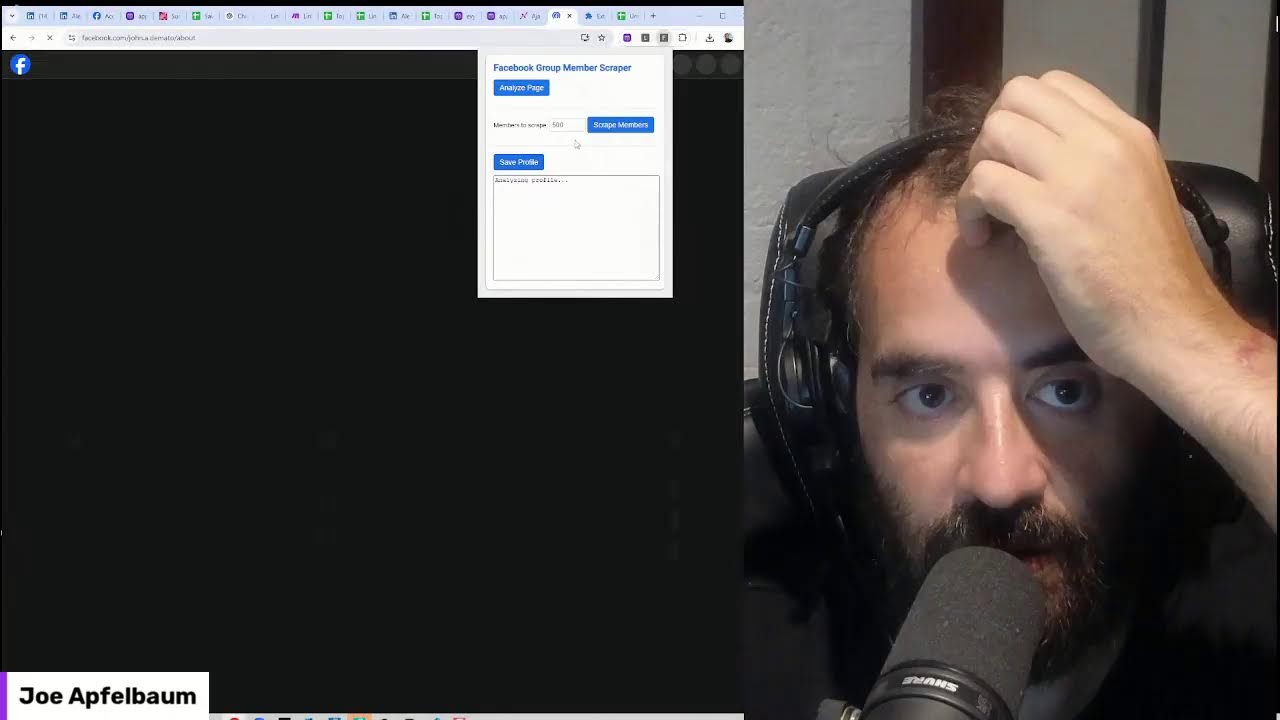
Joe Apfelbaum builds a Chrome extension with AI to scrape Facebook group member data into CSV files. They use Claude to generate JavaScript, hit bugs with selectors and port closures, and iterate through multiple versions to extract emails and profile information.
Chapters
Let's test out using artificial intelligence on LinkedIn. My name is Joe Apfelbaum and I started a company called Evvy AI. If you haven't heard of it yet, this is the company right here. I'm gonna show you what it looks like in the backend. When you log in, you're able to see all your saved profiles. If you saved a bunch of profiles, Now you're able to see them. It's really fantastic what you can do when you save profiles on LinkedIn. Now what I'm gonna do is I am going to look for my webcam. I have a, what's the webcam called that I installed? Let me go to my Program Files because I totally forgot what I even installed over here. I just installed my Gigabyte thing. My whole computer crashed. OBS, Visual Studio. Yes, I just reinstalled my whole computer. That's how ridiculous it is. But let me, let me find this. Not OBS. I just installed OBS. I had to redo all the scenes. I'm glad I know how to do that. Took me forever to learn it. I installed Git, ClipGrab. Let's see, I don't even know where this— where the software is. I installed software to kind of like zoom in and zoom out of my— oh, it's a 360, 360 camera. I'm probably going right past it. Insta360, Insta360 Control Link. So annoying that it's just not here. Here it is. I'm going to right-click on this. I'm going to pin it to the taskbar. All right, now I'm going to click on follow me. What are you doing? You're supposed to center on me. It's like randomly showing my eye. Maybe because I have to change the mask. Ooh, let me change the mask in OBS. I'm going to double-click on the webcam. Oh, I can't move the mask. The mask has to be all the way on the right.
Huh?
If I move the mask more to the left, how annoying is this that it's centered on me? The camera's centered on me, but it's not really centered on me. Oh, whatever. So I'm going to go into Canva now. Let me do this. Let me fix this. Canva, Canva. This is the mask. I'm going to take this mask and I guess I'm going to move this more this way. I want to show more white, I guess. So go here. I want it to be just a little wider. So let's see if we can do that.
Okay.
So I'm going to call this Mask OBS. Let's say left. Half screen left. I don't know. Let's just see what it does. Download. Download. All right, we downloaded it. Now we're going to open it. No, let's just see what it looks like. Okay, that's what it looks like. Such a weird thing. I want to go into Windows. I'm going to grab this mask, cut it. I'm going to Ctrl+Exit. I'm going to put it in my photos under advanced web masks. I'm trying to paste it and it's not going. All right, well, we'll just paste it from here. Downloads, Ctrl+X, Ctrl+V. Okay, so now we're here. Now what I'm going to do is I'm going to take this little webcam thing here that you see. I'm going to— where are the settings for this? That's not where the settings Right-click, blending mode, scale filtering, filters. All right, so I got my filters here. You see, these are my filters. I'm gonna double-click on this. I'm gonna browse and I'm gonna pick this sideways one. I'm gonna press close. And now I'm gonna bring the camera back here and— oh, look at that. Boom. I'm more centered even though I'm not, but I am. I'm not centered, but I am centered. How annoying is that? Now I gotta move this here, which will give you less space to see what's going on on my screen. But you know what? Deal with it. Deal with it, ladies and gentlemen. Deal with it. All right, now that we did that, back to, back to the regular scheduled program. Does this even work? Am I even live? Oh my God, I'm not even live. I might be live on Facebook or Twitter or something right now, but I am not live on LinkedIn, even though my Restream says I'm live. Oh, did I not even go live? Uh, it says end stream, so I must— oh, there are 3 people watching. Look at that, there are 3 people watching. La la la la la la la. If you are watching Say hello. Say hello. Otherwise, I'm just gonna do my thing. I need to, I need to do my thing. I need to do my thing for my video guy to take the things that I do. Like, for example, I don't even know if the sound is coming through properly, but you guys tell me. Let's go to Suno. Let's make some music. Create. Let's make A rap song about scraping LinkedIn for amazing data about leads, prospects, and contacts. Stop hoarding connections and start building relationships. And I'm gonna say Biggie style. Let's see if this— if you say Biggie style, it might not work at all, but let's just create and see what it does. Might be like, yo, you used the word Biggie. You used the word Biggie. So I just downloaded this thing. Check this out. I downloaded Copilot on my computer and now I can talk to Copilot. Check this out. Hey, do you know Biggie Smalls? Can you write me a rap About how people need to stop hoarding connections in the voice of Biggie Smalls. All right, let's see what it does. Let's see what it does. Let's see what it does. Let's see what it does.
Absolutely, I know Biggie Smalls. He was a legendary rapper known for his smooth flow and impactful lyrics. Here's a rap inspired by his style about stopping the hoarding of connections. Here's a rap inspired by his style about stopping the hoarding of connections. Verse 1: Yo, it's Biggie in the house. Let me tell you what's real. People hoarding connections, man. We got networks tight, but they ain't for keepin'. Keepin' all the links locked up in their head. Stop hoarding connections, let 'em flow free. Share the wealth, spread the love, that's the key. Biggie said it best, we all gotta eat. So open up your heart, get up out your seat. Verse 2: In the game of life, we all need a hand. Can't build a kingdom with just one man. Connections like gold, but they ain't for keepin'. Share 'em with the world, stop the creepin'. Stop hoarding connections, let 'em flow free. Share the wealth, spread the love, that's the key. Biggie said it best, we all gotta eat. So open up your heart, get up out your seat. Bridge. From Brooklyn to the world, let's make it right. Connections in the dark, bring 'em to the light. Biggie's voice echoes through the streets we roam. Together we're stronger, never alone. Outro. So next time you think 'bout keepin' it tight, remember Biggie's words, let 'em shine bright. Connections ain't meant to be locked away. Share 'em with the world every single day. Share 'em with the world every single day. Hope you enjoyed that. What do you think? In the dark, bring them to the light.
Pinky's voice echoes through the streets we roam.
Together we're stronger, never alone. Oh, the next time you think about keeping it tight, remember these words. Let them shine bright. Connections ain't meant to be locked away. Share them with the world every single day.
Share them with the world every single day.
Hope you enjoyed that. What do you think?
Uh, I actually really love that. Um, what I want to know is, why is it that my Suno that is playing music from my computer doesn't come out on my streaming. It doesn't stream properly. What's going on with that? It's, it's not coming out of my mic, but you sound perfect.
I'm glad you enjoyed the rap. As for your issue with Suno, it sounds like there might be a few things to check. Audio routing: ensure that your streaming software is set to capture the correct audio source. Sometimes it might be set to capture only the microphone input and not the system audio where Suno is playing. Virtual audio cable: you might need to use a virtual audio cable to route the audio from Suno to your streaming software. This can help in capturing the system audio directly. Audio settings: Double-check the audio settings in both Suno and your streaming software. Make sure that the output device for Suno is the same as the input device for your streaming software. Volume levels: Ensure that the volume levels for Suno are not muted or too low. Also, check the volume levels in your streaming software to make sure they are balanced. Software updates: Make sure both Suno and your streaming software are up to date. Sometimes, bugs in older versions can cause issues with audio capture. If you've checked all these and still face issues, it might be helpful to look into specific guides or forums for your streaming software, as they often have troubleshooting steps for audio issues. Let me know if you need more detailed steps on any of these points. Also, check the volume levels in your streaming software to make sure they are balanced.
Software updates.
Make sure both Suno and your streaming software are up to date.
Sometimes bugs in older versions can cause issues with audio capture.
If you've checked all these and still face issues, it might be helpful to look into specific guides or forums for your streaming software, as they often have troubleshooting steps for audio issues. Let me know if you need more detailed steps on any of these points.
You know what? Restream might be filtering my audio somehow. Let me go to my settings. Let me go to my settings and go to audio. Oh, echo cancellation. Show advanced audio auto gain control. All right, let's hit play now.
Data mines deep, all the leads worth the while. Algorithm dance prospecting in style. Endorsements stacked high, skills read like a novel. Connections in abundance, but don't be a fossil. Time to sift through real gems in the sprawl. Building strong bridges, no more brick wall. Stop hoarding connections, building relations. Quality over number, switch the equation. LinkedIn hustler, mastering the game.
Prospecting, no Guys, let me know if you hear this. This is insane. I'm gonna write insane. Okay, I figured it out. Guys, let me know if you hear this. This is insane. On the right.
Then—
OK, I figured it out. All right, let's see what's cooking now. So these are my recent posts over here. OK? These are my recent posts. And what I'm going to do is I am going to check out who's looking at my posts. Oh, look at that. Look who's looking at my post here. Kwame. All right, let's see what's cooking now. So this is my— these are my recent posts. Did I save Kwame or— yeah, these are my recent posts. And what I'm going to do is— yeah, I saved them— to check out who's looking at my posts. Oh, look at that. Look who's looking at my post here. Kwame. I'm actually— I actually have it on speaker. I have it on speaker over here on my left so that I can hear what's going on, so that I know if the audio works or not. Like, I had it on my phone, but you know what I can do? I could bring my phone into here and we can talk to ChatGPT on my phone. Oh my God, how cool would that be for us to talk to ChatGPT on my phone? Let me just, let me do that. Let me just show you how I do that. All right, all right, all right. By the way, thanks for saying you love the music, Gary. I appreciate that. Let me Bluetooth in my phone into LinkedIn Live now, into the RODECaster Pro. All right, we're connected. We're connected. Let me see if I can. Let me see if I could play a Spotify song for you and if it'll play on the computer. I'm just gonna— I know that, um, some, some things don't allow Spotify. Well, this is— okay, so that worked. That worked for me. I don't know, tell me if you guys heard the music. Let's, let's play some more music over here. Let's listen to this one.
I'm scrolling, scrolling through the feed, see the gold in the profile. Swipe for the connects, networking with a smile. Data mines deep, all the leads of the wild. Algorithm dance, prospecting in style. Hustlers stack high skills, read like a novel. Connections in abundance, but don't be a fossil. Time to sift through real gems in the sprawl. Building strong bridges, no more brick walls. Stop hoarding connections, building relations. Quality over numbers, switch the equation. LinkedIn hustling. Master in the game, prospect like a king, no shame in the claim. DMs popping off, got the pitch on lock. Close deals smooth, make competitors flock. 9 to 5 grind, nah, 24/7 rock. In the land of professionals, be the peacock. And there's endorsements, but the convo's the key. Info like treasure unlocked with the degree. Craft messages slick, target VIP. Relationship builder, never absentee. Stop phoning connections, build the relations. Quality over numbers, switch the equation. LinkedIn Hustler, master in the game, prospect like a king, no shame in the claim.
Yo, it's the J-O-E. Yo, I'm here on LinkedIn commenting, engaging, and posting. Oh my God, I love this. I absolutely love this. I'm going to change my persona here to Ajax Unit CEO. Let's see what it produces. This is just fantastic. Fantastic. See, look at this. Somebody said, Joe, can you build a Chrome extension for Facebook? So let's try. Let's go to Facebook. And let's go to my friends. These are my friends. I think these are my friends. Are these my friends? Oh, these are friend requests. Who are these people that are requesting my friendship? Oh my God, I have no idea who this is. 116 mutual friends. 116 mutual friends. You know what I wanna do is I wanna export all of my LinkedIn— what, all of my Facebook friends? Can I export them? Let's see, let's try to export my Facebook friends. Settings and Privacy, Privacy Checkup, Privacy Settings. Let's see, Settings. Let's see if there's a data backup somewhere here. I wanna download all of my connections. Access Your Information, Download Your Information, ooh. All right, let's see, Download, Continue. Download DIY, download your information. Let's see, download your information, transfer a copy, history, access your information, view your information, personal details, search history, manage contacts. What's manage contacts? That's contacts history. It's not related to that. Download your information. Download transfer information. Let's see, next. Download information on one of my e-profiles. Okay, let's go download. Types of information. Oh, look at that. Let's see. Your saved, your this, your pages, your events, your places. I wanna see my friends. See if I could download my friends. Where are my friends? Oh, connections. And my followers, why not? That's all I really want. Next. Download to device. Next. Range. I'm going to do all time. Oh, you can also do— oh, format HTML. Format JSON for shizzles. For shizzles, I'll do JSON. Quality high. Okay, so we got high quality, notify me all time, create files. Uh, you only have 4 days to download it. All right, great. We just downloading all our friends. This is the URL right here. Somebody said, Joe, where's the URL? I'm going to send it to you right now. I'll pop it in the chat. Download your friends. So I will pop this here and then I'm going to enrich it after. All right. Heart heard it loud. Love the music. You're live. Hey, Joe. Hey, David. Voss. Machst du? Was machst du? Dude, David, you have to check my artificial intelligence software for LinkedIn. By the way, I'm loving the look. I'm loving the look. You posted this 2 days ago. Check this out. I'm going to be the only person that comments on you, but I'm going to use artificial intelligence to comment because AI is here to stay. AI is very, very powerful. Look at that. David, this is a clear observation. Profile pictures do make a big difference for engagement. It's a reminder that personal branding is crucial for your digital experience. Should we make a song about David Stanton? Should we make a David Stanton song? Let's scrape your entire profile. Okay, so now we're going to scrape this whole profile. We're going to determine if his phone number is even here. Let's see, is your phone number even here? Look at that, his phone number is not here. Let's see if we can find him on WhatsApp. He's on WhatsApp. Are you on WhatsApp or what? WhatsApp Web. We're going to go to WhatsApp Web. We're going to find his cell phone number. We need to find his cell phone number, David. Stanton. Here we go. We have his cell phone number here. I found him on WhatsApp. Now I'm going to add it. I'm going to press edit and I'm going to add it to the way bottom over here. Over here, I'm going to write cell and then I'm going to press save and I'm going to send it to my client relationship management program. Then I'm going to press copy. Then I'm going to go into ChatGPT. And then I'm gonna say, write me a profile presentation about this dude, about his birthday and everything. And let's see, because he was born on November 16th, you know what I mean? November 14th, if you know what I mean. My worst— my first work experience was at a tender age of 15. Really? That was your first work experience? Now that's, that's what you have to say for yourself. Ay vey, really? Let's see what Claude has to say about this. Claude, Claude, can you give me a profile presentation about this nimcompoop? Just a little nimcompoop presentation here. Let's see what— let's see what it does over here. Uh, here's a formatted CV for David. My first work experience at the tender age of 16, I apprenticed a year and a half under the leadership of my esteemed brother Daniel Stanton, who owned and operated A chain of jewelry stores throughout the United Kingdom. Turning 17, I I left the jewelry industry and to study abroad in the holiest and most beautiful place on earth, Israel. Ayve, רבייני שליילם, רבייני שליילם, רבייני שליילם. Can you? Can you give me a 15-word blurb that best describes David for a prompt to make a song about him, about him as a gangster. All right, let's just see. Here's a 15-word that describes a tongue-in-cheek gangster. Orthodox jeweler turned diamond boss. Blink Oh my God, this is good. This is good, ladies and gentlemen. David Stanton, your jewelry boss. All right, let's see what it does. I'm gonna say hardcore rap, easy to listen to. All right, let's create the song and let's see Let's see what the Rebbeinu Shlalom wants to create with artificial intelligence. Let's see if we can create some music for Mr. Stanton here. Rebbe, I'm gonna say Rebbe. Why do you not answer my DM? Rebbe, Rebbe, Rebbe. Why do you not answer my DM? And when you need to get someone's attention, what do you do? You endorse them. Look, I'm gonna endorse them for jewelry design. I'm gonna endorse them for diamond grading. That's how you get someone's attention. And then you do that, and then what happens? They respond. Oh, look at that. He gave me a laughy face. A laughy, laughy, laughy face. Look at that. So now what we're gonna do is we're gonna play a song for you, Rebbetzin. Yo, I got, I got David Stanton in the house. We about to let go. You ready? 65,000 followers. Uh, David Stanton.
This ain't no folklore. Craft the masterpieces from dusk till dawn. NYC skyline, diamond-studded bronze. Davis Benton, the jewelry boss. Humble start, now never lost. From bricks to bling, built empire high. Shine in the streets under city sky.
I'm about to scrape your posts, baby.
Now skyscraper high, ain't never gonna stop. Core values paved every jewel path. Stack each sapphire, multiply the math. From prayer to profit, hands full of gems. Blessed with hustle, Jerusalem hymns. Holy and hood blended so fine. Chains and watches, legends align. From shinier days, memories of rags, to diamond dreams filling wealthy bags. Triple Woo! David Stern, the jewelry boss. Humble start, now never lost. From bricks to bling, built an empire high. Shine in the streets under city sky. David Stern, the jewelry boss. Humble start, now never lost. From bricks to bling, built an empire high. Shine in the streets On the city sky. From prayer to profit, hands full of gems. Blessed with hustle, Jerusalem hymns. Holy and hood blended so fine. Chains and watches, legends in line. From shinier days, memories of rags. To diamond dreams, filling wealthy bags. Chip away doubts, sawdust of fears. In gold-laden halls, no more tears. Take a stand, the jewelry boss. Humble start, now never lost. All right, from prayer to profit, hands full of gems. Blessed with hustle, Jerusalem hymns. Holy and hood blended so fine. Chains and watches, legends in line. From shinier days Memories of rags to diamond dreams, filling wealthy bags. Ship away doubt, sawdust of fears.
Oh, here we go.
Gold-laden halls.
Daryl's posts are loading. His posts are loading in my spreadsheet. Here are your posts, ladies and gentlemen. We got— this one is—
Started with pebbles, now shimmering stones. Brooklyn back alleys, now Big Apple's throne. Hands used to dig, now crafting gems from Sweat to finesse, flexing precious stems. Orthodox roots stay true to the core. Hustle pure gold, this ain't no folklore. Crafting masterpieces from dusk till dawn. NYC skyline, diamond-studded brawn. Famous and mature, we boss. Humble start, now never lost. From bricks to plain built empire high. Shine in the streets of the city sky. Started with faith in a tiny shop, now skyscraper high, ain't ever gonna stop. Core values paved every jewel path, stacky sapphire, multiply the math. From prayer to profit, hands full of gems, blessed with hustle, Jerusalem hems. Holy and hood blended so fine, chains and watches, legends in line. From shoddy days, memories of rags to diamonds. Dreams, such a precious stems. Step away, down sawdust of fears. In gold-laden halls, no more tears. Famous in the jewelry bars. Humble start, now never lost. From bricks to bling, built empire high. Shine in the streets under city sky. Famous in the jewelry bars. Humble start, now never lost. From bricks to bling, built empire high. Empire High, shining the streets under city sky. David Stern, the jewelry boss. Humble start, now never lost. From bricks to blame, built Empire High, shining the streets under city sky. From the city sky, from the city sky, created a prophet, hands full of gems, blessed with hustle, Jerusalem hymns, holy and hood blended so fine, chains and watches, legends in line. From shinier days, memories of rags, to diamond dreams filling wealthy bags, chipping weight down, saw dust of fears. No more tears. David Stanton, the jewelry boss.
David Stanton, the jewelry boss. Look what I just wrote. I analyzed his 50 last posts and I said, after reviewing David Stanton's last 50 posts, here are some main themes: Jewish design and collections, Orthodox Jewish lifestyle and values, business insights and entrepreneurship, inspirational and motivational content, current events and social commentary, and personal anecdotes and reflections. Here's some feedback and suggestions. Consistency. David's posts are diverse, which is good for engagement, but he could benefit by more consistent posting schedule. Engagement. Encourage more interaction by asking questions or creating polls more frequently. Storytelling. While he does share personal stories, he could delve deeper into the emotional aspects of, to create a stronger connection with his audience. Visual content. Consider incorporating more visuals. And then post ideas, day in the life, educational content, Jewish holiday-themed jewelry collections, collaboration posts with other entrepreneurs and influencers, ask me anything sessions. Best hooks. These are his best hooks. Happiness is simple, the journey of life, and then hard times create strong men. Engaging, diverse, covering a wide range of topics that appeal to different audiences by implementing some of these suggestions above. He can further improve his content strategy and potentially increase engagement on LinkedIn. Damn! You like? All right, let's see what he says. Now, in the meantime, in the meantime, Kwame liked my last comment over here. Miguel, oh, Shizmon said hello. Hello, hello. By the way, guys, this is what I want you to do. I want you to go to this website, evyai.com. It's your LinkedIn AI assistant. It can write comments, it can write posts. It's really intelligent and we're making it smarter every single day. We're gonna have some pretty amazing new features. But in the meantime, what I wanna do is I wanna have a conversation with ChatGPT right here. ChatGPT on my phone. I'm gonna open up ChatGPT right now and I'm gonna have a conversation with it. I'm gonna open it up. And I'm gonna talk to it. Here we go. Hello. Uh, I'd like to take a moment and talk to you about the fact that I just scraped 50 posts from LinkedIn for one of my LinkedIn connections. And I, I wanna analyze those posts. Can you gimme 3 different ways that I can analyze those posts in a way that number one is I can suggest improvements. Number 2 is I can learn the best parts of his posts, find themes and other things, similarities, maybe pull his tone out of it. And number 3 is ways that I can use his posts to formulate better prospecting targeting so that when I message him and I talk to him, I know what to say based on his last post. Like I know what's important to him. Like, you know, gimme a good way to be able to pull information out of his posts. What are some ideas? You can gimme 3 ideas, you can gimme 7 ideas. ideas, but just gimme some ways to think about this so that I, I take his last 50 posts from LinkedIn. There's a lot of rich information in there. What do I do? Now it's your turn to talk, ChatGPT. I think it had a heart attack. Is my phone broken? I think my phone is broken, ladies and gentlemen. We should listen to the music I made yesterday while I try to fix my phone. Yes, maybe. Yo, funky '80s synth.
Kicking back, brainstorming sharp like a tack. Ideas on fire, you know we never lack. Ava on the line, breaking it down. AI assistant making your ideas crown. LinkedIn blowing up, profiles So bright, skill flexing hard, shining through the night. Wordplay slick, connections on deck with the vibe by my side. My name—
All right, let's try now. Hello, please let me know if we can brainstorm today.
Of course, I'm ready whenever you are. What would you like to brainstorm about today?
Today I'd like to brainstorm about what I can do with the fact that I pulled somebody's last 50 posts And I want artificial intelligence such as ChatGPT or others to be able to analyze those posts. What type of insights can I get out of those posts? And I want you to think about it in 3 different ways when you're giving me suggestions. Number 1, I want you to think about how I can analyze those posts to be able to communicate with that person in a way that he would want to talk to me, maybe to prospect or to network or to build a relationship. Number 2, I want to be able to give them tips on improving their posts. And so analyzing their last 50 posts, I can pull different things that they can do better. And then number 3 is things that I can learn from their posts, like their best hooks, their most engaging things, the things that are doing well, and anything else that you think would be a good analysis of their last 50 posts. Go ahead and give me a bunch of suggestions.
Let's dive into each of these 3 areas. 1. Communicating Effectively with the Person: Tone and Style Analysis: Analyze the tone— formal, casual, enthusiastic, etc.— and style— storytelling, informational, persuasive— of their posts. This can help you mirror their communication style when reaching out, making your message more relatable and likely to resonate with them. Topics of Interest: Identify recurring themes or topics they are passionate about. Mentioning these topics in your communication can show that you've done your homework and share common interests, making it easier to build rapport. Engagement triggers: Analyze which types of posts, e.g., questions, opinions, success stories, get the most engagement. Use similar triggers when starting a conversation, like asking a question or sharing a relevant story. Emotional appeals: Notice if their posts often have a specific emotional undertone, e.g., motivational, empathetic. Reflecting this emotional tone in your messaging can create a stronger connection. Providing tips for improving their posts. Engagement metrics: Use AI to analyze the engagement— likes, comments, shares— each post receives and identify patterns. You can then suggest focusing on content types or formats that generate more interaction. Content structure: Evaluate how well-structured their posts are. If some posts lack a clear hook or call to action, offer tips on improving these elements to enhance readability and engagement. Visual content: If they use images, videos, or infographics, analyze the effectiveness of these visuals. You can suggest optimizing visuals or using them more strategically. Hashtag usage: Assess their hashtag strategy. Are they using too many, too few, or the wrong ones? Offer advice on better hashtag use to increase visibility. Post Frequency and Timing: Look at the consistency and timing of their posts. If there are patterns in when their posts perform best, suggest adjusting their posting schedule to optimize reach. 3. Learning from Their Posts. Top-Performing Posts: Identify the top-performing posts in terms of engagement and analyze what makes them stand out. This could be specific topics, storytelling techniques, or even the length of the posts. Effective hooks. Look at the opening lines or hooks of their posts. Determine which ones grab attention the most and why, so you can replicate these in your own content or suggest them as best practices. Content gaps. Spot any gaps in their content. For example, if they rarely cover a topic that's popular within their industry, you could suggest they explore it or use it to fill that gap in your conversations. Audience insights. Analyze who is engaging with their content. Are they attracting the right audience? This can help you tailor your own outreach or suggest ways they can better target their intended audience. Sentiment analysis: Run a sentiment analysis on their posts to understand the general mood they convey— positive, negative, neutral. This can provide insights into their mindset or how they're perceived by their audience. These suggestions should give you a strong foundation to start analyzing the posts with AI and generate valuable insights for Communication, content improvement, and learning opportunities.
Wow, that's really, really great. If you had to create a prompt that would include all these areas, like a mega prompt for me that I can just copy and paste into AI together with the last 50 posts, and it would really help me create a massive report, can you go ahead and build that mega prompt for me? What would it include and how would it sound?
Sure. Here's a comprehensive mega prompt that you can use to generate a detailed report based on the last 50 posts. This prompt is designed to cover all 3 areas you mentioned: effective communication, content improvement tips, and insights from their posts. Mega prompt for analyzing 50 posts. Instructions for AI. Context: I have the last 50 LinkedIn posts from person's name. I want you to analyze these posts in detail to generate insights in 3 key areas. 1, how to effectively communicate with this person. 2, tips for them to improve their posts. And 3, valuable lessons or insights that can be learned from their posts. Use the analysis below to generate a comprehensive report. Effective communication tone and style. Analyze the tone, e.g., formal, casual, enthusiastic, and style, e.g., storytelling, informational, persuasive, of their posts. Summarize how they typically communicate and suggest how I can mirror this style to connect with them more effectively. Topics of interest: Identify the main topics or themes they frequently discuss. Provide a list of these topics and explain how I can use them in my outreach to build rapport or start a conversation. Engagement triggers: Identify which types of posts, e.g., questions, success stories, opinions, receive the most engagement. Suggest ways I can use similar engagement triggers when communicating with them. Emotional appeals: Analyze if their posts convey specific emotions, e.g., motivational, empathetic. Suggest how I can incorporate similar emotional tones in my messaging to resonate with them. Tips for improving their posts: Engagement metrics: Evaluate the average engagement metrics— likes, comments, shares— across their posts. Identify patterns and suggest content types or formats that might improve interaction. Content structure: Assess the structure of their posts, focusing on hooks, clarity, and calls to action. Offer specific tips for making their posts more engaging or easier to read. Visual content: If applicable, analyze the effectiveness of any visual content, e.g., images, videos. Suggest ways they could optimize their use of visuals to enhance their posts. Hashtag usage: Review their hashtag strategy. Determine if they are using hashtags effectively, and suggest improvements for better visibility and reach. Post frequency and timing: Analyze the consistency and timing of their posts. Suggest optimal posting schedules based on observed patterns of engagement. Insights and learnings: Top-performing posts: Identify the top 5 posts in terms of engagement. Analyze what made these posts successful and summarize key takeaways that could be applied to future posts. Effective hooks: Extract and analyze the opening lines of their posts. Identify which hooks are the most effective and explain why they work. Content gaps: Spot any recurring gaps in their content strategy. Recommend new topics or angles they could explore to fill these gaps and provide more value to their audience. Audience Insights: Analyze the demographics and profiles of people engaging with their content. Provide insights into whether they are reaching their target audience and how they can better engage with this audience. Sentiment Analysis: Perform a sentiment analysis on their posts to understand the general mood they convey— positive, negative, neutral. Provide insights into how they are perceived by their audience and suggest any adjustments they could make. Conclusion: Based on the analysis above, generate a comprehensive report that includes actionable insights and recommendations in each of the 3 areas. The goal is to help me communicate more effectively with Person's Name, offer them constructive feedback on their content, and learn from their posting strategy. This mega prompt is designed to give you a thorough analysis and actionable insights based on the last 50 posts. You can customize the prompt further to suit your specific needs, but this—
All right. That was insane. That was 8 minutes and 48 seconds of me talking to ChatGPT while I'm checking all the inbound leads that I'm getting from Sales Navigator. Wow. Wow. Can you gimme a wow in the chat if you, if you were just like wowed by that? I get built a whole mega prompt and this is me talking to ChatGPT while I'm in the shower. That's the style. It's midnight. It's the middle of the night right now. I'm on LinkedIn Live. I got a bunch of people here with me right now. Okay. I just want to say for the record, there's people watching me talk on LinkedIn Live right now. But the, the, what I'm really doing now is I am filming video for my editor to go ahead and edit after. You get what I'm saying? All the things that I'm doing, the conversations that I'm having, the things that I'm doing is so that I can have little videos that I create. So check this out. I'm going to show you exactly what I'm talking about. But I have a CRM, and if you want the CRM, just say CRM in the chat, and I'll go ahead and send you the link to my CRM if you want to, if you want to use a CRM like that. But I'm going to click on marketing on the left side. I clicked on marketing. Now what I'm going to do is I'm going to create a new post. I'm going to hit create a new post, and I'm going to select my social account. And this time it's going to be LinkedIn. Okay. So I'm going to pick my Joe Apfelbaum LinkedIn account. And now what I'm going to do is I'm going to create a video. I'm going to find a video from my, my, General viral videos, my video shorts. I'm gonna put in from video shorts. Now I have all these videos over here, all these videos that I could use. So which one of these videos should I post? I'm just gonna pick a random video. I'm gonna double-click on this one over here and it's gonna upload the video. You see it's uploading it. I'm gonna listen to it real quick. Actually, I'm gonna right-click on the media storage, open a new window so that I have the media storage right here, 'cause I don't even know why these videos not labeled. Let me see, what's this about? Get link, video 30. Because a lot of the times we fear things that we don't understand. I used to be afraid of dogs. I grew up in like a religious society and they didn't accept dogs in the whole entire world. Okay, so I'm going to call this rename fear of AI. Okay, that's what this is called. This one here, let me see what this one is. Get link. If you are not educated on how artificial intelligence works, I'm going to say learn, must learn AI, must Learn AI. Okay, this one here, get link. There are 3 things that you want to do every single day. You want to get exposure, you want to get credibility, and you want to get more meetings on LinkedIn. If you want exposure, you have to post. My recommendation is post once a day on LinkedIn. Okay, 3 things to do on LinkedIn. Uh, Rename, 3 Things to Do on LinkedIn. Okay, so we have, see all these little viral shorts? They come from these types of videos. Let's Play a Game, AI Solves Writer's Block, The Power of Personal Branding, Follow Influencer Strategy. I like this one. Let me see what this one is. You're going to get a bunch of new followers and connections that are also checking out Gary Vaynerchuk stuff. Consider commenting on the profile of people who have a following with your ideal target market. Okay, that's okay. That's not like amazing. 3 things to do on LinkedIn. Must learn AI. Fear of AI. Train to sound like you. Better at LinkedIn better than TikTok. Follow-up frequency. Meta's new feature. Email enrich automation. Identify your pricing without— identify your pricing without what? What is this? A lot of people want to know how— I don't love that video. Yeah, link of this one. Now I want to play a little game with you guys. Unlock your potential to be able to integrate. Okay, so I have a lot of these cute little videos, but this is not what I want to— this is not what I want here. Oh, you know what? Let me see if I have it in my downloads here, because I think I downloaded a bunch of these videos the other day. Let me see which ones. Ava, train the video to sound like you. LinkedIn is better than TikTok. Craft irresistible offer names. What's this one? Have you ever wondered the best way to— okay, I did that already. Dashboard overview. What's this one? Okay, that one's good. Master your personal branding. 555 framework. Let's see. Ooh, this one's good. The 555 framework. In this video, I want to show you how to use the 555 Framework to be able to create 125 pieces of content for your business. Quick background, my name is Joe Apfelbaum. Okay, that's a good one. 555 Framework. That's the one that we're going to use. Um, so what are we going to do? We're going to grab this. Uh, it's a little big, but it's not that big. So this is not a video short. This is a standard video. Oh, this is the free and uploads. Joe rapping on LinkedIn. Joe rapping on LinkedIn. Do I have another one? Did I put them in another video? Video Shorts, General Viral Videos, Social Media Posting. Okay, let's make another folder. New folder. We're gonna call this Longer Videos. And I'm gonna go here. Put this one in here. A little bit of a longer video. Let's go back to LinkedIn. Let's go back over here. Let's delete this video from here. Let's put another video in. Longer videos, 555 framework. Let's see if we could— okay, there, remove the video. So now what I'm going to do is I'm going to go to LinkedIn and I'm going to Find my article. So I wrote an article recently about the 555 framework. It's right here. And I'm going to have the AI rewrite this. 5 categories. I'm going to see if Evie AI can rewrite this real quick because I don't have time to write posts. So Evie AI just writes it for me. So I click on the post writer on the left side. And then I choose my goal, provide value, my tone to be informative. My persona is gonna be just Joe Apfelbaum. And then I'm gonna paste them and say, create, watch the video on this post to learn about the 555 framework. Here is more context. Okay, and I'm going to press generate. So I'm just copying and pasting information from my article, and now I have a post that's ready to go, which I really love. And now I'm going to go to here, and I'm going to schedule this because I can clone this for later because I want to repurpose this later. What if I told you that your personal brand could be the key to unlocking new opportunities? In a world of personal— here's how it works: 5 categories, 5 topics, 5— what does it matter? Imagine being able to effortlessly share content. Here we get started. Dun dun dun dun. I have a full article. Article. I'll share with you. Just comment with more details. With more questions and details. Just comment framework and I'll share it with you right away. Okay. Now I'm going to press post. I'm going to press post now. Okay. So there you go. There you have it. Now it's stored here so I can repost it anytime I want in the future. So I like posting from here because this kind of stores it into the future. So if I want to repost anything at any time, I can repost it from right here. Isn't that great that you have the ability to do that? Um, guys, let me know if you're watching this live, just write live. If you're watching the replay, just write replay. I'm always curious to know who's watching. Appreciate you saying that. You're super qualified. Okay. I told him he's super qualified. Let's go back to Facebook and see if the information worked.
Refresh.
It's still pending. Okay, that's cool. All right, what else do— oh, so we wanted to, we wanted to do some fancy footwork on Facebook. So let's make a Chrome extension right now. Let's see if we can make a Chrome extension that does something on Facebook. Like for example, if I'm in a group like this and I want to be able to scrape the members, Let's see. Will it scroll all the way down? Okay. I'm going to go to Claude and I'm going to say the following. Make me a Google Chrome extension. That will go to a Facebook page URL like this and will scroll down till it loads all the Facebook, all the Facebook. Um, members of my group, and it puts it into a CSV file and into an HTML and JavaScript window that I can see. Then I can download as a CSV file with a click of a button. I want first, last, LinkedIn, Facebook URL, Facebook URL. All right, let's see what they have. First, last, Facebook URL, title. We got title and title. Face first, last, LinkedIn URL, and title. Let's see, Facebook URL and title. Can you do this? All right, let's see what it does. I certainly can create a Google Chrome extension that accomplishes this task. Here's a step-by-step guide to creating the extension you're looking for. All right, let's build the extension, baby. We're about to build a Facebook extension right now. Let's do this. Let's open up Visual Studio. Now you could do this with Notepad if you want. I'm going to use Visual Studio because, um, because I can, because I learned how to do it. I took a course, I took a little class on YouTube on how to do this. So I'm going to go here. I'm going to make a new folder. I'm going to call the folder. Facebook extension group scrape group saver. I'll call it saver instead of calling it scraper because it's just, just more kosher. I'm going to call this manifest.json. Okay, so it wants to give me the manifest.json. Is this it? Okay, so it got me the manifest. So it's telling me the files. So this is the manifest.json. I'm going to paste it in Visual Studio. Paste. Okay, manifest.json, Ctrl+S. So that's number 1. Number 2, right-click, new file. This one is going to be called popup.html. Copy. Right-click, new file, popup.html, enter. I'm gonna paste this, Ctrl+S, we're gonna save it. Why is manifest.json not— oh, 'cause it— Ctrl+S, okay, 'cause it had a space on top. Moving on, next we've got popup.js. I'm gonna do popup.js. Right-click. We're going to do new file, popup.js. Again, I am not a coder. I don't know how to code. I'm just literally just copying and pasting information. Then we got content.js all the way till the end. Copy, right-click here, new file, content.js. Paste, save. Okay, now we have a Google Chrome extension that works. We're going to right-click on this here. We're going to do reveal in Explorer. This is our Chrome extension. You see, we're going to copy this like this, the folder of it. And we're going to go to here. We're going to go to manage extensions. We're going to add the extension Load Unpacked. We're going to paste this here. We're going to say load, and now we have the Facebook group member scraper here. Now what we're going to do is we're going to pin it. Now that it's pinned, we're going to go to the group. We're going to go to the group. Where's the Facebook group? Here's the Facebook group, and we are going to open it up, and we're going to scrape members. It's going to say scraping. It says scraping. I don't know what that means. It just says, oh, did it scrape anything? It says scraping, but I don't know. Scrape members. See if it does anything. Just says scraping, but nothing happens. Well, let's just see. Let's go back to Claude and tell it. Just says scraping, but nothing happens. I installed it, but it just says scraping and nothing happens.
Okay.
You're right, we need better error handling and status updates. Let's improve the extension to provide more feedback Ensure it's actually scrolling and scraping to update the code with these improvements. All right, so now it's updating the code because obviously what it did before was hi, cock and yam pfeiffer. It didn't do shit before. So manifest manifest dot json paste control s. We're going to put the new popup dot html down control c open up the popup dot html control a control v control s. We're going to pop the popup.js file right here. We're going to do Ctrl+C, Ctrl+A, Ctrl+V, Ctrl+S. Then we're going to do content.js just like this. Ctrl+C, content.js, Ctrl+A, Ctrl+V, Ctrl+S. Now we're going to go back to the extensions. We're going to go to the actual extension. Uh, we could remove it or we can go to it. Right-click, manage extension. And how do we— oh, we just reload it like this. Okay, just reloaded. Now we're gonna go here, we're gonna click on it, and we're gonna hit scrape members. Could not establish a connection. Receiving does not exist. All right, so let's refresh the page. Oh, look at that scrolling. Oh, it's doing it. Oh no, I got a little error there. Scrolling attempt 5, 6, 7, 8. It's doing it. It's scrap— we are scraping Facebook. Wow, it's going to do 50 downs. That's all? 50? That's all it's going to do? What if I want 60? What if I want 70? What if I want 80? What if I want 100? What if I want 1,000? This, this would be amazing if it can actually— if this can actually work. Do you know what this means? This would be epic. And then what I'm gonna do is I'm gonna take it and put it into a spreadsheet after, and then we're gonna enrich it. We're gonna run it against a database and add everyone's Um, we're going to add everyone's LinkedIn URLs and connect with all of them. Is this going to work? I don't know. I'm just, you know, I shouldn't have used such a big group. I should have used a much smaller group, but whatever it is, what it is, it's going to take forever. Now, is it going to take forever? There's 50. So there's, if there's 100 people per page, That would be 5,000 people. I don't think there's 100 people per page, so it's only gonna gimme probably like 500 people or something, but whatever. I can get the rest of the people. I could just tell it go down 500 times. If there's 10 people per page, it would be 500 times go down. Well, let's see. Let's see if it gets to 50 and then what does it do? It might just do nothing. Okay. Attempt 50 download. Oi, download. No. No, we're gonna go to Sheets. We're gonna go to sheets.new. We're gonna go to File, Import. We're gonna upload, browse. We're gonna go to Downloads, Facebook Members, Replace Spreadsheet, Import Data. What, what, what just happened here? We got 500 members. That's crazy. That is crazy. That is crazy. Let's just look. Wow. Wow, that's crazy. It worked. Okay. This is what I got. I'm gonna say, this is what I got. Let's improve it. Let's make it better. Okay, this is what I got in the CSV. It scrolled down 50 times and it got 500 members of the group. However, the group has 5,000 members. Can you allow me to inform the extension how many times I want it to— how many profiles I want to collect. And based on that, it will scroll down that many times. Also parse the info in a better way to collect first Last Facebook ID, Facebook profile, and group profile. Right now you just pull group profile, and the first and last is together. Would love to see if you can pull their title too, which is displayed on the page. Here is the data from the CSV. Let's update the extension to allow this. Okay, so now what I'm going to do is I'm going to first, before I do this, I'm going to go ahead and back up the extension. Okay. So how am I going to back up the extension? Because I have a version, a working version of the extension. I'm going to Ctrl+C. I'm going to Ctrl+C this whole directory and Ctrl+V. Okay. I'm going to call it simple-v1. Okay. So I have simple-v1 working over here, and now I can mess up this one and this one's not going to get messed up.
Okay.
So I have a working extension, ladies and gentlemen. I'm just going to improve it now. All right. So let's see how we're going to improve it. We're going to grab the manifest.json. We have a new manifest.json. Copy. We're going to go into manifest.json over here. Ctrl+A, Ctrl+V, Ctrl+S. And then we're going to grab the popup.html. Ctrl+C. We're going to go to popup.html. Ctrl+A, Ctrl+V, Ctrl+S. We're going to say popup.js. We're going to do Ctrl+A, Ctrl+C. Oh, wrong thing. Sorry. popup.js. Let's grab it again. Ctrl+C, popup.js, Ctrl+A, Ctrl+V, Ctrl+S. It would probably be faster if I just copy all the code at once into VS and then from VS split it out, but whatever. What was this? This is content.js. Ctrl+A, Ctrl+V, Ctrl+S. All right, so we have this here. Now we're going to go reload the extension. Reload Facebook. Let's find another group because we did that group. That group's cool, but let's see if we could find another group. See more groups. NSA members only. NSA NYC members only. National Speakers Association members only. Members. Okay, 1,300 members. Let's check. We're gonna say 1,370. We want these 1,370 members. Cannot establish a connection. Receiving does not exist. All right, let's refresh. 1,370. All right, it's doing it. Ladies and gentlemen, Oh, a listener indicated— what did it say there? Something happened over there. I don't know what happened, but we are, we are busy scraping. Do I have to be on it or can I leave? I don't know. I'm afraid to leave, ladies and gentlemen. I'm afraid to leave. So we're 10% done. We are 10% done.
10%.
10%. Let's see what happens here. I have a question for you. What type of application would you like to create in your life? What would you want to create? Let me see what people are saying in the chat. I'm going to go on from my phone because I don't want to screw up my computer right now. I'm going to let this— I'm going to let this run. We're about 30 30% done. So let's see, see what people are saying in the chat. Tell me if this is something that you, that you would want to try to build yourself. And if you want step-by-step instructions, let me know. I'm gonna go on from my phone because I don't want to screw up my computer right now. I'm gonna let this, I'm gonna let this run. We're about 30% done. So let's see, see what people are saying in the chat. Tell me if this is something that you, that you would want to try. To build yourself? And if you want step-by-step instructions, let me know. I'm gonna go on from my phone because I don't want to screw up my computer right now. I'm gonna let this— I'm gonna let this run. We're about 30% done. So let's see, see what people are saying in the chat. Tell me if this is something that you, that you would want to try to build yourself. And if you want step-by-step instructions, let me know. I'm gonna go on from my phone because I don't want to screw up my computer right now. I'm gonna let this I'm gonna let this run. We're about 30% done. So let's see, see what people are saying in the chat. Tell me if this is something that you, that you would want to try. I'm gonna go on to my phone. See what people are saying in the chat. Tell me if this is something that you That you would want to try. See what people are saying in the chat. Tell me if this is something that you how many times that you would want to try.
Yourself.
That's one step I'm taking. I'm going to go on to my phone. My phone's having a heart attack. See what people are saying in the chat. Tell me if this is something that you— how many times that you would want to try yourself? Just one step. Let's get instructions. My phone's having a heart attack. I wonder how many times it's going to repeat itself. See what people are saying in the chat. Tell me if this is something that you— how many times that you would want to try. Okay, I just disconnected the— I just disconnected my phone from the computer because it was having a heart attack. Oh my God, it doesn't stop. I just put my phone on airplane mode. I just put my phone in airplane mode because my phone's having a heart attack. Cannot read properties. What? Oh my goodness. What does that mean? It finished scraping all 17 records. Oy vey. So now you don't have it. All right. It finished scraping all 1,730 records, and then it gave me this error, and this time didn't send me the CSV. I, I apologize. The error you encountered seems like the issue is related to parsing the Facebook ID from the LinkedIn URL. Let's modify the code to handle this case with the URL structure can be different or unexpected. Here's an updated content.js that's more robust. You know what we should do? Let's try to scrape maybe 10 first, see what comes out before we try to scrape all 1,730. How about that, Joe? Stop being an idiot. All right, so that's what we'll do. We're going to copy the content.js from right here. We're going to go to Visual Studio. We're going to open up content.js. We're going to hit Ctrl+A. Ctrl+V, Ctrl+S. Okay, so we're going to save it and we're going to go reload the extension again. Then we're going to refresh the page. We're going to click on Facebook. We're just going to hit 10, scrape members. Oh, it looks like it picked it up. We're going to go here, File, Import. So we can see what's in it. File, Import, Upload, Browse, Facebook Members, Insert New Sheet. Oh, look at that, I got group profile, regular profile. Let's just see. Oh, it did it. Oh wow, it did it. Ooh, I like it. I like me like you a lot. Me like you a lot. Okay, so let's see. So I got that. I got the info. So this time it works. This time it works. So let's see if we can collect some more info. We're gonna do, let's say, 50 scrape members. Oh, let's see if it did 50. Um, file import, upload. Browse, insert new sheet, import data. It got 50. Look at that. All right, let's do 1,700. If you can do 50, can it do 1,700? You know what I'm going to do? I'm going to try to— I'm going to try to load all the data first myself. Because it's doing it, but I try to do it myself. I'm holding down the down file, the page down file, just to see if it'll be easier if I load all the data first. I don't know if Facebook's gonna be happy about this. Let's see what it does. It's actually pretty cool that this is working. I have no idea how many pages I went down. I also wonder what information it can actually read from the page. Okay, so I got it all. I went all the way down. I'm going to click on Facebook, scrape 7, 1370.
It did it.
It did it, ladies and gentlemen. File, import, upload, browse, Facebook, insert new sheet. Import data. Oh my goodness. Look at all this. Look at all this. Okay, now I'm going to ask Claude another question. Let's ask Claude another question. Okay, you did it. You did it. Worked like a charm. Can you tell me what data you are even able to collect from the page. Like, can you get title? Can you get something else from the page? Let me know if you can create a feature that in the extension That gives feedback about what it can collect so we can improve the extension. Let's see. I'm glad to hear the extension is working well now. Your idea to create a feature that provides feedback what data can be collected is excellent. This will help users understand the extension's capabilities and allow future improvements. Let's enhance this feature. Let's analyze what data is typically collected from Facebook. First name, Facebook ID, title if available, profile URL, join date, membership status. Now let's update the extension to include an analyze page feature that will scan the page and report what data is available. Let's modify the popup and contents to accommodate this. All right, ladies and gentlemen, but remember, we gotta back it up first. Right now we're gonna back it up before we do anything. So we have a working extension. We're going to go ahead and back up this working extension. We're going to call it V2. Copy, paste. We're going to call it V2. Enter. We have V1, which is very simple, V2, which is more complicated, and then V3 we're going to build right now. Let's build V3. Step number 1 is the popup.html is going to change. We're going to go to Visual Studio. And we're going to open up the popup.html, Ctrl+A, Ctrl+V, Ctrl+S. Then we're going to do the popup.js, Ctrl+C, popup.js. We're going to hit Ctrl+A, Ctrl+V, Ctrl+S. Then we're going to finish the content.js. Make sure this makes sense. I don't know what— rest of the content.js remains the same. Okay, so this is annoying when it does this. Analyze page all the way till return members. Now I have to start reading code. I don't know how to read code. Content.js. All right, let's see what it says here. Analyze page, extract Facebook ID, scrape members, scroll to bottom, set timeout. Uh, Rabbi, I don't know what it wants from me here. Data available. Okay, runtime overtime message. Chrome on listener. Okay, I don't know. I'm just gonna say, give me the full content.js because I'm not sure what to replace. Sorry, not good at reading code. I apologize. You're right. It's better to provide the full content.js. There you go. So now it's gonna gimme the full content.js. You see, it's like a good developer. It's developing content.js for me in a way where I don't have to sit here and start figuring out and funneling what works and what doesn't work. But when he does this, he usually screws it up. So now I'm gonna probably get a screwed up content.js and I'll be like, it doesn't work and it doesn't work and I fix it and make it better. I'm gonna copy the whole thing now, 'cause I'm gonna hit content.js, Ctrl+A, Ctrl+V, Ctrl+S. We're gonna reload the extension. We're gonna go here. We're gonna hit F, Scrape Members. We're gonna do Analyze Page. Error, cannot establish a connection. Receiver does not exist. We're gonna refresh. Try it again. Facebook, Analyze Page. Error: the port closed before the response was received. All right, let's try to scroll down a little bit. Analyze page. The port closed before the page— the message port closed before the response was received. So let's go to Claude and tell it what happened. Here is the error I get when I try to analyze page. Let's try the scrape members. We're gonna just do like 10. Okay, that worked. Did it work? Did it download anything? Yeah, 4 downloaded. Okay. I apologize, this error typically occurs when the content script hasn't been properly injected into the page. I'll provide you a better feedback. We'll update the manifest and JS files. First, let's update the manifest.json to ensure the content is injected properly, and then we'll update popup.js. The pattern for the script of Facebook groups— this will ensure that it's injected into the group. Okay. All right, well, what's all this What's all this gibberish here? Oh, here we go. manifest.json. All right, let's update the manifest.json. Ctrl+A, Ctrl+V, Ctrl+S. Then popup.js. It's not loading. Why can't I see what's inside popup.js? Can you give me popup.js, please? Guys, are you enjoying this? Are you bored out of your mind right now? Oh my God, I can't believe it's 1:00 in the morning. I'm gonna go to sleep. We're going to wrap up, but if you guys have any questions about this, or if you'd like to create your own extension, just tell me what you want to create an extension. This extension I'm creating because my friend John asked me to create this. He said, Joe, hey, can you create me a Facebook version of the extension? I said, yes, I can. And now I'm just improving this. So let's go to Visual Studio. We're going to go to popup.js, Ctrl+A, Ctrl+V. I don't even know what's in here. I don't even know what it's doing. I just know that we're going to reload this. Reloaded. We're going to refresh the page. We're going to click on this analyze page. Unable to analyze the page because make sure you're on a Facebook group member and refresh if necessary.
Okay.
Uh, Let's say 50, scrape members. OK, that worked. So the scrape member works. Analyze page doesn't work. Scraping works fine still, but analyze does not work. Here is the error I get. All right, let's see. Popup.js. Copy the popup.js. Rest of the popup remains the same. What is it doing here? Can you give me the full popup.js and the full content.js? Because I deleted it.
Ah.
Okay, so I got the full popup.js over here. Now this is getting too long, so it's going to start having a heart attack in a minute. So what I'm probably going to have to do is I'm probably going to have to like say, okay, we're done with the extension, we're finished. Then I'm going to port the extension over to a new a new window and give it all the info and then say, here's, here's the data, make this extension better. How would you improve it? You know? So let's just make sure this popup.js works. We're going to go to manifest. We're going to put a popup.js, Ctrl+A, Ctrl+V, Ctrl+S, complete content. Oh no, it's not giving me Let me refresh this window. Please give me the content.js. I can't see.
All right.
It's giving me the content.js now. All right. Let's see. Let's see what it's able to pull here. Could you imagine it's writing up all this code for me? I'm going to press copy. I'm going to go to— where am I going to go now? I'm going to go to Visual Studio. You can see I'm content.js, Ctrl+A, Ctrl+V, Ctrl+S. Now what am I going to do now is I'm going to reload the extension. I'm going to refresh the page completely. I'm going to click pop-up, analyze. Unable to analyze the page, please refresh and try again. Okay, refresh. Please check the console for more details. So let's check the console. Let's press F12. What? This is a browser feature intended for developers. If someone told you to copy and paste here to enable a Facebook feature or hack someone's account. It's a scam and it'll give you access— give them access to your Facebook account. Oh my God, I can't believe that Facebook put this here. That's so cool, so cool. I didn't know you can put a big stop message like that. Wow, I've never seen this before. I'm impressed. I'm seriously impressed. Let me go to facebook.com/groups. Let me just go to a different random group. Let's go to, let's say, let's go to a random group. Coffee with James. Members unable to analyze group. Let's do 50 here. Unable to scrape. Oh, got me 56. Okay, good. So this works, but Claude, Mr. Claude, Mr. Claude. Where's Mr. Claude? The analyze gives me this error. Let's debug further. We'll add more logging to identify where the problem is occurring. Please update the content.js with the following modified version. Rest of the functions are the same, really. Rest of the functions are the same. Can you give me the full JS files content? .js and popup.js because I don't know how to develop, don't know how to copy and paste the content into sections unless you want to comment everything so I know where to end and where to begin. That's not what I asked it. That's not what I asked it. I didn't ask it to give me the stupid thing on the top over here. This is incredible. This is like the incredible edible egg. No? Isn't this incredible? We're an hour and 30 minutes into this live. Hey, all right, end here for pop-up and for pop-up. Okay, so here's the pop-up. Here's a popup. Here's the content. It's not loading, or it is loading. Did I just lose it? Okay, this is having a heart attack. Let's at least get the content.js. Let's copy. Let's copy all the content.js. Let's pour it into here. Content.js. Control A, Control V, Control S. Now let's go back into Claude and say, give me the popup again. Give me the popup.js file, please. Copy, save, reload, refresh. Facebook, analyze. Ah, during analysis failed to execute querySelector on element. Element containing joined is not valid selector. Okay. Do you want the HTML or something? All right, well, okay, let's update it. I'll provide you with the updated analyze page function you can replace. Okay, so let's do— let's try to do this surgery. Right here. Let's, let's do surgery here. We'll go to content.js. We're going to just replace one function. Control F, analyze page. So this is called a function number 21. We have to wait till we get to the end of the function. So this is the end of the function, 54. So paste, save. So we just replaced that one function. Okay. I don't know what the function does or how it works. But I can read the word function from one function to the other, so I hope I didn't destroy the whole thing. Let's go in here. Let's refresh. Let's go here. Let's refresh this. Let's click on Facebook Analyze Page. Available data. Analyze page. Okay, now it just says available data. And nothing else. Let's modify the analyze page finding the member's information. Here's the updated version. Okay, update analyze page function. What? Let's update. Now let's also update part of the JS file that handles the analysis message, providing more detailed feedback. Okay, so we got to do the analyze page function again.
Copy.
Analyze Page function right here till row 54, about. Now it's row 61, Ctrl+V. That's row 83, wow. And then it wants me to find the analysis message and update it, the handler. Uh, where is the updated handler? Runtime on message. We gotta find that.
Hopefully this works.
Refresh, refresh, refresh. Facebook analyze page. No data could be extracted. The page structure might have changed. All right, ooh, let's add another feature. Okay, so forget about this. Clearly analyze feature doesn't— analyze doesn't work. Let me hit Ctrl+U. Andrew. What the hell is all this? I don't know. Okay, so I gave it some information from the page and I said maybe this is going to help you. Too much information. Now it's a TMI. Let's start a new chat. We have a Google Chrome extension that views a group and puts the members into a CSV file as it scrolls down. It also allows us to decide how many records we want, so it will scroll down that many times. We also have the ability to analyze the page to see what data is available. I want to add a feature that will analyze a profile page and pull all the data from the profile page and display it so we can review it in a box in the extension. Are you able to do that for a profile page? The button should say save profile. Then all the info gets put into a box and we can copy it. To the clipboard. You like that idea? Here is the extension, extension we have. Now we're going to give them the extension we have because we're starting a new chat, so it doesn't know what we're doing. I'm going to do Ctrl+A, Ctrl+C. We're going to copy this. Manifest.json. We're going to give it the popup.js. Popup.js. We're going to give it the popup.html. We're going to give it the content.js. All right, let's see what it does. Okay, it's going to add a new button to the popup.html. It's going to modify the content script to handle the profile page analysis, and it's going to update the popup.js to handle new functionality. All right, let's see. Let's see if it does it. That would be cool. Okay, so let's see what it has so far. So far we have the content.js, the popup.js. That's all. Where is the— add a new button to the popular.js. Where's the new button? Can you give me the full Google Chrome? manifest.json. Okay, so it's going to give me the whole thing. I told it to give me the whole thing from scratch now. Okay, Ctrl+S, manifest.json, popup.html, copy popup.html, content.js. And then we're gonna need the popup.js, and then we're done. And then we can finally go to sleep. If this works, this will be a miracle. Content.js. And then popup.js. What? Popup.js. Did I screw this up? Popup.js. It's telling me something's wrong with popup.js. Uh, this Can you give me popup.js again? It's missing something. Let's see. It's going to give it— sometimes it screws up because it was too much data for it to spit out. What I should have said was give me each file separately. Oh shoot, copy. All right, we saved it all. Let's reload the extension. Failed to load extension. Okay. Failed to load extension. Let's remove it then. Load unpacked. All right. Let's just tell Claude that it screwed up. Okay, let's fix the manifest then. Here we go. We got this puppy back. We got the puppy back. Let's go to someone's profile. Let's click on Facebook. Ooh, we have a new design. Save profile. Unable to analyze profile. Please refresh and retry. Oh, because we're not on a proper profile. Uh, aha, this is what I got. I got notifications, a profile picture, copy to clipboard. Let's see if I can do one of my connections like Ramon. Okay, so we've got name notifications. Let's improve it. Let's improve what you are collecting here. Here is what you gave me. Do you think you can Put it into a text area so I can scroll and it doesn't go outside of the window. And also, can you actually collect some useful info from the page, like everything that is on there? All right, so it's going to modify the HTML. I'm going to press copy. I'm going to paste the HTML code back in here. Ctrl+A, Ctrl+V, Ctrl+S. Then it's going to say it wants me to enhance the content.js profile analysis. I have a It wants me to do all this. Function analyze profile. Function analyze profile. Let's go change that function. Let's, let's be brave and fix that function. Function.
Oh.
Function analyze profile, here it is, 134. Extract city, extract profile URL. Return true indicate that the response will be sent asynchronously. Return profile data. Extract posts. Return profile data. Return profile data goes till here, till here. Save. So we got the content.js right now. We need the popup.js, the function displayProfileData till console.error. Display profile data. Display profile data slash data slash data. This here for this function. And then it wants me to do it. Display profile data till document element get by document element get by. Document element getBy. And does it include checkRuntime? No. Profile button. Okay, so I guess it's just this. I don't know if I did it right. I probably did it wrong, but I'm being brave and I'm going in there and And just finagling. Refresh, refresh. Click on Facebook, analyze page, navigate to a Facebook group. Okay, save profile. Oh, profile data, profile URL. It got the profile URL. Copy clipboard. Okay, this is what we got. The profile has first, last, etc. I'll show you the picture of the profile. All right, let's see. Let's show it a picture. Let's grab some Snagit. What is it doing? Image. All right, copy. Let's go to Claude. I'm giving it an image of the website. You're right, the profile contains much more information that was extracted. Let's improve the data extracted and visible. I'll update the analyzeProfile function that should capture more details accurately. Okay. Replace the analyzeProfile in newContent.js with the updated version. Make sure the popup file correctly displays all the fields. All right, let's see. Analyze profile. Let's replace the analyze profile thing. At least we got something. At least it's working. Let's go to popup content.js. Analyze profile. Function analyze profile. We're going to copy this function all the way till extract friends, extract posts, return profile data. Is that, that what it gave me? Till return profile data, return profile data, and the last squiggly there. Paste, save. Did it give me anything else? It says Ta ta ta. Make sure your profiles correctly displays those fields. If you're not still getting all the information, it might be due to Facebook's dynamic loading structure changes. In that case, we'll need to add some more waiting mechanisms to adjust the selectors further. Okay. Let's see what we got here. Let's see what we got. Let's refresh the extension again. Refresh. Refresh the page. Facebook, save profile. Nope, did not get anything. Let's see. Let's talk to it. Say, what did we get here? Let's look again. We got save profile, copy to clipboard is all. The profile might not be fully loaded when the script runs.
Keep existing code.
Add listener to the popup.js. chrome.runtime.onMessage.addListener. All right, let's see what that does. Chrome.runtime.onmessage.addListener, request sender. Till there. 3, 4 squigglies. All right, let's do it. Does it include the slash in?
I don't know. I don't know.
I don't know what it's doing. Okay, so I did those 2 things. I will go back here, we'll refresh this. Remember, scrape data, refresh the page. Facebook Save profile. Still doesn't give me much information. Let's see if the groups thing is still working. Let's go to a random group. Members. I broke the group page. Unable to start scraping. Refresh the page. You broke it. You broke it. Unable to start scraping. Refresh the page and try again. Okay. Let's say now I can't scrape the groups anymore. I get this error. Also, the profile is bringing up the same thing. It's not collecting the name. First, let's fix the group scraping issue. Now let's fix the profile scraping issue. Lastly, replace the analyze function. It's giving me an updated popup.js. All right, let's see. This is the full popup.js. So let's see. Updated content.js. Scrape members. You really have to have patience for doing this. All right, we'll continue tomorrow. We don't have to do this now. We are— okay, so give me a full summary of what was done and give me the full popup.js file. And full content dot js file place. Let's see. I'm going to try this one more time. See if it still scrapes data. See if it captures any additional information on the profile. If it doesn't. We're not going to move forward. We're just going to save this as— okay, we got the fullPopup.js. We're going to go save it. Now we're going to grab the fullContent.js. It's almost done writing it. It's writing the last function, scroll to bottom. Oh, it has more. Another inject analyze profile and then the Chrome time on message. Copy the whole content.js, save it, refresh the Chrome extension developer mode, and then we're gonna go back to the thing. Refresh this. Let's see if we can do it. Facebook scrape, let's call it 50 members. Okay, so scrape 50 members worked. We're gonna pick a member like Mindy, and we are going to Try to save her profile. Analyzing profile, it says. Ah, that's because it's not her real profile. Let's go view profile here. This is her real profile. This is a much better version of this. Notification timed out. We're not going to continue working on this, but we have— what does this do? This analyze page thing do? Analyze page thing doesn't even work. It doesn't do anything. But this copies out the clipboard, so that's cool. I love that at least it analyzes the page. That's so cool. You know what I'm gonna do is I'm gonna build an extension that analyzes every page that I kind of come across. And then it like makes sense out of it. Like takes all the like text from the page. That's a good idea. Have something that collects all the text from the page. Any page that I go to just collects. Oh, look at that. There's an email address here. Did you know that I created an email finder? So I wonder if the email finder would work here and it would be able to collect her email. Let's see. I hit Ctrl+A, Ctrl+C. Maybe you can do that. Maybe I can tell Claude, Claude. I need to go to sleep. Claude, the analyze. Okay. Group scraping works now. I love how you analyze the profile, but you are not getting any good data when I copy when I. Do select all on the page and I copy what is visible, I get this data. Maybe you can do that. Here's the data I can copy from the page. You're right. You should be able to extract more useful data from the profile. I'll update our analyze profile function to capture more visible data you've shown. We'll also select an approach to extract the information. All right, let's do that. Where is that updated? In the what? In the popup that— Okay, content.json also only needs to be changed, the analyzeProfile function. Okay, so let's do that. analyzeProfile function. Let's go here under content.json. Row 25 till extract Facebook ID. Let's see if it does it. Oh, it did it! Ladies and gentlemen, I have an email address. Wow. Wow, wow, wow, wow, wow! This worked. We have a working Facebook page member scraper. Damn, son! Wow! Let's see if we can do it here too. Oh man, it can. Shizzle. Posts. Schistel, schistel, schistel. Here it doesn't pull the profile. Can you have it click about and pull the profile automatically? Shoots. Maybe let me see if we can do that. It worked.
Congrats!
Can you have it click about and collect what is in there too? Ha ha ha ha ha! It's going to automatically click the about button. And then go collect the information from ends in there. Oh my goodness. No way. Replace the analyzed profile. Oh my God. Stop it. Stop it. You're going to be so kind and build me this robot that does this.
No way.
No way. No way. No way. This is not going to work. I shouldn't have done that because we had a working thing. I shouldn't have screwed it up just now. We had a working Chrome extension. I should have backed it up. Let's refresh. Let's hit Facebook. Save profile. Error. Error. I got an error now.
Okay.
All right, all right, all right. We'll just copy and paste. I wish, you know, like at some point this thing needs to be able to copy and paste itself. You know what I mean? Like me copying and paste, this is like too much. I have to copy and paste. What do you think I am, a copy and paster? That's what I am. That's what I get paid for, to be a copy and paster. I gotta get the big bucks, you know? All right, here we go. Facebook, save profile. Extract main data not defined. Dude, it was working before. Like 2 Claudes ago, it was working. It seems like the script injection method we're using is causing issues. We'll modify our approach to ensure all functions are properly defined and accessible. We'll wrap all the functions in a single script to be injected. Here's the updated version. Replace the entire contents with the new script. All right, let's see. Let's see, because we had a full-ass working version before, and now we, we had one working version, and now we're about to make some major changes. Should we first duplicate the content.js file? I think so. At least the content.js file, you know.
Okay.
We made a copy of it just in case because that one had a working version of it, so I don't want to screw it up now. Okay. Saying all this is broken. Visual Studio says. Okay, it says, all right, all right, you're gonna give me an error. Oh shoot, still giving me an error, but whatever. Whatever. I'll just save it. Hope for the best. Hope for the best. Hope for the best. Refresh.
It worked!
It worked! However, they got her website. They got her photos, her albums. Oy vey! Let's do it to somebody else. Let's go find somebody else and do this information. Dun dun dun dun dun dun. Um, oh, under About there's Contact and Basic Info. That's a good one.
Oh boy.
Oh boy. Let's see what it tells me to do now. Let me just back this up because we now have a new working version. Copy, paste. This is v3. I'm going to say with profile. Okay, so now I have v1, v2, and v3. Let's see what it said over here. What did it give me? Give me the whole thing. Extract prof— extract page data with analyze about section function.
Oh, extract.
6 messages left till 5 AM, it says. It wants me to go to sleep. It's like, dude, you are Working too hard, Joe. It's 1:58 in the morning. You are working way too hard. But this is exciting for me. Me building an extension that does this is exciting because then I'm going to send it to a webhook and then have ChatGPT make sense out of these people. And now, now this is the most exciting. I don't know. I just, this is why I can't sleep. I can't sleep because I have this like, because I have this like crazy obsession now with building applications using the internet, using Claude. Let me go here, refresh. We're gonna pick Facebook, save. Analyze, it clicks the About. Object to object, it didn't do it. I didn't click on Name. Let's try again. Let's try somebody else. John D'Amato. Facebook. No, it didn't pull any information. Let's try somebody else.
Nope.
All right, chat.
Oh boy.
We got 4 messages left. Okay, entire contents of the JS file is complete. Upload the display pop function on the popup.js. Okay, so I got to go find the display profile data. There's a function called display profile data. I guess this is it, right? Oh no, it's still the display block. Reload the extension. Refresh. If I go back, refresh the page. All right, let's see. Here's an updated version of the content.js file. Replace the entire contents of the content.js file. Let's do that. And then Updated prop up. Let's try again. Refresh. I'm gonna go back to the posts, see if it does it. No, it has to click on it.
Okay.
All right, let's see what it does. Here's a comprehensive version of the content, content.js file. We're running out of credits here. We're almost done. We almost maxed out Claude. Okay, and then we need the popup.js file, the display, the display function, the display function till the word block. Now we're going to refresh the extension. Now we're going to refresh this, and then we're going to try it out. Analyze profile. Uh-oh. Okay, that worked. I'll go to the next one. Goes to the about and nothing happens. What does it wait, an hour? Content.js. Popup.js. Refresh the extension. Refresh the page. Test it out.
Okay.
Why did I get here? What is all this? Lives in Astoria. Says it right here. Followed by 375 people. 10 years ago, I realized that TV— okay, he has the post here. Comment is Joe Applebaum. About section. And I guess all this null hash garbage. Did it pull his— it didn't go here, no. Okay, we'll continue tomorrow. Tomorrow's another day, right? Another day, another mystery. It picks some stuff up, but not enough. So there you go. There you have it, ladies and gentlemen. There you have it. Thank you for watching this. I appreciate you. I'm gonna go schluffy time now. Hope you enjoy this as much as I did. Did you enjoy it? Mm-hmm.
More from Joe


How to Beat the Algorithm: Remove Hidden Watermarks & Scale Content with evyAI









AEO & GEO: SEO's Future Explained! Master Answer & Generative Engines! #shorts