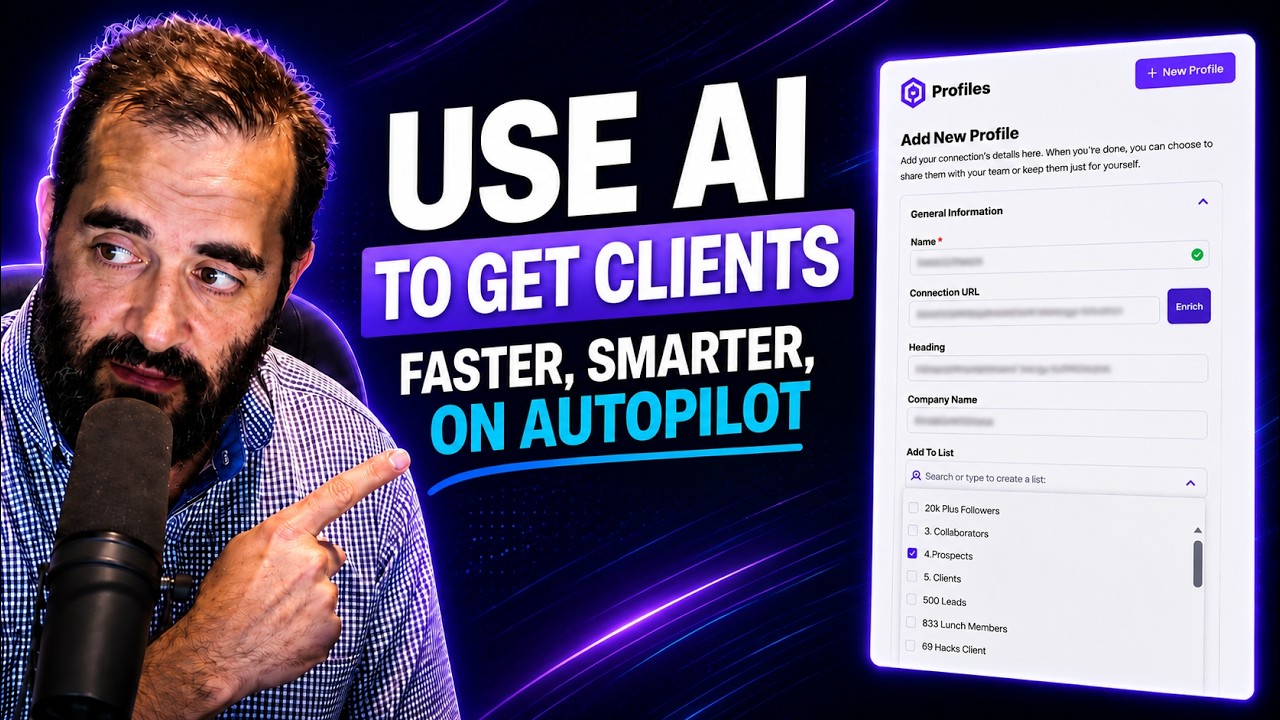
Joe Apfelbaum shows how Evvy AI, a browser extension, automates LinkedIn prospecting by enriching prospect profiles with contact info, company details, and drafted outreach emails in seconds. The tool also generates personalized posts, comments, and conversation starters to speed up relationship building.
Chapters
This allows me to be able to do things with this technology that most people can't do, and we're improving it every single day to make it even better. And of course, if you want to be able to jack the news, you can easily go ahead and jack the news using our news jacking technology. Today I'm going to show you how to use Evvy AI. So the first thing you want to do is click sign up for free or install the extension. You'll get a cute little extension that sits on the side of your browser that looks like this. There are 3 sections. There's content, profiles where you can save your profiles and organize them, and then there's templates. So content is where you can generate, for example, ideas. You can choose your goal. So over here, maybe your goal is going to be something like provide value. I'm going to press create post. And what this is going to do is it's going to simply start creating a post, and you see the post was created. So I'm gonna go here and find somebody new in her comments here, maybe that I don't know very well. VP of Business Development, this one's pretty good too. I'm gonna right-click on this, open in split view, just to kind of look at these profiles. I'm gonna copy this LinkedIn profile here, and then I'm going to go ahead and add it. I'm gonna go back to profiles. I'm gonna press new profile, add a single connection, and then I'm just gonna go ahead and press the connection here, and I'm gonna press enrich. And what this is going to do is it's going to pull his first name, last name, his headline, and his company name, just like that. I can add him to a specific list if I want. So I am going to say, for example, I'm going to add him to prospects and I'm going to hit save. And this will save him right over here. You see that? Now I can enrich him further. If I click on enrich all insights based on his LinkedIn profile, this will go ahead and pull down his entire LinkedIn profile and grab an introduction about him, a summary, company, target market, connection tips. Content styles, it's going to add conversation starters. It'll draft an email out that I can send them. It'll have all those achievements over there. If I don't have his email address and I want to grab his email address and phone number, I can do so by clicking on enrich on the top right corner here. And I can enrich it based on his LinkedIn profile or based on notes that I save about him. Because with Evvy AI, you can easily click on the notes button over here, and then you can add as many notes as you want about anybody on LinkedIn. And you're going to see that this does not require a Chrome extension or anything. You could use this just straight from the system and it'll give me all the information that I need about this person, often giving me information about him that's not available on LinkedIn because we're kind of researching him online. So for example, if you're going to see how Perplexity works, when you click on any of these 7 AI agents on the top over here, it'll go ahead and start researching him online, pulling up all the information about his business. It'll include his location, his direct email address, conversation starters, potential business opportunities, notable achievements, and it'll also give you a professional summary, target market, and the key services that he provides. And as you can see, it kind of organized everything right over here. You see his email address is located right here, and you can see it put his email address here as well, his phone number and everything nicely organized and summarized right from his Profile. Again, very interesting the way it kind of put everything together here. Company role, target market, connection tips, content style, his achievements, conversation starters. And again, it even drafted a full email for him that I can use to communicate with him. This is a really nice—
Ever wonder how I am connected to executives and entrepreneurs easily? It's all thanks to Evvy AI. An AI-powered sales assistant that lives right in my browser and on my phone. It helps me effortlessly build real relationships with top-tier prospects by automatically drafting personalized messages and insightful comments in my authentic voice using custom AI personas. It even saves and tracks key profiles so I can always stay top of mind with the right people. Ready to optimize your network? Learn more at evviai.com.
This is a really nice feature that Evie AI has that you can't find anywhere else. And if I want to see all of his recent profile, well, all his recent posts, I can click on this. And this is where the extension comes in. If I want to leave a comment on his post, all I have to do is click into the comment box of his profile. And then I can click on these 3 little dots and then the comment just appears just like that. You see the comment just appeared. This allows me to be able to do things with this technology that most people can't do, and we're improving it every single day to make it even better. Now you wanna be careful to make sure you hit that more button here, you actually read the post, see if you will like it and you actually wanna comment on it. If you do wanna comment on it, you click on that comment box and you just drop a simple little comment just like that. The image generator is actually really cool. You can generate all different types of images. So over here, we put a picture of my shirt, a picture of my face, and then it went ahead and took that and made Picture of my face inside my shirt, which is really cool. And you can do that in many different styles, in many different ways. If you want to be able to jack the news, you can easily go ahead and jack the news using our newsjacking technology. strategy.avi.com/newsjacking. You paste this in here and you hit generate. And now you have an entire prompt that you could use to just jack the news. And once the news is jacked, you're ready to go. And you're able to pick any of these stories that you want. For example, Uber Acquires Blackline, a Boost in Luxury Ride Offerings. Now that I have the post that Evy AI created with the Post Writer, I'm gonna go ahead and paste the post in here. Anyway, I appreciate you guys watching this. Thank you very much for checking out how this technology works. Hope you really, really enjoyed it. Wanna make networking easier and more effective? Try Evy AI, your AI-powered sidekick that helps you connect, engage, And grow your network faster than ever. Click the link and start building smarter relationships today.