The best way to get CLIENTS on LinkedIn - 168 LinkedIn Live - Joe Apfelbaum
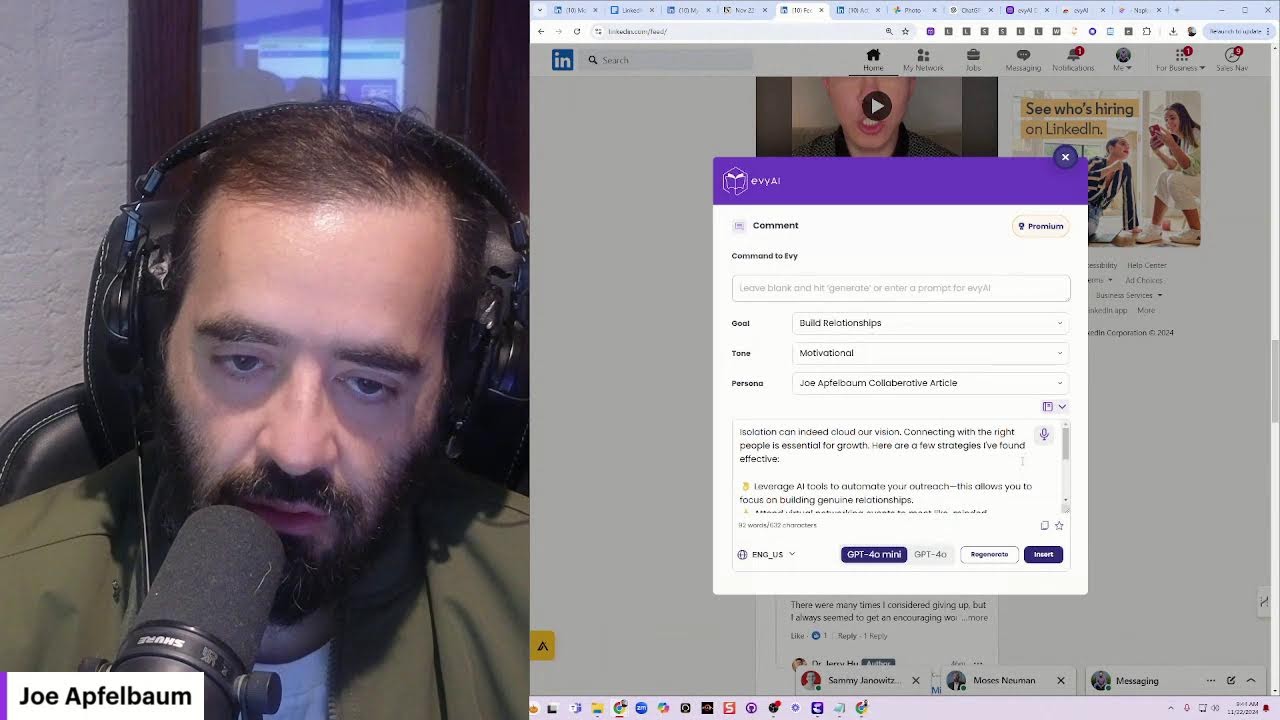
Joe Apfelbaum shares his LinkedIn client-acquisition system, from daily connection management to AI-assisted outreach. He uses a 80/20 rule: 80% on proven tactics, 20% on emerging trends like AI. LinkedIn adds 3 new members per second, and his relationship-first approach turned an Inc. 5000 prospect into a high-value client.
Chapters
So what is the best way to get clients on LinkedIn? Let's discuss. Let us discuss. So the first thing I tell everyone to do every day, if you're online, you want to make sure that you're posting. So I wrote this today. I wrote, if you are having a hard time feeling grateful for being alive, here's what I have to say. And yes, I know life can be hard sometimes. Imagine walking into a hospital and seeing all the sick people.
Oh my God.
That don't have their health. So I'm going to click on this and I'm going to go in here and saying, seeing all the sick people. Imagine walking into a hospital and seeing all the sick people that don't have their health. Some are coughing, some are crying. Some are coughing, some are crying, some are slowly dying. It's so beautiful. Some are coughing, some are crying, some are slowly dying. The hospital reminds me that I need to be grateful that I'm healthy. Now imagine walking into a jail, seeing all the people that are locked up. These people do not have their freedom. It's so easy to take our freedom for granted. You never know when your freedom will be taken away from you. You could be accused for something you did not do. Be grateful that you are free. Some people are in a relationship that feels like jail. And finally, imagine walking into a cemetery and seeing hundreds, if not thousands, if not millions of people who are no longer breathing. If you are above ground, if you are breathing, I'll have the capacity to live a life that's free and have, and have the capacity to live a life that's free, that is healthy. You have the ability to be grateful for something. You, my friend, are blessed. Repost if this resonates with you. Safe. Okay, so this is a post that I wrote manually. I Used my voice to type up this post, and as you can see, there were some typos because even the voice-to-text sometimes has typos. So you got to go ahead and read it. If you would have used artificial intelligence, you wouldn't have had any problems with that. Now let's watch this video over here.
Here are 3 places that remind you to be grateful for what you have. There's the hospital. In the hospital, you have people that are sick. Be grateful that you're not in the hospital. Be grateful that you have your health. Number 2, the jail. The jail is the place where you see people that are not free.
They can't just do whatever they want.
They're locked If you have freedom, if you're not locked up, appreciate the freedom that you have. You never know when it's going to get taken away from you. And in the cemetery, when you go to the cemetery, you're reminded that some people are no longer breathing. They no longer have the opportunity to push themselves, to learn, to grow, to feel, to love. So appreciate every second that you have in this world. And when you remind yourself of all the blessings you have, you get more blessings.
Focus.
Where focus goes, energy flows.
Focus on the blessings.
Focus on what you have.
Think about that. Focus on what you want more of, not what you don't have. And so I'm gonna go into Tammy's profile. I'm gonna hit the repost button and I'm gonna go ahead and repost this cuz that's such a good reminder and such a good post. Now I'm gonna use Evie AI to leave a comment. Your perspective on gratitude really hits home, Joe. And I'm gonna tag Joe Apfelbaum from this profile. Go ahead, tag Joe. It's so easy to overlook the health. I'm gonna press comment, and now I just left a comment and reposted from this profile. Now I'm also gonna go to here. I'm gonna click on this profile just to kind of naturally go to the homepage over here, just to kind of show you what it looks like when I'm live. And I'm gonna go here and just kind of check to see. It looks like somebody liked this already. Tom Mirabella liked it. I'm gonna go ahead and give it a heart. So now there's 2 likes over here. I'm gonna say, you are right, we need to be more grateful. All right, just left a comment. I'm gonna see what notification she has over here. Nothing major going on. Count me in. Okay, count me in. Okay, this is already liked. I'm gonna go to the messages here to see if there's anything. You ever heard about Evie AI? I'm gonna say, great. Thank you for being— thank you for being an advocate. Check out the new summarize profile feature. Now what I'm going to do is I'm going to go ahead and make a quick Loom video. I don't know if you ever heard of Loom, but Loom is a tool that allows you to make videos. So the way that I'm going to do that is I am going to go into Google Drive. I'm going to pull up a recording deck. Recording. This is called a recording deck. So this has a bunch of title cards that I can then use. And I'm going to look for the Summarize Profile title deck. See if I could find it over here. I kind of like this here. Let me see if I have another one that's a little bit better, closer to Summarize Profile. Uh, okay, I'm just gonna use this one here. I'm gonna press copy, paste, and then I'm gonna grab it, bring it all the way to the top here. Okay, now that I have it on top, I'm gonna say— oh, actually, does it not let me double-click? It doesn't. It doesn't let me double-click here. Okay, so that's not good. Um, let me see, maybe this one here. Okay, that one does. Okay, so I'm going to copy paste. I'll grab it, bring it up to the top, and I'm going to say how to quickly how to summarize a LinkedIn profile. How to summarize a LinkedIn profile. Learn how to Let's see. Quickly summarize a LinkedIn profile into actionable items that will help you network and prospect in a more effective way. Okay, and I'm going to fix the word LinkedIn here, make it capital L.
Like that.
Okay, so now I have a title card here. I don't love this little search here, so I'm gonna actually go ahead and close this out. I'm gonna go find someone that I can summarize their profile. I'll find Tom Mirabella 'cause he might be watching. Tom Mirabella. And I will attempt to summarize his profile. Summarize Tom's profile. I'm gonna click on the little dropdown here. I'm gonna click on summarize profile. It's gonna go ahead and read his entire profile and basically just summarize it for me in a meaningful way. Okay, that's good. You see it has his email, his cell, all his information, business intelligence, relationship building. Um, the thing is, I don't necessarily wanna show all his information on the video. So I'm gonna click snip. Maybe I'll blur it out. That's a good idea. Let's see, I'm gonna snip this. Let's see if I can do this. Oh, you know what, maybe I can summarize my own profile. That's a good idea. Um, let's see if there's a blur button here. Uh, you know what, I do have a Chrome extension that blurs things out. Let's just see if it works. Let's look for my blur Chrome extension because I made, I made a Chrome extension that blurs things out. Oh, that's such a good idea, such a good idea. Let me go to blur. Okay, it's here, Web Blur Tool. So that's the W. Okay, let's just see what that looks like. W. Enable blurring, select new region, select new region. Is it not working? Remove region, select new region. Why is it not letting me select the region? Maybe I have to disable blurring. Select new region. Okay, let's try again. Oh, here we go. All right, let's open up the— let's click away here. Now that that's blurred, I'm going to click on summarize profile. I'm going to go here. Enable, disable, enable. Oh, it only blurs. Oh my God, it only blurs that. It doesn't blur the popup on the Chrome extension. It only blurs the actual webpage, which I love. Oh man. Okay, so that's not helpful. It's not blurring the top. It's only blurring that page. But it's good to know that it does that. So what should we put in here? I guess, let's see, we can put this, this. Let's see what else we have here. This, the post writer. Um, let's see, templates. I'm looking for the right element. Let me go into Figma and see if I can have— if I have the right element. Do you guys know what Figma is? That's Fiverr. That's not Figma. Figma. Figma is a tool that allows you to be able to design things. So we use Figma to design our stuff. Let me see. Let me log into my Figma account. See what I have in my Figma account. All right. So I have the Evie AI platform. Let's see what that looks like. Looks like it was updated 2 hours ago. Let's see what the Evie AI platform looks like and if I can get an element for the Loom video that I want to do so that I can replace this with a summarized profile element. All right, home, network, content, creator. This is the platform. Let's see if we can get the extension somewhere. Let's zoom in. All right, it's the platform. Let's see if we can find the extension. AI Creator Library. Let's see. Desktop, mobile. Headline, subheadline, local styles. Um, let's see. Action, back to files. Website. Where is the extension? Evergreen. The website. Let me double-click on the website. This has all the different colors, the mood board, the landing pages, the marketing material, the Chrome. Let's see, the dump. We don't want that. Let's go to Figma. Every platform, website platform, collaborative. Let me click on this now and see what I have here. See where this gives me. Okay, that's a sitemap support. Where is the Chrome extension? My account. Learning Hub, Templates, Personas, Sign In, Design System. This is like the design system, the full design system here. This is so cool. So cool. I need to know where is Oh, the app. Ah, oh, is this the mobile app? This is the mobile app. Let's see if we can get the intro from here somewhere. This is just design inspo, it looks like. Uh, back office. No, that's just like an admin section that we're trying to build here. Sitemap, login screen. I am looking for the extension. Canva. What is Canva? What's this? This is just randomness. Pages. Okay, assets. Local assets file. Let's see. Back to files. Let me see if I have it here somewhere. Let me search Evie AI website, Evie AI platform, Evie AI. I only have the website and platform that I have access to. Let me just— All right, I guess I have to find out where the extension is. People. Let's see. Projects. Yeah, I'm gonna have to look into where the design of the extension is. Why I don't see it here. Oh well. In the meantime, let me click on save this and see if I could— oh, you know what? I can I might have a thing that shows this little summarized profile thing on the side here, because that's interesting just to have that little bubble. Oh, here it is. That's good. I'll just use this— how to save and organize profiles. All right, so let's go back over here. Let's delete this. Let's paste this here. And this way I have it right here. Okay, so now I'm going to, um, now what I can do is I can take this, this show, make it full screen, and then make a video with Loom. I'll do that after we're done over here, but at least I prepared for it. Okay, I'm gonna hit summarize profile just to get a quick summary of April, what she does for a living, who she is. How to make an introduction for her, like all this other stuff. Because look at this: first name, last name, location, business intelligence information like, you know, where she works, her areas of growth, conversation starters, discuss trends in international banking, share common interest in economic empowerment, introduction template. Hey April, I came across your profile. I was really impressed by your extensive experience in international banking. Meeting prep, understand trends, explore opportunities, some background information and analysis. That's cool. So I have all that information already ready to go. I'm also going to go ahead and leave her a comment on her most recent post. So I'm going to say, it was really nice to see you at the Executives Association. Congrats on your new position and looking forward to supporting you on your journey. Okay, and I'm gonna hit generate. Congrats on your new role, April. Join us here at the Executives Association. Excited to support you in your journey ahead. Okay, so that kind of tightened it up. I'm gonna tag her and then I'm gonna say Ed, what's Ed's last name? Oh, I forgot Ed's last name. Let's go find Ed's last name. I'm going to do app.connectable.biz. I'm going to click on members. Ed Stoiber. That's him. This is the guy. I'm going to copy Ed Stoiber's name. I'm going to go here, tag Ed Stoiber. Ed Stoiber, thanks for bringing The best guests. I'm gonna press comment, and now I tagged— oh, I thought I tagged her, but I guess it got untagged. Um, but I tagged him at least, and I commented on her post. So let's just see what happens. I also sent her a text message this morning saying, hey, thanks for connecting. So that's, that's my follow-up. That's one of the ways that I follow up with people. I'm also gonna follow up with the next person up over here, Chris from SNF, uh, from FNF. So I'm gonna go ahead and I'm gonna hit connect, add a note, add Evvii note. Thank you so much for joining us at the Executives Association. It was nice to meet you. Looking forward to connecting. Are you open to connect with me on LinkedIn? I'm gonna hit generate so that it kind of takes it to the next level. Hey Christopher, thank you for joining us at the Executives Association. It was great meeting you. Let's connect on LinkedIn. Okay, so I'm going to press insert. I'm going to press send. I'm also going to summarize his profile because why not? Why not summarize his profile? He's the Senior Vice President of Sales at First Nationwide Title Division of Fidelity. So he works for Fidelity actually, which is amazing. So I have 2 major people that sat at my table that I could follow up with. Now, could you imagine if I sat at a table with 10, 20, 30 people? I would never be able to follow up everybody. So, um, look at this incredible, um, this incredible information that I have over here that I can easily now save into my CRM and then give him a call and follow up with him and build a relationship with him. So let's see, a day ago he reposted this. I'm hiring here, starting a new position. So he's also brand new at his company. I'm gonna like it. I'm gonna do the same thing. Hey, congratulations on your new position. It was really nice. Having lunch with you at the Executives Association. Looking forward to supporting you on your journey. I'm gonna hit generate. All right, and I'm gonna press comment. That, that saves me— just doing that alone saves me so much time. That saves me a ton of time, a ton of time. Again, it's so relevant, and I don't have to I don't have to click on anything, you know what I mean? I just, I just push buttons and it works. Can it be done automated? Yes, this can be done automated. However, I saw your beautiful Shane and Punam and I figured I would reach out manually. I am constantly using our technology to help us be able to be more effective at communicating both In the direct messaging and also in the comments. All right, let's just see. You're welcome, it's important message. Keep up the great work. Thanks. Um, Jacob said thank you for thinking of me. I'm actually on LinkedIn Live right now showing how it works. Let me know if you're able to hop on. I'll do your profile next. Now let me just click on his profile and let me give him a buzz right from here. Oh, let's see what he wrote. All right, I'm gonna hit access email. I'm gonna access his mobile number, 516. Let's see if that same mobile number is in his profile. Yeah, it's right here. You see, same mobile number. Now what I'm gonna do is I'm actually gonna, I'm actually gonna call. Should I call him? I wonder if he's checking this out. I'm gonna ask him, are you watching? Oh, he wants to know the link to my LinkedIn Live.
Okay.
The link to my LinkedIn. What is the link to my LinkedIn Live? It's just my profile, dude. But that's okay. I'll, I'll send them the link. I'll go to my profile. This is how great it is. I'm going to go to my profile. I'm going to copy the link to my LinkedIn Live and I'm going to manually send it to him right now. Okay. Just leave a comment when you're on the LinkedIn Live and I'll know that you're there and then I'll do your profile. I'll wait for you. All right. Cancel. Send. All right, let's move on. So we did Tom already. I wonder if Tom is still on. Let me know if you're watching me on LinkedIn Live. I'm curious to know. All right, let's see what Sammy says. 90 seconds.
Okay.
In the meantime, what I'm gonna do is I'm gonna add him to a CRM. And by the way, if you want access to the CRM, we're gonna give a limited amount of people access to this entire CRM. Um, let me just quickly search. So if you're interested in access to a full CRM with full email automation, marketing automation, and all types of automation, Let me know. I'm gonna add him to my CRM real quick. And we're gonna also integrate Abby AI into the CRM tool so that you can easily just save people into the CRM, just like I'm doing here. So I'm gonna, I'm gonna go click on contact info and just pop his cell phone in there so that I can quickly call him. But we're gonna have a button that you can push and it automatically just saves everything into your CRM. Um, you know, just like Seconds, seconds to save everything in. So I'm gonna go ahead and save it. Now I have him saved here. I'm gonna click on this, click on his face over here. Okay, so I'm gonna say the following. All right. He's currently a free user of our technology and he wants to upgrade, but he needs to see the value. I'm about to show him the value on a LinkedIn Live. And then hopefully he will then upgrade because he will see how much value we are adding to people and all the different things that we can do. Okay, I'm going to press save. And now I have him in the CRM. I left a little note for him here. And I'm also going to pop his LinkedIn URL just like this. Copy. Actually, you know what, let me grab it from here. I'm going to copy and paste it into here, save it, and now I have, I have his information right over here. You see that? Um, now I'm going to go into the comments of here. Okay, it looks like he's in. All right, Sammy, if you're in and watching right now, so check this out. When— so if you're— so for those of you that are not using Evie AI, this is the tool I'm talking about. Evie AI is your assistant. We're going to change this to your Your connection assistant. So we're going to remove these words here because for whatever reason they don't want us to use these words. So I'm purposely not going to use these words. I'm going to remove this. And we're also going to be compatible with other platforms. And so we're kind of changing the way we're doing things. So that's coming up very, very soon. But check this out. I have the extension installed. Now that I have the extension installed, which is, you know, this extension up here. I mean, you can grab it right from the website here in case you're wondering how to grab it. By the way, if you're watching this live, hit that repost button. I'm also going to check out Sean Yang's profile in a second.
So check this out.
I'm going to hit save profile. This saves it into the backend. So if I go into here and I hit save profile, now it's saved into where it says save profiles on the right. I'll be able to see everybody's posts. Okay. So I save as I'm going through my connections for the people that are actually active. For the people I have a relationship with, you see, I saved his profile into here and I could hit see recent activity and it'll load his recent activity. Now check this out. If on LinkedIn I want to learn more about him, I click on the dropdown and then I click on summarize profile. What this will do is it'll read his profile and it will turn it into bullet points for me to help me be able to better understand what Sammy does for a living. And do you see he has, um, he's the owner of UniShippers, his location, his contact, all his information over here. Current company, career highlights, key achievements. See core competencies. I could see what his competencies are. Um, so here's some company highlights about his company, target market, and then notable projects. He implements transportation management systems. So conversation starters. So if I want to, I want to start a conversation with him, discuss the impact of logistics cost time optimization and share insights in fostering employee-centric culture. And then I can introduce myself to him via email. And then meeting prep and then background information. And I'm gonna press copy and I can save this in my CRM over here just like this so that I have a copy of this. And so if I'm calling him and I'm talking to him, let's say I hit that call button here, I can call him, talk to him, and I have a bunch of notes that I can reference that makes my life so much easier. So that's just one amazing feature. Now here's another amazing feature. So if I go into here and I want to talk to him, I can just click on this little Evvii icon. I can click on the microphone. Hey, thank you so much for joining my LinkedIn Live. And I really look forward to you upgrading to our premium package so that you get unlimited access to our technology. We have so much more that we can do than just summarizing profiles. We can write posts, come up with ideas for posts. We could help you leave comments. You have unlimited access to our microphone where you can talk to the artificial intelligence and it'll just type everything you say and even optimize it for you after. Now, if I want to optimize this, I hit generate. If not, I just hit insert. And then I press send, and now I just wrote all that on LinkedIn without having to type it all, which I don't know about you, but that saves me a ton of time. I'm curious, what strategies do you find most effective for fostering engagement in virtual meetings? How do you measure the impact of those strategies? Looking forward to your thoughts. Okay, so let's go into Evvy AI and let's come up with some ideas. And I'm gonna say, How to foster engagement in virtual meetings and how do you measure the impact of strategies like that? I'm going to generate ideas and it's going to generate ideas. What are the secret sauce for virtual meetings feel engaging in person? Let's share tips. I'm going to press generate post and it's going to write a post with a hook, main points, call to action, and hashtags. Now I'm going to press copy. Now I'm going to go into LinkedIn. So check this out. I'm going to go to LinkedIn. I'm going to hit start a post. I'm going to paste this. Ever felt like you're walking— like you're talking to a wall during a virtual meeting? You're not alone. Studies show that 70% of remote workers feel disengaged in virtual meetings. So what's the secret sauce to transforming those flat uninspired meetings? Here's what I learned. Start with a hook. Just like a great presentation, your meetings have a captivating opener. Share a surprising tactic, a thought-provoking question. Let's set the tone that grabs attention. Visual engagement. Use visuals. A well-designed slide deck or video can break the monotony. Number 3, elements. Breakout rooms. Okay, so this is what I'm gonna do now. I'm gonna take all this, take all this, and I'm gonna make an infographic out of it. Right now, okay? I'm gonna click on this, this, this, and then I'm gonna select this and turn it into an infographic using artificial intelligence. Okay, I like this one here. I'm gonna find one that's more related to virtual meetings. I like this one here. This one's good. I'm gonna click on this. I use the Evvii colors, press download, download, and now I'm going to put this into the LinkedIn post together with my post. And as you can see, I have a beautiful post written by Evvii. Let's engage and elevate. I'm going to press post, and I just posted on LinkedIn. I'm going to click on these 3 dots. Hit copy link to post. I'm going to go to my profile. I'm going to scroll down, go to the question that he asked here. I'm going to click on see all posts. I'm going to go to his question, which is right over here, and I'm going to say, I literally just wrote a post about this. Check it out. Okay, I'm going to paste a post. I'm going to delete the UTM codes and I'm going to copy it and hit go. Okay, so now I just wrote a post about how to improve your engagement based on his question. So he asked me a question, I wrote a post based on that, and let's see what he wrote here. And I'm going to go here. I appreciate your insights from the LinkedIn Live. The premium package sounds intriguing, especially the AI features. And he says, what's been the most surprising feedback you received about the technology? The most surprising feedback is how much time people are saving. Let's review some of the testimonials in our Google Chrome Store. And let's go and review some of the testimonials in the Google Chrome Store. I'm going to copy this Google Chrome Store testimonials. By the way, if you guys can leave us a testimonial here, we're trying to get to 100 ratings, 100 5-star ratings. So if you guys could leave us a review today, that would be lovely. If you're watching this live, just write yes in the comments. I love— I'll leave a review. That would be really nice. I'm going to go ahead and share a link for Sammy there, and I'll also share a link here. If you found our technology helpful, please leave us a 5-star review so that we can let more people know about how amazing our technology is. Okay, I'm going to paste this in here. I'm going to hit comment, and now I'm going to check out the notifications, see what's cooking here. Now, I— Sean Yang— let's go look for Sean Yang real quick. I want to summarize his profile as well. Let's find him. He's over here. Thank you, Sean, for saying that you're willing to leave a recommendation. Let's go to more. Let's find Sean. Sean's here. Okay. Aspiring entrepreneur, AI automation. He has 60 connections. So Sean, I would recommend increasing the amount of connections that you have on LinkedIn. The way that you do that is by sending connection requests to people. I'm going to summarize your profile so I see what you do for a living. So Sean, if you want to get more clients, highly recommend you add more connections. That is one of the keys to being successful. So I see that you have your career highlights, business intelligence, conversation starters. Let's see. Oh, look at that. You're— you went to the College of Music, Berklee College of Music. You're a psychology major. That's really cool. All right, so let's take a look at what you have going on here. It looks like you posted an hour ago. Let me leave you a comment real quick. I'm going to go ahead and leave you a comment, Sean. All right, I just left you a comment on LinkedIn. He said, yes, in progress. Well, let me know how I can help you. I'm always, I'm always willing to support your journey and the journey of other people here on LinkedIn. Look at Jay. Jay just left me a like over here. I see she's on LinkedIn right now. So I'm going to say, appreciate that you just liked our post on LinkedIn with the amazing infographic. Did you like that infographic or did you like the content of the post? Okay. Conversations, having conversations with people just like that with clicking buttons. I'm blown away by that. Blown away. We're going to be introducing a sidebar for Evie AI. That's coming soon, so I'll just show you what that looks like. So if you want to be able to see all your saved profiles, you're gonna be able to see them right over here. So for example, if I want to see all of Sean's posts or all Sammy's posts, I click on See Recent Activity. It's just going to load up all his posts right on LinkedIn. But this is only going to be available for people who upgrade, and so they're going to eventually get access to the sidebar once it's done. And then you'll be able to see all the people you're connected to So instead of browsing the feed, you can actually just pull up people's posts in real time right here on the side, and it'll just load all of their recent posts. This will save you a ton of time and it'll improve your workflow significantly. So for me, I love connecting with people, building relationships, and doing things strategically. If you're more strategic, write strategic in the comments. Curious enough, you're more of a strategic person or you're more Into dogmatic, you know, like just do specific things. Like what, what are you more into? And look at Wendy. Wendy posted 12 hours ago. Nobody commented on her post. I'm gonna be the one person who comments on her post. Just like that. You see that? Paul Higgins, I can check out his recent posts and see what he's up to. And just like that, I'm able to leave a comment on Paul Higgins' posts. Make his life so much easier. See that? I just left a comment on his post. So if I have a group of specific people that I want to target, I just pick that group. So for example, EANYC Active. I'll have all the active EANYC members, like for example, Robert Allen, Jocelyn Nager, Eric Wegweiser. Ryan Spear, Vincent Malizia, Boris Fabricant, John Gelastino. So you see I'm pulling up all their profiles over here. So I can go through them one by one and then just start reviewing their information just to see what they're up to and start leaving comments for them. So I'm just going to be closing profiles. You see that? I already liked that. There's nothing there. I already liked that. I already like that. Over here he posted something 18 hours ago. I would have missed that if I didn't do this. So I'm going to go ahead and leave him a comment. Reflecting on what really matters is important, blah blah blah. I'm going to click on that, click on that, click on that. All right, okay, so now I can do John Rafferty as well. Pull him up. Okay, I'm also gonna click on his profile and I'm gonna send him a message, a strategic message. I'm gonna click on his profile. Hey, it was great to see you yesterday at the Executives Association. Wishing you and your family a Happy Thanksgiving. Thank you for being in my life. Okay, you see how I did that? I didn't have to actually type anything, which I love. If I wanna make this wider, I can make this wider, you see? Like Alexis, wider. I could pull up Derek's profile. I could press next and pull up the rest of the people. Matt, George, Jesse, Anthony, you see that? Tina. I could pull up their things, or I can make it small and keep it on the side here like this. Let's see what Tina says. Tina wrote, New York City apartment owners. I'm going to go ahead and support her post. Great job. Okay, I'm going to press comment. Go back over here, close John Rafferty's. I already liked and commented on Derek. I already liked and commented on Matt. I already liked and commented on George. Jesse, I'm going to be the only one that comments on his company post. I'm gonna go ahead and hit generate, insert, just like that. Anthony, I'm gonna go ahead and leave a comment on his post, just like that, boom, I just commented on his post. Okay, so if you wanna see how many comments I left this week, let me just quickly show you, you go to view profile, Let me just make sure I didn't miss a call. Did I miss a call today? I did not miss a call. My next call is review at leadership at 9:30.
Okay.
You can go here and click on analytics. So here's another feature that you get with Evie AI Premium is if you go to the learning hub, you have quick links. Check this out. There's something here that says LinkedIn posts without comments. So I'm going to click on LinkedIn posts without comments from the Learning Hub, and it shows me all the LinkedIn posts that don't have any comments on them. So if you scroll down here, you're going to find lots of people that have been posting on LinkedIn that simply are never going to get comments on their posts. And these are from my connections, and some of them have just posted just now. So it's really important for you to kind of go through them and find the people that really don't have any comments or you know, never going to get comments on their posts, and then drop a comment on their post. You want to promote your company? Go ahead, promote your company. It doesn't matter. But the bottom line is these people are not going to get any comments, and they're your connections. So why not leave a comment and support those people, build relationships with them? They just don't know how to use LinkedIn. So the way that they're using LinkedIn is in a way that they're never going to get any comments on their posts. These are secret posts that are hidden, that are never showing up on the feed. So if you're just on the feed, you're going to majorly miss out. on the opportunity to stay top of mind with these important LinkedIn connections and be able to comment on their posts, stay top of mind with them, build relationships with them, get to know them, and so on. Also, the LinkedIn dashboard is available in our Learning Center. So, if you go back into our Learning Center here and you click on LinkedIn dashboard, you'll be able to see exactly how many comments you left this week. So, so far since Monday, I left 305 comments on LinkedIn. There's no way that you can leave 305 comments on LinkedIn without having a voice assistant on LinkedIn helping you type up what you want to say. Because what, you're going to type up 305 comments? Not a chance. It's not going to happen. So Sammy, I want you to upgrade, upgrade to the Pro so that you get the Idea Generator Unlimited, the Post Writer, the Profile Optimizer, this unlimited, uh, you get 30,000 saved profiles. Instead of 3 saved profiles. You get the ability to manage lists and to have lists of your supporters, collaborators, prospects, clients, advocates. The ability for you to be able to summarize specific people's profiles. So for example, I summarize your profile.
Now your profile summary sits in here and I have all your information here. I can send this right into my CRM with a click of a button.
It's just like, what? That's so amazing. So if you want to be able to, you know, we're going to have a, a pro version, which is higher than premium coming out very soon, probably next week, hopefully. But upgrade to premium. I'll get you to upgrade to pro after because I'll show you even more benefits. But for right now, just upgrade to premium so at least you have access to the pricing for premium that we're currently offering, which by the way, it's only $34 to upgrade to premium.
But if you want the year you get half off that.
We're running this promotion right now, so it's less than 50 cents a day for you to be able to have unlimited access to these tools. So highly recommend you take the time to invest. And also we have templates that you can store. So look at all these templates here. Look how many templates I have for different things. I'm actually on LinkedIn Live right now. Look at that. Look at this, look at this one here. You see that? I have a little template. I can copy this template and then I can paste it right over here I don't know why it didn't copy, but I can literally just copy all the different templates that I have. I'm actually on LinkedIn Live right now. I can just copy that and put it in there. Now I want to show you guys something else that I'm going to do today, which is I'm going to run a LinkedIn Live. Check this out. There's a new type of live, which is audio events. So let me go into Canva. Let me go into Canva and let me design a LinkedIn Live, live, live video stream. I'm going to do live, all your content. Oh, it's not this. It's not this one. It's this one here. Let's go into this Canva. Let's go to Canva, Canva.
No, no, no.
Don't don't log into there. Log into there. Let me log out of this. Log in. Log log in. Log in. Okay, let's log into this one. And let's do. Let's see this one here. LinkedIn Live audio event. I like this LinkedIn Live audio event. We're going to download this right over here. So the way that you download is you click on this download. We're going to uncheck all. We're only going to check the first one. We're going to press done download. Okay. So what did we download it as? As a PNG. Okay. LinkedIn event. Now I'm going to go back into LinkedIn. Now that I have that audio event thing, Close. I'm going to click on this. I'm going to open this. Okay, LinkedIn Live audio event. I'm going to press apply. Event, online, audio event. Audio events will no longer be available through LinkedIn Live. Audio events are scheduled after they will be removed. So I need to, I need to schedule as many audio events as I can because they're going to be removed. And so December is all going to be about audio events. Because they're gonna remove the feature, so I may as well just milk it as much as I can right now. So, audio event. Let's talk about sales and marketing. So when are we gonna do this? Let's do this today, 'cause I could do this from the car. Let's do this today at 12 PM. So this is how you do it. 12 PM, 12 to 1, and then I'm going to say this. Okay, and I'm going to put in Joe Apfelbaum as a speaker. I'm going to press next. Now I'm going to go to Evie AI and I'm going to write a post about it.
Generate.
Let's see what it does. I literally just copied information from LinkedIn. Audio events are evolving and so should your strategy. Okay, I'm going to press comments. I'm going to go to the audio event here. I'm going to paste this. Just plan your content, engage with your audience, transitioning to LinkedIn Live. If you found this helpful, repost it. Brynn Tillman, thanks for the tip about this. I appreciate you. I will be creating several audio events. Before the deadline and scheduling them throughout the month so that I'm able to capitalize on this feature that's going away before it goes away. Okay, I'm gonna press post. So this is for today. So I'm gonna— I might just do a daily audio event. That would be cool. For me to do a daily audio event. All right, so how do you find my events? You go to Joe Apfelbaum, you scroll down, you go to More, you go to Events, and now you can see the event right here. I'll send you guys this right over here. I also can share this, so if you click on Invite, I'll, for example, type in Sammy. I can invite all the Sammies that I know. Press invite 8 Sammies. I can't invite Sean because I'm not connected to Sean. But I could invite, say for example, people that work at a particular company like Vistage. Check this out. I'm going to scroll down. I'm going to invite all the Vistage people.
Oh, cool.
With one click of a button. Watch. Scroll down, I click on this, and then I click on invite 97 Vistage people just like that. Boom. It said something went wrong. 8 people invited. Let's do this again. Something went wrong. Okay. Let's show results. Let's try this again. Invite 50 people. Did it work? Yep, 50 people were just invited. Okay, that worked. Sometimes it just doesn't work. I don't know why. Okay, so now I have this event over here, this audio event that's going to be happening. You see that? Now I posted a lot in the past hour or so. I'm going to use Evie AI to like this. Look at this, Evie AI just liked this. I'm going to use Evy AI company page. So you can comment from a company page with Evy AI. So I'm going to look for the Evy AI company page here, so which is E. I'm going to hit generate. So it's going to comment as a company page. You see that? So Evy AI as the company page left a comment on this post. How cool is that? So imagine doing that with your Pro account. Now what I'm going to do is I'm going to go into our community. So if you— another Pro feature is if you go into the community over here, you get access to our community. So this is an incredible— we have 615 members in our community. Highly recommend you become a member. I'm going to go in here and say LinkedIn Live audio is going away, but you can still capitalize on this incredible tool before the deadline. Join me today to learn more. Okay, so I'm gonna go in here. LinkedIn tips audio. You want to press post, and now people are in the community and they see this, they're going to get that message. Let's see what Kevin said. Okay, perfect. All right, so definitely join the community, um, and I'll see you guys soon. I'm gonna, I'm gonna hop in a few minutes, but I'll see you guys inside the community. I think it would be epic for us to be able to join in together in the community and build those relationships. If you haven't gotten Evie AI yet, I highly recommend you take the time to get yourself some Evie AI love and allow yourself to start using this tool, which will save you so much time. It's just, it's like crazy. We have a comment generator. a post writer, a recommendation creator, and go ahead and leave me a recommendation on my profile. If you haven't done it yet, it's really easy to do. If we're connected on LinkedIn, go to my profile, and this is an excuse to connect with me on LinkedIn. Go to my profile, click on the More button. Okay, I'll show you how to do it on someone else's profile. Okay, I'm going to go to Sean. I can't do it on Sean's profile because—
oh, look at that, he sent me a connection request.
I'm going to accept it. So if I want to send him a recommendation, I just click More. I click, I have to refresh because I just accepted, so it's not going to be there. I just hit refresh, I hit more, now I have more options, you see? Recommend. Now inside the recommendation, I'm able to leave a recommendation with EvAI. So I'm going to select the relationship. Sean was a client of mine, sales representative. I'm going to change my persona to Joe Apfelbaum optimized persona. And I'm going to say Sean was really great at engaging with me on LinkedIn Live, and he's great at artificial intelligence and automation, and I'm looking forward to collaborating with him. Okay, I'm gonna probably spell your name wrong. I'm gonna hit generate. It's gonna generate, I'm thrilled to recommend Sean. I'm gonna press insert. I'm going to press send and I just left Sean a recommendation on his profile. Now he has to go and accept that recommendation, but Sean, you can do the same. You can go to my profile, click on the more button and recommend me. And the same thing with you, Sammy. Go ahead and recommend me on LinkedIn because it just takes a second to do that. But again, you need to have premium to be able to do things like that very quickly. Okay, let's see. You're epic, Sam said. Sammy said you're epic. Thank you. I appreciate that. Thank you for saying that. So using technology will save you a ton of time staying top of mind with people. Look, I've left hundreds of comments this week alone, but if you're not leaving comments on LinkedIn, you're really missing out. If you want to go into our learning hub here, let's say for example, you go into the learning hub, you go back in here, log in, check this out. And we're going to be adding a lot more stuff here. So I'm going to go to quick links. Look at this. LinkedIn events, LinkedIn learning, LinkedIn notifications. Um, we have webinar replays here. We can see all your sent connections, all your recent connections. This is crazy. So if you see all your recent connections on LinkedIn, you click on that. You see a list of all the people that are actually online right now. Look at these people that are actually online. You can see Wendy's online. Alexander's online. You see that? Sammy's online. Sammy's watching right now. Max Bernstein is online. Kathy's online. You see, because of the green dot. I have a Google Chrome extension that I designed that tells you who's actually online. So check this out. It's called the LinkedIn Presence Checker. I click on check connections. Out of this page, which has 62 people on it, 11 are online. So if I want, I could just say, show me only the people that are online. And look, it only shows me the green dots. That's crazy, right? That's crazy in the chat if you think that's crazy. Um, again, you can build yourself these little extensions that do things like that, or you can access the ones that I already created that I make available for our premium clients. So if you want it, that beta extension, I'm happy to share it with you. Just go premium. Just go premium, baby. Go premium. I want more people to go premium. I want 5,000 people that I am connected to this year to go premium. So, and if you're serious about LinkedIn, a small percentage of my connections are actually serious about LinkedIn. If you're not serious about LinkedIn, I'm just going to ignore. You see, I'm just going to ignore if you're not serious. But if you are serious about LinkedIn, I'd love to build relationships, get to know you. Let's look for Mayor Holtzberg. Mayor Holtzberg. And let's see if we can call him right now. Let's give him a buzz. So I'm gonna go to his profile. He has 2,000 connections. I'm gonna save his profile to my saved profiles. I'm gonna put it in as from friend relationship. What, what, what? Networking community. I forgot what I, I did something like from community or something like that. But anyway, I'm gonna hit summarize profile, see if I can grab his cell phone number from here without having to look. 'Cause I could look through all the different nooks and crannies, or I can have summarize profile, see if he gives me the cell phone number. If it doesn't give me the cell phone number, I already have it in my contacts. But look at that, it's right here, 203-92-Xerox. That's his phone number. I love that. I love that he has his phone number right there.
That's awesome.
That's amazing. I love that. And if you go to the contact info, you see that it's right over here. 92 Xerox. Now, I happen to have him in my contacts, so I just have to pull up my contacts and get his actual number, 'cause I'm not gonna sit there trying to figure out what that spells. Mayor Haltzberg. Okay? So, I have it right here. I have his cell phone number. I'm gonna call him right now. Right now. So I'm going to use my CRM. I'm going to look him up. Mayor Holtzberg. He's right here. Save his phone number. I'm going to grab his email as well. The email is not valid. Okay, it is valid. Okay, I'm going to press save. See if I can type in from. From community. Look at that. Okay. Now I'm going to hit refresh. So that it actually gives me the little telephone button. I'm gonna press call. I'm gonna put on my headphones because I want to hear what he says. And I'm calling him right now while we're on LinkedIn Live, while we're on his profile. Let's see if he picks up. If he picks up, we'll chat with him. Let's see the last time I messaged him. Thank you, Mayor. Okay, I told him I'll give him a call.
This call will be recorded for quality purposes.
Mayor, it's Joe Apfelbaum.
How are you? Can you hear me?
Chesky?
Hello? Chesky? Mayor?
Ye Cheskel Mayor?
Ye Cheskel Mayor? I don't know, maybe he can't hear me. He hung up. Maybe it was the wrong number or something else. I don't know, but I'll give him a buzz later because I don't know, maybe he's watching. Maybe he's watching and didn't want to talk.
Here are some other things you can do.
You can leave contributions to collaborative articles once you have premium. So if you go to the collaborative articles, these also rank really well on the feed. So if you, for example, go to social selling, And you see there's a particular article that you want to leave comments on. For example, maybe I want to leave comments on, say, this article related to targeting B2B niche. I already left an— I already left one there. Let's just see what else we have over here. This one here, you're exploring social strategies, blah blah blah.
I press this.
Oh, looks like Husky Holzberg just called me back.
Chesky, what's going on, my friend?
Oh, one.
Hey, Cheskel Mayer, how are you? Life is a blessing. Life is a blessing. I'm feeling very blessed today. Are you ever on LinkedIn Live?
Are you ever like on LinkedIn at all or not really?
I don't know if I necessarily know how to utilize the tools. In my experience, I don't know that I'm kind of— I have a network of, uh—
2,400 and change. I'm on your profile right now.
I see that you have a network.
Do you want me to drop our conversation into LinkedIn Live while I'm live right now? Because I'm working live now, but you're not— your voice is not on LinkedIn Live, but I can Bluetooth you in so the half a dozen people that are listening can Tune into our conversation. I mean, I mean, uh, LinkedIn allows me to work while people are watching me. So if I can, I can, I can patch what the benefit is. People can see what I'm doing.
They could learn about my business.
They can comment on the post while I'm doing it. So if I'm, if I'm online, like let's say you're working, you have to do work anyway, right?
You have to prospect, you have to network, you have to build relationships.
The benefit of doing it while you're on LinkedIn Live. This is like the future. You know, there are people that are just doing video games all day on Twitch. I'm on LinkedIn Live working. I don't do it all day, but I'll get on and then people will jump on and they'll see what I'm up to and they'll learn something from me when they're available. And so I've gone on LinkedIn Live 165 times this year. And, and I'm working anyway. I'm just doing the things that I'm doing. I'm reaching out to Chesky Holtzberg. You know, like I'm, I'm looking at your profile. People are looking at it with me.
Right.
Listen, I understand conceptually how it could be interesting and things like that. The gap that I have is that I never really figured out how to be able to translate or to monetize relationships.
Well, that's what I teach people how to do. And that's why I go on LinkedIn Live. I go on LinkedIn Live to teach people how to Literally monetize their relationships. You have so many incredible relationships. You are, you're an incredible networker. You have an incredible network, you know, especially in the Jewish community, you know, not necessarily the Fromm community, but like the Jewish community at large, you know, the things that you're a part of, the things that you've told me that you're a part of. But you're, A, you can have 30,000 connections on LinkedIn. And there's a lot of people that you haven't connected with that you've known over the past 2 decades or 3 decades of working. That you could easily connect with on LinkedIn. There are ideal clients, even just locally in Connecticut, that you could be connecting with, building relationships, and then posting on a regular basis. I built an artificial intelligence technology that I launched this year that has 30 clients in 37 countries around the world. The reason I'm telling you this is not to like brag and say, oh my God, I have 37,000 clients. I'm like, the access that I get from LinkedIn alone is just incredible. It's just incredible. I closed a copier company that has 62 sales reps that are using my technology right now. And 40 of the sales reps started using LinkedIn daily as a result of the assistant that I provided them. It's a connection assistant that allows them to be able to leave comments. Like I'm leaving comments on your posts right now, but your posts from 6 months ago, I just left you a solid comment telling you that it's fantastic that you're providing, that you're open for business.
And that you're providing services like, you know, strategic planning and recovery systems and project management and blah, blah, blah, whatever you wrote 6 months ago.
I then can go to your profile and summarize your entire profile, which I did on LinkedIn Live. And I showed everyone what you do for a living, who you help, how you help them, who your target market is, conversation starters, what I should be chatting with you about. People are not doing this regularly and they're not monetizing their relationships. But if I take a look at your profile summary, I know that I can discuss the impact of digital transformation on document management. I could discuss with you improving workflow efficiency in regulated industries. I could have a conversation with you about our shared experiences or talk to you about hiking, adventure travel, particularly in challenging terrains like Gyoko or Nepal. You get what I'm saying? I can do, I can talk about workflow automation.
Yeah.
I could talk about AI automation with you because I've been studying AI automation a lot lately. And I have an automation that's currently updating my Twitter every day, which is just an incredible automation.
Right. Yeah, yeah, yeah, absolutely. So I'll tell you, like, so obviously in my business, you and I go back a very long time, 65 Broadway. The business is changing and changed. And the question is, in the future, what does that hold? And I feel that like this, this quest of what I started 25 years ago, like digital transformation, like in imaging, and copiers, that's mainly done at this point. It's really not much value that we bring to the table. It's, it's becoming more and more of a commodity.
100%.
What I've been, what I've been working on is how do I still build value for the next 10, 20 years?
You know what a guy told me? You know what a guy told me yesterday? I met a guy that has 600 developers that work for him. And he, I said, he's like, the thing that scares the shit out of him is AGI, general intelligence. You know why? Because general intelligence will be the project manager. Right now, there's no project manager for the IT guys. AI can develop, but someone needs to project manage it and QA. But general intelligence is going to be able to be that project manager. So you're not going to, you want to develop something, general intelligence will assemble a team that is a hybrid of humans and AI to go ahead and do whatever you need to do. But the general intelligence will kind of command everyone and make sure everything is done correctly. That is scary for him. But what he told me that his 600 people are gonna need to convert to instead of DevOps, they're gonna convert to AIOps. Think about that.
Right. That's, that's wild. That's really wild.
And this guy has been in business for 30 years. For 30 years he's doing this. He's been on the Inc. 5000 9 times. This guy's a legit, legit entrepreneur, business owner. And he, he's like, he's on the cutting edge. And he's like, dude, if people don't learn AI right now and they don't master it, by the time AGI takes over, it's going to be— everyone's going to be scrambling for hiring people that know how to use AI. Scrambling.
Right.
So he has a whole thing teaching people how to do it. Your son's doing it? Is your son— did your son just hop on LinkedIn? Is that David? David's Someone dubbed it and I was like, oh my God, that's your son. Okay, I'm accepting it. I have to remove somebody else to add your son.
You know that.
I just removed somebody and I just added your son because my limit is 30,000 and he only has 9 connections. So like, why would I add your son? But if you add my daughter, I'll add your son. We'll do a trade. We'll do a trade. I'll add your son.
I told David, I said, you gotta start, you gotta start putting your experiences out there. You're starting a network. Nobody knows you.
I literally told my daughter the same thing. My daughter, Nechama, she's 18, she just moved into my house. I'm gonna go ahead and tell my—
I'm gonna go—
I'm gonna have my daughter send you a connection request right now. And she's building her network. She does not have a network right now. She doesn't know anybody. So I'm just gonna have her send you a connection request without a note so she enters your network. So she just sent you one.
Thank you.
I accepted your son into my network, which is awesome. What is the Cape Cod Business Solutions?
What is that?
Cape Cod? Are you working in Cape Cod now?
So I acquired a Xerox agency in Massachusetts.
Xerox gave me—
yeah, so I acquired that business to expand my business.
I spent a lot of time in Sandwich. I spent a lot of time in Cape Cod.
Did you really?
Yeah, I know the areas. Like, I've hung out with entrepreneurs there. Like, yes, it's great. Do you go there? Do you go hang out in Cape Cod, especially in the summer when all the when all the yuppies are there.
Yeah, so I— so, uh, so Falmouth and, um, and Woods Hole and Nantucket and Sandwich, all these things, and Chatham, they're all my customers.
Wow.
Wow.
Do you have the Pirate Museum as your customer? Because I think they had a copier when I went.
The Pirate Museum?
Yeah, there's a Pirate Museum there. Let me see where it is.
The Pirate Museum, Cape Cod.
I just accepted your daughter.
Oh, thank you. It's called the Whidah Pirate Museum. W-H-Y-D-A-H. Very popular. I'll send—
Yeah, I mean, I, I don't know.
I, I—
the truth is I took over a massive book of business.
Oh, nice. So you're busy, you're busy managing the business and upselling what they have there instead of looking for new business type of thing.
Yeah, well, primarily I've been kind of integrating their business into ours, which is pretty much done at this point.
How many sales reps do they have? How many sales reps do you have in total now?
So I have a handful. I mean, I don't—
It would be interesting for us to possibly do a training on how they could leverage LinkedIn to literally generate opportunities, because I did this for Benjamin Moore. I'm doing this for intel. I'm doing this from, from—
Did you, did you work with Atlantic? Who did you work with?
I'm working with Atlantic.
They're my client.
Oh, wow. Okay. You know Larry Weiss?
Personally, yeah.
Me and him are, me and him and his son, and we're very, very close. Very close. Like, he'll text me 5 in the morning, I'll respond. Wha?
I think, I think Larry Weiss is in the shulid, by the way.
I don't know what that means.
No, I think he like confirmed.
Oh really?
Okay.
I mean, I have a very close relationship with him.
I think he's an awesome guy.
He's an amazing, amazing human being.
Amazing human being.
He's such a kind, loving, amazing person.
What says what says goals for growth outside of New York City?
Acquisitions. Acquisitions. That's aggressive acquisitions. If you're interested in selling, he wants to talk to you, and I can make a personal intro. It's again, if you're interested in considering selling, he is willing to pay top dollar, and he's willing to have a conversation. He's willing to meet with you in person and have a conversation. And I'm willing to make the intro, happily.
Yeah, no, no, I appreciate that. I'll keep that in the back of my mind. What I'm thinking is that, um, what I would like to do is, I think, there's always kind of like the tension Between, you know, especially for ADD people looking for the next shiny thing versus—
Yeah. Looking for the next shiny thing versus not looking for the next shiny thing. Look, at the end of the day, it's all about spending 80% of your time on what's working and 20% of your time looking into the future of what's gonna work in 3 or 5 years.
Perfect.
So if you can set up that strategic time, it'll blow your mind seeing what's really available right now. Like even just, you know, training your team on, you know, LinkedIn is growing at a rate of 3 new members every second. Did you know that? 3 new members every second. And there's floods of people from TikTok, the younger generation that's joining the community, the LinkedIn community, because they're getting executive positions at their parents' companies. There's millions, tens of millions of companies that are transferring hands from generation to generation every single year.
So they're globally.
Yeah, but but that's because you haven't logged in in a while. If you log in every day, you're not going to have 50 messages. 50 messages pile up over six months. It's not 50 messages a day.
At any given time, I'm being I'm I'm exaggerating. No, I'm. I'm not really active.
That's my point. If you log in once a month, you're going to see, or once every 6 months, you're going to see 50 messages. But those, those, if you go to your email, you're going to see 500,000 messages. I mean, the amount of spam you get on LinkedIn is nothing compared to the amount of spam you get via email. So yeah, you can have somebody clean that up in about 10 minutes. You can clean all those emails, all those things up and move on.
I agree. But, but, but, but tell you what, Okay. They're trying to sell me stuff. So in my mind, am I receptive to listening to all these people who are trying to sell me stuff that are not really resonating?
If it's not relevant, you won't be. If it's— that's the thing about marketing, about networking, about building relationships. It has to be relevant. Let me tell you a story. Let me tell you a story, Mayer. I sent a message to a guy that's on the Inc. 5000. I sent him a very simple message. I said, congratulations on getting on the Inc. 5000. That is super impressive. I'm so proud of you. Welcome to the club. He responded. He said, thank you so much for that. I responded to him. I said, how does it feel? He responded to me, it feels incredible. I said, would you like to hop on a call and discuss your goals with me? I'd love to learn about your goals. He said, absolutely. We got on the phone. He has 10,000 clients. He wants to get onto Evvy AI, my assistant for LinkedIn. And he wants me to write a chapter on his book that's coming out because of literally an outreach to somebody I was not connected to on LinkedIn. I kid you not. I can show you the whole back and forth. I can, I can, I can show you the InMail. I can show you what I did, my strategy. There's a strategy that will work and that can— that's a 7-figure potential for me. That's a 6-figure just with his company, 7-figure the relationship, plus the PR is, is going to be incredible because he's A very, very serious guy. Very serious guy. Um, it's just incredible. Just any— and, you know, he's Polish. I have a Polish ancestry. You know, we, we really connected. We really built a real relationship. Now I'm going to make an intro to him to someone I met last night that also wants to become my client that I found through LinkedIn too. Like, it's just the opportunities that I'm finding from literally showing up for 15 minutes a day Together with a little bit of AI is just blowing my mind. Like the opportunities, Mayor Chesky, is just insane.
Somebody told me that there was a technology out there that you could buy that you could have buyers. You could see like like this this come list list.
I think it's called list kit.
Do like cold emails.
There's like a million of the yeah list kit exists. You could there's a million there's a million programs like that. That you can do cold emails, but there—
What's interesting was that there is also a way, and I don't know, I didn't validate this technology because I haven't had the ability or the bandwidth to be able to do that, but basically they're like, you can tell a buyer's intent. There's like ways to be able to get buyer's intent, meaning if let's say I see that there's a way of somehow knowing that even 2 companies in the market for XYZ technology Just to be in the right place at the right time with a compelling, resonating email.
Yes.
That definitely exists. However, LinkedIn is not about buyer's intent as much as it is about networking and building relationships with people to get conversations. The main priority on LinkedIn is to get conversations with people that are in the position To be able to either refer business to you or do business with you and build a real relationship with them that you touch base with over time. That's the real thing. That's where it's at. I have somebody, one of my LinkedIn connections calling me now, Chesky. Do you mind if I call you back later? Because this guy's like a $10K potential.
No problem. No problem at all.
I'll call you back. Let's continue.
Yes, I love talking to you no matter what.
Excellent. Let's do that. Thank you.
Thank you.
Bye. Hello? Hi, Brad. Brad?
I guess I missed the call. Let me call him back.
I am calling back.
I am calling back. I am calling back.
Hey, Joe.
Hey, Brad. What's cooking, good looking?
How you doing, man?
Chilling like a villain. I'm so happy that you called me back.
Yeah, no, sorry I've been hard to get ahold of, but, um—
Listen, you're an important person. You're an important person. You got priorities, you know? The thing, I always say, listen, you just, our job is to keep following up. Our job is to support people and to be there when they're available. And, you know, sometimes people are hard to get ahold of. It just, it is what it is. Sometimes I'm hard to get ahold of. Sometimes it's hard for me to get ahold of myself, you know? Like, just get a hold of myself. I gotta get in the grass and ground myself and take a moment and realize, hang on a second, hang on a second, where I am right now is exactly where I need to be. Why am I in such a rush? You know, like, get in the now. Somebody— I, I heard, I heard a video, somebody wrote, he's like, ADD people, they only have 2, 2 times: now and not now. That's all. That's it. It's like either now or it's not now. That's all what it is, you know, that nothing else exists. So, um, it's just, it's just such a beautiful thing to like not judge yourself for like For not being available, you know, like it just is what it is.
Just like kind of like either I'm available or not available.
In the right time, you'll be available and then we'll do whatever we need to do together. So, um, I, do you ever check out my LinkedIn stuff or are you mostly, uh, seeing me through email or other, other ways?
Yeah, LinkedIn. Uh, watch your videos now and then and your recorded stuff.
Um, nice.
I, I sat in on a presentation A few years ago and then watched another video here maybe 2 months ago. And I'm semi-retired, but I am mentoring and investing in early-stage companies. So I've got a— we've got a portfolio of a bunch of companies and just trying to understand what, you know, what we might be able to do to help them with the LinkedIn engagement.
Oh, definitely.
More from Joe


How to Beat the Algorithm: Remove Hidden Watermarks & Scale Content with evyAI









AEO & GEO: SEO's Future Explained! Master Answer & Generative Engines! #shorts