The Most Viral LinkedIn Posts Framework - 163 LinkedIn with Joe Apfelbaum
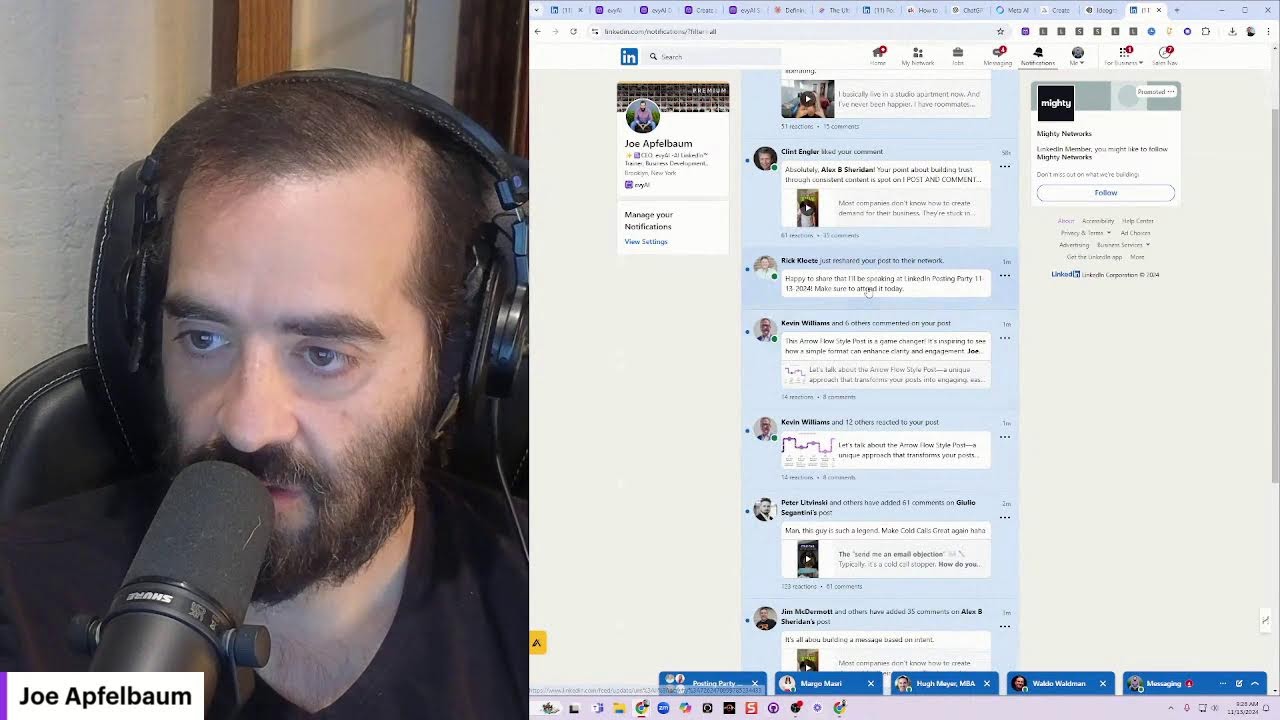
Joe Apfelbaum walks through his workflow for turning LinkedIn connections into business relationships using Evie AI. He extracts emails, drafts personalized outreach messages, and saves details to his CRM. For a client promoting a children's book, he suggests QR-code LinkedIn scans and event-based introductions at conferences.
Chapters
Episode number 163. My name is Joe Apfelbaum, and today we're going to be discussing viral LinkedIn posts. If you guys have been following along my lives this year, you'll notice that on average, my posts on LinkedIn get approximately 1,000 views each. My goal is really not to go viral. My goal is to be able to connect with people, build relationships, And grow the business. Now, the thing is, when you're on LinkedIn, 87% of the people that filled out this poll log in daily. So if I wanted to find people that are on LinkedIn on a daily basis, and I wanted a list of those people, all I have to do is make a poll like this and identify who my 87% is. For you, it might be 50%, 20%, whatever. But if I look through these voters, I can actually see who are my 100 people. If you wanted to have a crowd of 100 people that are dedicated to using LinkedIn on a daily basis, you can put up a poll, send it around, and now you know who your 100 people are. Now, what percentage of these 100 people I'm actually connected to, I can actually check right over here. I can take this entire list. Pull all this information, put it into a spreadsheet, and then start analyzing it and identify what percentage of these people I actually have a relationship with. The crazy thing is that most of these people are first-degree connections, and many of these people are current clients of mine, which is insanity to even consider and fathom that my clients are are the types of clients that are on LinkedIn every single day. They're daily. They raised their hands and said they're daily. And so I got 2,000 impressions on this post over here. And all these people have commented on this post and I'm building relationships with these people. Now this post is going to keep going out there, has 6 days left. This was just in the past 12 hours because I posted this about 12 hours ago or so.
Wow.
Now let's take a look and see what's going on in my notifications. My notifications— I posted a post last night. I posted a video with a restaurant, information about a restaurant. I said, off-the-market property available in Hollywood, Florida. Oceanfront restaurant that is not owned by the association across from a new Publix that's opening up next month. Call Sarah for more details. Tag someone who would benefit from this. Or someone in real estate. Jane, 200 people saw that. Jane said, this should get grabbed up pretty quickly, Joe Applebaum, unless it's priced too high or some kind of damage has been disclosed. All Florida has prime property. I'm curious to know how long it will take to sell. I want to respond to this. I'm going to use Evy AI. Now the thing is, Evy AI is gone from my browser, so I'm going to go to evyai.com. Evyai.com. It's your LinkedIn AI assistant. This is going to help me Be able to respond to LinkedIn posts very quickly, to comments and to create posts. So if we're going to be creating posts, let me quickly show you how to do this. I'm going to click on Add Evvy AI to Chrome right on the homepage. It's going to show me this Chrome extension page here. You can look at the reviews and what people are saying about it. Been a follower and advocate of these folks for some time. Everything they say and do is absolutely top notch. They are the real deal. I'm looking forward to learning more how to better connect with my clients and prospects on LinkedIn and grow the marketing. Heavy AI has transformed my LinkedIn game. It's user-friendly, offers personalized recommendations, and saves me tons of time. Mike says, incredible training. I've been on LinkedIn for years, close to 10,000 followers. I never really knew how to monetize all these followers. Now I do. Very powerful. And you can read the, uh, all the dozens and dozens and dozens of ratings that we have here, but don't worry about reading the ratings right now. This is an AI assistant for social media. You click on Add to Chrome. A popup will pop up and say, you sure? It can read a number of websites, show details. It can read Evie AI. It can read linkedin.com. I'm going to press add extension and it's going to add the extension and send me to this extension installation page. There are 3 steps: pin the extension, log into your account, and start using Evie AI. So how do you pin the extension? Well, it says click on the little puzzle icon and click on the pin button. So let's look for the puzzle icon. Oh, look, the puzzle icon's here. Let's click on the pin button. You see, here's a pin button. It's now pinned over here. And if I want to drag it all the way to the right, look at that. All the way to the left, I drag it and now it's dragged over there. Log into my account. Let's go to evviai.com, log into the account. Let's just see app.eviai.com. Okay. I'm logged in. It'll load all my recent activities, my saved items. I have my saved profiles, my post writer, my idea generator, my templates. My profile optimizer, my personas, my learning hub, my, uh, uh, my community and the demonstration video of Evvii AI. And on the bottom left, you can share it with a friend and you can add Evvii AI to Chrome on the bottom left here. Okay. Now that we have it installed, let's go back to LinkedIn and refresh LinkedIn. I'm going to hit reload. Okay. Now I refresh LinkedIn. And Evie AI should be in the comment box. You see Evie AI is in the comment box. Now I'm going to respond to each person over here. I'm going to first like Vincent's post. Sounds like a fantastic opportunity. The location, the upcoming attract a lot of foot traffic. So I'm going to go in here. I'm going to find the perfect persona. In this case, I'm going to use Joe Apfelbaum comment reply. That's a persona that says prepare a short comment reply. Exciting times. Can't wait to see the impact. Boom. I'm going to press insert and I'm going to press reply. And I just replied to Vincent. You see that? Now, of course, I'm going to like my own post here. I'm going to give it a little mark over there. Now I'm going to reply to Jane as well. So the key for LinkedIn is you want to make sure that you acknowledge those folks that have commented on your post. If you posted something on LinkedIn, you want to acknowledge every person Because if you acknowledge them, they become a real person. And often what I'll do is I will acknowledge people and then I will look at their profile and identify who they are and go ahead and build a relationship. Most people are not doing anything like this at all, and they're just kind of like spraying and praying and hoping for the best and not really paying attention, and they don't have a strategy. So what I'm doing here is I'm replying to all these people here, and these are people that I posted this video, what, uh, 7 hours ago? So it's 7 AM now. So midnight, people like, oh, nobody's gonna see it. But no, the entire day today, people are gonna see this post. And already overnight while I was sleeping, 200 people already saw it. You see that? And people are seeing it 4 hours ago, 1 hour ago, 7 hours ago, 8 minutes ago, 4 hours ago. You see, people are seeing this opportunity here. And this is just to— goes to show that people are watching. There are people on the platform. There's a billion people on LinkedIn, and many of them are logging in every day. Even if only 100 were logging in every day, it would be worth it for me for 100 of my clients to log in every day to, to be able to refer business to me. Now, this guy named Ben Cross just messaged me. I said, happy birthday. I'm going to say it's my pleasure. It's November 13th. I'm going to say, you know my birthday is coming up, right? Okay, so Ben said, thank you. I said, it's my pleasure. You know my birthday's coming up, right? Now I'm going to go to his profile. I'm going to go to Ben Cross's profile. And what I'm going to do is on the right side, I'm going to make sure his profile's saved and that I save it as pod— What is it? What did I save it as? I saved it as, uh, I don't even know. I'm gonna call it networking for now. Okay, I saved him as networking, but I do wanna save him as podcast host. So I'm gonna, because I know I was on his podcast. So what I'm gonna do is I'm gonna go to the save profiles button. I'm gonna click on saved lists and I'm gonna click on new list and I'm gonna say podcast host. Then I'm gonna hit save. Okay, so now I saved him to podcast host. I go to save profiles. I'm going to go here, Ben, Ben Cross right here. I'm going to click on the 3 dots, manage the user profile, and I'm going to click on podcast host. I'm going to hit save changes, and now I added him to podcast host. So now he's on there. Okay, and I could do this from LinkedIn as well by clicking on the dropdown, clicking on add list, and then if I refresh, it'll be there. So I'll refresh the page just to quickly show you. I refresh his page. He has 19,000 followers. And because of the happy birthday message that I sent him, he was able to reply to me and we're able to build a relationship. Okay, he's a global mobility industry leader. I'm going to go ahead and summarize his profile just to kind of see what that looks like when I summarize a profile. I'm going to go ahead and summarize his profile right here. Okay. Now all these stars, we're going to fix all these stars over here. Um, and you're going to see this profile summary is going to be much, much better than it is right now because it has Markdown language, but that's going to change when the new extension gets uploaded. There are going to be some changes to the new extension that we're making. Mo said, this sounds like a fantastic opportunity. Um, let's just quickly go through my notifications to see what else has been going on recently on my posts. Joe Apfelbaum, hi. Blah blah blah. Oceanfront restaurant video sounds like a coaching in action. Let's take a look at this video here that this guy here responded to. So look how many people responded to this video. So I posted this video 19 hours ago. 500 people saw this video. Okay, and look at all these people responding. Now what I'm going to do is I'm going to go ahead and respond to all these comments as well. And I just want to show you how easy it is, how easy it is to respond to people and to build those relationships. Most people don't even bother building a relationship. They go look, they don't even bother commenting. Forget about that. Could you imagine commenting? And when you leave a comment, your network sees that comment. My network sees that comment. So if you take the time to leave a comment and respond to the comment, you are actually having a conversation. Conversations lead to clients. Every time you interact with people, it creates an opportunity. Imagine going to a trade show. How many people do you communicate with at a trade show? Sometimes you'll communicate with hundreds of people. Here, this is like a trade show that happens every single day, and you're able to communicate with all these people every day. These are real people showing up and you're communicating with them. People don't even realize the power, the networking power behind communicating with this amount of people and with this level of people as well. These are not just a bunch of weirdos. I can see everything about them. These are college-educated, successful consultants, CEOs, professionals from all over the globe. Many of them are in the US. Some of them are in Montreal. For example, Sylvian is in Montreal. Dharma's in Maryland. Dr. Tammy is in California. So every one of these people, I'm building a relationship with them and they're touching many people as well, especially if they're in business development. They're speaking to people all the time and spreading the word about what I'm up to and my business. Now there's a really cool, um, really cool format that I started messing with in terms of creating posts specifically for LinkedIn. So let me show you the different formats that I've been messing with. I'm going to go to Claude, Claude.ai, and I'm going to look for different post styles. So I asked it to give me a LinkedIn-style brainstorming framework. So here, here's the LinkedIn-style brainstorming framework. I'm going to put this into another tool that will help me organize everything in a meaningful way. Let me just see the visualization guide. Ooh, this is what I wanted to do. I wanted to create a visualization of each LinkedIn post style. Let me see. The course structure, style guide, key elements, best used for. Ooh, I like this. Okay, and here are the tweets. Here are the different posts. Really good. Can you create an AI optimized prompt style for each LinkedIn post? Okay, let's see. Can you please create for me a article for LinkedIn that describes the 10 different styles for each post and the elements of each style in an organized way so that people can understand the styles that they can be using, the purpose of each style, what goes into it, and the benefit of using that style and when to use that style. Okay, let's just see what it's gonna do now. Okay, so it's writing a comprehensive guide for the different styles. So here are the different styles. There is the Arrow Flow style. So Nat Berman, for example, has the Arrow Flow style a lot. Let me go ahead and reset this search over here. I'm gonna refresh this page. I'm going to go to influencers so we have the list of influencers open over here. I'm going to go to my messaging and see if anybody else responded to me. Okay. So here are all the different posts, all the different post styles. I'm going to copy all this and I'm going to create some infographics real quick using this website. I'm gonna create this. I'm gonna say blank 1, paste it. Okay, so now let's just see, Arrow Flow style. Let's just see if it'll create a nice infographic for me. Okay. Oh, I really like this. Let me see which one I like the best. All these are good. Bold opening, arrow section, impactful lines, strong close. This one's good too. This one's good too. Which one represents what I'm trying to build the most? I kind of like— wow, these are all good. Let's see which one it generated first. All these are excellent. We'll do this one over here. Bold opening. It's like a pipe. And then we'll make it purple for Evie AI. Like that. Okay, so we have this, this right over here, and I'm going to hit download, and I'm going to download it as a PNG file. I'm going to press download. So now I have this PNG file over here. I'm going to copy this. I'm going to go to Evie AI. I'm going to click on login. On the left side, I'm going to click on PostWriter. I'm going to click on the microphone. Create a LinkedIn post that describes the arrow style post technique. I'm going to go here, Joe Apfelbaum, generate, and let's see what it'll do for me. Now the goal for this is for it to get it 80% there. Ready to elevate your game? Ooh, I'm going to press copy. Look what it created. I'm going to press copy. I press copy. Now what I'm going to do is I'm going to go into LinkedIn. I'm going to go to the homepage of LinkedIn. I'm going to select my graphic. This graphic did not come out correctly. I don't like it. Discard. I'm going to go back here and I'm going to select this entire thing. I'm going to select this entire thing like that. Now I'm going to press download again. I'm going to select this PNG. I'm going to go back to LinkedIn, start a post. Click on media. So, ah, that's better. I'm gonna press next, paste. Okay, let's talk about the Arrow Flow style post. This unique approach transforms posts into engaging narratives. I saw that many people are adopting this type of posting style, like Nat Berman and others. What is it? It's a format that uses arrow symbols in a structured flow, guiding your audience through a message seamlessly. Why use it? High readability, breaking down elements, it's digestible. Best for success stories, step-by-step guides, personal achievements, breakdown processes, benefits. As a marketer, I've seen firsthand the effectiveness of the style. I've seen how effective the style can be at capturing attention, engagement, especially for people who cannot pay attention. Why not give it a try? I'm going to delete call to action. I'm going to say, if you found this post helpful, give it a like and share your thoughts in the comments. How do you structure your content for maximum impact? I have 10 other frameworks for post styles. If you want access to them, I'll give 10 people who leave a comment Free access to the Post Style Framework. I'll give 10 people who repost this Just make sure you repost without, without, what's it called? Repost without what? I think it's called like repost without words or something. Let me see. Repost without thoughts, I think. Repost. You don't, you don't choose a repost with your thoughts. Okay, I'm gonna hit the recycle button here, the recycle emoji, and I'm gonna hit post. Now what I'm gonna do is, okay, you see this? I'm gonna click the 3 dots. I'm gonna hit copy link to post. And then I'm going to put this link inside these little groups. I'm going to put this in these little groups over here. So this guy Simon prepared a little group with some of his clients and some of his friends, you see, and he posts his posts in the group and he notifies all his clients and friends. that he posted. And so he posted in these 3 little groups, these little messaging groups. So I'm gonna go ahead and do the same thing just like that. You see that? Now what I'm gonna do is I'm going to go to school.com/eviai and I'm going to See you. Hi, I'm Tobias. I'm new to creating content on LinkedIn. I shared videos about agile and project management. I'm also thinking about tips and lessons that don't need share screening or software. Is there a way to see the devices that my audience use the most content? I'm going to say the following. Oh, I think I just locked my computer. I wonder what that looks like when you lock your computer. I'm back. So let's see what it is. I'm going to say, congratulations on joining this community and on being active on LinkedIn. It's wonderful when you start seeing the opportunity that LinkedIn can provide to you when you are consistently creating content. Okay. So now what I'm going to do is I'm going to press enter, enter, and I'm going to say, You cannot see the devices of your viewers. However, note that 58% of LinkedIn users access LinkedIn from their mobile devices according to LinkedIn statistics. So chances are the large majority of people that are visiting your content are going to be doing it from their mobile phone. If you really want to see how how many people are looking at your content, I would suggest using advertising, because with advertising you can target people based on the devices that they're using. Don't stress out about focusing on the type of device that people are using to access your content. Instead, focus on the quality of your content, and that will help you improve the connection you have with people and build a relationship as well. Alternatively, you could issue a LinkedIn poll, also known as a survey, which will allow you to identify where people check LinkedIn most from. I like sending this survey out to people and identifying information that they self-identify with, and that will allow me to really make decisions. For example, my recent poll is about how often people log into LinkedIn, and 87% of people log in daily. I'm gonna tag him and I'm gonna press comment. So this is our community. It's school.com/eviai. And as you can see, really powerful. And I do have the ability to generate a reply here automatically with AI, but I wanted to do this manually. Okay, now what I'm gonna do is I'm gonna go in here and I'm gonna say posting party 11:00 AM. 13, 2024. Let's have— let's connect in the comments. At 12:00 PM, we are going to have an incredible posting party, and I hope you can join us because at this party we're going to connect, build relationships, and get to know each other, and of course post on LinkedIn And comment on each other's posts so that we can show each other some support. Here is a post style called the arrow post style that I think you can benefit from. I'm going to delete this UTM from here. Make sure that when you're leaving a comment below, That you take off the UTMs, which is anything past the question mark on your URL or LinkedIn post website. Okay. I'm going to put an address here. Once you leave a comment on someone's post, Make sure that you like that comment so that they know that you actually left a comment on the post. Also, like this post and write done when you're finished commenting. Also like this post. Okay, so I'm gonna go here, I'm gonna type in party. It's time to party. Okay, now I'm going to create a new category. I'm going to put this in ideas for now, but I'm going to create a new category in our community. I'm going to click on settings. I'm going to click on categories and rules. And, uh, let's see, Heavy AI bugs, feature requests.
Ideas.
Hmm. It doesn't let me create new categories. So I'm going to change one of these categories. Which one should I change? Let's see. Feature requests, webinars. I'm going to change the webinars one.
Edit.
Instead of webinars, hosting party. And webinars and webinars and events. Okay, missed an EBI webinar, want to see, you can now get a replay. Have a webinar and see upcoming events. What we are doing, like posting parties. I'm gonna hit save. Perfect. Now what I can do is I can move this up. See that? Posting parties, move up, move up. Move up, move up, move up. Okay, perfect. Let's see what else is going on over here. Do you use templates to promote yourself? These are all the different templates that I'm using. Okay, let's go back to the community posting party. Go ahead and leave a comment. Today at 12 PM EST when we all join on Zoom. This way we will— comment today at 12 PM when we all join on Zoom. This way we will all be able to comment on your post and support you. and build a relationship with you. Okay, comment. Hit comment. So I just left a comment on my post. All right, now that we have that going on, let's go back to LinkedIn and let's see 10 different post styles. Let's break them down here. All right, so we have the first one. The first one is the Ultimate Guide. The first one is the Arrow Flow style. Now what I'm going to do here is, um, I'm going to try to create— let's see if I— what is it? Data-driven. So this is the Data Insights style. I'm going to click on this. Now what's cool about this Ooh, look at this data inside. What does data look like? Data, data, data. Let's see. Data. What's this? Ooh, data inside. I really like that mind map thing that they had there. You know, when it has additional stuff, but this one looks very data looking. Let's give the Evie AI colors. And boom, there you go. Now we have this. Now I'm gonna select this entire thing here, and then I'm gonna download this entire thing as a PNG. Data style. Now this is the Minimalist Wisdom style. I'm gonna select this. I'm gonna create an infographic for this. Minimalist wisdom. Let's see. I really like this right here. Let's see. That's cute. This one's better. This is more minimalist looking, if you ask me. Download. Download. Okay. So I'm downloading all these files as well. Hook and offer style. Ooh, this is good. Hook and offer styles.
Let's see.
Hook and offer. This is good. The hook and offer. Let's see. We already did that one. Ah, that's cool. All right, let's see if we got something interesting, like an interesting way to do it. Clear benefits, hook and offer. I kind of like this circle. Let's see, we can get a little more details in the graphic, like this one. This one's good because it's hook and offer, present offer, highlight benefits, CTAs, reduce risk. What does reduce risk even Oh, got it.
Okay.
All right, we'll use this one here and then we'll download it. Okay, metaphor and banter style. Ooh, look at this one, metaphor and banter style. We're gonna use this right over here. Metaphor and banter. Let's see which design we want. Creative analogy. The house is a metaphor, so we gotta use the metaphor for the metaphor. Metaphor, metaphor. Okay. And then the tutorial narrative style. This one's really good. I really like the tutorial narrative, and I'll show you guys examples. I'll add a bunch of examples here as well. Um, this is tutorial narrative. This is good. You could use this steps. Um, what a tutorial. The building blocks is a tutorial narrative, really. Either steps or building blocks. Um, I like these steps as well, but these flowers look good, but it's not really that. It's kind of like that. You know, it's kind of like that. We're going to use these steps. I think this is the most attractive one here. Here, I'll just use this for now. Download. Okay, now personal journey style. Let's see, select this whole— oh, let me fix this. So make sure you select the whole thing when you're creating images from this. All right. Uh, personal journey. Personal journey is like, I want that path. Let's see if we have that. We can find that path. There's like a path, like a road path that's not showing the road. Let me see. Generate more. Let's see if we can get that path. Ooh, this is a path. Oh, this road. That's the road. Personal journey sequence. And we're going to do the Evie AI style personal journey. We're going to hit download. Okay, perfect. Now we're going to do quick formula. I love the quick formula. Okay, and then we have curated list. So we'll design the quick formula, then we'll design the curated list. Now the formula is more like an equation. So we gotta find something that's like a math equation, you know, like this formula, this lock, or the links, or the DNA is a formula. That's a good one. I wish we had 6 over here. This pillar is a quick formula too.
Hmm.
Let's see. This lock thing I think is good. Let me see if something has more details. Quick formula, immediate application. Let's see what's best. Quick tips, simple solutions, fast results. Okay. Identify clear goal. Identify clear goal, achieve quick wins. Let me see if we can get a couple more here. I kind of like the lock, but let me see if we can get a better formula one. Ooh, that thing that breaks apart is really cool as well. Oh, this looks good. The pros and cons one. And this quick formulas is really good as well. But I don't know if we can choose, if we can do the colors. Ooh, I like this as well. This is really good. This is the one. Oh my God, this is the formula too. Let's see, these are all so good. I really like the pros and cons one. We're gonna choose the pros and cons one. I just wish we could design it better, you know. I guess we'll just, uh, let's see, clear value. Let me go back. I want to keep the designs. I want to keep this. We're gonna choose this one here. This is just a magical one. I'm gonna go here, download. That's what takes time, making these decisions of the best ones to use, you know. That's what takes the most time from this whole thing. But you have to have one, you have to have an infographic that kind of makes sense based on what you're doing. Curated list. So let's, this has to be more of like a list style. I think this is kind of like a list. I'm gonna hit generate more. Gonna make a list of the lists, like a curated list. Generate more. Let's see. Curate with confidence. Okay, so does it let me generate more after? No, that's the last one. All right, so let's see if we can get one that has a nice design. Anatomy of a curated list. Curated list. Numbered resources. All these are good. I really like the break apart one I saw last time.
Okay.
Because I, because this has a listing in the middle, we're gonna use that. Download, download. And then finally, the relatable experience style. We're gonna do this and we're gonna break this down right here. By the way, if you guys are getting value, write value in the chat. I'm curious to know if you guys— ooh, what was that? What was that? Best used for and benefits. Wow. I wonder if I can— ooh, look at this. That's very good. Uh, relatable experience, common scenario, shared challenges, personal, best used for, shared experiences, shared Community building and benefits. Wow, all these are really good. I wish they had the right color. That's the problem. They don't have my colors. We'll do the break apart one, even though it's not as detailed. We'll do the break apart one.
Okay.
Now how to choose your style. Consider these factors. Best practices is too. Ooh, consider these, baby. I like the brain, the head. We're gonna go with the head. I'm gonna try to find the right color. How to choose your style. I like the person too. See if we can get a— this one here. I guess we'll choose this one here. I don't even know if I downloaded that other one, this one over here. I don't remember if I downloaded it. Okay, let me press enter. Want to master these styles? Start by identifying your natural style and gradually which resonates with you. Share your thoughts in the comments below. Okay, and we're going to, um, delete this here. We're going to select this, best practices. We're going to add a best practices graphic. And for this one, we'll— more like a list. Let's see. What is the best practices? Maybe the chain. Authenticity, consistency. See if we can get that purple color for Avi AI. Doesn't give me any purples, so I'm going to go back, choose a different style, generate more. I want something funky. Funky, play that funky music. Bong, bong, bong, bong, bong, bong. Achieve effective communication. Ooh, that's good. I like this. Let's see if we have another one. I guess we'll choose this one. Download, download. All right, now we're going to have examples. We're going to break down all the examples. This was really, really nice. Building this out was so helpful. And by the way, I can download this entire thing as a PDF by clicking on the share button here and then download as PDF. Single page or US letters. I'm going to do single page. And now I have an entire PDF that I can share with the ultimate guide for the 10 most impactful posts of LinkedIn. Holy Moses. I just created an incredible infographic there in just a few minutes. All right, let's go in here to LinkedIn and see what's cooking here. So, so far, 6 responses. Let's see who responded to me over here. I'm going to give myself a like. Then I'm going to change company page to Evvii AI, and I'm going to give myself a like as well from Evvii AI's company page. Then I'm going to switch to the Ajax Union company page, and I'm going to give myself a like there as well. Then I'm going to switch to the Evergreen Networking company page, give myself a like. I'm going to go to the Executives Association company page and give Give myself a like. You see how many likes I have? Now I'm going to go ahead— I made it to 10 likes. I'm going to switch back to Joe Apfelbaum, and then I'm going to have a comment reply for Dharma. I'm going to hit insert, and I'm going to press reply. So I just replied to this comment just like that. All right. It's actually pretty epic. I'm gonna go leave a comment on David's post 23 minutes ago. Yesterday marked day number 1. I'm gonna give him my— that, and then I am going to give him a 20-word comment. Incredible to see such an approach in shaping the future of legal education. David, the emphasis on collaboration and innovation will ultimately see the value you provide. You are the man. Looking forward to our, uh, one-on-one. Excited to see how these ideas unfold. Boom. Okay, so I just left him a solid comment. That was me. Let me just go see my stats for the week so far, how many comments I left. I probably did not leave enough comments because I would— my internet connection was terrible. And in order for you to be able to load things quickly, you need to have a strong internet connection. That's just the reality of life. So let's go up here. Let's click on Show Analytics. You see, I only left 149 comments. My goal is 250 a week. So today I'm going to try to get to 200. And really rock out. I also haven't left any contributions lately, so let me go ahead and leave a contribution on sales. I'm going to go here and leave a contribution. Oh, this one's good. I'm going to— here, and now I have a, um, a collaborative article advice thing here. So Joe Apfelbaum collaborative article. So check this out, generate. It's going to generate a solid collaborative article just like that. I'm going to go to the bottom, consider like this if you found it valuable. I'm going to delete that and hit add. And look at this beautiful collaborative article here. You see that? This is my response, and this is going to show up on people's feed as well. So I do this at least— my goal is to do it once a day. I haven't done it in the past couple days, but my goal is for me to do this at at least once a day or 5 times a week. Let me go back to sales, find something related to like, this is sales, let me do sales prospecting because, or social selling. What does end output mean? Let's just see what that is. That's some broken thing on LinkedIn side. So instead of career advice, we're gonna do educational. Instead of that, we're gonna do, Persuasive, and we're going to do generate. I'm going to generate a very nice collaborative article here. Hit insert. We're going to go back to social selling. We're going to contribute to one that has few. So we find the ones that have few. I already did this one over here. This one over here has 4. We're going to contribute right here. You see it remembers my goal, my tone, and my persona.
I love that.
I press add and I just added that just like that. Fantastic. All right, looks like Alex posted just now. I'm going to be the first one to comment and I'm going to talk about Evvy AI. Absolutely, Ari. The point about building trust through consistent is spot on. I post and comment daily. I even post comments on your posts unconditionally, even if You don't comment on mine. Hint, hint. At my startup. Okay. So let's take a look at this post over here. I tagged Nat. Nat has not responded to this post, which is fine. I'm going to click on his profile. And let's take a look at his post that I analyzed. So I analyzed this post over here. Look at these arrows. Boom, boom, boom, boom, boom, boom, boom, boom, boom. I'm going to go here. I'm going to tag him. He has 518 comments in what, 1 hour? Like, hello? And it's always the same people. It's always the same people over and over and over commenting.
It's crazy.
There is a technology that you could use. I forgot what the technology is called, where you set this up with everyone's account, and as soon as you post, they all comment. It like— it happens automatically. I forgot what the technology is called, but nobody wants to tell you what it is. Um, but that's just the reality. Let's see. Hey Tuesday, a mixed bag of data analysis in the CDC, blah blah blah. So here's my little linked navigator. Oh, I was in the middle of converting the linked navigator into a sidebar. That, that would be epic. to have a link navigator in the sidebar? Damn, son, that would be epic. Um, but let me just— oh, you know what, let me just see what happens over here. Let me click on engaged thought leaders. Let me go to each one real quick. So Eric, Tom, Henry, Gino, Rick, Steve, Rhonda. Okay, so let's just see what happens. All right, let's, um, let's leave some comments for these peeps because I want to make sure that I support the fam. I want to make sure that I support the engaged thought leaders. And let's see what he has over here. If I missed one, I'll go back and comment on it. Okay, so I made sure to leave 2 comments on his post. I got Tom Larson over here. We get a lot of questions. Created Sites Tom. Let's see. Okay, so I just left a bunch of comments on his posts. He'll definitely notice that. Henry, he just posted right now. I'll be the first comment.
Let's see.
I am going through these and leaving comments. Now I'm going to go to the next post over here. Gina. Generate. Comment. Just like this. All right, just like that. I'm going to leave comments on Rick's posts. He posted 1 hour ago. I'm gonna go here.
All right.
As you can see, I'm leaving comments on these people's posts just like that, and I'm doing it strategically. Not just randomly leaving comments on posts. These are specific people that I want to comment on so that they know that I exist and I'm top of mind with them. That's the key. All right, so I just went ahead and left comments on all the posts. Let's see. Let's see what Sarah said. Sarah's a first-degree connection. She has pretty good posts. Are you growing by accident or by intention? She talks about the benefits of writing your wins down. I'll be her 100th.
Comment.
Let's see if Jessica posted, Dr. Rao, Nadine, any of those people posted recently. Looks like she posted a couple weeks ago. I'll make sure to leave a comment. Dr. Rao, of course, seeking the truth. Jessica has not posted. Justin Welsh. If you're one of the best employees at your company, you should damn sure be building something for yourself on the side. When a company is willing to pay you for your knowledge and skills, the open market will likely pay you more. Maybe 5 times more.
Build a business.
Building personal brand is essential for anyone looking to elevate their career. Justin Welsh's insights are spot on. Excited to see how this resonates with others. Check out eviai.com to see what I built. Okay, perfect. Let me look at my mentions. There's a concept called mentions where you get mentioned by people. What if I tell you, Sanders, I believe networking is crucial for career success? Let's see all the mentions that I've had. I reviewed the 10 styles, the most viral styles. Let's see if we can pull up prompts for each style, or actually let's pull up examples for style. So I basically copied all the different styles that I found. I told it to analyze each style. And then I told it to create— can you create an AI-optimized prompt for each style? You see that I have all the prompts here. And then I said, make me one example post with the summary as a background. So I'm gonna go here, copy this, go into here, and I'm gonna say example post. Oop. Example post with the arrow style. Most AI companies start with investor money. We started with something different. 100+ companies trained on LinkedIn, 10 years of LinkedIn experience, zero capital dollars, 15,000 happy users and growing. Here's what made it possible. Put users first, build a platform, real feedback, focus on compliance. Want the real secret? Listen to our users, build what they ask for, stay authentic. Keep moving. Repose if you believe building value first.
Wow.
Let me do H2 on this with the arrow flow style. Okay. That's really, really good. I'm going to copy this and see how that resonates with the arrow flow style. Oh, the audio is low, she's saying. She's saying the audio is low. The audio is low. Audio sound settings. Volume input microphone. It should be high. Yo, check my flow. Was the audio low the whole time?
Maybe.
I'm gonna check it out. Is it better now? Is it better now? Gucci sweater now. Is it better now? Is my audio better now?
Let me know.
I'm gonna click on this thing over here and click on settings. Click on audio, advanced options, echo cancellation. She said it loads better. Okay, everything is off, but I'm gonna click on this post style thing and I'm gonna paste this here. And I'm going to say example post, example post comment. Okay, let's just see what happens, what happens, what happens. LinkedIn, take a break and challenge yourself for a new daily game on LinkedIn. Ooh, daily games on LinkedIn, that's interesting. Great job encouraging engagement. Let's click on that. Ooh, what's this? Queens. Start a game. 35 played. Welcome, new player. Your first 2 games, you'll be providing you with partially solved puzzles to help you ramp up. Oh shit, I just double-clicked on that. Too many kings in a column. All right, so we got one king in the column there, one king here, one king here. What does X mean? Tap X. Okay, your goal is to have exactly one king in each row, column, or color. Right. Region. Oh, okay. Oh, here. I don't even know how to undo it. Once the X— oh, place one X and tap twice for king. Use the X where the king cannot be placed. 2 cannot touch each other. All right, let's just see. We got this, obviously this, and then probably this, and then probably this, and probably this. Why not? Oh, okay, so then probably not here, not here. We gotta remove this. We got to do— all right, so we're almost done. Probably this here and this—
no.
So this—
no.
No.
Huh.
Okay. This has to go here then. All right. So now what do we do? We have— oh, this and this. So we just did it. We got 1, 2, 3, 4, 5, 6, 7. Let's see.
8.
Done. Did it. Congratulations. I'm crushing it. I am crushing it. I am crushing it. Okay. Copy score. Queen 197. How's that helpful? Queen 197. Let me just go in here. Have you guys, have you guys played LinkedIn games yet? Let's see, LinkedIn tips. I don't even know how— what is the The benefit of the games. Okay. All right, let's go back and actually build relationships instead of playing games. She loved my comment. Um, he left a comment on Rhonda's post. Let's go to my network. Click on connections and just see who, who is my recent connection. So Waldo Waldman, I help companies and leaders accelerate cultures of courage. Keynote speaker. Ooh, he upgraded to EvAI Premium. Thank you so much for becoming a client of our technology. Please let me know what you think of it so far. All right, let's see what he says. Let's see what Ahmed says. How are things? Things, things. Let's edit. How are things? Send. All right, Glenn. Let's see what Glenn said. Glenn, Glenn, Glenn. All good. Let's see, that's Thursday. And Yasi, let's see if Yasi replied to me yet. Looking forward to chatting. Okay, John, do you plan on posting on LinkedIn? Yeah, let's look at his post. It looks like he posted last time a week ago. Let's just see. I'm gonna drop a comment. Let's see what is cooking in the hood. All right, I'll look at this guy. I love this guy. This guy's awesome. Let me hear what he has to say. This guy's so good. Hello?
We don't know each other. If I mention this is a cold call, would you slam the phone back down?
Shoot, quick.
I'm a cold calling trainer.
Okay.
I speak to VP of sales daily.
Yeah.
I've seen the pipeline is dwindling. I've got a feeling you're gonna tell me your salespeople never run out of steam and, uh, you wish me on my way.
We're okay at the moment, but send me an email.
Do you mind if I ask you a question about what you just said?
Yeah.
When you said you're okay, is that because you genuinely think the process is rock solid or you just wouldn't trust someone calling you out of nowhere.
I think the process is never okay, but I like getting my team to do it.
Do you mind if I ask one last question before I go?
Definitely.
You mentioned that the process is never okay. Is it worth having someone external taking a look at the process? And if that doesn't improve it, then you actually know you're doing everything right.
I'm open to kicking the tires. If you want to do 20 minutes in the diary to explain how you think you would go about doing this and what that would look like, I'd consider it.
3 PM. Would that work?
Yeah, perfect.
Thank you. Have a great day.
Bye-bye. Wow, isn't that great? People just take a no for a no. Let's listen to that again. Let's watch that again.
Hello? We don't know each other. If I mention this is a cold call, would you slam the phone back down?
Shoot.
I'm a cold calling trainer.
Okay.
To VP of sales daily.
Yeah.
I've seen the pipeline is dwindling. I've got a feeling you're gonna tell me your salespeople never run out of steam. And you wish me on my way.
We're okay at the moment, but send me an email.
Do you mind if I ask you a question about what you just said?
Yeah.
When you said you're okay, is that because you genuinely think the process is rock solid or you just wouldn't trust someone calling you out of nowhere?
I think the process is never okay, but I like getting my team to do it.
Do you mind if I ask one last question before I go?
Different.
You mentioned that the process is never okay. Is it worth having someone external taking a look at the process? And if that doesn't improve it, then you actually know you're doing everything right.
I'm open to kicking the tires. If you want to do 20 minutes in the diary, Explain how you think you would go about doing this and what that would look like. I would consider it.
3 PM, would that work?
Yep, perfect.
Okay, thank you.
Have a great day.
Bye-bye.
So cool.
I love that.
I love this guy. I'm gonna be on his podcast and we're gonna have so much fun. When am I gonna be on his podcast? Let me see. Let me look at my calendar. When am I gonna be on his podcast? Let's see. Is it this Friday? SEO on the Air. No, it's next Friday, the 22nd. Let's see. Callflix. Callflix. Oh yeah, next Friday. Next Friday, I'm gonna be on a show and I'm gonna have so much fun. Let's go to his events. The cold calling show. Show all events. The cold calling comedy show. I love it. I'm gonna hit attend. I'm gonna copy this. Copy this. Actually, I'm gonna save it. Cold calling comedy. Let's see what that looks like. Ooh, I love that. You know what? I really want to have a LinkedIn posting party image. Let's go to ChatGPT and make an image. Make me an image of a cold posting party for LinkedIn where people get together and they network and they have a posting party. Make me an image of a posting party for— I don't even realize I was going to say cold calling party, but it's a posting party. That would be cool to have a cold calling party too. Let's see what Meta does with this information, and then let's see what Midjourney does, and let's see what Ideogram does. They want me to log in. Ideogram, Ideogram.
Audiogram.
Uh, image of a posting party. A posting party for LinkedIn. Why doesn't this work? 2 credits, model 2, 9:16. Our slow queue, we're full, try again later. See plans. All right, they're like, pay if you want to use me, biatch. Like, okay, let's just see what these guys created for me. Um, okay, not bad. Let's download this. We could use this. Let's see what Meta did. Ooh, posting party. Oh my God, this is good. I like this. I'm gonna download this. Let's see. Ooh, posting party. This one's the best. ChatGPT came up with the best and they wrote posting party. Oh my God. Today at 12. Let's, let's write about it. Let's go ahead and make a posting. Let's do it as an event. That would be cool for us to do as an event. I'm gonna go here, events. I'm gonna add this posting party. Ah, online format. We're going to call it an external event link. LinkedIn posting party, 11/13/2024. Let's just see what time we're going to do it at. 12 PM. 12 PM. Till? 1 PM external event, www.highenergyzoom.com. We will be discussing posting on LinkedIn as a group, supporting each other, networking, and building relationships. Okay, speaker Joe Applebaum. And let's see who said— who else said they're coming today so that I can add them as a speaker to the event if I'm connected to them. So let's see, 65 guests. Um, we're gonna do Alicia, Alicia Farman. We're gonna do Ganesh. Ganesh, RER. We're gonna do Jacqueline Baker, Jacqueline Baker, Jane Lehman, uh, let's see, John Browning. Um, Joey Moore. Okay, he's not there. Um, Chris McGee. Let's see who else. Rhonda.
Sure.
Rick. Clody. Um, I think that's good. I think I'm gonna press next. And I'm gonna say, today we are hosting our very first posting party. On our very first, our third. Hashtag posting party. All right, let's just see how that plays out. I just posted it on LinkedIn. Boom, just like that. And invite, remind invited speakers, compose message. Let's see if that works. Oh my God, it'll automatically send a message to all these people. That's epic. Send separately or send as a group. Oh my God, send as a group. Hell yeah. Oh my God, did it just make a whole group message for me? No, I just discovered a new trick. This is how you send a group message to people. This is epic. Oh my God. I'm gonna remove— rename conversation. Posting Party Hosts, 11/13/2024. Oh, I just came up with the idea. You can have a few hosts to a posting party and you can co-host it together. Damn, son. And did they open this ability to invite others to join the chat with a link? No, they don't have that ability. They used to have the ability to send a link to people and they would join themselves. Wow. You guys are the host of this party. Let's make sure we invite people to it. Do you know how to invite people to a LinkedIn event? Do you know how to invite people to a LinkedIn event? Okay.
Wow.
Wow.
Wow. Wow.
Let's see what Natalia said. Natalia said, congrats on your 20 years in Aspire. Let's see. Have I? Oh. Let's see. I am on LinkedIn Live right now, having so much fun. Do you ever go on live? I'm not sure. So if he's not sure, let me teach him how to do it. Let me go here. Let's go find how to invite 1,000 people to your next event. Um, all right, that video will teach you exactly how to do that. That video will teach you exactly how to do that. All right, let's see. Here's a risk speed recovery. Sending lots of love. All right, perfect, perfect, perfect, perfect. Um, all right, let's make some phone calls. Let's make some phone calls to LinkedIn connections. So I'm going to open up my CRM. I'm going to open up in another tab for privacy reasons. Open up my CRM. Actually, I'll open up my CRM right here just to kind of show you how it works. But then I'm going to open up another CRM in another window. And let's just see what's cooking here. Who is this person over here? Who this person is? What's this?
This call will be forwarded to—
You've reached Liz P. I'm unavailable. Ooh, okay. Okay. Oh, it looks like Liz just signed up. Let me call her up. I'm gonna click on this little button here and hit call. Let's call up Liz. Oh, that didn't work. Liz is in Pennsylvania. Oh, she— let's zoom. Let's see, uh, honey. All right, I'm gonna leave her a comment. Let's see, I'm gonna try to call her again. Done. I'm gonna try to call her again. I'll try to call her again. Let's just see, see if it works. Let's see if it works.
Your call has been forwarded to voicemail. The person you're trying—
hey, that went to voicemail. Let's see what Dr. Dharma— Dr. Dharma, I'm gonna say yes. All right. Sarah says, it really does transform. Thank you. Thanks for the breakdown. I started using this type of format. It definitely helps readability.
Okay.
I'm going to close this. Let's go to the next person in my contacts.
Chris Hamilton.
Let's call up Chris. Nope, I can't call up Chris. He's international. Ashley, also international. Let's see, Paul. Let's find Paul's information here. See if we can pull up Paul's contact information. Paul's in Boston, Massachusetts. He works for Datadog. 8 hours ago he joined. Let's see what he's up to. Mr. Paul, let's access his email, his cell phone number. No cell phone number provided. Let's go to contact info, see if he puts his contact info here. No contact info. Contact info here, no contact info. He reposted about a week ago. All right, well, let's connect with him. Add a note. I'm going to have Evie AI draft the note for me and ask him if he wants to connect with me. We were not able to find any information about this guy named Paul, but that's okay. Let's look up Mark. Nope, no information about Mark from Vietnam. Mohammed, Joe, Mariette. Who's this person here? Let me just Google this person right here, see what comes up. Columbia University, nothing. Nothing, nothing, and nothing. What about this person? Oh. Look at that. Intel Corporation. Dora Maria. Oh, accept. She's waiting to connect with me on LinkedIn. Damn. All right, let's give her a call. Oh, I don't have her phone number. I don't have her phone number. Created summary created by ChatGPT. Multilingual certifications. Let's refresh the page, see if I can get myself She's a unicorn. A unicorn. Oh my God. This is a unicorn. This is a unicorn. We have a unicorn in the house. A self-proclaimed unicorn. A self-proclaimed unicorn. A unicorn in The house. Where is she located? Where is she located? Do I have her cell phone number? She's in New York. She works for Intel, and I want to have a conversation with her. So let's call her on the phone, and let's make sure I build a relationship. La la la la la la la la la. La la la la la la. All right, let's see what happens.
Hi, you've reached 1-917-226-9950. Please leave your message after the tone.
Hey, this is Joe from Evie AI. Not sure if this is the right number for Dora, but looking forward to chatting with you soon. Yeah, I accepted your connection request on LinkedIn, so let's chat. Okay, so now let me message her on LinkedIn and say, are you at— oh, I keep getting a Firebase error. Is that your cell? Try to call you to get it resolved. Oh, she's on Owl. She on Owl? I can call her through Owl. Accept calls through the Owl app. Uh, let's try to find her on the Owl app. Oh, that's amazing. Let me click on that. Oh, I love that she's on the Owl app. I gotta sign my ambassador program, uh, thing.
Okay.
She has an error when she tries to sign up. And we're going to fix it for her. Okay. Boomy and Miracy. Let's see. John Billinger also had an issue. Ralph Peterson. I spoke to him yesterday. Let's see if I have him in my contacts here. Ralph Peterson. Ralph. See how many Ralphs I have. Ralph Peterson should be here. Here he is. Ralph Peterson. Ralph Peterson. Let's call up Ralph. Ralph Peterson. Dun dun dun. Ti ti ti ti ti ti. Let's call up Ralph. Ralph Peterson. See his cell phone number is right here. So I'm going to drop his cell phone number in here. I'm going to press save. Also grab his email while I'm at it and put it in my CRM. CRM. Refresh the page and then press the phone call number. And let's inspect his profile. Save profile. Hey Ralph, it's Joe Applebaum. How are you?
I'm well. How are you?
Life is a blessing. Life is a blessing. It was so good to talk to you. I know that you registered for EVAI yesterday.
Yeah, you know, I gotta tell you that I watched the video you sent me.
Yeah.
About all the things you can do. And I'm like, oh my God, that sounds really— that's really helpful. I really, really like it. But here's my challenge.
Okay.
I've not yet figured out, and I've spent too much time, I got to admit, I've not figured out how to upgrade, how to even like— because I registered for the free.
Like, that's why I called you. That's why I called you. When you, when you sign in, um, go to evi.com, sign on the top left, there's a button that says subscription. I want you to check it out when you're by a computer. You might not be by a computer this second, but when—
Yeah, I'm not right this second.
All right. So when you log in app.evi.ai.com or evi.ai.com, you press login. You'll see on the top left it says subscription. Click on login. It'll say subscription next to the home button. Right under it, it says subscription, say profiles, what you click on subscription, and then you just upgrade right there. I mean, it's, you just press, you know, buy a subscription right there and then you choose that. You can choose annual and then you're good to go.
All right. I love it though. I mean, it looks fantastic. It looks super easy to use and very helpful.
Amazing. Amazing. Amazing. Yeah. And what I want to do is I want to give you a connections dashboard as well. So I want you to export your connections and I'll give you, I'll give you a place to drop the export into and it'll make you into a dashboard and then I'll call you and then we'll sit down and come up with a plan for, for you to leverage that dashboard.
Oh, that'd be great.
Yeah, it's gonna be epic. It's gonna be epic. Um, I, I love, you know, using a strategic approach to everything that I do, you know what I mean?
Yeah, absolutely.
Because otherwise it's like energy without strategy, such a waste of time. Like, I feel like, you know, so I just sent you the link to get your dashboard as well. So when you get to a computer, you can't do this from your phone, but when you get to a computer, click on that link. There's a 4-minute video. It's very simple instructions, also step-by-step instructions with screenshots. Download your connections, drop it in there, and then I'll make you a dashboard and then I'll call you and I'll show you how to use it.
Awesome.
All right.
Thank you. I appreciate you. And I gotta say also that I love how quick you called me yesterday. You were just like, yeah, I'm just gonna give him a call. I need to do more of that. So you're leading from the front, my friend. So I'm paying attention.
You're a sweetheart. You're a sweetheart. I really appreciate you. And I left you a comment on your post about your book.
Oh, thank you.
Um, I left you a comment. There's a monster in my bed. I love this book. I love this book. Okay, can I— what can I do to like pay it forward? Should I buy a copy? Let me buy a copy right now.
Yeah, you know, buying a copy would be, would be great. What we're trying to do is getting it into schools. You know, it's, uh, it's for 4 to 6-year-olds.
I want to leave you a 5-star review.
Early reading.
Oh, it ships in 2 weeks? Is there a Kindle version?
Oh, is that true?
That's annoying. Is there a Kindle version? Because I want to read it now.
No, there's no— I'm gonna make it a Kindle version. I haven't yet, but there will be a Kindle version. There's also— because it's a hardcover right now, and this time of the year, with, you know, with the holidays coming up, I mean, book production, everybody's just in full swing. That's why it's 2 weeks.
Okay, I put it in my cart. I have a whole order in my cart of things, and I'm gonna buy it. I'm gonna leave you a 5-star review as well.
I'm gonna read it.
I'm gonna first read it. I mean, I don't want to leave you a 5-star review without actually saying what's in it, you know what I mean?
Yeah, yeah.
So I'm gonna read it, I'm gonna buy it, read it, leave you a 5-star review, um, and also give it to my kids to read and get their feedback. So maybe—
Yeah, that would be amazing.
Yeah, and if you want, what we can do is talk about a strategy to get more kids to start reading it, like in schools, or maybe even think about who we know in schools. Are you connected to any school administrators?
I'm not, but my wife is a schoolteacher, and so I started to look up Um, there's a position in all school districts and it's called the director of curriculum. And so I've started to look them up on LinkedIn and there's a ton. And that's, I guess, who I need to pitch it to.
Yeah. And not only that, I haven't— I am part of the Executives Association. On Thursday we're meeting for lunch at the Union League Club. Do you know where Union League Club is on 37th Street? It's a fancy, fancy private club.
I'm going to a Tony Robbins event this week though.
Oh really? You're going to be in New Jersey right next to my house?
Yeah, yeah, there you go. I didn't know where you lived.
You live around the corner from there.
Yeah, right in Newark, right?
There's a guy named Sean that's going there. Um, do you want me to introduce you to Sean? He's, he's, um, he may be working with nursing homes. Oh my God, this might be like kismet, you know that? Hang on.
Oh yeah, well then I want— definitely want an introduction if he's working.
No, no, no, no, let me just look him up. He's a CPA. Yeah, mental health board appointee by the governor, blah blah blah. I think he works with nursing homes.
Oh, that's a nice connection.
Oh my God, let me do— I'm gonna do an email. He's like, oh, I'm busy, I'm doing Tony Robbins. I called him up and I was like, dude, what, what, what's up? So I, I will send you his LinkedIn profile so you can connect with him and you can directly ask him, are you going to Tony Robbins? Should I say— yeah, I'll send it to you through WhatsApp. Ralph Peterson on WhatsApp. Send. I just sent you his LinkedIn thing on WhatsApp. Um, he sent me a text message. Let me see, Sean Shaw. Oh, let me just see if his cell phone number's on LinkedIn, 'cause I have his cell phone number. We chatted. Um, so just text him and say you're gonna be in Tony Robbins anyway, and you guys can exchange notes and whatever. Joe told me you're gonna be at Tony Robbins. Here's his cell phone number. Call him, text him, email him, and then I'll make an email intro as well between the two of you. Perfect. Yeah, no, it's gonna be an epic event. You're gonna absolutely love Tony Robbins. I am a huge fan of Tony Robbins. Huge, huge, huge fanboy.
Yeah, me too. I've never been to an event, but I'm excited.
Oh my God, you are going to love it. You are going to love it. Did you buy one ticket or two?
One.
One ticket, okay. Wow, wow, no, that's awesome. That event is epic. I'm gonna wanna hear all about it.
Yeah.
And then, um, do you have the ability to, um, capture people's contact information when you're there if you find strategic people?
Well, you mean on like LinkedIn using the QR code?
Yeah, using the QR code on LinkedIn and taking a screenshot and then maybe— yeah, okay, so that's cool. Um, the other thing I would tell you is, um, maybe setting up something that people can text a number and get information about you would kind of be helpful. Like, for example, if you text the word demo to 973-841-8868, you automatically get a demonstration video of Evie AI. So maybe, maybe we could set something up like that for There's a Monster in My Bed, where people text monster.
Yeah, there's, um, that's, that's super fun. That's super fun. You know, this, this, um, book endeavor is just a side project for me. I mean, I'm publishing a new book on leadership actually, so this is just something to hold me out for the rest of the year. But it's not my main focus. It's my 5th book. The 4 books before were all about management and all the books after are going to be about management.
100%. Okay. I got that. That makes a lot of sense. That makes a lot of sense.
I'm not getting into the children writing business. That's not my business.
Understood. Understood, understood. But it's a good way to get in the door because, you know, people that have children usually have a family and usually have a business and usually—
Yeah, well, I love it. I love it. And I went to college for creative writing. And when I first got there, I wanted to write for children. That was my goal, was to be a children's author.
Oh man, that is epic.
Yeah. So I've written a handful of children's books. This is just the first one I've ever published.
I absolutely love this. Well, thank you for being in my life. And when you get to a computer, check it out what I sent you, and let's keep the conversation rolling.
I will. I will. Thanks, Joe.
Thank you, Ralph.
Bye. Bye.
Damn, that was a good conversation. Damn. Damn. So an intro, hooking the guy up with, with, with, you know, with my services, supporting him like. And, and the nice things he said about Evie AI, I mean, like, wow, right? Like, wow. Let's see what Shay has to say. Good morning, everyone on LinkedIn. Okay. Good morning on LinkedIn. I just feel called to shoot a video. It's been a while since I just turned on the camera and started talking. And I know a lot of you follow my journey, and it's weird because, like, the levels of healing are, you know, I'm constantly becoming more integrated into myself, meaning— Yes, more integrated. In the past, I was very dissociated. And I still am, and in some ways may always have to be because of the things I've been through. But it's interesting to— Where does she live now? Does she live in, um, Orlando? Orlando. Oh my God, let me text her. Shay, Orlando. How is your new apartment? Ah, I just texted her. I said, how's your new apartment? Life is such a blessing. Life is such a blessing. I am so happy. Are you not happy? Are you not happy? He's not even on here. Son of a gun! Why is he not on? That's scatty.
If your call has been forwarded to voicemail, the person you're trying to reach is not available. At the tone, please record your message. When you have finished recording, you may hang up.
Hey, this is Joe Apfelbaum. Hope you're doing fantastic. I love that we're connected on LinkedIn. I figured I'd give you a buzz. Give me a buzz back when you get a chance, or just answer my DM. Who's your ideal client? Oh, that was snappy. Snappy, snappy. That was snappy. Snabba. That was us, Naba. I like that. Let me go here. I just gave you a buzz to say hello and figure out who your ideal client is. Are you working with investors? I just gave you a buzz. I just gave you a buzz. I just gave you a buzz. All right, all righty, all righty, all righty, righty, righty, all righty. And she loved my comment. Oh man, she's online right now. You be online. Improv is the best. I'm live now doing improv. Okay, like, you don't overthink it. So many people are just overthinking it, right? You're overthinking, like, LinkedIn. You're overthinking networking. You're overthinking building relationships. Stop overthinking it. Start taking action. Start taking massive action. Like, why not? Why not drop a comment? Why not make somebody's day just a little bit better? Right? Think about that for a second. Why not take the time to pick up the damn phone and just call someone? Call someone you care about. Call Darren Mass. What's his phone number? Let's just see if his phone number is over here. His phone number is not here, but maybe it's on his website. So let's go to his website and just see if his phone number is here. Darren Mass. Meet with me who I am. Schedule a call. Blah blah blah. Blah blah blah. Designed by Shahir. Let's check him up on Instagram. Darren Hikes. Let's see. Linktree. Let's go through the rabbit hole. Let's go through the rabbit hole. Let's go through. Book a business therapy session. He does business therapy. Therapy. Three dots. I have him in my contacts, so let me go to my contacts. Let's go to my Google contacts in a different window, obviously. Darren Mass. I took a hike. I took a hike. Here's his cell phone number. All right, so let's give him a buzz. Mass. Where Darren Mass? Oh, Mass. Here he is. Why is his phone number not in here? W T save. All right, let's give him a call. Let's see what he's up to.
Your call has been forwarded to voicemail. The person you're trying to reach is not available.
All right, he's not available. He's busy. If he was available, he'd be available, but he's not available. And his email address is not here either, but his email address is here, so I'll just save his email address into my CRM. Not valid. I took a hike. I took a hike. All right, I did that. All right, so I invited him to the Union League Club. He's not available because he's doing Tony Robbins. Uh, let's see what else is cooking. Thank you, Shay. Oh, today will be the third one. Mike, let's call Mike up. Let's call Mike, let's call Mike up. Let's call Mike, let's call Mike up. Connect with Mike and DM me reciprocity. Discover the blah blah blah, see what the fuss is about. Let's see if we can't find Mike's cell phone number. Mike, Mike, Mike, Mike, Mike's cell phone number. Mike, Mike, Mike, we now have a cell phone number. Boom, boom, boom, boom, boom, boom, boom, boom, boom, boom, boom, boom, boom. Mike, Mike Ash, Mike Ashabasharar, Mike Ashabarar, Mike Ashabarar. Mike Asher, Robert R. Robert Barbar. I don't even have his email here, but I do have his email somewhere because we spoke. Mike Asher, Robert R. Let me call him. Let me refresh. You know what? I have it right here. Let's just put the phone number in here and call Mike Sharbadardar. Hello, Mike Sharbadardar. Oh, here he is. Here's his email address. Let's save his email. This call will be recorded for quality purposes. Hello, Mike.
Joe Apfelbaum.
How are you?
You've reached Mike Asherbranner, the Redneck Financial Coach. Please leave a message. I'll return your call as soon as possible. Have a great day.
Hi, Mike, the Redneck Financial Coach. Hope you're doing fantastic. This is Joe Apfelbaum, just dropping you a VM to let you know I'm thinking about you. Talk soon. Boom. All right, that was done. I, I called him. I called him. Was it hard to get someone's phone number and give a person a buzz? No, but you know, people often don't want the rejection, so they're not going to do that. They're not going to pick up the phone and just call people to have a meaningful building relationship conversation. Just literally pick up the phone and call people. You never know who's going to pick up the Pick up your damn phone. Pick up— you want to see like Jeff Goldberg, for example? Let's look up Jeff Goldberg. Let's look him up. Let's look, look, look him up. I have a call in 3 minutes. Let's look him up. You think about somebody, it enters your mind. You see they have a phone number right here. Okay? So you just go into your CRM. I'm using Unlimited Digital Marketing. And I uploaded all of my LinkedIn connections into here already. So you go to Contacts, open up any contact you want, View, Call, put in a phone number. I'm going to look up Jeff Goldberg. Jeff Goldberg. Oh, this is him right here. Here we go, the phone number here, save. The location doesn't allow duplicate contacts. Okay, cancel. Hello, Jeff.
This call will be recorded for quality purposes. To bypass this greeting and go right to leaving me a message, you can press pound now. I'm unavailable at the moment, but you're—
Hi Jeff, it's Joe Apfelbaum. I just wanted to say I appreciate you endlessly. Talk soon. Boom. Okay, let us merge. Let's merge that. Let's go to conversations. I don't even know where that search— search his phone number. Here it is, Jeff Goldberg. All right, save. That's his work number. Done. Close. Close. All right, I have a call with my team now that I have to hop on, but I just wanted to show you guys some of the activities that I do on a daily basis to build relationships. Oh, and it looks like he shared. He looks like he shared. He looks like he shared. Dun dun dun dun dun dun dun dun dun dun dun dun dun dun dun dun dun dun. Oh, Margo said you're welcome. Huge says my ideal client is an owner entrepreneur looking tailored reduced taxes. Understood. Gparency. Gparency is a company I invested in. You know, Ira. All right. Waldo said, so far so good. Thank you so much for becoming a client of our technology. So far so good. That's good to hear. What do you love most about it? Always looking to double down on what works. All right, John said, I plan on it, working with Rhonda Church. She's a huge advocate. Awesome. 400 impressions. OMG.
Okay.
This is crazy. Come visit. This is the marketer's cruise, ladies and gentlemen. I'm going on the marketer's cruise. I'll show you what that looks like. Oh, looks like my team's calling me now. All right, so I gotta hop off this. Let me end the live. Thank you very much for watching. Hope you guys got value, and I look forward to seeing you soon. Joined late and I'm both bored and absolutely captivated, Curtis said. All right, I gotta go. Talk to you soon.
More from Joe


How to Beat the Algorithm: Remove Hidden Watermarks & Scale Content with evyAI









AEO & GEO: SEO's Future Explained! Master Answer & Generative Engines! #shorts