Top 99 LinkedIn Hacks to get 100 Clients in 90 days without Ads!
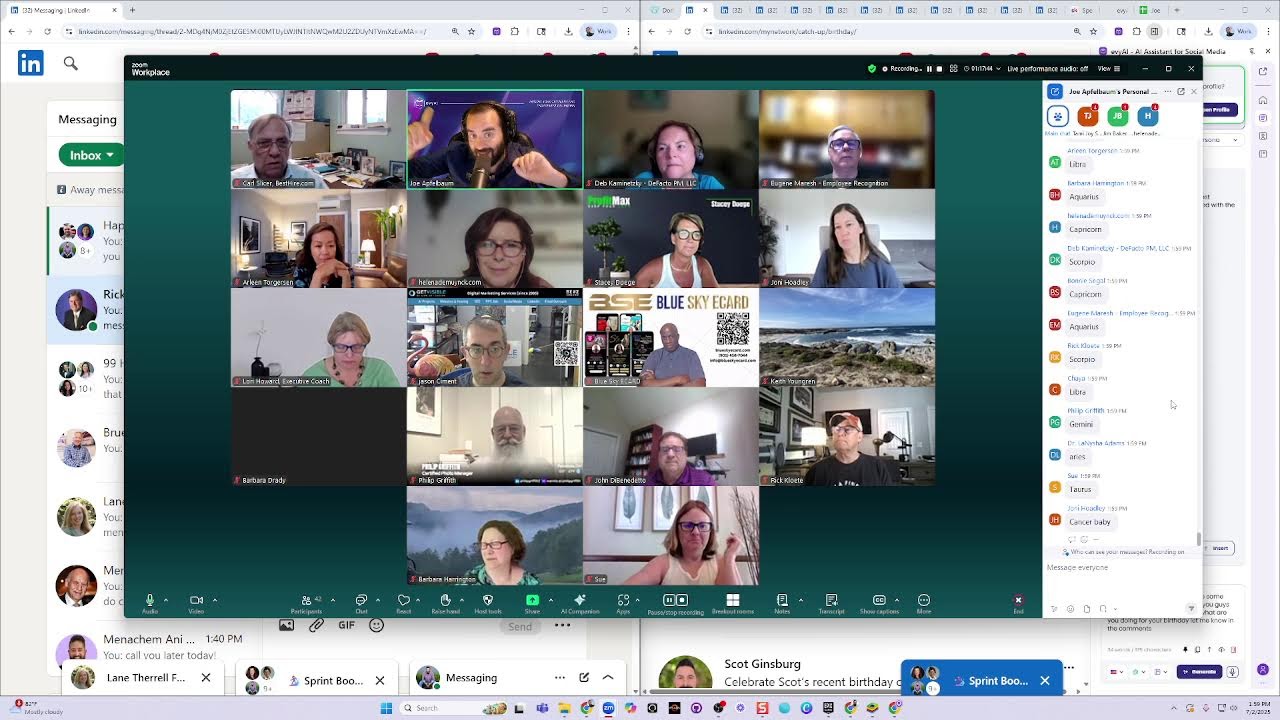
Joe Apfelbaum shows how to send personalized bulk LinkedIn messages using the My Network Saver tool and Google Sheets, segment contacts into engagement groups, and set up custom domain links to boost profile traffic. He walks through LinkedIn's premium tiers, birthday pods, and star-sign-based contact groups to build client relationships without paid ads.
Chapters
We are live, live, live, live. The 99 hacks on how to be able to get 100 clients with these incredible hacks. Now, most people, they don't know that you could do things in a smarter way. I'm the type of person that likes to be able to do things smarter. You could either work harder or you could work smarter. And with these 99 hacks, the goal is for you to work smarter, not harder. You know what I mean? There's so many things that you can do just faster if you just, you just realize that time is precious. That's one of our core values. I was thinking about like, oh, what are the core values of Evvii? And one of them is definitely time is precious. So if you value your time, then learning these hacks and applying them, but realize that once you get all the hacks and then you learn them, you're going to need to go back and review them. 'Cause I need to go back and review them myself, even though I'm the one that came up with them.
Joe, I'll get the waiting room and you're not recording. Oh, thank you.
All right. So let's hit record. Recording in progress. All right. So hello everybody. Welcome to the 99 Hacks. This is a little preview of the 99 hacks. The goal is for you guys to get a little bit of a taste of it and start implementing some of the hacks even before we come out with the course to kind of keep you guys warmed up. You're not gonna be able to capture all 99 at once. And even if I tell you some, you're not gonna be able to remember them all. And that's why we're gonna have a recording of all of them. I'm gonna mute all just so that everybody's muted. Okay. Welcome everybody. So glad that you guys are here. Tammy, don't let the note-takers in 'cause they're just gonna take up space.
Okay.
Decline, just get rid of them. I'm gonna share my screen just to show you one of the hacks in place right now. Okay, so this is one of the hacks. This guy messaged me, this guy Jeff. He said, I hope you've been well. I'd like to invite you to some event. Right here, you see that? If you'd like to see it, here's the link. You see this? In Morristown. Now I didn't see this. Normally I wouldn't be able to reply right away, but it's not nice if you don't reply right away, right? So I have an auto-reply for the DM set up as one of the hacks. Thank you for the message is an auto-response message. I'd love to check out eviai.com. Let me know what you think, blah, blah, blah. So does anyone know what I did to do the auto-reply? Okay, so the hack is when you go to linkedin.com/messaging, On the top, there are 3 dots. You see these 3 dots? A lot of people haven't even noticed these 3 dots. You see the 3 dots? I'm clicking on that. Pretty cool that there's 3 dots here. When you click on those 3 dots, there are 4 options. There's manage conversations, message request inbox, update away message, and manage settings. By the way, send me a DM if you want to see what it looks like in real action. Go ahead, find my LinkedIn. Go to joelinkedin.com, which by the way is one of the hacks. I'll try it now. Go to joelinkedin.com and it'll— joelinkedin.com. It takes you straight to my LinkedIn, right? And then you click on the message button and message me. I can't message myself, but you should be able to message me. So you go to joelinkedin.com and you message me. Send me a message right now. Just say hello or say love the 99 Hacks. And then let's see if you get an instant response.
Joe, can you zoom in at all? We have a request to zoom in. Yeah, there we go. Eugene, is that better? Better for me. I was squinting for sure.
Okay, so this is, this is what it looks like. Hopefully you guys are messaging me now. And I see the messages that are coming in over here. So if you guys are live here in real time, go ahead and message me. And you see the messages come in and let me know if you got the response in the Zoom chat. You can come back to the Zoom chat and say, I got your response. I never knew this. Yeah, most of the hacks you don't know. Most of the hacks you don't know. And even if you know it, the question is how well do you use it? 'Cause it's often not about Not about knowing the hack, but it's about leveraging the hack, you know?
So again, click on the 3 dots. We have a question. Once you go to the 3 dots, what do you do again? Can you show us one more time?
Okay, so there are 3 dots, and once you click on the 3 dots, you click on update away message here, and then You put in the dates, you turn it on. I'm going to turn it on and you put in the dates. I don't know why it says we couldn't retrieve settings. Oh, I don't know why. What's going on over there? It's kind of like broken, but I think you guys are getting it even though it's broken. I'm going to do it. I'm going to do it on my mother's account just to kind of test it out.
Stacy didn't get a response. Stacy, that's probably because we're literally turning it on and off right now, trying to show everyone how to set it up. So he's probably breaking it a little bit, LinkedIn.
Yeah, I think I just broke it. I think I just broke it by turning it on and off. But either way, message me anyway. Let's see, my mother doesn't have an account, so let me see if she has it.
Yeah, that will be interesting because Dr. Lanisha says that she has LinkedIn Premium and doesn't see that option.
Oh, it does say over here, set away message. With Premium, you can set away messages to inform your connections to expect a delay in response messages. So my mother doesn't have a premium account, so she can't do it. So it's definitely a premium feature. It was not a premium feature. They just made it a premium feature. What version of LinkedIn do you have in the chat? Let me know. Do you have free? Do you have premium? Or do you have Sales Navigator? Let me know in the chat which one you have. And you can get a discount on, you can get the premium version for really cheap. Um, you can get it for like, there's something called Career, LinkedIn Career. LinkedIn Career. I think it's, um, premium.linkedin.com/career. So if you can't afford, oh, maybe not premium.linkedin.com.
Let me see.
premium.linkedin.com. Yeah. So it's just premium.linkedin.com. And you could do explore business plans, try Career for free.
Uh, the— if you have never set up your away message the first time, it'll say set away message. It won't say update away message, it'll say set away message. So if you're not seeing— maybe you see that phrase instead.
Yeah, so, so check this out, guys. If you want premium, if you want to get premium for let's say $200, $200 and something for the year. They're offering a 50% off when you prepay for the year for Career, which will give you all the premium features called Career. They don't promote it, but it's premium.linkedin.com. And then you can click on try Premier. You see what I'm saying? So you get 1 month free. And after that, it's like $19.99, which is really affordable. Um, in my opinion, to be able to get what you need to get. Um, because Business is like double the price and then Sales Navigator is double the price of that. So, um, if you're using free, then if you can't afford the Business one, get the Career one. Just, that's a little hack there as well. It's not one of the 99 hacks, but it just, it's an FYI hack. So to get that, you go to premium.linkedin.com. Hmm.
So Dr. Deborah Boyd says they don't have the away message option on a business account as opposed to premium. That's interesting.
Are you talking about on your company page? So let's check. So I'm gonna check somebody else's business account. Let's just see. Hang on. I'm gonna check out somebody else's.
There's a career— before you navigate away, the career deal link, is that this premium.linkedin?
Yeah, if you go to premium.linkedin.com and then it says premium for job seekers and you click on right here, advance your career, or this is for small business owners. So for job seekers, they only charge $20 a month when you prepay for the year. You get what I'm saying? But for business owners, it's more like $500 or $600 a year. And then for Sales Navigator, it's like $800 to $1,000 a year depending on what stuff. But yeah, but that's, You know, you do try career for free or try business for free. So if you click on try business for free, over here it's $44.99 a month. So you times 10, that's 4, 4, it's like $600. If you click on explore our plans, you can see the different options here, but it doesn't say the pricing straight up. You know, the pricing is never straight up with LinkedIn 'cause they keep changing it and testing it. But yeah, 38% of people are paying for LinkedIn, and you could always chat with a specialist on the bottom right corner. Let me say, just click on this, delete. So linkedin.com/premium/products. Okay. Um, I wanna, I wanna stop sharing my screen for a second just to kind of tell something to you guys. LinkedIn has something called the commercial use limit. Have you ever heard of it? So if you're using LinkedIn and you don't pay for it, they have the right to block you from using LinkedIn. Yeah. Look into it. Look into the commercial use limit. So they could block you from LinkedIn for using it for business purposes if you're not paying for LinkedIn. So their terms and conditions.
That's because it's like their— they can do what they want with it, right? It's their—
Yeah, it's their, it's their platform. So they basically say you could use LinkedIn for free. if you're not using it for business, but if you're using it for business and we find out, we're gonna block you. And that's called the commercial use limit.
And Joe, my question about that is, are you saying they'll block you permanently or just—
No, no, no, for 30 days. They block you for 30 days, yeah. And if you look at commercial use limit, they say that there. They're like, listen, whenever you use LinkedIn, every time you load a profile, it costs us like a dollar. So if you load too many profiles, it's costing us a lot of dollars. Why should we pay for you to load a lot of profiles if you're making money off it? Right? That's the idea. So they're like, just pay us at least $20 and then you can do it as much as you want. Even if it costs us $100, I don't care. You know what I mean? They're still gonna limit how many profiles you could open, period, and claim automation. But really it's not automation, it's really server costs. You understand what I'm saying? Financially, being that I'm an owner of a SaaS business, financially it costs money every time you load up Evvy AI. There's a price. I have to pay for the server. But because LinkedIn is so complicated and has so many modules, when you load up a profile, you're actually calling like 20 different databases. The reviews database, the skills database, you know, all those little skills things. You're calling the contact info database. You're calling the photo, the background photo, the mutual connections, and that constantly changes, right? The people that you also liked on the side. There's so many different things that are loading, and each one of those things pulls many databases itself and needs to check constantly if it's there. So you're using a lot of resources when you load a LinkedIn profile. That's why sometimes it takes a while to load. It's not like you're just literally showing an image on Google Images, you know? It's not like that. There's a lot of stuff. And so it costs them money. So they like, listen, at least pay us some money, show us you're serious and we'll give you X amount of bandwidth, but they're never going to give you unlimited. The one that you get the most out of is Sales Navigator, but even Sales Navigator has a limit. So you got to just make sure, because again, if you do too much, they'll ban you. But if you do things correctly, like for example, do you guys know the hack on how to send 1,000 messages a day?
No.
On LinkedIn. You guys don't know that hack? I haven't showed it to you yet. So you can't send 1,000 messages in one day because you— means you'll load 1,000 profiles. If you load 1,000 profiles, as soon as you hit 100, they're going to have a heart attack, right? Because they're going to be like, what's going on with this guy? He loaded too many profiles in one day. He must be scraping. They say you must be scraping, you must be using automation. But even if you manually open up the things, they're going to block you. Brynn is calling me. Brynn!
Hi Joe, how are you, my friend?
Good, I'm doing a presentation right now on highenergyzoom.com. Oh my gosh, why did you pick up? Because it's you, it's Brynn! When you call, I see your number and everybody's watching me. You know, everyone's saying hello. Everyone say hello to Brynn.
Hello, I love you all so much.
Thank you, Brynn. Love you too, bye. Bryn is a LinkedIn sales trainer as well. So she calls me up and I pick up the phone. You know, people call me up. So how do you send 1,000 in a day? So let me show you something. So Lori says, how do you set up your URL? Are you talking about joelinkedin.com, Lori? I use GoDaddy. So I'll show you on GoDaddy how I do it. I'm just going to go to my GoDaddy account right now. So you go to godaddy.com. Have you guys heard of GoDaddy? They're pretty popular. The reason I like GoDaddy, I've been using them for 20 years, the reason I like GoDaddy is because when you sign in, I'm going to sign in real quick. Let's see, let me see. You know what, this is me trying to sign in from my mother's account. Hang on a second, that's not— I'm going to sign in and I'll just quickly show you. Let me go to my products. Let me go, I'm going to go to the right place inside GoDaddy just to kind of show you so you don't have to see all my domains. But I'll just go to a specific domain. Okay, so here's my domain. Do you see it says joelinkton.com right here? So I bought the domain. Once you buy the domain, it goes straight to the domain. And the shortcut to that is dcc.godaddy.com/control/portfolio/the domain name/settings. Okay, that's how you get there quickly. Okay, so when you buy the domain, you just change this out for the— you swap out the URL for the domain to get there fast. You guys know what I'm saying?
Elaine says she doesn't see this screen.
Oh, okay.
Is anyone else having trouble? I can see the GoDaddy screen.
I'll share it again. I'll share it again. Sometimes if I stop sharing and I share again— can you see it better now, Elaine? Okay. So that would be the link to be able to, if you had access to my domain, that would be the link where you can edit the domain. The place where you do the forwarding, you scroll down, you're going to see it says Transfer, Advanced. The place that you do the forwarding is called DNS, Domain Name Service. You see it says DNS here in the center? Okay, you see it says DNS? It used to be right here front and center, but now it's DNS. So if I click on DNS, it gives me options. What do you want to do? Under that, do you see it says forwarding here? I click on forwarding and then I set a forwarding. You see that? joe.linkedin.com to linkedin.com/in/joeapelbaum. And then I say, make it permanent. Okay. Now I could have other things that I do, like for example, subdomains. For example, if you go to posts.jolinkton.com, it'll take you to my posts. You guys want to see that in action? Watch. posts.jolinkton.com. That should take you to my posts. You see it took you to my posts? So I'm going to copy this URL because they changed it since I did it, and I'm actually going to update the subdomain. I'm going to update it to this. You see, linkedin.com/in/joeapplebaum/recent-activity/all. That'll take you to my posts, and I press save. Okay, so I just updated the DNS. I want to add another subdomain. I'm going to add comments so you can see my comments. You see that? So you go to comments.jolinked.com, it'll go to the comments page. So where the comments page is right here, do you see? So now I'm going to go here, I'm going to set it up as /comments, and I'm going to hit save. Okay, do you see what I did? comments.jolinkton.com, go to that domain. If I want to do articles, I click on add forwarding, I add this, I go to articles. So it's going to be articles, /articles over here, articles. articles.jolinkton.com goes to articles now. Cool, right? You guys getting the kick of it? I want videos.
Thank you, Joe.
Is this— Tammy, is this good that I'm doing it or am I overdoing it?
We understand. Okay. Okay. Okay.
All right. I'm kicking a dead horse. Okay. Yeah. Well, I'm going to do one more. I'm gonna do skills. By the way, this one's very useful. The skills one is very useful because if you want to see all my skills, because I want people to endorse my skills. I go down to the skills and there's a specific URL for my skills. So if I click on show all skills, look at the URL, skills. So if I want to send people to the skills, I would just do this and go to skills. So that takes you direct to my skills. And then the same thing with recommendations. If you switch this off to recommendations, it'll show you all my recommendations.
So Joe, is this one of the 99 hacks?
Yes. It's one of the 99 hacks is to have a domain that goes directly to your thing. And why is this important? Let me stop sharing my screen for a second. Why is this important is because let's say you're in a gym locker room and you're talking to a priest about life. And the priest tells you, I would really love to do business with you. How do I get in touch with you? We both don't have clothing on. How do we get in touch? I say, well, my name is Joe. And your name is Jesus. Why don't you just remember my first name in LinkedIn? Do you use LinkedIn? He's like, yeah, I use LinkedIn. Go to joelinkedin.com when you get home. Will you be able to remember that? He's like, I'll never forget that. joelinkedin.com. He's like, do you put that into LinkedIn? I said, no, you just put it into your regular browser. It's a .com that forwards to my LinkedIn. He's like, oh, that's clever. Of course it's clever. It's a hack. And if you want the other 99 hacks, Send the word hacks to this phone number. You guys get what I'm saying? So I want you to really think about the idea of doing things smarter. Don't work harder, work smarter. The reason I prefer godaddy.com is because they have that forwarding ability and the subdomain forwarding ability, which typically costs $20 a month and it's free. Okay? That's the reason I use them. Now you don't have to buy a .com. You can also buy a .club domain. For example, if you want to send somebody to an, let's say tammy.club, and you want to meet, join Tammy on LinkedIn and join the Tammy Club, you just buy tammy.club and it'll probably be available. Like if I wanted to buy stacy.club or Murray.club, it'll probably be available because who's buying a .club? And .club is only $4.99 versus, you know, a regular domain might be more, might be $10 or $20 or whatever, you know. But different, the different subdomains have different prices based on the country. The country sets the price. In the US, the US sets the price for the .com, a company called VeriSign.
Okay.
They have the right by the US government to charge whatever they want. And they keep increasing the price every year. All right, what else? What other types of domains can you buy? You can buy highenergyzoom.com, like a Zoom room. You know, you guys came to highenergyzoom.com, no? So if you wanna tell people where to meet you, I do that. And I have many other ideas like that. Okay, moving on. Here's, so how do you send 1,000 message, 1,000? So let me show you where the hacks are gonna be. Okay, I want to show you where the hacks are going to be. So if you go to our school community— by the way, do you already have the hacks? Did you already get, um, did you already buy the 99 hacks? Are you one of the people that bought it, or do you need it? In the chat, did you buy it or do you need it? Write 99 if you bought it. The chat is disabled for me.
Something happened.
Oh, somebody disabled the chat. Okay, let me click on the 3 dots over here. Uh, everyone, everyone and anyone. Everyone. Okay. Everyone should be able to do chats now. Everyone put it—
My bad. I didn't know what I was clicking on. Okay. Apologies.
Bought it. Just bought it. Somebody said just purchased. Just bought it. Need $99. Okay. So if you need it, buy it now because we stopped making it available, by the way. So we actually, we actually took it off the market because we were— it's actually going to be $1,000 now. And we offered it for $99. So when we launch it, we're gonna be launching in a couple weeks. We're waiting for the guy to finish all the videos. So it's gonna be in the school community under where it says 99 Hacks. And if you go here, it'll say it's $1,000 because that's what it costs. But we have all the hacks already ready. We're just adding them one at a time. And so this is kind of like what it's gonna look like. So let's say, for example, the pronoun hack, You guys know the pronoun hack? Mine is where you can change your pronoun to a custom pronoun. Like mine is LinkedIn Daddy now. For Father's Day, I changed it to LinkedIn Daddy. It used to be LinkedIn Trainer. The CTA hack, where you can put in a link under your name. The who's online hack, teaching you how do you know who's actually using LinkedIn right now. The first name hack is the one that you would use To, um, to send 1,000 messages in one day. So we'll just play it just so you can— I'm gonna share my audio and we'll just play it just so you can also get a taste of what it's gonna sound like. And of course, we'll also have coaching and other stuff for everyone. How do we get it for $99? Barbara wants to know. Well, you can't really get it. You can't really— honey, why are you giving out the link to people? We stopped selling it. And then now Tammy's giving out the link to people. Didn't we stop selling it, Tammy? Don't you want them to pay $1,000? Why are we selling it for $99 still? Okay, it's a mistake. Anyways, if you buy it to $99, we'll still honor it because Honey and Tammy shared it, but I wanted to sell for $1,000 already. Fine, you guys could buy it. You guys could buy it over here. Go ahead and buy it. Now check this out. Until you load up all of the Kristens, select them all. Okay, so this is— I'm going to show you this in real time. I can't show you all of them now because we're going to run out of time, but check this out. And by the way, the time is 1:23. Welcome to hack number 5, which is the First Name Messages Hack. This allows you to send 1,000 personalized messages quickly to people. How do you do this? First, you click My Network, then Connections to load all the names fast. Let's say you want to contact all the Kristens in a faster and safer way. You type that name. Next, you scroll down to the bottom till you load up all of the Kristens. Select them all, then copy. Next, go to the link of My Network Saver. Then, you paste the copied selection in the text box. Scroll down and press Process connections. You can press copy table, then go to sheets.new, then paste them here. Hit message and click the link that pops up. It will redirect you to whom you want to send a message. Using Evie AI, you can insert your message template to each one, and they'll feel like they got a custom message because they all say their name on it. So go ahead and send DMs to all of your connections by using this hack. You might say, what the heck was that, Joe? You saw it was like a minute. All the hacks are just a minute. It's gonna take practice. You might have to watch that a few times and pause it and go back and do it. My goal is not for you to become an expert at it and just know, but it's all there. You get what I'm saying?
Detailed instructions.
Detailed instructions step by step. And if you come to office hours and you need to know how to do it, Carlos can help you do it. Carlos is here. Carlos knows how to do that. So we have—
Questions. So Joni says, I've already bought it. Is it not available? And I think Murray How do I access it? So it's on preorder right now. So you're— it's like when you preorder a book and it's not yet published or released. So that's what the course is. It's on preorder right now. It will be released and published around Labor Day. And so when at that time, you'll get an email and get access.
But either way, if you, if you have any questions about any of the hacks, because sometimes I do publish a list of the hacks somewhere, just online, you'll find that if you search 99 hacks, whatever, you can find the list. If you have a question about how to do one of them, and you desperately need to do something, let us know and we'll be more than happy to tell you the hack. You already paid for it, so you'll— and I'll tell everyone the hacks anyway. It's just much faster if you just get access to the course and you can watch it over and over on your own time. But if you ask me how to do anything, I'm always happy to share everything. I'm a guy that's like, no secrets for me. Like, I'm not holding back. There's no gatekeeping whether you pay me or don't pay me. I tell you everything. You know what I mean? That's like my style. I post everything online. I don't post private things, but I'll just information like whatever. If I find something out, I'll share it. Some people are afraid to share it because you're going to steal something or whatever. Like steal, I don't care. Like it doesn't matter to me. Take everything. Make believe it's yours. Like I don't care.
Thank you, Joe. Okay. Another question is if I am Evie AI Pro, I have Evie AI Pro does 99 hacks. come along with that?
No, 99 Hacks is a separate course. Evy AI Pro right now, because we're bundling in the Evergreen Networking System for a limited time only, if you get Evy AI Pro today, you will get $10,000 worth of training, but that doesn't include the 99 Hacks, which is a standalone course that we created that is gonna be $1,000 for the course, one-time fee for lifetime access. Right now, for the people that are here, you're getting it for just $99. Um, but everyone else— and you guys hopefully will enjoy it and write testimonials of it, and then you'll sell it to people for $1,000, and we'll pay you $200 for selling it for $1,000. You get what I'm saying? So whatever you pay today, you're gonna get back from one person buying it for $1,000, you're gonna get back double what you, what you got. That's, that's my style. My style is I want you to make more money than you spent. within minutes of spending it. That's what Murray did. Murray bought the bundle for $1,000. He got $10,000 worth of value, but then he got 10 people to buy the bundle and now he's making $1,000 a year for the next 3 years. And he's still getting tons of value. So the same thing with the 99 Hacks. Elaine says, we see you online, super dad. Thank you. Is this you speaking in the 99 Hacks or is it an AI clone? We'll never know. We'll never know. I don't even know if I'm an, uh, what's it called, a simulation. You know what I mean? Like, we could all be simulations. We could all be just, um, simulations. Okay, so, um, so I just want you to be careful not to open up 1,000 profiles. I want to be clear. The hack allows you not to have to open up 1,000 profiles, and I'll tell you why it works. Do you want me to tell you why that one works?
Yeah.
I'll share my screen and just show you why it works. So technically, you understand.
Hold on for one second.
Okay.
So if you go to the link, you have to please wait for the page to load. It needs to load that preorder code, and you need to wait for the page to fully load. Wait for the number to process and say 99. If the number says 999, if the number says $1,000, then you are gonna be paying $1,000. Please wait. For the code.
Oh, why don't you just let them pay $1,000? Who cares? They don't mind. They want to throw money at us, Tammy.
I just don't want anyone to freak out. So a few people have paid $1,000 today. So we need to— you have to, you have to let the page load, let the preorder code—
No backsies, no tracksies.
We will obviously refund you the difference, Jane. Don't worry about it. But, uh, for everyone else, that's, that's what to do. Tammy, excuse me. When I— it said $999. When I started putting my information, it changed to $99. I only paid $99. Okay, so that's great then.
Yeah, exactly.
Sorry, your message says it charged me $999. Oh, different Jane. Sorry. Okay.
And don't worry if you paid us $1,000. We just appreciate it very much. We appreciate the extra $900. We really do. And thank you for that. We'll send you a gift card if you'd like.
No, I'm refunding the difference.
Okay.
Okay. Okay.
Can't— why can't we send them a gift card for one of our other services? Why are we refunding money?
A rounding error.
Rounding error.
Rounding error.
Yeah. Sorry about that, guys.
Sorry, Joe. You were going to show us something.
Yeah. Okay. So I wanted to show you why it works and I want you to be careful not to screw things up because when you're doing these hacks, you got to make sure that you're not doing things wrong because then, you know, you do something and then you just, you know, like you mess up. You want to make sure you do it correctly. Okay. So if I, if I just, if I go to my, my network over here, and do you see my network? I click on my network and then I click on connections. Then it loads up just an image and a name and a title of each person. You see that image, name, and title of each person. That's not a lot of information. If I control-click on this person, It's loading up image, background photo, first, last, company name, if they're verified or not, their company, the mutual connections, highlights information about activity details, their experience, all their experience, their education, volunteering. You see that? It does all that stuff. That's a lot of energy that you're using from LinkedIn. So LinkedIn will get upset if you do too many of these. But if you just load this, you could load as many as you like. I could load all 30,000. I just got to scroll down, scroll down, scroll down, scroll down, scroll down. I'll load all of them. This is the only place where you could literally load all your connections at once. Do you see that? Now, if I hold my mouse down, it's called auto-scroll. You see, no hands. Look, Ma, no hands. Look, Ma, no hands. If I did that while riding a bike, I would say, look, Ma, no teeth. 'Cause I would fall. But yes, amazing, right? So now what I can do is I can stop and I can say, okay, these are all the people that I connected with in 2025. So what do I do? How do I get these people into a spreadsheet or something? Or how do I message them? So if I click the message button over here, it would open up a new window, but it wouldn't open up their profile. It would open up a new window. I'm going to control-click so you could see the new window. It would open up a new window with a message. The sender appears to be trying to move the conversation off LinkedIn. We recommend viewing the safety tips. View message anyway. Hey, we met on GoDaddy. I was an intern who you met with. I learned so much about advertising yourself in just 45 minutes, and I hope to learn more. Would love to connect. Mark content as safe. That's interesting. I'm gonna say, thank you. Nice to connect. Okay. So, but did I load his profile by sending this message? I did not load his profile, right? I didn't load his profile. So I'm gonna close this, but I don't know. I can't keep track of where I am here. It's not a spreadsheet. You know what I mean? So what I wanna do is I wanna copy everybody into a spreadsheet to make it faster. So I just, I'm going to highlight everything. I'm going to scroll all the way down to the bottom. So this is all the people I connected with in 2025. You guys see, we're going April. It's moving. I'm selecting, selecting, selecting. I'm holding my mouse down and I'm up to February. We're going to keep going down. We're going to keep going down until we get to January 1st. Okay. So now we're at January 1st. Okay. January 1st. Okay. So these are all the 2025. I'm going to press Ctrl+C, copy. Okay, copied. Then, um, then we're gonna go to, um, we're gonna, when we go to this page, we'll have the resource link available here. But if you watch it, it's in here. Um, I actually also put it in the library for you guys. This one right over here, this My Network Saver. Um, so what I'm gonna do is I'm gonna paste in this right here. And I'm going to hit process connections. And now it basically turned everything into a spreadsheet. You see that? So I got all my 2025 connections here. When I click on message here, it'll open up a new box and message them without opening up their profile. So what do I do with this? This is a lot of people. I'm going to click on sheets.new, copy table, or I can download it as a CSV. You see, but I'm going to do sheets.new, which takes you to a new Google Sheet. And then I'm going to paste it in. And now I have it all here. You see? I'm going to call it Joe Apfelbaum 2025 Connections, my network. Okay, so now if I want to message any of these people, I just click on the message button like this guy here, and I press message, and it starts messaging them without what? Without what? Opening up their profile. So this way I can message all these people. How many do we have here? We have many hundreds of people here and I can message all them today. You don't, you don't trigger the limit because you didn't open the profile. Correct, Jason. That's the hack.
All right.
So you could do as many as you want. There's no limit to messages that you could send, right? There's no limit. There's no official first-degree limit. Now you can't send the same message over and over and over to more than 50 people within an hour. Okay, so just keep that in mind. If you have the same message and you paste the same message in 50 times in an hour, you'll get blocked from sending messages for a few hours. So what you want to do is you want to alternate, okay? And I like alternating by changing the person's name. So I'll filter in my network. You could filter by first name, right? So I'll take all the, all the Jonies Or all the Arlenes or all the Debs or Carls or Eugenes or Stacys. Because the truth is there isn't an unlimited amount of first names on LinkedIn. Do you know that, right? There's a limit. How do I know this? I actually do something called a pivot table. Do you guys know what that is?
No.
So if you have a spreadsheet of all your connections, part of Evvy AI Pro, we give you a dashboard with all your connections so that you can make a pivot table out of it. And that means that you can see how many of each first name you have using a pivot table technology. And if you need help with that, come to office hours. Carlos knows how to do it. But do you guys get what I'm saying? So let's say you only have 100 unique first names. That means you only have to do 100 My Network filters. You know what I mean? You just do 100, or you could do the ones— let's say you only want to target females. So that's another one of the 99 hacks is you take your connections, you figure out all the first names you have, paste them into ChatGPT and say, split it between male and female. Now you may say, that's not fair. How could, how do you know that Carlos is really a male? That's a whole different conversation. It's just let ChatGPT decide and then look at the picture and decide. You know what I mean? But for the most part, most people that are Jason are typically gonna be you know, one type, and most people that are Eugene are gonna be the other type. But you never know, really, you know, you never know. But the bottom line is, I know that if— the same thing about somebody's age. Like, if you ask ChatGPT, tell me the names of the people, the first names of the people that were born between, let's say, 1970 and 1980, most women have 5 names. In the United States, and each country is different. And if you want to target people of a specific country, you can say, "What are the most popular names of people that were born within this decade in this country?" So you say London. London is not a country, but whatever. But that's the idea. You get what I'm saying? And they'll tell you ethnicities. They'll even tell you like sub-religions. Like for example, within Orthodox Judaism, there is Lubavitch and there's Satmar and there's. all these different factions of ultra-Orthodox religion. I asked ChatGPT to give me the first names of each one, and it knew the first names of each one. You get what I'm saying? What culture or ethnicity or whatever it is would you be curious to target? In the chat, let me know. I would be curious to target religious Jews that are part of the Chabad movement. In that case, I would be targeting Menachem or Shalom Bear. Those are the names that they typically have. What about— or Chaya Mushka, Chaya said. Is that your name? Is your middle name Mushka, Chaya? She said Chaya Mushka. She said no. She's just Chaya. My daughter— my sister just had a baby last week. I visited her in the hospital with my kids. And they didn't name the baby yet. You know why? Because they name the baby 8 days later when they do a ceremony. So we're gonna be going to a ceremony tomorrow morning, taking my kids to a ceremony where they do the baby naming. And we have a whole meal and the whole family's gonna be there. My parents are here and everything. But names are really important because they indicate information about the person. And so if you wanna customize things, leveraging the first name hack is an important hack to know. Do we have to chat GPT suggestions? You could even chat. You don't have to chat GPT suggestions. You can use Evie AI to give you suggestions. Do you want to see me do that? Do you want to see me use Evie AI to give me suggestions? Watch. Watch me do that. So I'm going to go here, and I'm going to open up LinkedIn. I'm going to go. I'm just going to go to the My Network tab again just to kind of show you. Now I'm going to open up Evie AI on the side, and I'm going to tell Evie AI. The goal, the tone, the persona. I'm going to select no persona here. I'm going to select established expertise and then a professional tone. Then I'm going to say the following. I'm trying to determine which one of my connections are part of Chabad Lubavitch. Can you please tell me the 10 most popular male names that are part of that movement? Give it to me in a list and don't give me anything else. So let's see what it says. Do you see now I have 10 Chabad names over here? Do you see the way Evie AI gave me 10 names? So let me check to see how many Menachem Mendels I have. So I'm just going to search Menachem. I'm going to click on connections and search. I'm going to do enter. I don't even know what I did over here. Enter. So look how many Menachems I have. You see that? I have all these Menachems. I have quite a few menachems. So what I can do is I can copy these, paste them into the thing, put them in a spreadsheet, and then I can send them a message. So let's see what I would send all these people. I'm also going to control-click on them just to open them in a different thing. So here are all the menachems I have, including my best friend Menachem Grossman. Menachem Apfelbaum is my father. Okay, so let's pull up all these menachems. So, uh, this is me messaging him on Tuesday. Let's catch up. Less, get less. I said, what's your short-term goal? He said, get less stressed. Very true. Call you later today. Okay, so I'm going to call him later today. Um, this Menachem over here, Menachem Lubinsky, I said, Menachem, we created an assistant for Evie AI. How do you think I said his Menachem? I said to all Menachem, do you check LinkedIn? I'm gonna say, I guess not. If you do check it Later, give me a buzz. 917-865-7631. 917-865-7631. Okay, so this is this Menachem. Now what I'm going to do is I'm going to disconnect from this Menachem, but I don't want him to know that I disconnected from him. So here's a hack. You guys ready? How do you disconnect from a guy when you don't visit his profile? I'm gonna stop sharing my screen. I'm gonna tell you why you should disconnect from people and not visit their profile first. Because if you visit their profile and then you disconnect, they're gonna know you disconnected from them because they're gonna get a notification that you visited their profile. Then they're gonna look and they're gonna be like, why does it say second degree? They must have visited my profile and then they disconnected. But if you use the disconnect without visiting profile hack, If you use the disconnect without visiting profile hack, you can disconnect with somebody without visiting their profile. Do you guys know how to do it, or do you want me to show you? Say show me the money in the chat. Say show me the money. What does it say over here? Pre-order the hacks. Thanks for sharing your naming seminar. Thank you. My granddaughter was born and look at her. Okay, beautiful. Okay, Joe, question, is it mostly for sales purposes? I'm looking to help career building. No, it's not mostly for sales purposes. It's mostly for using LinkedIn effectively purposes. So whatever you're going to be doing to use LinkedIn effectively, you get the 99 hacks that will help you with that. Okay, anything that you want to do. So relationship building is not just for sales. Relationship building is for anything you need in life. You might need a therapist. Where do you find a good therapist? You just go to the Yellow Pages and look for a therapist? No, Yellow Pages are meant to sit on or to burn for firewood. They're useless. Do you go to Google and search therapist and hope the therapist will be good? No, it's going to be a terrible therapist. Instead, you ask your network that you know, that you have a relationship with, say, do you have a good therapist? This is what I'm going through. They're like, you know what? I I do have a good therapist and he's only $130 an hour. You get what I'm saying? They'll recommend you to somebody. That's the way to get anything you want in life. The best things come— my kids came from a relationship. The best things in life come from a relationship. My business partner, Tammy, came from a relationship. So relationship. Key. Show us, Mr. Brooklyn. Yellow Pages are gone. Okay, let me show you. Show us, Mr. Brooklyn. All right, so I want to remove Menachem, but I can't because I want to go to his profile. So I go here and I click on these 3 dots next to his name, and I click on Remove Connection. Boom. I just removed the connection and he did not get notified. Gone. Finished. Now, I did message him asking him to call my cell. So if he ever goes to his messages in the future, he has my cell phone number there. You get what I'm saying? And he will also get an email asking him to call my cell. Why do I want him to call my cell? Because I want to sell him something. Murray likes that one. I want to sell him something. I want him to give money my way so I can give him even more money his way. Murray, am I right about that? Why do I want him to call my cell? Because I want to sell him something. Ah, Eugene said, is it permanent? It is permanent, but it's not blocked. So he can send me a connection request and then I can accept it. Now, the reason I remove people that don't respond to me is because I don't want to clutter connection things from people who are not responsive. Now, if they had a very good second-degree network and they were working for a company that will get me in the door to other people's in the company, it's worth keeping them. Like for example, if I was trying to get into a company like GoDaddy and I was connecting to somebody that doesn't reply to me, I would still stay connected so that when I connect with another person at GoDaddy, they see that I have a mutual connection and they trust me more and it's more likely I'll get in the door. But if the guy is not connected to anybody and they don't really have a good profile and they're not active and they're not in my world and I don't care, I'll just disconnect. especially if I'm at 30,000 connections, you know what I mean? And I need to make room for more of the 1,000 people that are waiting to connect with me. I got 1,000 people that are waiting to connect with me, 1,000. So I gotta remove the slackers, you know? No offense if you're a slacker, it's not bad. I just— there's 1.2 billion people on LinkedIn. I need to make room for the good people. So Lori just said, I bought laurionlinkedin.com. Boom. Can we give her a boom in the chat? Boom in the chat. I love that. Let's go to it. Let's see what it looks like. Let's see if you set it up correctly. Laurion— I'll never forget that, Laurie. Laurie, I'll never forget that domain. It's so easy. Whenever I'm looking for Laurie, I'll be like, let me go to laurionlinkedin.com. Laurionlinkedin.com and boom, she did it right. She did it right. Holy crap. And by the way, this is a skill that you have forever and ever and ever and ever. It's not something that you just forget, 'cause now you make a template with this. So when somebody is like, oh, how do I find you on LinkedIn? You just say, go to laurionlinkedin.com. They'll be like, really? How'd you do that?
Okay.
And by the way, it's a nuance that most people don't know. You know why it's a nuance that most people don't know? 'Cause you think people are gonna know that you go to GoDaddy? and that you buy a domain and then you go to dcc.godaddy.com/domain/whatever, and then you click on DNS, and then you click on that box, and then you click on forwarding? Do you think people are gonna know how to do that? No one knows how to do that. No one. Even tech experts don't know how to do that. Even LinkedIn geniuses don't know how to do that. But you do, 'cause I gave you my hack. And by the way, you can see when I bought the domain. I've been holding this hack for a long time. You could see when I bought. You could see when anyone buys a domain. Do you guys know how to see when someone? This is not one of the hacks, but it's nice to know. If you go to whois.sc slash, I'm going to say joe linkedin dot com. This will give me the who is. I say I'm not a robot. I'm going to say go. Not a robot. Tells you when I bought it. I bought it 2/2019. So I bought it— what is that, more than 6 years ago? More than 6 years ago I bought that domain. So I've been holding on to this hack before COVID before the apocalypse, before the apocalypse. I've been holding on to this hack for a long time, but I've been teaching it. It just wasn't formally in a hack, you know what I mean? I've been telling people to do it, but now I've codified My top 99 hacks. I have many more hacks, but I've codified these in a way that's simple, less than a minute each hack. And if you buy it today, you have access to it for $1,000. And if Tammy made a mistake somehow, she gave you 90% off, that's on her. It's coming outta her pocket, not outta my pocket. I'm still getting $1,000. Um, is Evvii social media only for, uh, only Chrome extension? I need to have installed Chrome to utilize its full features. Please provide the URLs for other extensions I should concurrently install with Chrome. It depends on what you want to accomplish, Todd. I don't recommend having a bunch of random extensions. Depending on what you want to accomplish, there's different extensions for different things. You bought this on GoDaddy? I bought it on GoDaddy, yes. I bought it on GoDaddy. I bought the URL on GoDaddy just now. And she did not use my affiliate link, which is fine. It's okay. It's okay. We'll give GoDaddy the money. Um, okay, good. Well done. Okay, let's see who did that. Blah, blah, blah. Show me the money. Blah, blah, blah. Okay. So to answer your question about Evie AI, like you can do a lot of things with Evie AI without the Chrome extension. You can almost do everything that you can do without the Chrome extension, just with the website. You can, you can, here, I'll show you guys how to do that. Um, you go to app.evyai.com/portal, and that will give you access to the extension like this. You see? So it's the same extension, but it's outside of the Chrome extension. You get what I'm saying? So if you want to use the AI writer or you want to use the templates or the saved profiles or anything, you could use it just like this from your mobile phone. You know what I mean? So I use this from my mobile phone every single day. I just go to this and I use the templates and I click on this thing and I copy templates and I paste it into text messages and whatever. Do you get what I'm saying? I even put the home screen. So check this out. I'll show you how this looks on a mobile. So we're going to go to my cell phone. I just pulled my cell phone over here. I have something called BlueStacks App Player. BlueStacks App Player allowed me to have my cell phone on my computer. Pretty cool, right? It's not actually my cell phone, it's just a version of my cell phone. Um, save time, whatever. Okay, so I'm gonna go in here, I'm gonna paste this here. It's gonna log me in. Now it's logged in. Do you see it works on mobile? I can make it bigger, smaller. You see? It works on mobile. And if I wanna copy something, let's say for example I wanna do, do you mind I'm going to copy this. You see, I press copy, it copies the template. Then I can go back to the home place and I can open up LinkedIn on this mobile, and then I can message someone like I would on my cell. You see? Uh, let's say for example, this person over here, I'm going to say, go, I'll message this person. Okay. By the way, I got a lot of messages. Who are these people?
I don't know.
Why is everyone messaging me?
Oh.
Testing the auto-reply. Oh, right, right. I was like, wow, I got a lot of messages. I'm famous. Wow. Do you see? I sent Elaine a message, but where did I get the template from? I got it from Evvy AI on mobile. Okay. And this is, I'm using a mobile app. So imagine, and you could use your fingers. I'm pushing with my finger 'cause there's no like typing. I'm not typing anything. Pretty cool, right? That you could do that. So Todd, that's how you answer— that's how I answer that question. So yeah, you get unlimited access to that. Um, okay. Moving on. Next. Well, I don't even know why I brought that up. I forgot why I brought that up. Oh, here's another hack. You guys wanna see another hack? Here's another, and we're almost running outta time, but we'll do this again. Here's another hack. Let's say you want to get everybody. First of all, I'm gonna send you a connection request, Lane. Hello, Joe. The 99 Hacks are great. Love your webinars, by the way. Okay. So I'm going to send Lane a connection request. Let's see who else. So Arlene messaged me and Rosie messaged me and Dr. Deb messaged me and Murray messaged me. And so let's say I wanted to create a group with all these people, a group message with all these people. Do you guys know how to create a group message on LinkedIn with, with up to 50 people? I'll teach you how to do that. And the hack is the following. I'll tell you what the hack is. Thanks for sharing. Oh, okay. Thank you. You're welcome. Um, yeah. So the auto reply. Oh, by the way, if you didn't get the auto reply, I don't know if the auto reply works for people that are sending you InMails because I see Lane did not get the auto reply, but she sent me an InMail. You know what I mean? She's not connected to me. So I think it only works to connections. Okay, so the way that I do this is I click on, I click on this little pencil button. So I'm gonna open this up in 2 windows just so you can see it. So this is window 1, this is window 2. I'm gonna click on my messages over here. Okay, so if I want to send a message to 50 people make a group with 50 people, this is what I do. I click on start the message and I type in each person's name. So for example, I'm going to start with Arlene. Okay, I'm going to click Arlene. So I added Arlene here. Now who else do I want to add? I want to add Dr. Daboura. Okay, so that's B-Y-R-D. Okay, so now there's 2 people in this group. Now once there's two people in the group, you can click in to write a message and then you can edit the group name. Can you see that I can edit the group name? So I'm going to call this 99 Hacks Group. Okay, and I'll call this July 2025 just so that we know when we did it. So 99 Hacks Group July 2025. Now I'm going to add— I can add all of you to this group. Murray. You see, and I can add Don. Don, I could add Latha. I could add Joni. I could add Laurie. Now you might ask me, Joe, okay, so you're adding all these people to this group, what's the point of doing this? Because I'm creating a group of people that have something in common. In the chat, tell me what you all have in common. You're all hackers. You're all hackers, yes? Jason Harris. Tom Wells. James Baker.
Stacey.
Now, why is Stacy not coming up? Do you know why? Because maybe me and Stacy are not connected. You can only add people that are connected to you. So what I sometimes do is I tell— I'll add all of you, and then I say add everyone else. Add anyone else. That is not here but should be here that you know has the 99 hacks. I'm gonna press send. Okay, now do you see? Now all this is here. So there's 4 plus 9, there's about 15 people here in the group. You guys see what I did? But here's the hack. That's, that's an aspect of a hack. That's an aspect of a hack, but here's the hack. Let's say you wanna see somebody's birthday. Do you guys know how to do that? Yeah, you know how to do that. You go to My Network, then you go to the Catch Up tab, and then you go to Birthdays. Okay, Birthdays. So what I'm gonna do now is I'm gonna create a group for all the people experiencing happy birthday today. You guys wanna see how I do that? You'll be like, what are you talking about, Joe? You can do that? Yeah, you can do that. So today's what, July 2nd? July 2nd. So I'm going to click on this little thing here. I'm going to add the following people. So it's much faster if you have people side by side. So I'm just going to drag this person's name in here, and then I'm going to drag this person's name in here. Do you see how I'm doing this fast? And then this person's name in here. I don't have to type anybody's name. It just happens like that. So it's only going to take me about 1 minute for me to drag all these people in. See, I'm almost done. Create a group with all of them. And what am I going to say to all of them now? Am I going to say buy my products and services? Nope, not going to say that. What am I going to say? Wishing you a happy birthday. What do you guys suggest that I say to all these people?
Happy birthday.
Happy birthday, that's right. You guys get to know each other. You all share the same birthday. Exactly, brilliant. I'm gonna call it Happy Birthday July 2nd Babies. And I'm gonna clear this up over here. I'm gonna say, it turns out you guys all have the same birthday. Isn't that crazy? Maybe you guys should get to know each other. What are you doing for your birthday? Let me know in the comments. Okay, and I'm gonna press the up arrow. I'm gonna click in here. I'm gonna press the up arrow. Actually, that we're in a different window, so that's not going to work. So I just copy and paste it. OMG, it turns out you guys all have the same birthday. Isn't it crazy? Maybe you guys should get to know each other. What are you guys doing for your birthday? Let me know. Okay. Okay, so I have happy birthday July second babies. You see, and all these people were born on July second. Now there's going to be a conversation between each other. And who's the center of the conversation? Are those people all connected to each other? No, they're not. I'm their connection. And I just brought a dozen people together or 2 dozen people together. And it didn't take me much time to create that group. I'm later gonna change the name of the group to something like an engagement pod, if I can convince all of them to do an engagement pod or something like that. But now they all know I exist and they all are gonna have the social pressure of getting to know each other because they all have the same birthday. How cool is that? By the way, what's your star sign? Let me know in the chat. I'm curious to know your star sign so I can do a Cancer. I think Cancer is now, right? Now is a Cancer sign. So I can do a Cancer group and take all the people that have responded to each day and put them all together because those are the engaged Cancers. Get what I'm saying? So I'll do a separate group each day. And then at the end of the month, I'll do one group called Responsive Cancer Buddies. Or something like that. And then, oh, you're all the same, the same star sign. I figured because you're all engaging and responsive on LinkedIn, I'd put you all together. Now I have a group of 25 engaged people who are the same star sign. How beautiful is that? Pretty brilliant, right? All right, let's see what we have. We have Aquarius, Aquarius. We're heavy on Aquarius. What's going on with the Aquarius? We got at least 4 Aquariuses in the chat. I'm getting scared. Um, Eugene's like, go Aquarius, because Tammy's an Aquarius. Um, okay, so we got Cancer, Aquarius, Libra, Capricorn, Capricorn. We got some heavy Capricorn energy here. We got Cancer baby, love that. Have to jump on a call, Virgo. Okay, so by the way, Tammy's name is spelled T-A-M-I, just FYI. And guess what her URL is for her LinkedIn?
tamilinkedin.com.
Thank you. tamilinkedin.com. Isn't that crazy how easy that is to remember? Because try to spell Schlichter. Good luck with that. Good luck with that. So if you guys did not buy the 99 Hacks, this is your last chance to buy it for $99 until my team makes another mistake because we were selling it for $1,000. So thank you for yours. I'm a Scorpio. I was born on the 11th of November. And, uh, if you guys need anything, we're here to help you. Hopefully you guys enjoyed this. We're not gonna be able to digest all 99 at once. Imagine I did all 99, we'd be here forever. So we're doing this in little segments till we launch. We're gonna do another one soon. Invite a friend, make them jealous, and then let's charge them $1,000. You know, maybe if you're coming to another 99 Hacks event, maybe bring 10 people with you. Maybe bring 100 people with you. They'll get value. I'm gonna teach. I'll give them the hack. I'm not gonna give them all the hacks at once because I just— we don't have enough time. But if they want— if they like the hacks and they want the— like, oh, where do I get all the resources? Pay $1,000 and I'll make $200 off it. And then you can give them half back. Give them $100 back if you want through Venmo or something. Make a deal with them. Anyway, where do we find the replay of this? I'll put the replay in the community. And by the way, we're on LinkedIn Live right now, so it's it's on YouTube. And I did this whole thing on LinkedIn Live. I don't even know why I decided I'm going on LinkedIn Live because someone's gonna wonder. You know what? The replays on my YouTube channel. Go to youtube.com/@JoeApplebaum and you can find it. I should buy a domain. YouTube dot. I do have a domain. I have a domain, Joe Applebaum. So I could do youtube.joeapplebaum. I should do youtube at .joelinkton.com. That could be funny. And then it goes to my YouTube channel. That's weird 'cause it's joelinkedin.com. Maybe I should buy joelinks.com. You should like, oh, but that's joelinks. It's not joelinkedin. All right, we'll see. joeyoutube.com.
joeyoutube.com.
Okay, we could buy joeyoutube.com. It's not that expensive. joeyoutube, joinstagram.com. That's a good idea. Okay, another hack. It's 100 hacks now. Anyway, uh, I appreciate all of you very much. Thank you for being in my life, sincerely. And, uh, if you know anybody that needs the hack and you copy the link, you could send it to them as a gift. Say, buy this, you'll be stupid not to. Um, because if you got it, you want to give it to them for $99, copy the URL. If it still works, it still works. It's not going to work soon. I mean, I'm going to delete it myself if I have to. I know how to get into Stripe. Unless Tammy changes the password now so she will keep selling it for $99. That's pissing me off. Get rid of that coupon code. Anyway, thank you very much, everyone. Appreciate you very much, and I look forward to seeing you again very soon. God bless you. Thanks.
More from Joe


How to Beat the Algorithm: Remove Hidden Watermarks & Scale Content with evyAI









AEO & GEO: SEO's Future Explained! Master Answer & Generative Engines! #shorts