Using Automation and AI to Get Clients
Joe Apfelbaum demos the Unlimited Digital Marketing platform, showing AI-generated ads, voice clones, ringless voicemail, and power dialing. The session covers automating client onboarding, building courses and portals, and lead-gen economics with live examples and Q&A.
Chapters
And together with me, I have the wonderful Michael Suarez, our Director of Client Strategy.
Hello everybody.
We're going to be talking today about— Michael, we're going to talk about automating client onboarding with artificial intelligence and improving efficiency and experience. If you guys don't already have a marketing automation system and you're looking for one, we actually have one called Unlimited digital marketing. And this is the system that we're going to be kind of showing you. So if you want it, you can get a free trial of unlimiteddigitalmarketing.com. This is what it looks like over here. And you will get support, connection, social media scheduling, CRM pipeline, automated follow-ups, custom chatbots, multichannel marketing, including email campaigns, text messaging campaigns, calling campaigns, a landing page builder, appointment scheduling. We're also going to help you be able to track customer reviews, payment processing, industry-specific tools, unlimited integrations. We have Mike Larkin here. Mike, welcome. So glad that you made it here. I just moved Mike from lead to closed client here. And if I want to listen to the conversation I had with Mike Larkin, I could open up the contact card within Unlimited Digital Marketing And I could just play. So I could see where he came in from. He came in from the form he submitted from the direct website. I also, in the past, in October 2024, he also filled out a form on marketinginspector.com. So I'm going to hit play over here and just listen to this real quick. Let's see if you guys could hear it.
Hey, it's Mike.
Hey Mike, it's Joe Apfelbaum. You filled out a form about the 99 LinkedIn Hacks. I just wanted to call you up and thank you. So as you can see, we have the whole system kind of nailed in. And all the information in here about his business, his website, his goal for LinkedIn, his challenge with LinkedIn, his ideal client. Everything is kind of streamlined right in here. And if you guys don't have an opportunities tab with a pipeline that walks people through from new lead all the way to closed clients and everything in between, you guys are really missing out. So my question is, do you have an opportunities tab or do you need an opportunities tab? Let me know on the chat if you have one or you need one. Michael, um, what have you seen with our clients that have applied these technologies?
Yeah, so I've seen a lot of, uh, increased efficiency with lead intake, uh, also with onboarding, also with lead nurture. Um, so a couple things I've seen being used more recently would be automatic appointment setting and then also automating your lead intake and your onboarding process, which I do want to go through today. Tina actually sent over a couple notes about what she's trying to set up. So I figured we could look at that and do kind of a live setup here. And then also, yeah, the auto dialing out has been super helpful. Um, and also using the courses and memberships feature. Um, so you're actually able to create kind of like an online course that you can put behind a paywall or just have as a free product. So I've seen a lot of clients, um, using that feature to onboard their new clients, right? With kind of a step-by-step.
So just so everybody knows, all the leads that you see, the 500 leads that you see that we got in the past week, all that came from people interested in the 99 Hacks Club. So if you guys are not in the club, Michael's in the club. This is what the 99 Hacks is all about. Michael, should I play them a song, like a 31-minute song, just to kind of— of what the 99 Hacks are about?
If you meant 31 seconds, but not 31 minutes.
No, no, no, it's not 31 minutes. If you guys want examples, there's examples. Michael, here we go. You ready, Michael? Uh, scrolling through the feed, algorithms playing chess.
99 hacks, Joe Apfelbaum blessed. Connections popping, got my DMs on fire.
Optimized my profile, now I'm the one they hire.
Swipe left, swipe right, endorsements on stack. SEO my headline, keep the clicks coming back.
Network like a ninja, stealthy and slick. Turning views into deals with one clever trick. 99 LinkedIn hacks, stacking the stats. More clients, more shine, cutting time flat. Scrolling through the Ready for the drop, Michael? Here we go. Here we go, Michael.
Yeah.
Okay. That's what we're talking about, Michael.
Wasn't that great? That's amazing.
That sets the tone. That sets the tone. But think about it. Most people don't have ads running. To a course, like a 99 Hacks course. Um, they don't have a funnel running where people are like, oh my God, I need this. I need to learn how this works. So when, like John Keel, like you can have a LinkedIn course teaching people about engagement. Tina, you can have a course teaching people how to increase their property value or something like that. Mike Larkin could teach people about—
Yeah, I can actually—
Yeah.
I'll steal the screen.
I'll actually show, um, All right, let me stop sharing.
I'll show how easy it is to set up a course. You're able to set up a course and put it behind a paywall or have it be a free product. Joe, I'll throw in some of your videos from your folder to show as an example.
There's actually—
now this could even be—
Michael, there's actually a course I wanna create in the— there's a tab on the bottom called like an Evvy AI an Evie AI tutorials course. So like there's, there's—
Let me, um—
And I'll, while you're preparing for that, I could just show people something real quick while you're, while you're kind of getting that ready.
Yeah, absolutely.
I'm just gonna show you where it is so that everyone sees like my format. So over here I have Evie AI tutorials. So I have all these tutorials I'm creating here. So for example, I have a tutorial here, um, called the 99, uh, called the, um, the Learning Hub. So let's just quickly watch this together. It's only 1 minute.
What can I do in the Learning Hub and where can I learn how to use Evy AI? Inside the Learning Hub, you'll find everything you need to master LinkedIn and get the most out of Evy AI. First, check out Quick Links. This section gives you shortcuts to the most important LinkedIn tools and resources, like checking birthdays and job changes, downloading your connections, tracking your dashboard, and even seeing posts from your network with no comments so you can be the first to engage. You'll also find Evy AI's daily workflow, events calendar, and onboarding guide right here. Next, explore the Courses section. You can dive into LinkedIn 101 training, join Sales Navigator Bootcamp, or take specialized courses like AI for Business Development. These programs are designed to help you level up your skills and start getting results faster. Finally, the Evy AI Resources section is where you'll learn how to get the most from Evy AI itself. From extension tutorials and persona training to bonus trainings, our affiliate program, and the Help Center, this is your go-to spot to become an expert with Evy AI. With the Learning Hub, you're never stuck guessing what to do next. Everything you need to grow your LinkedIn presence. You don't just use Evy AI, You master it.
So could you imagine if you had videos like that, right? We have like many dozens of videos that we're gonna be building out, and Michael will be able to easily— I'm gonna stop sharing my screen so you can share yours. Yeah, we can upload those videos to a membership section and then say, hey guys, if you want to learn about how my product works or how my service works, you can put people into a membership section, membership section, and then you can track those leads. And see what videos they watched and you can see how you interacted with them. So Michael's showing on the screen how this works.
Yeah. So there's a, okay. So everybody is able to set up a client portal, right? So you'll have a custom URL. Um, that is, you know, could be like, like 99ax.club, client.company.com. Yeah. Yeah. It could be whatever you'd like it to be. You're able to brand it. You're able to also bring that into a mobile app. So you're able to create like an online portal. This is like the, this is the boilerplate before branding. You're able to, this is something you're totally able to customize for your company. People then will be able to log in either using their Gmail or their email, whatever they sign up with. Now, once they log in, you're able to direct them to any of the courses you've given them access to. When you come into your membership section, you're able to create courses by coming to the product section here. Now you can make a free course, which would be more so like for client onboarding or for just basic education, or you can make a paid course. So you could actually set up, you could set up a full course tutorial, whatever it is. You can do paid subscription or free. So what I'm going to show you real quickly is how to create a course in here. You can import directly from Kajabi, which is another largely used tool that does something similar. So if you're using Kajabi and paying for that, you could ditch it and just import straight from Kajabi. I'm going to click start from scratch. There's some templates in here built so you can create— there's templates that will guide people down different paths and give you ideas for how to structure it. You also can just do it.
Michael, is the courses just like a community or is community a separate product?
Communities is— well, you can create groups as well. The courses They coincide. Um, so your courses, the community is a separate product, but there's every, it's all accessed through this client portal feature.
So if I, if I create a course and people log in to my course, they can then access my same community. It'll be the same link to the community.
Mm-hmm. Yeah. So everybody will have their own login. Um, I'm going to just create this Evie AI tutorial. Uh, product as start, start from scratch so you can see. So each, each section you'll assign a category and then you'll be able to add your videos to it as well as any other content.
So do you add the video from the media? You add the video from the media library. Is that how you do it?
Mm-hmm.
Yeah, you can do that.
And then actually I can show, cuz we already have videos in the media library.
Great.
So we'll do, um, let's do a marathon course. So if you don't wanna have to go through setting up each step individually, this is kind of broken up for you.
You have, you have your introduction, you have your fundamentals, you have the what, the why, and the how, the advanced tips and course wrap-up. So this gives you all the framework already done. So show us, show us the welcome to the course, see what that looks like. Oh wow, look at that. So there's a whole— there's a bunch of content. Oh, upload video, upload audio. That's cool.
So I'm gonna upload your signup video here, um, just as an example.
You could also upload via link if you have it hosted somewhere, video or something, right?
Okay, so while I'm gonna upload it here—
got it.
Okay, you could also put a feature image. Um, I'm just gonna throw an image of something in here for the moment. We'll, we'll update that. So you'll have a feature image.
Oh wow, it already loaded. It already loaded.
Correct. Yes. So once it's here, it'll be step 1, right? So this is just the thumbnail I put. This is, uh, not specific to this video, but you'll have your, your video here. You can play it. Um, and then you could even have a comment section here.
If you have multiple instructors, you can put your instructors on the right.
Correct. Yes. And then you'll have a progress bar. So if you're doing, um, a client onboarding or, um, an actual course—
Michael, this is, this is what I'm thinking. We're paying $400 a month for Kajabi right now. So you're telling me that we could just cancel that and just use this for less? For, for like whatever. You basically just saved us $5,000 a year.
Yeah. So this, this is, uh, very similar to the Kajabi functionality and that's just one component of the system. So you're able to create online courses, um, track progress. Um, yeah, there's actually, let me show you this briefly. I think this is the link. All right. So this, this, uh, calculator here shows what switching over to the system saves our typical clients. Okay.
So, so let's say for ActiveCampaign, we're paying $1,000 a month. For ClickFunnels, we're paying $300 a month. For WordPress, we're paying $50 a month. For MailChimp, we're paying $100 a month.
Uh, yeah. So I mean, Yeah.
So instead of $1,600 a month, and for Kajabi, we're paying $400 a month.
So yeah, Kajabi's—
We could just put it under workflow automation or courses. There you go. $100, $400.
I'm just gonna add all that. I'll add, uh, $500 here.
Yeah.
Right.
So I mean, even if you're using a few tools, $30 a month for social skills. So, okay. So most people are paying, let's say $2,000 a month in tools and we'll only charge you $250 a month with unlimited users. That's the idea.
Yeah. And then we have, yes. And with that, then we have, uh, oh, and training and biweekly office hours. Okay.
And you get to meet with an expert every 2 weeks and that will coach you and guide you and support you. I mean, this sounds like a no-brainer.
Yeah. I mean, it's a great system. Uh, and we have a lot of resources available and we are able to, you know, respond to any questions you have. I work through strategy with all of our clients every other week. So yeah, def— I think it's a no-brainer. It has all of the major tools that people are using from different places.
Can I show people the pipeline and how the pipeline works? Because we covered the courses and I think it's good.
Yeah. Show the pipeline. Yeah. You show the pipeline and then I do want to show a piece of how you can automate people moving through your pipeline based on information you get from them.
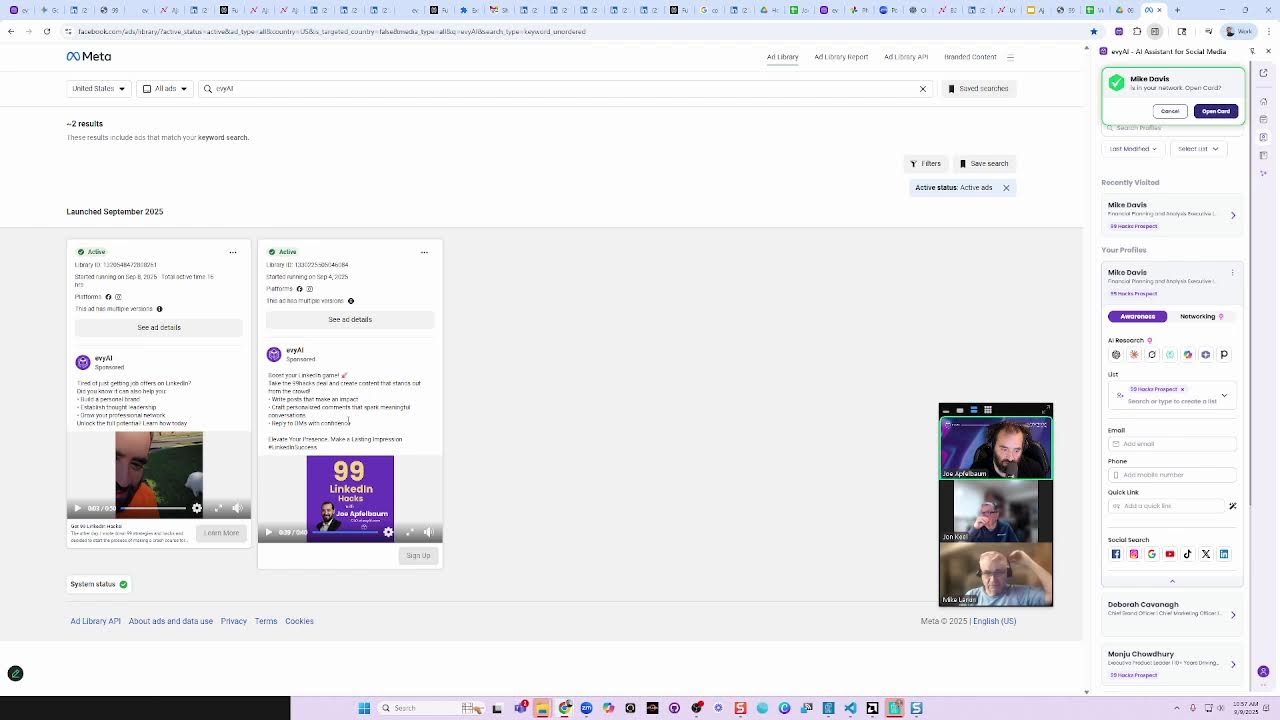
So here's something called the funnel. There's the top of the funnel, the middle of the funnel, and the bottom of the funnel. The top of the funnel is where people are just learning about you, right, initially. So I'll show you top of the funnel pipeline right now, but middle of the funnel are people that already know you, but you're trying to build trust with them. And bottom of the funnel, people that know you, like you, and you want to get them to trust you more. Okay, so that's kind of like the funnel. And we have different pipelines for different people that are in different sections of the funnel. So I'll show you top of the funnel pipeline right now. So you guys can get the ideas and then I'll show you some automations that we're using to do things that would save us a lot, a lot of time. Now just keep in mind that you can use chatbots and agents to automatically call people and automatically email people and automatically chat with people as well. I'm going to show you a manual process now, but I'll show you how like a bot could technically do all that stuff. And the same thing, you need a process for lead nurturing and taking people in. whether they're coming in from SMS, chat, or WhatsApp. So let me stop sharing. Let me stop showing this presentation and go straight into my opportunities tab. So as you can see, I have this guy over here named Albert Boot. If I open up Albert Boot's profile over here, I see that the lead came in 10 minutes ago. Can you guys see that? It says 10 minutes ago here on the right side. And it came in from my 99 Hacks promo ad. If you want to see what that specific ad looks like, just so you see the whole picture, I'm gonna go to my ad library. Michael, I have the public ad library link here on the way bottom that shows you the Evvy AI ads. And you can see this is the ad right over here. So I'm gonna play the ad. So you guys want me to play the ad so you can see it? Tina, do you wanna see the ad? Okay, so— Most professionals only scratch the surface of LinkedIn. They connect, they post once in a while, and then wonder why nothing's happening. That's exactly why I built the 99 LinkedIn Hacks Crash Course. It is the result of 10 years of practice, interviewing top influencers, and training over 1,000 companies. Each hack takes less than a minute to implement, but the results can last for years. More leads, more meetings, and more opportunities. You'll discover smarter ways to grow your network, engage the right people, and actually turn LinkedIn into revenue. So don't wait, go to 99hacks.club and grab your copy today.
99 hacks, Joe Apfelbaum blessing. Connections popping, got my DMs on fire.
Okay, so that's an ad. Do you guys like the ad? Is it good? So that ad over there, every time someone fills out a form, it costs me about $2. So somebody raises their hand, costs me $2. The course sells for $1,000. So I can get 500 leads and none of them, only one buy it, and it's still worth it for me to run this because I break even then. And then the other 499, I have to just try to get them to buy. That's the idea behind the whole concept. So if I spend $1,000 a week and I get one person to buy every single week and it costs me $1,000 and I make $1,000, I'm basically getting 499 other leads for free. You get what I'm saying? That's the idea. And the course is hosted. I could sell it unlimited. It's hosted. It's ready to go. So, and by the way, anyone on this call, if you want the course for $99, just hit me up. I'll give it to you at $900 off because you're my friend, okay? But don't tell anybody about that. Don't tell the people watching the ads. Anyway, we're gonna go back here and we're gonna call Albert. So how do you call Albert? I could just click the little telephone number on the top right over here and it starts ringing. And if Albert picks up, great. If he doesn't pick up, also great. Now I'm gonna use Evie AI to send him a text message right now. using templates. So I have some templates on the side here. I'm gonna say— I'm gonna send him this little template here and press send. So I'm sending him a text message. So as I'm calling him, he sees a text coming in as well. And then I'm gonna send him another text message asking him what his LinkedIn profile is.
Your call has been forwarded to voicemail. The person you're trying to reach is not available. At the tone, please record your message.
When you—
Now this guy didn't pick up. I don't have a business email for him, so I don't really know if he's real or what his situation is. I do want to look for him on LinkedIn briefly, and I can have an automation that automatically does this. I don't have it set up yet, but it'll research him on LinkedIn, find the right Albert Boot. It looks like this guy's the right guy over here. And then match up his location with the area code and then save. It looks like he's paying for LinkedIn. So this is probably who he is. He's an associate director of manufacturing plant in biopharma, which is really interesting. I can click on contact info just to see if his contact info is here or whatever. Sometimes he has a different contact info there. But I'm going to move him on to contact attempted, and I'm going to move on to the next person. Do you guys see the way I moved it from new lead to contact attempted? If I got through to him, I would have moved him to contact made. And then I can— Jen, Jen, could you do me a favor, Jen, and mute anyone that is talking to their grandkids?
Yes.
Thank you. So, you know, just move people over. And by the way, when I move him over, I can spark those text messages to go out automatically. I can set an automation that when a person enters this stage in the funnel, in the opportunity tab, that automatically happens. And that's something we can definitely set up for you. It could also have, when I move it into here, start calling him every day. at 9 AM, and I can have an agent automatically call him every day and leave him a voicemail every single day and change what the message will say depending on the day. I mean, you can go bonkers with this. But again, they reached out to me. You get what I'm saying? It's illegal to reach— it's illegal to call people with AI if, um, you initiate. If you initiate to them without them asking, but he raised his hand. Right? And I texted him. And, you know, so like, I'm going to text him, I'm going to call him, I'm going to email him, I'm going to WhatsApp him. We have the ability to integrate WhatsApp Business as well. And then the goal is to get through. But that's the idea. The idea is to just keep calling over and over. Mike has a question. Go ahead, Mike.
Yeah.
Would you do an AI voice bot, you know, to call them, or would you do a ringless voice drop?
I would do both. I would do both. I would do a voicemail drop where it doesn't even ring and it drops a voicemail. And then I would also do an AI to call him. I just had somebody return my call yesterday because I left him a voicemail. But you can do a ringless drop. So the way the ringless drop works is it calls the person twice. It calls them once, and at the same time it calls them again. It hangs up the first time, and the second time it goes straight to voicemail because the first one's in the middle of calling.
Okay.
You get it? The first one's calling, the second one calls, drops a voicemail, hangs up both of them, and have a good day. And drops a voicemail.
You know, it's funny, I've seen that. I've had that happen to me, and I, I did it. I never knew how that system worked technically. That makes sense.
Now there is a plugin called WAVV, W-A-V-V, that can automatically do a power dialer if I want to do live power dialing. And I haven't tested them out yet, but I did a demo yesterday. They're a pretty new software. They're fully integrated in the system. And then you could push a button and it calls 3 people at a time and it'll just keep calling until it gets you somebody on the phone. So if I have 500 people in a pipeline and I want to call them all every single day, this tool will have unlimited calling and it won't use your minutes. It's unlimited minutes and it will just keep calling and calling and calling. So if I can get 500 leads every single week for $1,000, This is my calculation in my mind. 500 new leads for $1,000. I'll close 1 or 2, whatever. And then I'll just keep trying to milk that for the next year, that by the end of 10 weeks, I have 5,000 new leads. Do you get what I'm saying? By the end of the year, I have 25,000 new leads. And we're also emailing them and texting them. And the goal for me is really, I want to book 40 appointments a week.
Okay.
So if I want to book 40 appointments a week, 5,000 appointments a year, that's how we're going to do it. Do you get what I'm saying? We need to get those leads in. Not all those leads are going to be super high quality. When we use LinkedIn to get leads with LinkedIn advertisements, it costs about $30 for every lead that comes in. But when we're using Facebook ads, we're targeting the same LinkedIn people, Because we have their email addresses, but we're targeting them on Facebook. We're only paying $2 a lead. Isn't that interesting?
Yeah. The cost per lead on Facebook, if you can leverage an email list, is—
But you have to have the right—
More reasonable.
You have to have the right messaging and the right offer to the right audience for it to be that low.
Oh, and oh yeah. And the right targeting and like a good email list. Um, right. So LinkedIn's more concise cuz you could do with the, the exact job title, company, company size. But if you have the right data, and the right messaging, then yeah, leveraging the social ads.
And also, um, you know, excuse me, you don't— so you don't let Facebook pick your audience?
No, we pick our audience.
You actually—
I mean, when you click, when you clicked, I targeted you because you were in the school community.
I had—
I took the audience, I downloaded the school community emails of everyone in the school community, and I made a separate audience called the school community audience. So for example, with Tina, she can have an audience of all the co-op members in New York City, of all their emails, put that as an audience to Facebook and only advertise to those people. So Mike saw the ad because I strategically said to show the ad to Mike on his email. And it showed it to Mike and Mike saw it and Mike filled out the form. And then I had a conversation with him and it was all recorded. You guys saw that. You know what I mean? So the system actually works and we test it out by putting ourselves in it as well. So if I'm on Facebook, I see my own ad 'cause I'm advertising to myself specifically. Now the beauty is you can set something called a lookalike audience. Do you guys know what that is?
No.
That means I can say, okay, give me these 100 co-op members and then show me people that are 1% like them or 2% like them or 3% like them. And you can see how far veering off It's like them. And so the, that's where the algorithm starts deciding who it should show it to based on people that look like them. That's why it's called a lookalike audience. That's the beauty of this. Now, if you have all your LinkedIn connections, part of what we can do is we can also extract all the email addresses from all your LinkedIn connections as well, so that we can target them on Facebook. So maybe you wanna run a campaign to all the people that are connected to you on LinkedIn. And then when they fill out a form inevitably on Facebook, you can then hit them up on LinkedIn saying, oh my gosh, thank you so much for filling that Facebook form out. Or you can have the tool automatically do it.
Now Facebook lead forms also directly port into the system. So you're able to have full reporting. on your Facebook ads and also have direct integration. So you're able to then tailor communications to people based off of what they fill out of their form and move them through their pipeline based on the information you receive. Now I want to spend just 5 minutes showing some examples of how we can leverage automation.
Hey Michael Davis, how are you?
How are you? I just got your voicemail.
I'm so glad that you called me back. I really appreciate that. So you filled out a form with the 99 LinkedIn Hacks. Am I right about that?
Yeah, I saw it online and I was looking to go.
That's pretty cool, Michael.
Yeah, yeah, absolutely.
So Michael, tell me what made you decide to fill out that form? Just curious to know.
Well, I'm in the process of looking for a new role. And utilizing LinkedIn and, you know, all the other sources and, you know, just interested in seeing, you know, LinkedIn to me is operating very differently than I remember it. You know, even the last time I was actually actively looking for a role was more than a decade ago. So, you know, just feels, you know, just there might be some things to it that, you know, things are operating differently. So I was, I was interested in understanding what kind of The information you had on it.
Are you, uh, are you based in Trenton right now?
I'm not. Well, Trenton's in New Jersey. I'm in New Jersey. Trenton's south of me about an hour and a half. I'm closer to New York City.
Okay. Okay, cool. Yeah, I'm— I moved to Union County, so I'm also closer to New York City. I'm near Newark Airport.
Oh, okay. Yeah, absolutely.
Are you in Caldwell or Short Hills?
I'm in, uh, Hazard Heights near Paramus.
Oh, near Paramus. Okay, cool. Cool. Hasbrook Heights is a pretty cool spot. I've never been to Hasbrook Heights before.
Oh, really? Okay. Yeah. Yeah. It's a small town, just, you know, but nice. We like it.
That's really, really cool. Um, yeah. So what type of role are you looking for right now?
Well, I'm the, you know, finance executive, FP&A, financial planning. Okay.
Okay. Okay.
Cool.
And do you have, do you have your own book of business or what?
Uh, well, I've always worked for a corporation, uh, but I, I, I have gotten more and more into consulting. So, I don't really have a book of business other than I've linked up with certain consulting companies that say, would I take care of clients? Got it.
Got it.
So, you're more—
it seems like you're more backend. You do strategic financial leadership, M&A integration, operational optimization, commercial finance. It seems like you really know what you're doing.
I would hope so.
Yeah.
Yeah.
No, no. It's really, really cool. So just curious, what strategies have you found most effective in transforming like the FP&A in SaaS specifically? Because I own my own SaaS.
All right. Yeah. Well, so MPD, the company I was with, it was subscription-based and it was all about data management and consumer behavior. So, you know, one, for me, The transformation when I walked in there was about focusing on resources, right?
Oh my God, totally. I totally love that. Yeah, resources are so important. I'm actually doing a class today, the 7 AI Mistakes That Are Costing You. It's at 1 PM. Maybe you want to join me on that class. I have about 50 people coming to that. Are you available to join me at 1 PM today? I can give you the Zoom room to join me on.
Yeah, I think so.
Is it a It's like a webinar. It's an hour long, but you don't have to attend the whole thing. But you'd probably benefit from attending the whole thing. I think you'd really benefit from that. And then we'll set up another call and we'll kind of have a one-on-one. But come at 1:00 PM. It's on highenergyzoom.com. Write that down. H-I-G-H energyzoom.com.
Yep.
And what I can also do is I could, I could just send you a text message with that URL as well right now so that you have it.
Yeah.
So I went ahead and sent you that text message so that you have it handy. Um, and I look forward to, you could just reply to the text message if you got it. Just say, got it. I'll see you at 1:00 PM.
And then, okay.
And then I'll see you at 1:00 PM and we'll chat more. I'm, I'm in Jersey too. So, uh, I wanna show you our AI. I wanna show you how things work. Um, and I wanna show you what I'm doing with other people to help them be able to find positions just like the ones that you wanna find.
I just got your— I just got your text. I'll see you when I talk. Absolutely.
All right. Thank you so much. I really appreciate you, Mike. Talk to you soon.
Thanks for reaching out.
Bye.
God, you're smooth.
What happened there? What happened there, guys? Did I leave the guy a voicemail? Yes. Did he call me back? Yes. Did he do it right now? I called him here, I left him a voicemail here, and he called me back here.
Wow.
Wow. Now, is it possible that he's going to become a client of ours? Yes, very possible. Do you think I can help him? Yes. Did you see me use AI research to be able to support him? I mean, there was no way I would have been able to ever build rapport with him. And do you— did you see how I kind of asked him, because there were many people with his name, like what location he was, and I kind of read off a few locations and then he told me where he was. Boom. I found exactly where he was. You get what I'm saying? You guys saw this in real time.
You could hear the shock in his voice. Yeah, you could hear the shock in his voice when you were asking those questions. But you know, like, we're going through that list.
Yeah, but you know, he says subconsciously, subconsciously he knew that I got him because I get him. I get him on a deep level. I like see who he is and I want to help him. And that's all what people want. You know, I will help him find a role. He will generate multiple 6 figures as a result of me working with him, like many of our other clients did. So I'm on this like very spiritual mission to help people and I'm using technology to do it. And it's kind of like both ends. We have the agency with Michael, you know, like where we're kind of help you get it done. And then we have the other side with our, with our heavy AI team helping you with the assistant, but they kind of go hand in hand. You saw the way I used the assistant to send templates into, into app.ajaxunion.com, into Unlimited Digital Marketing. But you need to have the strategy behind it. That's why it's so important to meet with Michael regularly because Michael has been a strategist with our marketing agency for over 10 years. So like you need to like work with him on a regular basis, get your marketing automation set up. And this is not something that happens overnight. It's something that happens over time. Sometimes it takes years to get it really nailed in. But the shortcut is using AI smartly. By the way, that ad that you saw that this guy came through, I did not film that ad. Michael and his team made that ad using artificial intelligence.
He—
they didn't even take my voice or anything. They just used a clone of me. They took a photo of me, made the photo talk, and made the ad out of that. And the music that you heard was music created with AI. Michael's a music engineer and a DJ, but now he just pushes buttons and he makes music with AI. So the music and the ad—
That's crazy.
And the text for the ad was generated by AI, but a human designed it. And a human came up with the strategy, 'cause AI's not smart enough to come up with the strategy for all that. I mean, it's smart enough, but you need a human running it, prompting it, that understands your business and so on. And so like, that's kind of like what we're doing. And you see the guy's paying for LinkedIn. He's a legit guy. It's a real lead. And I have 500 of those waiting to be called. That's the idea. And I want to do that for your business. So if you're watching this and you're interested, you could book a meeting with Michael. Michael, what's the best way for people to connect with you? Unlimited Digital Marketing or success@ajaxunion.com?
Yeah. Uh, reach out to success@ajaxunion.com if you'd like to book a meeting regarding marketing strategy. That would be the best way to schedule something.
Okay.
Yeah.
So just email Michael success@ajaxunion.com. He'll book a meeting with you and kind of get together. In the chat, I'm just curious to know if you guys in the chat, what are you feeling as you're watching this process happen in front of you? You see the ad, you see the funnel, you see the opportunity tab, you see the people call back, you see it in real time, an appointment being set. Like you see it happening. What does that make you feel like? Like in your heart, watching the behind the scenes and then watching, oh, you can create a course and you can have people sign into the course and it's easy to design. It kind of is like already designed. John says there's a lot to learn and implement with great potential. Love that. Optimistic, Tina says. In order to generate business, it doesn't take like rocket science to do that. But it does take a strategic process to get it done right. And most people are missing that strategic process. And that's why their business is kind of stagnant or stuck, or they're not moving pass to the next level. Even if you're using referral marketing, you still want to put people into a pipeline. You still want to have an organized way to template and to send people messages. You still want to be able to have a top of the funnel, a middle of the funnel, and a bottom of the funnel. You still want to have automations that go out on a regular basis. This is why I love working with Michael. Tina, do you want to speak to that? You want to, do you want to share? Because you meet with Michael pretty often. Go ahead, Tina.
I do. I meet with Michael in the open office hour, the unlimited digital marketing office hours, so twice a month. And then I meet with Michael separately once a month, and then he and his team gets back to me by email at least once a week for a weekly recap. And it's been fantastic. The strategic guidance and help that we're getting from Michael has been unparalleled. I mean, we would have, it would have taken us decades to try to accomplish what we have accomplished in approximately 1 year. It's been fantastic.
Awesome.
Thanks, Tina. Yeah, it's been, it's been great working together. We've definitely set up a lot of helpful systems to nurture your leads. And then we're, we're actually moving into The onboarding process. And also I did want to touch, I did want to touch on that briefly today as well. Um, I know we had mentioned covering some of that automating like intake and onboarding and client phases.
That's a great idea. But Michael, don't you want to get like a 5-star Google review from Tina?
I'll give you a 5-star Google review.
Michael, actually, Michael, I just put the link in. I just put the link in the chat for, for Tina to click on to leave a 5-star Google review. And John—
Did you get this from—
From, from the— no. So I went to, I went to, um, I went to Google, I searched Ajax Union, I saw the thing, the reviews come up on the right side, and then it showed me—
You know, you can also do it from here.
Okay, show us.
Yeah, so check this out. So you can also— I'm not—
I might— Is it connected? Is it connected to Ajax Union?
I'm not positive if we connected it, but everyone else should do this. So you can actually ask for reviews straight from the system. So if you connect your Google Business, you can ask anyone for a review and it'll send them a review request. You could send it via email and to their phone. But yeah, getting the link directly from Google, super easy as well. But yeah, if anybody has been Happy with our service, working with me, working with Joe, working with our team. If, yeah, a 5-star Google review would be much appreciated. Can be quick, can be an essay, whatever you like, but we appreciate that. Now we only have a few minutes, um, but I did want to briefly touch on onboarding, uh, your clients and how to leverage automation to get them through an onboarding process. Now, what does that mean? There are a lot of pieces of information you will need to take from your new clients. Also, this is twofold. This can be applied to lead nurture as well. Developing a system where you can automate the asks for certain information based on the information you receive has been very helpful. to people we're working with. So for example, you may have a few different business lines or a few different types of clients. Based on their information, they should be getting different communications or being prompted to send you different information. You're able to automate that whole process leveraging automation with our system, using AI as well as our automation tools. So I want to show an example of this, but I figured a live example is would be better. So Tina was nice enough to send over something we started working on together regarding onboarding. So Tina, really quickly, when you onboard a client, what is your current process? How are you getting their initial information right now? Like, what's the current process?
So they find us somehow, right? So there are many, there's, so there's many steps in this onboarding process for this particular service. So they, once we are hired and we received a check, then we have all of those emails that you saw there in the— So we have email templates and we're trying to automate it. And then the first thing that we do is have a discovery call with them. And you just, you just asked me this morning, what, what question do we ask in that discovery call? Unfortunately, I didn't have enough time to think about that and really ask. So we ask— Well, basically, it's what is it that you hate about your current situation? And what are your must-haves in new property management? And then based on that, we then create an RFP and do the whole bidding process. And the interview process, and then the onboarding process of new management.
Okay, great. So given the time, I want to show the concept of what we can do here. So when you're automating communications, you can move people through your pipeline as well as send them different types of communications based on Certain fields that are filled out, right?
So, Michael, I'm realizing that there's a thing called knowledge base on the left now. I, I didn't see that before. Is that new?
Uh, it's new. It's newer. Uh, yeah. So the knowledge base is what you train your AI with.
Oh, got it.
Um, okay. So the knowledge base is where you would load in all your files, links to train your AI, and then you, that along with your prompt.
Michael, I feel like we could spend like the rest of our lives learning this software.
Yeah. Or, and teaching it too. I mean, it, there's so much to, there's so much to uncover. Um, I think the office hours are so the, I think the biggest value and we are, we are hitting time here, Tina. We're, we will, we're gonna, we're gonna get this done together and we're also gonna make a great example out of it. Um, But it's not gonna happen this moment. But I think the biggest, the biggest value add is the office hours. Um, you know, there's, there are a ton of— the, the price point and the office hours, because we can work through items together. So for example, what I was just about to start live demoing with Tina here, on office hours next week, Tina can bring the sheet and we could We can work on it together and then other people will learn how to do it. You'll pick up the strategy and then you'll also be getting further that way. So that's, that's the typical arrangement with the Unlimited Digital Marketing Service is the office hour support and then email support. But we also have the ability to just do it all for you, right? So A to Z, you can just hire us to manage the system, take over your marketing as well. So we do, you know, there's options. So there's the, I think, $249 monthly for access to the software, the support, the email support, the office hours. And then, you know, we make plans for implementation if you really just wanna hand it all over. So either option is definitely viable for those looking to expand their marketing systems and sales. operations as well. Now we do have to wrap up. We are going to keep holding these sessions. Probably should make them a bit longer. I'd love to dive in deeper. If you are interested in joining, we have a free trial. I'm gonna put the link in the page. I'm going to put the link to the free trial into the chat. If you go to this page and scroll down, when you sign up, you get a 7-day free trial.
Michael, for the people listening, where do they go if they don't, if they don't have access to see the chat?
Oh, unlimiteddigitalmarketing.com. So unlimiteddigitalmarketing.com.
3 words. unlimiteddigitalmarketing.com. There's 2 Ds. And Unlimited Digital Marketing, right? There's unlimited and then digital. Some people confuse it and they only put one D in there and then they go to the wrong place. So it's unlimiteddigitalmarketing.com.
Correct.
Should I buy a .club domain from GoDaddy? What would be the club that people want to join in if it would be a club like for people that use this tool? Anybody want to brainstorm? What type of club is this? If you're using this tool really well, what club are you in?
CRM support.
Ooh, the CRM.
Automation support. Automation support.
The automation club? Let's see if automation.club is available. Automation.club is not available. Automation.club is not available, but maybe CRM automation.club. CRM automation dot club is available for two dollars.
Get it?
I'm not buying that domain. You could buy it, Michael.
Two dollars?
Two dollars. CRM automation dot com.
I think that CRM support dot club dot club not dot CRM support CRM.
When did dot club become a dot club?
GoDaddy's pushing dot club right now because it's. They own the dot. So when somebody buys a .com, they have to pay most of that money to VeriSign. But when you buy a .club, they own that extension, so they make all that money. So if you pay $20 for a .club eventually, because the renewal is $20, it's all profit for them. So they want to push .clubs.
Right.
That's why I bought 99hacks.club. Otherwise, I would never buy a .club. Like, why would I buy a .club?
Maybe if you owned like a club or like a yacht club or like a dance club or music club.
Or you have a community. Or a community.
Right. If you have a community.
Or you want the club club.
All right.
We have to wrap it up here. We will send a follow-up with the link to the trial page to everybody who attended.
And are you going to be sending out a replay again too? Because we missed— I missed the first couple minutes.
We can get you a link to the replay.
Wait, wait, why would you want a link to the replay if you could just go to my LinkedIn Live and watch the replay? If you could literally—
if you—
we're on LinkedIn Live right now. So if you go to my LinkedIn, go to joelinkedin.com, and you click on events, okay, you watch the whole thing. You watch what we're doing right now while we're doing it, and you leave a comment and you give likes and you hit repost and all that jazz.
Okay.
I didn't know I was on LinkedIn.
You're on LinkedIn Live. You're famous, Mike. You're famous. There's exactly 3 people looking at it right now and you're famous. Not only are you on LinkedIn, you're on Facebook, you're on Twitter, you're on YouTube, you're everywhere. Oh, you're famous, Mike. Is there any famous words that you want to give everybody? What's your famous words?
It is what it is.
It is what it is. What about you, John? John, John James Keel, what famous words do you want to give the world? To know and not to do is not to know.
Wow.
That's wisdom. That's wisdom right there. That's a tweet. I should write that down. What about you, Tina? Do you have any wise words for the world?
Never, never, never give up.
Never give up. Grit. I love it. And Michael, what are your famous words to wrap this puppy up?
Oof.
That's a good famous word.
Famous words.
Oof.club.
Oof.club. Sure, sure.
Look it up. You get it for $2.
Oh my God. Actually, Oof.club is for sale right now for $769.99. But oofclub.com is available for a penny. Oofclub.com.
What about oofda?
Oofda. Oompa Loompa. I would love to buy oompa loompa.com. Would anyone know how to spell that though?
Yeah. O-O-M-P-A-L-O-O-M-P-A, right?
L—
what? U-U-M-P-A?
Yeah.
Oh, loompa.
Oh, oh, yeah. Oompa Loompa.
Oompa Loompa dot com. Let's see. Oompa Loompa dot com.
Put it in the chat. Listen, I gotta, I gotta run here.
All right. Thank you, Michael. Thank you, everybody. Appreciate you guys so much.
Thanks, everybody, for joining. Appreciate it. We'll talk soon. Great.
But guys, should we buy Oompa Loompa dot club or not? Because it's available. The Oompa Loompa Club.
Go for it. For $2.
What is, what is an Oompa Loompa Club?
Ask chat.
What is an Oompa Loompa in your opinion? Like, what is it known for? You guys don't know?
No, there's— isn't there a story, a children's story about an Oompa Loompa?
I don't know. Is there a children's story? What is an Oompa Loompa? What is an Oompa Loompa? Let's see. Let's see what an Oompa Loompa is. I'm looking right now. This is very important, by the way. This is probably the most important thing we're doing all day, looking into Oompa Loompas. Um, if you guys didn't see my last live, I showed how I use something called Nano Banana to kind of dress people up very, very nicely. Did you guys— were you guys watching my last live?
Okay. Misspelled.
Oh, Oompa Loompa is often misspelled Oompa Loompa, so I actually misspelled it. It's a fictional worker from Willy Wonka's Chocolate Factory. in Ronald Dahl's Chocolate— Charlie and the Chocolate Factory. It first appeared in a 1964 novel. They run a factory, quirky machines famous for singing moral of the story Oompa Loompa songs after each misbehaving kid misbehaves. Wow. Iconically depicted in 1971 film, orange skin, green hair, and in 2005 film, they were all played by Deep Roy. Okay. Oompa Loompa. Okay, so Oompa Loompa is not spelled U-M-P-A, it's spelled O-O-M-P-A, and Loompa is L-O-O-M-P-A. Got it. Oompa Loompa.
Michael had it right.
Michael had it right?
Yeah, he's got it in the chat. He's got it in the chat.
Michael nailed it. Michael nailed it. Wow, very good. All right, any, any other questions that you guys have about anything? John, do you have any questions about anything? Mike, do you have any questions about anything that you guys want to talk to me about?
Yeah, I'm on, I'm on GoHighLevel now and I've got a bunch of stuff on there, can I, can I port over? Yes, put that—
yeah, port over. We can port over and get the support that you need so that you can— how much are you paying somebody for it right now, or are you, are you getting—
Yeah, yeah, $97 a month, but I don't know, you don't get—
But you're not getting support. Exactly, exactly.
Well, we're getting support, but it's not, not like what you guys have.
Exactly. Now we'll, we'll definitely give you much, much deeper support, um, and more access and everything. But you know what I love about this is making sure that you have your pipeline set up correctly, making sure that you have everything integrated, that it's working correctly. That's really essential. And most people don't have any of that stuff set up correctly. So, um, you know, I, I just add, I just created a Chrome extension this morning. That's what I was doing where you click one link. Like for example, if I want to look up any of these leads, I click one link. Right over here and it does a search right on LinkedIn. You see that? So I can just pull up this person from GoHighLevel's pipeline. Do you use pipelines, Mike, in GoHighLevel like this, like the way I'm using it?
Well, I'm trying to, yeah.
Okay.
So if I want to search any of these people, I have a Google search and a LinkedIn search and it's a Chrome extension and I put the Chrome extension in our community. So, um, John and Mike, if you guys want it, you can grab it right from the community, install the Chrome extension, and then all these will appear in your pipeline to be able to Do those searches right there.
Do you also have the, the setup to come from, let's say you find somebody on LinkedIn and you pull off all their information and you put it in Heavy AI, can you then move it over to Unlimited Marketing automatically?
That's something that, that's something that we will be building out towards the end of the year. Well, you'll have a button over here just like you have AI Research. You'll have a GoHighLevel button and it'll just go into Unlimited Digital Marketing. It'll just get saved right there from here. Yeah. That's something that we definitely are going to be doing. But we first need to kind of— do you want to see the other ad? Here's another ad. Check this out. If you're the type of person where LinkedIn is important to you— come on, come on, let's go. She just wants to sit there. If you're the type of person that LinkedIn is important to you, then you should pay attention because I created a new course called the 99 LinkedIn Hacks. I've been teaching LinkedIn for the past 10 years and I took all my knowledge and put it into 99 videos. Each are less than a minute long, and these are hacks that will help you get on the phone with people, optimize your profile, and grow your LinkedIn. We're offering it at 90% off right now, so if you want to check it out, go to 99hacks.club. I even put a rap there. Or click on the link below, fill your information out, and we'll send you the details. Thank you for watching this. Hope you have a blessed day. My name is Joe Apfelbaum, and I approve this message. Now, if I could only get a hack to Get this dog moving. Let's go, let's go. If you're the type of person where LinkedIn is important to you, come on. I was walking yesterday morning and I did that video. So every day I'm gonna do a little video. We're gonna split test to see the best possible video that we can run ads on.
On your split test, what's your best response now?
I mean, we got it down. Well, this one was the best one right over here. This one's the lowest price. from all of them. Some of them were costing $8 a lead. Some of them were costing $4 a lead, whatever. But this one we got down to less than $2 a lead. I'm trying to get down to under $1 a lead. That's what I'm trying to get to. So if I— if the ad really nails it, people will want to fill out the lead form. You know, we'll see where it says sign up. They'll want to fill out the lead form. Um, you know, they click a button and all their contact information goes into GoHighLevel. That's just amazing. But that's the idea.
Do you have—
I have a call, Jen.
Yes, it's in 2 minutes.
Okay.
All right.
You have another question, Mike, before we wrap up?
No. Do you have it? Well, I was gonna say, do you have it set up where you can DM directly off of Facebook too?
Uh, I don't have it that you can DM directly off of Facebook, but we, we do integrate We do into what, what is—
you, you actually can reply if you connect GoHighLevel with Facebook, you can reply from GoHighLevel.
Yeah, Fernando's right. What I was gonna say is that we do have conversations tab. We are connected to our Facebook account right now. So we could technically reply right within GoHighLevel into DM them on Facebook and go back and same with Instagram and go back and forth. So we definitely can do that. All right, well, thank you very much everybody.
More from Joe


How to Beat the Algorithm: Remove Hidden Watermarks & Scale Content with evyAI









AEO & GEO: SEO's Future Explained! Master Answer & Generative Engines! #shorts