IMCA Masterclass - Working From Home

Joe Houghton covers remote work setup from three angles: employee, team leader, and employer. He walks through home-office ergonomics, broadband upgrades, mesh Wi-Fi, VPN security, video and audio gear, multi-monitor setups, and tax reliefs. The session also touches on Ireland's National Remote Work Strategy and France's right-to-disconnect law.
Chapters
Okay, so good morning everyone and welcome to this masterclass, and we're delighted to have you here. It's a real pleasure to have Joe Houghton with us this morning, and Joe is going to share his time and wisdom with us in terms of this masterclass, which is on the very important and interesting topic for all of us at the moment in terms of working from home. And we were just chatting beforehand about Zoom and the very platform that we're on and how it has become almost kind of pervasive in our psyche over the last year. I mean, we were just reflecting that if you ask someone kind of 14 months ago about Zoom, there was probably a 70% chance that they weren't familiar with it. They would have been familiar with kind of Skype or other technologies perhaps, and WhatsApp was certainly in the space, but this has really, you know, become the powerhouse of the pandemic and a remarkable advent that allows us to have the opportunity to receive Joe's wisdom this morning. The IMCA is doing this on a pro bono basis as part of our ethos, and we're delighted to have our new president, John Byrne, here with us this morning. And it's, I suppose, part of where we are and who we are in terms of sharing best practice and knowledge. And certainly within the pandemic period, this has gone from strength to strength in terms of the series of masterclasses we have. And to that end, we have a few coming up. We have Fiona O'Connor next on the 4th of February, and she's looking at, I suppose, navigating to a safe harbour in terms of resilience and positive frame of mind. We've got Professor Joe O'Mahony, another world-class speaker, coming up on the 11th on the whole area of consulting and that particular niche. Jim Power, The Economist, is speaking to us, and I was chatting to Jim there a couple of days ago. We're going to do a snapshot on what the Biden presidency has had in that short period, just to have a look at, you know, where it's going and what kind of policies that have been put in place since he's come in yesterday, and just have a look at the impact from the Irish perspective and how that's going to be about. And then we're sharing McLean, another world-class speaker from Canada, on the 11th, who's going to talk to us about digital communications and where that's going and how it's moving forward in terms of state-of-the-art thinking, and particularly in terms of the platforms we're using, and best practice in that space. But you don't need to take notes, folks. I'll be sending the love note out to you afterwards just to update you on the events that we've coming up. The IMCA itself is open for membership in terms of consultants, and we'd welcome you to have a chat with us, you can find our details on www.imca.ie. And again, we'll be sending out those links. We're on LinkedIn, Twitter, Eventbrite, so, you know, you'll be familiar with all those platforms, and we'd ask you to give us a follow. And equally, and finally, I suppose I would ask that you be mindful that this has been recorded from a GDPR point of view. If you're not comfortable with that, please be advised and step off at this point. No harm, no foul. So just be mindful that we will be sharing the recording afterwards and be sending out emails to you on the notes that I've just spoken to. Conscious of your time, conscious that the coffee is getting cold, conscious that we're, you know, looking towards the end of the week and we're on Thursday and you can see the end in sight at this point. So without any further ado, I'm going to hand over to Joe, who's going to take the Ship Estate out and talk to the very essence of what we're here on, on virtual platforms and how to do it and work from home. Joe, take her away.
Thanks very much, Pat. Yeah, nice, nice to be here. It's—
yeah, this is what we're all facing at the moment, isn't it?
I'm sat at my kitchen table with my 2 children who are 9 and 8 sitting upstairs, you know, under strict instructions to try and be quiet and not fight for the next hour. I've given them their iPads and access to whatever they want to play with for the next hour. But this is kind of what we're dealing with, isn't it? You know, so we're gonna just talk about this today. I'm gonna share a few tips and tricks that I've picked up over the years, not just over the last 8 or 9 months, about working from home.
And we've got the chat window open.
Pat's gonna kind of keep an eye on that. I've got it open next to the screen as well, so I'll try and keep an eye on the chat and answer questions. Please throw any questions or ideas that you've got as well. I mean, there's a lot of power in the room with everybody who's on, and I'm sure we've all got little tips and tricks that we've picked up as well. So we can use the chat as a fantastic resource when we are working online these days to gather all that kind of information and This is something that I've been recommending to people for months, but a lot of people don't seem to know about it. If you have a look at the chat window, you see down at the bottom where it says type message here, there's a little 3 dots icon just to the right of that.
And towards the end of the meeting, if you click on that little 3 dots icon, you can save the chat, and that saves the chat down as a text file onto your computer. So if you use the chat to, you know, just throw in information and good links and recommendations for books and all that kind of stuff, it then becomes a very useful resource that you can save off later on. So I'd encourage everybody to share their ideas and their thoughts in the chat as well as post questions, and we'll try and wrangle those as we go along, if that's okay. I'm just going to try sharing my screen because I've got a deck to work through, so we'll kind of work through a deck, but we'll use that as a basis for you know, as I say, chat and discussion as far as we can. So please feel free to kind of do that as well. I can see a few familiar faces coming on. Morning, Katrina. Morning, Sharon. Good to see you.
Morning.
So yeah, working from home. Good stuff. So I mean, we've got what, 45, 50 minutes and then a wrap-up. So, you know, how do we make the best of working at distance? I kind of split my thoughts down into 3 kind of sections, if you like. So, you know, taking our roles, how do we make the best of this as individuals working from home? How do we set up our own personal workspaces and all this kind of stuff? Many of us are involved in some kind of team leadership, whether we're line management or whether we're consultants, you know, running a remote team of some kind or another. So we'll just have a quick look at the kind of, you know, that aspect of things and how we can kind of work from home effectively as a team lead. And then just some brief links really to be thinking about if you're actually an employer. Because there are some issues around employment as well. I kind of reached out to a couple of people I know. I see Voltage have just come on, so I don't know who's on from Voltage, but anyway, they sent me a little PDF of some of the tips that they share as an HR kind of consultancy, and I'll pass that on to Patrick and he can make that available to everybody as well. But as I say, you know, throw your ideas into the chat as well. So hopefully we'll give you some ideas and some resources by the end of today. It was terrifying a bit when Pat kind of called me a few weeks ago. Hi Joyce from Volted, great, good to see you Joyce.
Hi.
It was a bit terrifying when Pat rang me up and said, Joe, we would like to run a masterclass on working from home. I mean, you know, talk about putting the pressure on. I don't know whether this is going to be a masterclass or not. It's just going to be me sharing some thoughts and ideas about how I do it, but I have been working from home for effectively about 20 years. The last time I can remember having a formal office that I used on a regular basis was, I think, about— probably about 1992, 1993, when I got my first European role, and I handed back the keys to my office at that point. and spent 20 years on planes and trains and automobiles. And even now, I mean, most of my work is done from home, even though I teach up at the Smurfit Business School and I'm a management consultant and, you know, all that kind of stuff. Basically, home is the base. So I am an experienced online worker and educator. When the kids were growing up, and they're 9 and 8 now, we spent quite a number of kind of years about half-time in Africa with my wife's parents, as Penny's mum was sick and eventually died. And for those summers, I was using Skype and I was doing management consulting to clients in Ireland and around the world via Skype. So, you know, Zoom is maybe easier perhaps than a lot of these other tools were, but the tools have been around for a long time, and more than me have been using them for a long time as well, and you can do a tremendous amount through, through these tools. So as I say, I have this kind of portfolio career. I do a bit of consultancy. I run the Master's in Project Management up at the Smurfit Business School. I co-wrote that program about 15 years ago and have directed it ever since. I run a photography training business and through COVID have built out a side of that business doing club photography talks all around the world. I'm doing 3 or 4 of those a week at the moment. So although this has been a very strange experience for us all and we're now all having to figure out how do we work from home and how do we wrangle the kids and the homeschooling and juggling the internet connection and all that kind of stuff, you know. I think it is doable if you organize yourself and if you, if you kind of look ahead a little bit, but you do have to do some work to set your home up to become an effective workspace. So hopefully that's what we're going to kind of talk about today. So this thing about remote working, and Pat said, you know, the IMCA and myself as well today. This is pro bono, you know, and it's kind of a little bit of giving back, I think, just trying to help everybody skill up. So that's the idea of today. This came out last week. I don't know whether you kind of caught sight of it in the news. The new National Remote Work Strategy for Ireland was published And now proposals to be delivered by the end of the year, proposals to be delivered by the end of the year. So, you know, when this actually takes effect is unknown at the moment. But it's symptomatic of a wider movement. In France already, for instance, there is a right to disconnect. There are, you know, legal limits imposed now on workers In terms of when they have to be online and when they don't have to be answering emails or, you know, taking phone calls and stuff like that. I think the last 6 to 9 months has very much focused attention on the fact that we're probably never all going to go back to the office. So some of us will be working from home permanently, some of us will be working from home on a you know, number of days a week basis. There's a lot of people have realized they don't want to commute. I certainly hate the commute when I have to jump in the car. So things like remote working hubs are going to become a thing, even if they're not already, and that's going to give us some interesting possibilities. I think even now we're still in the honeymoon period of working from home around things like tax issues. And that's one of the reasons I reached out to Joyce and Federica and Ingrid at Voltedge, because they, you know, they deal with HR issues and they're advising people all the time. So things like tax issues, insurance issues, personal liability and work liability, all that stuff. I mean, if you go back to the legislation, just because we're now sitting at home at a kitchen table Doesn't obviate the fact that as an employer there are liabilities and there are things that you need to, you know, make sure your people are still safe and that the equipment that they're using is fit for purpose, all that kind of stuff. So there's going to be a big review of all that stuff, and if you are working from home, either as an individual or as an employer or as a team lead, you need to look at that stuff, and I would suggest sooner rather than later. Because I think I would be surprised if this year we don't see a slew of cases of people bringing actions for all the stuff that has happened at home which otherwise would have happened, you know, in an office environment perhaps. So I've given the link there in the slide deck to that strategy document, and we will make the slide deck available I think, Pat, you'll send that out with the video as a downloadable link to everybody in the next day or two. So all the links that you see on these slides you'll get, and you'll be able to kind of have a look at. I was talking to Pat yesterday about this module, you know, this session, and he said, you know, focus on practical stuff and whatever. But I left this slide in, and I'm not going to apologise, Pat, for doing that, because to be honest, the practical stuff doesn't really kind of matter a whole lot if your head isn't in the right place. And I don't know about you, but for me, the last 6, 8 months has been, has been very up and down. I've had, you know, periods of time where I felt isolated, I felt fearful, I felt, you know, all kinds of different kinds of emotions. The cabin fever sets in and stuff like that. And I consider myself to be very lucky because I have a wife and 2 kids. and, you know, a relatively— as far as any of us have— a relatively normal home life, if you like. I'm not living on my own, I'm not feeling totally disconnected, but we've got to look after each other and we've got to look after ourselves. And I think we've got to— one of the things with working from home is pre-COVID and post-COVID are different worlds. You know, most of the time we didn't have the kids at home. We didn't have multiple needs to perhaps use the computer. You know, if Penny's got a client— she's a psychotherapist— then at the moment she's doing most of her client work online. And so maybe we've got to come off the internet while she does the client to make sure that the Zoom call is nice and solid. And A practical tip that I would encourage everybody to, to look at if you can is upgrade your broadband. I upgraded my broadband last month and I went from 150 meg. Now I'm in Lucan, you know, so we've got good access to fast broadband, but I signed up for the Vodafone 1 gig broadband. Lucan's a part of the country you can get that. But now that we are so dependent on the internet connection, if you haven't thought about upgrading your internet connection, now's probably a good time to do that. And when you upgrade your internet connection, you know, they will give you a router. They will give you a box that plugs into the wall and then, you know, gives you Wi-Fi and stuff like that. Just be aware that the standard routers that the internet companies give you are fairly basic routers. They're okay, but they're not the best. So if you actually want more Wi-Fi capability around your home, then you might also look at buying a better router with more power to broadcast, and mesh systems as well. These, these are the systems where you buy, you know, 3 little routers and they basically talk to each other via Wi-Fi, but they can amplify the signal signal around your home quite dramatically. So, you know, you need to be thinking about that stuff. So the self-care stuff is important, and this thing of isolation. Make frequent phone and video calls to family, friends, and colleagues. I have a couple of hundred students on the courses this term in Smurfit, and I was teaching last term as well, and a lot of those students have come from abroad and they're in Ireland and they expected, you know, the Irish welcome, and they got it to some extent, but it's been very difficult because they're sitting alone in student residences and, you know, not being able to meet people and not being able to have the normal social experience. If you, if you're still getting to know people, whether that's remotely on, you know, a professional level, or you're just connecting with new friends or whatever, I find that I would recommend use video as much as you can because you, you, you get the face-to-face, you get far more from that.
If you—
but if you already know people well, I mean, Stop sending long emails. Stop sending long texts. Yeah, pick the phone up. Hear a voice on the end of the line. You can— I find myself some mornings, you know, I've sat down at 8 o'clock or half 8 or whatever, and it's— I look up and it's 12 o'clock, 1 o'clock, and all I've done has been sending emails or texts. Yeah, and I've not actually spoken to anybody for like 3 or 4 hours. So I'm consciously doing more of my communication by voice and video to combat these, these feelings of isolation. Okay, um, you know, it's good to talk has never been more relevant. Um, Connor, you've got, you've got something in the chat. Do, do upgrade broadband. How's the 1 gig for reliability? Um, I'm fine. I've had it now a month, and I found it— I, I found that it's, it's been Pretty reliable. We had one little downtime a couple of months— a couple of weeks ago for a couple of hours. But apart from that— but what I have noticed is shooting up the broadband. We did get a new router and it's probably a better one. And I now can see that where before when we had, you know, if I was on here downstairs, Penny was on upstairs, and then the kids turned on the tablets. And we're playing Roblox, you know, which is one of these online games, it would impact on the Zoom calls. So before the 1 gig, that was an issue. Since I put the 1 gig in and we got the new router, we can be on 2 Zoom calls and the kids can be on the remote devices, and we're seeing absolutely solid connections. So that's something to think about. But that's just me. Maybe any— if there's anybody else in the room who has got, you know, good or bad experiences, share them, share them for Conor there in the chat, if you would. That would be great. Probably, given that this is an IMCA session, we've probably got a good number of consultants on the line. So, you know, one of the things you should do is, is just kind of explore with your clients or the people that you're working with your current situation. Okay, so, you know, what are the constraints that you're operating under? And I think everybody is kind of open to the fact that we are operating under constraints at the moment, that we are sharing a space with other people. That there are calls on our time, you know. I mean, it's, it's to my shame that I have to admit that up until this week I had largely let Penny take on the burden of dealing with Danny and April and the homeschooling stuff. I normally was, was upstairs working in the mornings. Penny came down and was wrangling their homework. This week she's had her thesis to get in, Final draft of her thesis, so I've basically been doing the morning shift and it's been difficult, to say the least. I thought I would be able to bring my computer down and pop it on the kitchen table in the middle of them, have Danny on my right, April on my left, and, you know, just sit them down and get the homework done and they would sit quietly and do it. Yeah, little did I know. So if that's your reality, then you need to kind of share that with your clients and try and organize a pattern for work and for the day and for work delivery that is doable, that is doable without totally stressing you out, that allows you to address your other required kind of deliverables, whether those are personal or family or whatever as well. The third point I think there is really important about asking for clarity. You know, assumption is a very dangerous thing, and I think that open communication and open sharing of, right, well, these are my current challenges, okay, what are your expectations from me, what are the things that you must have from me, and at what time of the day or the week or whatever, And what is— what are movable feasts, that kind of stuff. Okay, so I think just opening up that conversation is incredibly valuable when you are dealing with other people, whether those are clients, whether those are managers, whether those are colleagues, whether those are coworkers that you're working with, you know, on a team or whatever. Don't assume that everybody is in the same boat as you are, because nobody is. We're all in very, very different home situations. Do you have a challenge over kit? Okay, so share those challenges, you know, technical kit connection supplies, backup options, stuff like that. What would happen if your computer died tomorrow? Do you have another computer in the house? If you have another computer in the house, Is it 3 years since it's been turned on? Okay, so, you know, if this computer blue-screened on you and everything, you know, died, have you got your main applications loaded on a spare machine so that you could switch over within an hour or 2 or whatever? Okay. Do you have all your data backed up? Okay, so have you got a Dropbox account or a Google Drive account or Backblaze or something like that where all the data on your computer is constantly being backed up to somewhere else? And, and just having a USB drive that every now and then you plug in and physically do a backup ain't good enough anymore. Okay, because you forget to plug those drives in. So if we're working from home now, and certainly as professionals if we're working from home, one of the costs of doing business from working from home is to subscribe to some kind of an automated cloud backup system. I pay Dropbox, I think, $150 a year, and that gets me 2 or 3 terabytes of storage. Where my laptop and Penny's iMac upstairs, all the data is constantly being backed up into the cloud. And if one of our machines dies, then I can just log on from another machine into Dropbox and all my work is up there. I also have a Backblaze account which is doing exactly the same thing. So that's cloning basically both those machines up into the cloud on a constant basis. I don't have to worry about losing my files. But some— at some point, one of your computers will die and you will lose files, and that's, that's unprofessional these days, and it's not really acceptable. So you need to be thinking about this stuff. Yeah, well, you know, that's a really interesting point, Brian. It's not just the connection that we need to be aware of, okay? You know, so, so have a backup for WebEx or for Zoom or for Teams. Yeah, so don't just rely on one setup. Did any of you get affected in recent weeks by the Google Drive outage? When was that? I think it was just before Christmas, wasn't it? I can't remember quite when it was, but for like a morning Google Drive was down.
Yeah.
And what I— I had a number of quite important spreadsheets that I was working on at the time, and, and for those 3 or 4 hours, I just couldn't get to them. So, so if you have stuff that you're working on and it's only online, make sure it's also synchronized locally onto your laptop so that if your online connection fails or the service goes down— and I mean Who would have thought that Google Drive would ever go down? You know, I kind of like assumed that it wouldn't, but it did. So again, you've got to, got to kind of plan for these worst cases. And Connor's put in the backblaze.com link there. Yeah, I highly recommend Backblaze. It just sits in the background. It's, it's very, very low maintenance in terms of the the bandwidth that it uses up. But anytime you make a change on your machine, it just squirts it up to your Backblaze folder, and you can go back and restore a whole machine or just one file or whatever remotely. So very, very good service. Your home working space. So let's get practical. It's interesting, it's always interesting seeing where people are on the Zoom call, isn't it? You know, I've got a few people, we've got Pat there, You know, and he's got his bookshelf behind him, so he's got a study area or whatever and stuff. I can see Ferrett in there, similar situation and stuff. Katrina looks like she's in the office, I don't know, are you at home or in the— no, you're in the office, Katrina.
Well, I'm very fortunate, I look like I'm in the office, but I'm one of the few that's very fortunate to have an a separate place to work from home, so that's just a photograph of the office because I miss it.
Don't we all?
It's just a fake library.
That's right, yeah, super. Whereas my photograph behind me is, is a place I miss as well. That's, that's the beach in South Africa that we haven't seen for 3 years now. But yeah, so if you can, and that's a big if, isn't it, Because we can't all, but if you can, do set up a place where you can set up a desk and a chair and, and, you know, have as your working space. Ideally in a room where you can close the door. You know, that's a very aspirational room, isn't it, on the slide? My rooms don't look that clean and uncluttered, I tell you. One of the things you also need to think about, and it's really, really important, is what's behind you. Because the camera is pointing at you, so a lot of people just think about the workspace and they look at a workspace from the point of view looking at the workspace, but almost more important these days with Zoom is what's behind you. So what you do not want behind you are windows.
Okay.
None of you should have a window behind you. Ideally, you don't want a bright light behind you either. So just, just scan the, the people who have their video on at the moment on the Zoom calls. Okay, and just pick up the people who, when you look at them, yeah, there's distracting elements in the background. Okay, and very often a bright light is a distracting element. So sometimes all you need to do maybe is just shift the laptop around by 90 degrees so that you're not pointing at, you know, that bright light or that window or whatever. Sometimes you may need to change the angle of the laptop, and I'll show you a little, little thing I bought recently for doing that that sorts that out. But really think about that stuff. Give yourself a big enough space that you can work effectively. I mean, but you know, not everybody's got, got the space to go and buy a big work desk and stick it in the house. So you may have a smaller one, but then maybe you can get an under desk set of drawers or something like that and tidy up that area. Because you're spending a lot of time now at the computer in this area, so make it a pleasant place to be as far as you can. Okay, it should be well lit, ideally with natural light. If not, then you're going to need to get some lighting, and we'll talk about that in a minute. Make sure you've got a decent chair. Now, you know, do what I do, not what I say. Isn't that how it goes? I'm sitting on the kitchen chair at the moment at the kitchen table. And to be honest, quite a lot of my time is spent there, and it's not good. It's not good for my back, and I really should get a better chair that I can use while I am sitting in the kitchen if Penny's got the study upstairs. But just be aware that, you know, if you sit poorly, if your ergonomics are bad— thanks, Connor— then, you know, you are going to end up with back strain, you're going to end up with aching shoulders, you're going to end up very achy and poor. So I invested in a new office chair for upstairs. It's only €100 to €120 or something, you know, you don't have to spend a huge amount of money on one, but get yourself a decent chair. Maybe you can ask your employer. Yeah, a lot of employers have made a small amount available for equipping people with, you know, a new chair or even a new laptop or whatever. I was dealing with one of the county councils, and I know that they went around everybody who now has to work from home and offered them, you know, they could either take their chair from the office or they would ship out a chair to them and stuff like that. Again, have those conversations if you haven't kind of got that stuff in place. Yeah, and a good cushion can help as well. Maria's just put that in the chat. Yeah, that's a good tip, Maria. Because it can just raise you up a little bit, and it can also give you maybe a bit of lumbar support if you, if you put it behind your back.
Yeah, okay.
Is your equipment up to the job? Is your home computer up to the job? Are you being asked to use your home computer? I think a lot of employers have now realized that, you know, they need to kind of do something about this. A lot of employers have allowed people to take their laptops home, their office laptops home. Or they've shipped the computer from the office to your home and stuff like that. But if not, then again, that's the conversation to have because maybe, you know, your home stuff needs to be kept separate from your work stuff or is underpowered or is old or whatever. The 3rd point here is one of my most important tips that I'm going to give you today, and it's one that I kind of never really thought about because I'm an ex-IT manager. But if you possibly can, run a direct Ethernet cable from your router to your computer.
Okay.
If you do that, and you can go online to, you know, elara.ie or one of the kind of Irish suppliers— I'll put that in the chat— Elara, they're the guys I use, they're out in Park West. Just order a, you know, 10 or 20 meter or however long it needs to be to run from the router to wherever your computer is Ethernet cable. So this is a network cable and you basically just plug one end into the, into the router and then the other end will normally go into the laptop. Now if you, if the Ethernet cable, your laptop doesn't have a port for an Ethernet cable. I mean, my MacBook doesn't have a port for an Ethernet cable, for instance, but I just bought a little dongle with a Lightning connector at one end and an Ethernet RJ45 port on the, on the other end, and then you're good to go. The benefits are that if you're on a cable connection, you're, you're basically on full speed. So whatever your internet connection is coming into the house. That comes into the router and then gets squirted straight down the cable. And as long as you've got either Cat5 or Cat7 cabling— so Cat— I just, just buy Cat7.
Okay.
It's a little bit more expensive, but I mean, you're only talking another €10 or €15 or something. Just buy a Cat7 cable. That'll give you Gigabit Ethernet speeds. So basically, whatever speed you've got coming into the house, you will get to the computer. Whereas if you work on Wi-Fi, you can expect to get at best half to a third of the speed coming into the house will, will get to you via Wi-Fi. So it's a much slower connection. And also the problem there is, you know, somebody else turns on the iPad or another machine in the house that's using Wi-Fi. Now you're competing with those other Wi-Fi devices for that limited bandwidth. Once you plug into Ethernet, you're not competing probably with any other one, any other devices. So that can make a huge amount of difference. And whenever I'm on an important Zoom call, I make sure that I'm on an Ethernet connection.
Okay.
You can get different kinds of Ethernet cables. You can get flat ones and braided ones and stuff. I find that for, you know, running one around the house, if you don't want to be drilling holes in the walls, that the flat ones are great because they can go under a carpet, or they're pretty unobtrusive if you run them around the skirting boards and stuff like that. And again, if anybody online is in that business or whatever, pop your link in the chat so that everybody knows that you're, you're there, and we can, we can kind of, you know, give this— give business to each other. On that stuff. Using 2 screens— I would highly recommend that you get a second screen if you can, because it really is a productivity enhancer. It gives you more screen real estate. You can have, you know, your email up in one and Word in another, open in another part of the window, and then on the main screen you can have Excel open or whatever. I find it's invaluable. A little trick though, flat-screen 4K TVs are a lot cheaper than big monitors. Okay, last Black Friday I went online, I spent €250 on a Samsung— no, Toshiba 42-inch flat-screen TV, and we mounted it on the wall of the kitchen and in a little alcove space that we've got. So I'm on the kitchen table with my MacBook in front of me, and then just above the MacBook is the bottom of the 4K TV looking at me. So I've got, I've got this huge big screen as well, and it's absolutely brilliant. And it's a lot, lot cheaper than buying a, you know, a full-on computer monitor. And you probably also need to then buy some kind of a stand, a VESA stand, if you're going to mount it on the wall. But the TVs are so light now that that's just not an issue. If you do get one of those wall-mounted stands, get one with an arm, okay, and that allows you to move the screen to whatever angle you need to be at, and again, they're only, you know, a few tens of euros, these arms, and they support the TV absolutely fine. Printer and ink, you know, you may not have had a particularly you know, good home printer. We're probably not using printers that much at the moment anyway, but if that's something that you need, then again, that's maybe a conversation to have. And a VPN, a virtual private network, for some of you, you know, there's highly confidential information going to and fro, and it might be worth investing in a VPN subscription where your traffic then is encrypted.
stuff like that.
So your IT department should be able to help you there. If you, if you're a self-employed contractor and you don't have an IT department, I don't know, Pat, do we have, do we have people who could advise members on things like VPNs in the IMCA? I'm sure we do.
Yeah, we do, and we'll be putting up those links afterwards for tips and tricks. So yeah.
Fantastic. If you are in a crowded space at home, it's probably, you know, not ideal where you are. You're not in an office environment, so you've got kind of 2 options. You've got a physical background or you've got a virtual background. So a physical background, you can hang a curtain behind you, you can put yourself facing, you know, with doors or something behind you, a neutral, neutralish background or whatever. I'm in my kitchen at the moment, and it's, you know, it's not what you really want to be having as a background. So I'm just going to turn my virtual background off.
Okay.
So there's where I'm sitting at the moment, and you can see all the pots and pans and stuff, and that's not really what you want, is it? So what I have is I have a set of virtual backgrounds set. So when I'm doing my Smurfit teaching, that's the image that I put up on my Zoom call. I've just opened up the Zoom settings here so that I can change them. Okay, and I've got 2 or 3 kind of backgrounds that I can use for that. If I'm doing some kind of training for Irish Times or whatever, then that's the background I use. Yeah, and then if I'm doing one of my photo club talks or whatever, I've got a number of backgrounds that I've set up. that I can use for that. Okay, so that's a little trick, you know, set up a background for Zoom and it's just an image. And then if you don't know about these virtual backgrounds, if you have a look at Zoom and where it says stop video, there's a little down arrow next to stop video on your Zoom call. If you click on the down arrow and then go to choose virtual background, Yeah, then you get into a little dialog settings box, and there's a few virtual backgrounds that Zoom provides, but you can click on that little plus sign over on the right of where it says virtual backgrounds, and you can upload your own images. So just put together an image and, you know, your logo or whatever on the image, and then upload that image, and then you can choose it as a virtual background. Now It doesn't work for everybody. Pat, do you want to share your little story about why you don't have a virtual background?
Well, I was sharing this with Joe and speaking against myself, my inner cavern man came over me and I was up in Harvey Norman's replacing an iMac and to save myself a few quid and falling for the offer of that from the rather potent salesperson, I went and got an i3 Apple Mac, whereas I should have probably gone for the i5. So as a consequence, I'm unable to share on this particular platform screens. And I think the screens are very potent because they do give you the flexibility to work anywhere, which is, you know, the ultimate kind of freedom in terms of working from home. But as I said, my inner caveman overcame me, and because of that, I am unable to share screens, but I'll live and learn. Thanks, Joe.
No problem.
Roman's just put an interesting question into the chat as well. Are there copyright issues when just taking backgrounds from Google? Yes, there are, because, you know, the background that you take may be one that does have copyright associated with it. But if you do a search and you go into the kind of search settings in Google, you can find royalty-free images. Okay, so royalty-free images have been made available, and you don't then have to pay to use them. So if you just search for royalty-free images, then you would be okay to use those. Or as Katrina says, and that's what I've done, I mean, all my backgrounds are my own photos. So you can choose from your own photo gallery if you've got some decent images.
And there are some websites that have free photography which we'll post as well, so you can actually download some background stuff which are very, very good as well, of professional quality.
Absolutely, yeah, that's it. So make your— yeah, Connor's just saying make your own background in PowerPoint, and then when you do the Save As of that file, save it as a .png and that works. Yeah, Unsplash is one well-known royalty-free background as well, and Canva, which is a tool I use all the time, is a great way to do backgrounds. In fact, these ones that I did, you see with the little— this tool will pass behind me and the lines and stuff. That's just a Canva template, and then I just drop one of my own images into it and set up a few of those. The other option is to change your physical background, and I don't know, this only came to me as we were having discussions about this, me and Penny, reasonably recently, because Penny for some reason hates these virtual backgrounds. You know, there's a little bit of movement around your hair and stuff when you— and she says she doesn't like being on a virtual background in front of her clients and stuff like that. So I started kind of thinking about this, and I was on to digitalprintingireland.ie recently, just ordering some business cards, and I was having a look at their pop-up stands. You know, these roll-up stands that you get from, you know, These ones that we've got here. So what I did was I had a look at the product, and they've really come down in price. This was €40 for their silver version, their kind of second, not the cheapest one, the next one up, which is a little bit more hardwearing. So I ordered one last week. So I just did this as a— I just did this in Photoshop, put my Houghton Photography logo on the top there. And what I did was I figured out how high it needed to be above my head, yeah, if it was sitting behind me here to show in the Zoom screen. So you see on my virtual screen where you can see my face at the moment, you can see a little bit of waterfall above me and stuff like that. Well, when I put this up now behind me in the kitchen, Houghton Photography Professional Photography Training is right above my head in shot, and then what I'm— it's the not quite wide enough to fill the whole of the width here, so what I'm also going to order is just 2 white ones and I'm going to put those at an angle, so I'll be in this little kind of little space of the 3 stands behind me, but that will allow me then to have, you know, whatever I want behind me without having to use a virtual background, and that's going to cost me less than €120. So, so that's something to think about.
I would note there, Joe, as well that they have an option on there, the gold ones, to actually get a 1200mm broad one. So that actually, from just a white screen or whatever you wish to do behind you, gives you a very professional feel. It's encapsulated, it's a studio feel, without having the burden of being challenged with, for instance, bandwidth with your PC and so on.
Yeah, yeah, because the virtual background also does impose a slight uplift in terms of what it's asking your PC to do. So yeah, digitalprintingisland.ie, highly recommend them. And as I say, I've bought one of their products already and I've got more on order, and so they're pretty good. In terms of storage, would you recommend cloud storage over local storage? Not over local storage. I think you need both. I think you should, you should have a physical copy of your, your, your data. So buy yourself, you know, buy yourself a 4 terabyte USB drive or whatever and, and have a copy of your data locally. But then also have an external. I mean, they always say 3, don't they? They said 3 sets of data. One on your laptop, one on your external USB, and one in the cloud. And typically I've got an Amazon delivery knocking at the door. Just give me one second to grab that, will you, because there's only me and the kids in the house.
So as Joe was saying, just on that digital background, we get a lot of questions on this, and, you know, people, I suppose, have different views on it.
Clean is best. It's Penny's birthday on Saturday, so I didn't want to miss the delivery.
I was just kind of segueing as you were standing off to get the very vital birthday gifts for the lovely Penny, but we're just kind of reflecting that, you know, a clean background, really an uncluttered background, and I say that with a lot of books behind me, is your optimum. And to copper-fasten what Joe said earlier, you want to take any confusion or kind of, I suppose, opportunity for people to be looking over your shoulder at what's going on behind. They really want to be looking at you and what you're saying, and so neutrality, a neutral background, is really what you desire. And a lot of you, I have to commend you, when I look at your backgrounds, are there or thereabouts, but keep it pale and kind of fairly neutral as much as possible.
Yeah, and I mean, you know, if you look at my current background, it's totally against that, whatever Pat just said, but the background that I've got behind me right now, I've been using kind of my different photography backgrounds with my photo club talks, for instance. So that actually starts a conversation with the photo club, you know, oh, where did you take that, and is that one of your photos, and all the rest of it. So you can use your branding and stuff like that. Yeah, okay, what's this one? Yeah, the International Court of Justice came across the door in the photograph, the party room label, but it can raise a smile.
Yeah, yeah, so, you know, you can use these backgrounds I use them in class as well.
Sometimes if I'm teaching a class or whatever, I will actually set up a set of different backgrounds, and as I'm moving from topic to topic, I can actually use the backgrounds to kind of ask questions of the students or prompt a response or something like that. So you can actually get quite creative with the use of these backgrounds and things.
You've got to think about your presence on screen. Okay, so don't have bright lights behind you. You should be lit from the front, ideally. Ideally, you should have some side lighting. So I'm in the kitchen and I've got a big window over on my right-hand side, and you can see that this side of my face is lit more brightly, and there's nothing really lighting me from the other side. Well, that gives you a little bit of depth.
Okay.
And so you come over better on screen. So you don't want, you don't want too, too bright, but you do want, you know, enough light falling forwards onto your face, or at least off to the side and onto your face. Patricia, as a photographer, do I use a green screen? I have done in the past. I'm finding with Zoom particularly that the virtual screens are so good I don't need to use a green screen.
Elgato.
do a pull-up green screen. So if you just type in— if you Google Elgato, they do the little Cam Link as well that you can link your camera to, to video and stuff. But they do a very good pull-up green screen that I think is about 1.8 meters or 2 meters wide, so it's good enough to put behind you. And that's about €150. So yeah, Katrina, great point. Working from home, turn your video on, engage with people, see them in the frame. Do you want to talk to that, Katrina?
Sure, yeah. I mean, I think that it's— and I'll be very honest here— a lot of people come across and they say, oh, I've got broadband issues. You've got an awful lot of broadband issues is what I'd say to some of those people. You need to check it out. Honestly, it really comes across as very standoffish and you're not fooling anybody and you're really telling me as the chair of a meeting that you don't really want to engage in my meeting and it's actually quite insulting. So one of the rules that we actually have at work and it works quite well is you turn it on at the very beginning, you engage, you say hello to everyone, then we often, particularly if we're presenting because people are working from home, you can find that it does impact the camera. But at least you've said hello, you've smiled, and you've, you know, you've interacted and you've engaged. I really take umbrage when people keep their camera off the whole time. I think it's delivering a message, and if you don't realize that, then you should realize that, would be where I would come from.
I ask all my students every term to give me a kind of reflective feedback piece, and I got 70 or 80 of them last term from one class, and 50 or so of those reflective pieces mentioned this issue and said— because one of the things I say is, what do I— what should I change for next term? Okay, and 50 of those 70 pieces that came in mentioned, they said, ask everybody, make it mandatory for people to turn their cameras on during class. And that's the students, because they're all feeling isolated and they want to see each other and stuff like that. So I mean, it's it's not just me and Katrina saying that, you know, it's recognized as best practice now.
So stuff like that.
Any recommendations with regard to using the computer camera versus the external one? Yeah, I mean, I would recommend the Logitech C920 as an external camera. It's funny, I'm sitting here today doing this talk to you because I put up a blog post recently Was it just before Christmas, I think, Pat, on how to set up your home office? And Pat read this and he actually ordered a couple of things off it. And when you get the deck, there's a link to that blog post in it.
Excellent.
But one of the things I put in there was get yourself a decent camera. So sometimes the laptop cameras are a little bit iffy. Little super tip on that. Every now and then, just, just, yeah, just give it a wipe with a cloth or your thumb or whatever, because it's amazing how mucky our screens get. And sometimes the poor picture is just that you've got a bit of oil or something over the camera on the laptop. So a couple of dimmable variable LED lights to light you from the front. and a decent webcam will make a tremendous difference. So that is quite useful. We're kind of almost done. Yeah, well, let me just— this last slide and then we'll wrap up, Patrick. My best purchase of 2020. Yeah, and it's funny because Pat ordered one of these as well, and I've bought these for colleagues and stuff like that. This is a little openable laptop stand, so you can see how tiny it is. I've got my virtual background on, you can't see. So it's a tiny little thing, I mean, it's the width of like 6 pencils, something like that, and it allows you to angle your laptop up, which raises the height of the screen, so then you become— you get the camera at the top of the The thing is at eye level. I think it's €15 or €20.
Yeah, I think that's actually an excellent tip as a really good bit of kit. If you do nothing else, I would strongly urge you to get that because you can take it anywhere with you. It's literally, I don't know if you can see here, that's what it comes in. So it's highly mobile. You can throw it into your bag and you've got a very good, even from sitting up and kind of back pain and stuff like that, you're in a chair all day at the moment doing Zoom meetings. This is very helpful, and if nothing else, I would highly commend you to have a look at that. Joe, you should be on commission for those guys at the moment.
I wish I was. I wish I was. There we are. There's the link to that Substack. That's my blog, and that's the article, Setting Up the Home Office. So have a look at that because there's some good tips for kit in there. No, you don't need a separate keyboard. The keyboard is angled slightly, but I actually find it very, very easy with— I've got a MacBook Pro, and even at an angle, it's very easy to type on Roam. So yeah, excellent. I'm conscious we're kind of out of time.
Well, Joe, perhaps if I could maybe just— there'll be a few questions coming in, and we'd ask, you know, folks just to put them into the chat box. But one of the things, just in terms of sound, for example, okay, maybe we could just touch on that because I suppose the trifecta of questions that we regularly get in the Institute is obviously sound and vision, but you've done the vision, and that's very important in terms of webcams, and, you know, the prices come commensurately down. I'd also probably note within that to go for a 1080 kind of level, if at all possible, go for the higher spec in terms of the webcam.
Oh yeah, don't go for 720, you need HD. You don't necessarily need 4K, although, you know, 4K will allow you to switch down to 1080. But get a webcam that's 1080 compatible. But on the sound side, it kind of depends on the microphones in your laptop or your computer. But most of the time, I would recommend getting a USB microphone. So I use a little Blue Yeti Snowball. Okay, so Blue Yeti Snowball, you just Google Snowball.
They're about $90 or thereabouts, but they're a good investment.
About €90. But the thing is, certainly with Zoom, what I find is if you get a USB mic as opposed to one with a 3.5 jack, okay, if you get a 3.5, you know, jack, that goes into, certainly into my MacBook, into the headphone socket. But what that does then is it shuts down the computer speakers. So now I can't hear anybody on my Zoom call unless I plug in external speakers. So a USB mic gets around that problem. So it'll give you the microphone, but it doesn't then affect your computer speakers. So that's just a little trick that I found because I also have a little lapel mic which with a 3.5, but it's not good for Zoom calls. But a decent mic will generally improve the audio quality. So if you're going to record, you know, like a podcast or a series of webinars to clients or for other people, an external USB mic would be what I'd recommend.
Yeah, and equally I'd probably say to most of you that the headphones which, for example, I'm using are probably 7 or 8 years old. They're an old iPhone set of headphones, but they're perfectly good and the quality of them stand the test of time.
Yeah, those little earbuds work as well.
Yeah, and it's worth investing sometimes in a set of headphones with a speaker on them to just go that extra mile. They may not look the most beautiful in terms of, you know, Clearly, I'm not challenging that space because my beauty will not be enhanced good, better, and different, but they're probably worth investing in in terms of that. So just 2 other observations in terms of that, Joe. A few questions come in kind of email-wise, just in terms of procurement on this side because of the issues with Brexit and the UK. And a few of the suggestions we got in was about Amazon.de and just buying yourself over, moving from Amazon.co.uk, which a lot of us are defaulted to automatically.
Yes.
And moving over to the DE. And I suppose the tip I would say to you is, yeah, absolutely do that. But further into that is they've got a dongle on that that you just hit and go for the English language variant of it, which is perfect and very powerful. And I've got some stuff there. They're coming in within a 48-hour window, whereas .co.uk, regretfully at the moment, you know, is hit or miss in terms of whether you're going to get it or not. And you have the VAT implications. So all this product is coming out of the Far East anyways. So whether it comes out of Germany or the UK or America, you go for the easiest one for you with the best possible option.
Yeah, I've switched into DE. Most of the delivery on smaller items is about €8 or €9 from Germany now. So you're paying a little bit more upfront, if you like, on the delivery, but you're not paying that VAT that you will get hit for now from the UK.
And equally, from a tax perspective, we're not going to go down that road at the moment. We'll do it another time. But you have quite a good regime in terms of working from home. And that's been reviewed by the Revenue at the moment So there will be further enhancements in terms of what you can claim from working from home over and above the €320 a day, which is the standard one. But be mindful of those.
Yeah, there's links to those revenue sites at the end of the deck.
Yeah. So look, guys, I'm conscious of your time. We've run a little bit over, but it's been really helpful in terms of your sharings, Joe. And this is going to be with us. I don't think the genie's ever going to go back into the box. We're going to be living a hybrid working model moving forward, and maybe it'd be the better for that. we'll reduce our carbon footprint, you know, and we'll also kind of probably have less commute time as well and maybe better quality time in terms of the level of engagement we have. So the hybrid model will be with us, and we will be doing this particular session again in a couple of months' time just to see what further learnings we have, and hopefully we'll be out of Level 5 at that point. Just to note, we have Fiona O'Connor coming up, and Fiona is with us this morning, thankfully, coming up on the 4th, and that's a really important one in terms of navigating out of I suppose, the cul-de-sac of the pandemic that we're in towards a more kind of safe harbour aspect. So from a resilience and positive mental frame of mind, Fiona is really excellent in this space. We're looking forward to hearing her thoughts on that, followed up by Professor Joe O'Mahony, who needs no introduction. He's world-class in terms of management consultancy, coming up on the 11th. As I mentioned at the outset, we're delighted to have Jim coming on, The Economist, and we've tasked him maybe to take a quick snapshot on what Biden has meant for the global economy but also the Irish relationship in terms of, you know, what positivity that brings from an economic point of view and just maybe a snapshot of where we're at in terms of the implications of the pandemic. And then we've got Sharon McLean again, a global player in terms of the, I suppose, management consultancy profession, and she's looking at the digital pivot in terms of, you know, what's next in terms of how we communicate digitally. moving forward as management consultants. So guys and girls, thank you so much for your time. Joe, deeply, deeply touched that you gave us the time. It's really been a great one this morning, very helpful, and I'm sure everyone joins with me in giving you a big Bool of Awesome thumbs up. We'll be sending this out afterwards, folks, to you and just giving you the details of the tips and tricks, and the video will come out and also the notes. I'd ask you to follow us on LinkedIn, on Twitter, and Eventbrite as well, as a matter of courtesy. And to wrap it up, I wish you all stay very safe and sound, and that you and yours, you gather them tight and you get through the next couple of weeks in good order, and we all come out and meet convivially, perhaps in the RDS, in a couple of months' time and get back to normal running again. So without further ado, slán go fóill, stay safe, and we'll be talking to you again. All right, thank you for your attendance.
God bless.
More from Joe



2026-01-31 RPS Under the bonnet 5 - Masking in Lightroom Classic with Joe Houghton

Joe Houghton on creating a Google GEM based on a NotebookLM notebook optimised

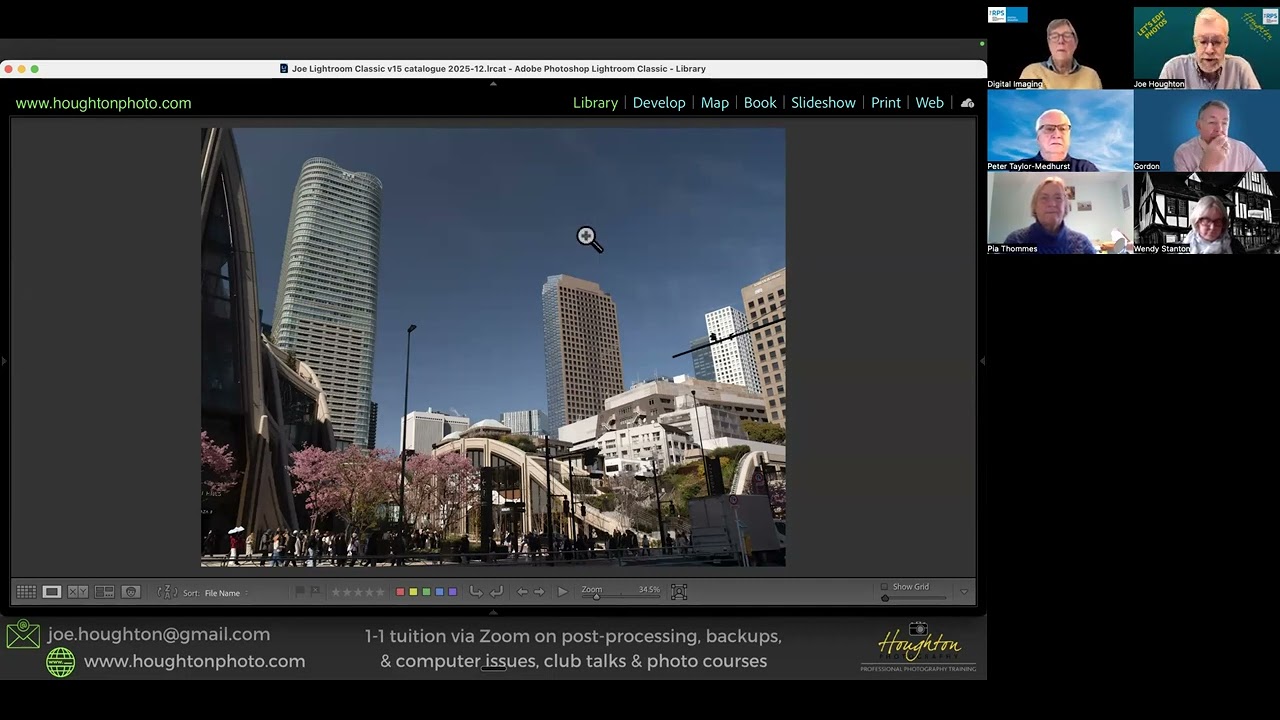
RPS Let's Edit - Composition - Depth & perspective - Joe Houghton 2025-12-06