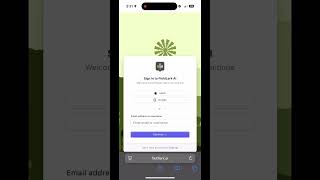
0:31
Short instructional clip demonstrating how to install the FieldLark web app on an iOS device using Safari. The speaker (John Kempf) gives step-by-step directions: open Safari, go to Fieldlark, tap the share button, choose "Add to Home Screen", optionally rename, and tap Add so the icon appears on the home screen like a normal app.
Chapters
More from John

youtube.com
Episode 186: The Power of Precision Management and Multi-Species Covers with Mike Thompson
2mo ago



youtube.com
Podcast Extra: John Kempf on Soil Biophysics, Plant Immunity & Foliars on the Permaculture...
2mo ago
See all content
