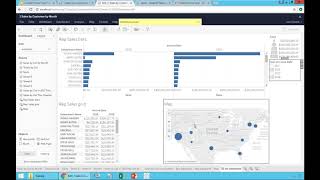
Learn how to format numbers as currency in Tableau and share your dashboard. Select a field, apply Currency formatting with a scale like thousands, then save and open your workbook to make it available to others with all filters and interactivity intact.
Questions this video answers
"the first dashboard"
Currency, scaled to thousands with one decimal
Chapters
Finally, the last thing I want to change in this dashboard is what if I don't want to see these numbers, you know, in cents? I want to see actually, you know, in a different format. I want to format these numbers. How easy it is to format numbers. Well, I'm going to go back to the query, which is the grid, and I want to change this pill. I'm going to click the arrow pointing down, I'm going to say, format this number and I'm going to say it's a currency and I want to use, let's say millions or maybe no, thousands with one decimal, and that's it. So I just changed the format. Now when I go to Dashboard, it looks much better. Right on. So let me save. I'm just saving again my dashboard, which is called the first dashboard. If I go back to the default project and I have here, let me just refresh it to be sure I'm refreshing it, and I open the workbook I just created, I have all of these different queries that I created, and I have my first dashboard right here when I click on it. Guess what? Now the dashboard I just created is completely available for everyone else with all the filters and with all the interactivity. It's very cool, very intuitive, very fast.