6 Financial Analytics: TCO, DataSelf and Q&A
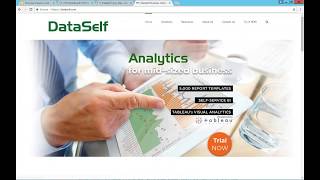
DataSelf's founder discusses total cost of ownership for BI analytics, showing that labor costs dwarf software costs. A Tableau survey found $9 in labor per $1 software spent, while Power BI ran $35 to $1. DataSelf's pre-built framework cuts that to $2-5 labor per $1 software by including a data warehouse, no-code ETL, and 5,000+ ready-made reports.
Chapters
And let's talk about now total cost of ownership. But before I tell you that, let me just say if you're here, it's because you're interested in analytics and bi and boy, it's a great time to embrace it. I'm passionate about BI analytics. I've been doing this for 17 years and for 12 years as the founder of Data Self. I love it. And I'm finally seeing a lot of traction. A lot of people being knowledgeable about BI analytics, a lot of people that don't have a clue what it is. And I'm here to assist you. I'm here to educate you. My first goal is to learn from each other. And if your needs are not, if I'm not, if my solution, my business is not the best fit for your needs, I'll gladly tell competitors they can do a better job. But if my solution is a great fit, I get super excited. We know our stuff really well. We do this every day. And I want to talk about some very important things about total cost of ownership. So since we are just past Halloween, I thought about keeping this blog post I just wrote which talks about BI cost will spook you up to 35 times higher than software costs. Up to 35 hardened software costs. Is that a problem or is that a good thing? It's a good question. One of the main culprits, I mean the two main culprits of high total cost of ownership of bi, the two main are a poorly selected BI software. If you chose your BI software because it was low cost, it might bite you back in the course of the it might bite you back in labor. It might take a lot of effort to do the job. So I always tell people, do not select your BI product based on cost. Select your BI based on the right fit. And I'll talk more about that in a minute. But do not select based on cost. Second main culprit, lack of BI expertise. If you don't have BI expertise, you don't need to hire an expert. Maybe you just need to partner with someone that can augment your BI needs as needed. Or maybe you just need more training. But if you do not have BI expertise as part of your BI initiative, that will also have a big impact in your long term cost of bi. So be sure you have the right BI tool, not because of the cost, because it's the right fit. And then you have expertise in to help you get the job done. Now let's peel this onion a little bit further. Back in August, Tableau released A survey of seven large organizations in how much money they invested in software and in labor. In the course of three years, these companies Tableau was a great fit. And actually they compared Tableau and Power BI side by side. Right now we get a lot of people ask me, how is Tableau and Power bi? So this report is very interesting because besides the point of Power BI and Tableau, for the seven organizations, Tableau was the right fit or the better fit. And in the course of three years, as you can tell, the majority of the cost is labor. If you're having a lot of success, you have user traction, you'll be doing a lot of work to get value to these people and it will cost you money to do it. You got to map your erp, you got to map your CRM, you got to map your Google Analytics, you got to map your payroll system, your inventory, your budget. Forecasting. It takes effort. It just takes effort, but it pays off big time if you're doing it right now. For these particular seven organizations, for every dollar they invested in the analytics tool, when they used tableau, it took $9 of labor to get the job done. And with Power BI it took $35. So even though Power BI is more affordable, significantly more affordable for these companies, it took a lot more label and at the end of the day, actually the Tableau based solution was way less money. So I'm not telling that Tableau is going to be the right fit for everyone. No, what I'm telling is do not adopt an enterprise wide BI solution based on cost. It can bite you back big time. Be sure that is the right tool. Even if your BI comes with your system, comes with your Sage, with Acumatica, with your Microsoft, whatever it is, make an assessment, you have options and sometimes if you have the wrong framework, it can be a great tool. But if it's not the right fit for you, sorry, it's going to bite you back. So be sure to select the right BI tool. Now, when I saw this survey back in August, I was thinking, wow, this is so great. And I've seen so many people complain that yes, it takes a lot of effort, it's great, but it takes a lot of effort. The vision of Data Self was to address that problem. We want people to be getting value out of the BI a lot more quickly. So I thought, let's do a survey among our clients to see what is the ratio that they experience between investment in software versus labor. Out of the hundreds of deployments, we had eight clients that enter our survey each of these bars represent one client. And we have some large clients that invest a lot of money in the course of three years. But. But we also have small clients that invest little money in the course of three years and everything in between. So this is a great sample of our client base. The blue line is how much the client invested into the analytics software. In our case, that was mostly in Tableau. Some other tools as well, but mostly in tableau. The green is how much they paid for our software and the orange is different labors, backend, you know, data plumbing, sponsor involvement, publishing, training and IT infrastructure. Now what we have found in our client base is that for every dollar they invested into the BI software, our clients invest from $2 to 5 in labor. If you remember from the prior slide, if you start things from scratch, it takes nine to $35 in labor. Our clients is less than half. It's usually almost four times smaller than the minimum and seven times smaller than the maximum. So it's a lot easier, a lot faster. And why Data Self solution is so much more efficient. The first thing that I say is if our framework is the right fit, if you need a SQL Server data Warehouse in Tableau is the right fit for your analytics tools, then comes this. If you have any of these source systems, most likely they will be a big part of your BI system. And if you start from scratch, it's going to take a lot of labor to put them together. With Data Self, what we have is out of the box, already mapped all of these systems. We have a SQL Server data warehouse. We have an ETL tool, our own, that eliminates programming, so it's quick and easy to get things going and out of the box we have more than 5,000 reports, dashboards and KPIs so you don't have to start from scratch. If you want to see financials, we have hundreds. If you want to see sales analysis, we have more than 2,000 reports and dashboards looking at sales analysis, more than 2,000. We have inventory analysis, we have payables, receivables. There's a lot of things that you will not need to do things from scratch. And that's one of the main reasons that we dramatically reduce the labor associated with PI. There's a lot of things that are ready. You do not have to reinvent the wheel. We've been doing this for 12 years as data Self and we have refined this framework. It's super fast. It doesn't matter how much data you have. Most of our reports will run under 10 seconds. Doesn't matter how much data you have, 5 million, 50 million, 500 million, you run in seconds. Regardless, I tell that as a rule, if a report takes more than 10 seconds to run, most people will not wait because they don't have patience. And we deliver that most of the reports will run under 10 seconds. My last poll let me launch it. So please answer what are you interested? And click the submit button. Don't forget to click the submit button. 10 more seconds. 5 more seconds. All right, thank you very much. Okay. I hope you find it informative. I'm going to open Questions and Answers. So if you want to ask any question, please use the GoToWebinar chat panel. And we have a few more minutes to answer questions. So let's see here we have questions. So Question from Rosemary do you support Sage x3? Rosemary, thanks for your question. Let me actually switch gears here and show you our website. If you go to dataself.com and you scroll on the homepage can go to the middle section and you choose ERP and CRM, you'll come to this other page where you can see all the system we support. So yes, Sage X3 we support as well as all the other products. And we support if you have an old product, you know, maybe you have, I don't know, Mass 90, which is sage 100 nowadays from 2001. Yes, we support pretty much all ERPs from the past 17 years. We support all versions. So absolutely we do that. Rosemary, thanks for your question. More questions here. Question from John. Let me expand here. Let me switch my question. John is asking to show the list of sales reports we have available out of the box list of reports. John, thanks for your question. I'm going to go back to my homepage and again if you scroll down and you go to the 5000 KPI, 5000 reports and KPIs. So click this link. This page here will show what we call our reporting packages. So here you have a kind of a description of reporting packages for CRM, for core, financials, distribution, manufacturing. If you go to sales, you click, you can see a little explanation. But if you want to see a list of the reports for any of these modules, then you click this download full list, you get an Excel file, you click the Excel file and then here you have a summary of how many reports you have for each one of them. So if you want to see sales, you click on the sales and you go into this essay tab where you see on the left how the tableau data source for sales looks like out of the box and then on this section you have the actual list of reports and dashboards. So reports are here. You can go to Customer and see all the reports available, or you can go to dashboards and see all the reports available. So this Excel file is a list that will show the names of all of these reports. If you want to see sample of them on the same page that I was showing you, you can click the Dashboard samples right now. It shows a few dozen reports to have an idea of how they look. Most importantly, and I think this is very, very important, I love to learn from what you're doing with bi and I love to share what I've Learned in these 17 years as a BI expert. Usually in a quick conversation I can give you pointers to where you should go next, other competitors, what you can do to improve your processes, or if Data Self can be a good fit for you. So feel free to contact me to discuss your plans, discuss your challenges. I have been having many people lately coming to me or asking what about Power BI and Tableau? Power BI is free, right? I mean you can get the copy and you can get the feed wet and you can do a lot of things for free. Why should they look at something else? I've been getting this question for a while now with Power BI and I decided to become also a power user. I've been using Power BI quite a bit. I can make a very intelligent assessment of both options, Tableau and Power BI in Data Self and tell you what my thoughts are. I actually just released a YouTube comparison of Power BI versus Tableau. So if you go to our YouTube channel, which by the way, I recommend you to subscribe because we have a lot of great content coming out every week or so. So go to Data Self. And go to Playlists and there Is power BI vs tableau. The clash of the titans. Ta da. But if you come here, there's a bunch of different videos on the right. There's a lot of. I make a big, very detailed comparison of things that I deem important when it comes to long term maintenance of your analytics platform. So I encourage you to take a look at it. And most importantly, feel free to contact me. I can help you more quickly decide if it's a good fit for your needs or not. All right folks, running out of time here. Let me just put my contact information in case you want to contact me. Feel free to this is my cell phone, this is my email. Feel free also to follow us on Twitter, on LinkedIn. We always have news coming out recently also let me show you this if you want to learn more about the total cost of ownership. I just wrote an article if you go to the bottom of my homepage seems duplicated but you know the very bottom you click this cost of BI will spook you and this post goes over this whole 2035 and shows the information about the tableau report. You can actually go to the tableau report from here. There's some metric from us you can go to our own SMB report. So I encourage you to take a look at this information. It's very educational hopefully will help you focus on your BI initiatives and make it more successful. I hope you have enjoyed the session. Thanks for joining us. Have a great day and again feel free. Oh by the way once I close the webinar if you could give a feedback of the last question from GoToMeeting I would really appreciate it. Thank you. Have a great day and thanks for joining us.










