1:06
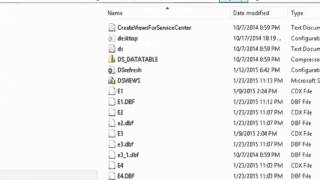
Back up your DataSelf ETL metadata and SQL Views before making changes. Use Tools → Backup Metadata to save metadata with a timestamped filename in the DataselfETL Backups folder. Find the DSVIEWS file to back up SQL Views, then open the create scripts in SQL Server Management Studio to review or restore them.
Questions this video answers
In the Dataself/DataselfETL Backups folder inside a folder named for the project (project name shown in upper-right of ETL).
The DSVIEWS file (SQL Views backup).
As SQL CREATE scripts (you can scroll through them and use them to restore views).
A date and a timestamp appended to the project-named folder.










