Business intelligence for Acumatica (Tableau / DataSelf) (v2)
Johnny Girardi walks through BI options for mid-sized companies using Acumatica. A data warehouse costs more but gives you one version of the truth and better performance. DataSelf bundles SQL Server, Tableau, and 5,000 prebuilt reports to skip the heavy lifting.
Chapters
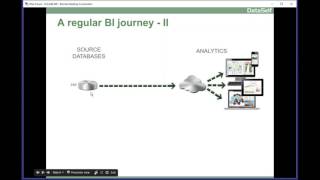
Joining us, My name is Johnny Girardi, I'm Data Sales founder and CEO. Myself and my team, we have been doing BI for mid sized companies for 17 years. We have done hundreds of deployments of BI systems and we have learned a lot in this journey. So my goal here today is to share some of our learnings. You know we'll be talking about business intelligence for acumatica and how to make how to make a successful BI journey. So let's get started. The first part is I'll be talking about the BI journey. Doesn't matter what BI product you select. I want to share some of the things we've seen as being successful. The pros and cons of different approaches and hopefully something that will help you decide what will work well for you for your journey. Then on the second part I'll also talk about Data self where we are a good fit. The pros and cons, we'll have a Q and A at the end of the session and then we'll have a few polls throughout the presentation to make it interactive. If you have questions please write it down or Write on the GoToMeeting Panel Question Panel and I'll address them at the end of the session. So first of all, when does a company starts the BI journey? Let me give the example of this company, a distribution company here in California. The CEO and the CTO called me a few years ago and pretty much the conversation in a nutshell was the following. They have several different source databases or they call the data silos the ERP system, CRM system, they have Google Analytics, they have a different payroll system, they have social media feeds in a lot of Excel files in all of these data in different data silos they are required for reporting for different of the decision makers, different management teams requiring different reports from different areas. And it was a kind of a mess, very time consuming, very slow process. Decision makers quite often would have to wait for report until they could make a decision or they would have to wing the decision because they could not wait for a new report. So the co told me, can you help us? Can you help us get out of the situation, make the decision better and more efficient. So typically things I like to do is first of all be sure they understand options. So the main goals of when a company start a BI journey is usually twofold. One is what are the business goals? Second is what are the IT goals? Business goals usually it's management. They want to have easy access to their data anytime, anywhere using different devices, desktop devices, web browsers, Mobile tablets, smartphones, easy access, anytime, anywhere, meetings with the client, a coffee shop. Second, and sometimes more importantly, they want to be able to get their answers at the, at the speed of the thought. So if they have a new question and there's not a report ready for that, they want to be able to change reports, slice and dice reports, drill down, download the data, and even create new reports from scratch. So they want to be empowered, they don't want to be asking someone else an it, a consultant every time that they need something different. Empowerment is very critical from a business goal standpoint. And at the end of the day they want value, they want to put money into it. Yes, as long as there's great return, the more return the better. So the more empowered, the more value give to those two first topics, the more they're willing to invest in the olution. On the IT side, well, they want something that is easy to deploy and easy to maintain. So when decision makers ask for something different, something else, a new data source is not going to take forever, it's not going to be complicated. They want something easy to deploy and maintain. They want something that doesn't break, runs every day, automatically hands off. So it must be reliable. They want something that's going to be scalable. So as the business grows, they want to be sure that they not have to scratch this BI platform to buy a new one because the initial one is no longer capable of growing with the company. So scalable is usually also important requirement and also at the end of the day, something that has a broad range of BI features. So those are the main goals of the BI from a business and IT standpoint. Now, what we have seen, there are three main ingredients to make BI Journey successful. The first one is decision makers must be engaged. Sounds obvious, but it's not quite often. Quite often the BI journey starts with the IT or let's say accounting, people that are overwhelmed and are having a hard time keeping up with the BI requests. So they start the BI journey and sometimes the decision makers are just signing the check. Whatever you decide here it is do works. For some companies, it is a way to start better than nothing. But what we have seen is bring decision makers to the discussion. They are the people asking for reports, asking for their data. They know the business needs the IT and accounting, you know, the systems, the databases. And when you put the two of you together, you can make a much better decision what's going to help your business in the long run. So getting decision makers engaged in the process is usually a critical component to get your BI journey successful in the long run. Otherwise it might be short lived. Second, what is the BI platform? Sometimes seems an obvious reason, but I spin over and over each department selecting their own BI platform. It looks like a great works, great for them. But from the big company, the big picture, it's a mess. Different teams with different BI tools. Sometimes the same user has to access two, three different BI platforms. More user license, more training. So select. The BI platform is also a very important component. We'll talk more about that later. Finally, sometimes also where things really make it great or make it a failure is a team of experts, expertise that will help you deploy and maintain this BI platform in the long run. At the end of the day, it's about people, about people making it happen. Having the right people is going to happen. Having the people that are not really experts, you're going to be frustrating, perhaps stumbling through the process, take a long time, a lot of money, a lot of frustration. So expertise is also very, very, very critical. At the end of the day, we all want these results first. Paul, please, if you can answer quickly to the following questions. What are your main report, the main reporting challenges? Select as many as apply to you and don't forget to click that submit button. I'll wait 10 more seconds. So be sure to select all options and click the submit button. Okay, thank you. I'm closing and sharing very quickly the results. Difficult to use in data silos, the biggest ones. Thank you very much. Moving along. So let's talk about a few ways that people go to their BI journey. And let's talk with the default approach, which I see pretty much almost across the board, you have one of the teams, let's say you have the Acumatica people using Acumatica and they say, hey, we need something better than what's available. So what happens is you usually ask your Acumatica provider, you know your Acumatica var, you call Acumatica, what can we do? And because they know some options, they'll give you options to work better. With Acumatica, it works for some companies, absolutely works. Sometimes it's all that you need. But most businesses, they have many data sources and eventually what's going to happen is, well, you have a different CRM system and then what you do, you ask your CRM provider, they give you another BI solution and then let's say you have a different payroll system, you ask for a BI solution and what happens? At the end of the day you're going to have a lot of different BI solutions. Each system with its own a lot of user licenses, sometimes the same person having to access different systems. More training headaches, more cost. So pros of this approach absolutely is almost always at the default. If you don't know better, that's what you're going to do. And for some business it works. In my experience, eventually as you grow, this is not going to work. But for some time it might work. From a license cost, it's usually like a natural, hey, it's just adding a few more license to your acumatica or to your salesforce whatnot. Sometimes from a license standpoint it can be little incremental cost to get a little bit more BI value out of it. What are the consultants? Well, if you're hoping to break the data silos, usually you don't. Every system with its own bi and if you need to match data across the systems, sometimes it's impossible or very cumbersome. So not very good in that sense in the long run is usually a very costly solution because again, too many systems to maintain to do upgrades user license all over the place to manage those user license training people. Sometimes again the same user with different tools. So in the long run this BI solution usually doesn't work for many, many companies they may start this way but eventually have to scratch it and start with something else. So let's go for the next step. Next step that some companies start from the beginning is actually finding a analytics solution that actually will work with any data source. And at the beginning usually, hey, let's do Acumatica because it's the area where we need the biggest data analysis right now. And then you do this connection, you build a solution, the reports and dashboards and eventually know yes, you're going to have to pull data from erp, from Acumatica, from CRM, from I don't know, payroll, Google Analytics, any other data source you may have and bring all the data to this unified BI platform. Overall this approach much better than the prior one. So pros, it's still simple. If you get a analytics platform that will do this and actually pull data from all these data sources and you have expertise to do that, it's usually fairly simple, you'll get results fairly quickly. There's not a lot of investment. Again, it's only one platform, easy to maintain, easy to train, much better than several. Where the pros or the long term challenges. One of the most critical in the long run is having a single version of the truth. Typically these analytics solutions make it easy for you and your team to build new reports, build dashboards. But what happens is as people are building these reports and dashboards, quite often different people will create different versions of the truth. Let's say you go to analyze your sales and then one person brings a report showing your sales. Another person bring a report showing sales as well. However, one person factor into their sales, let's say taxes, while the other person didn't. But when you look at the reports, they show both show sales. So you're comparing apples to apples. Actually you're comparing apples to pineapples. Nobody knows decisions are made in the wrong information and then not the best decisions. So maintaining a single version of the truth with this kind of approach is very challenging and sometimes very costly. Second is poor performance. Typically these systems will hit the source database in real time and you may slow down significantly the speed of your transactions, something that you definitely don't want to do. And also, reports will start to run very slowly. You know, from seconds it's going to go to minutes, sometimes even hours. So heating data sources directly usually have performance issues on both sides of the system. Source databases and also reports. Finally, in the long run, because of those two issues above, it becomes hard to maintain in kind of a headache. So you know, pros and cons of this approach. What is a more structured bi journey that kind of addresses most of those issues well is when you add a data warehouse to your framework. Now, what are the pros of having a data warehouse? First of all, it's so much easier to define the single version of the truth with the data warehouse. The people who are maintaining it, they'll bring the data together from all your data sources. They'll mesh them together, they'll define the rules. Let's say if you call revenues or sales, you can call sales with taxes and sales with no taxes. And it's labeled, it's calculated, is vetted, is tested. Once you publish to your users, users will build a report. If they want to build a report by sales, they have to pick which one of the two. It will be clearly stated, each one of them, what they do. So it's very much better to guarantee that when you look at report and if you see sales with taxes versus sales with no taxes, you know, right there you're not comparing the same thing. Much easier to maintain the single version of the truth. And right there it's a major, major value added. High performance. With a data warehouse, you pretty much will let your sources run at maximum capacity. You're not going to be slowing them down. And most reports Will run in seconds regardless of the size of your databases. So very impressive from a performance standpoint. Better data governance. With a data warehouse, you'll have people that understand databases, understand reporting. They'll guarantee data accuracy, validation, data vetting, and will be a much more reliable system, also guaranteeing that only the right users will have access to the right information. Finally, as you use data warehousing properly and you also use real time access to data, you can actually come up with a BI framework that will deliver fast results. Even though the data warehouse is a more structured approach, so you still can have ad hoc analysis, quick data discovery in a more structured, better way through the data warehouse. So it's kind of the best of both scenarios of a BI solution. Now, of course everything has cons. First of all, it will cost you more money, more licenses, more hardware or whatever you're using to host this system. So bigger investment and also requires more expertise to probably do data warehousing. You need people that know data warehousing, know data sources, know your BI solution and know how to put it together. So it's not something that you can find all over the place. You have to find the right people. And finally, timing when should you add a data warehouse to your framework? Should you do it now, should you do it later? It's not sometimes obvious. Probably at this point you might not know if you need it or not, or what kind of data warehouse you need. Many questions must be factored into the consideration and I'll talk more about that soon. Acumatica a very successful cloud on prem product cloud in public cloud system. So for the bi, should you go public cloud or not? Not meaning on premise or private cloud. So considerations, first of all, legal considerations, if you're already putting your critical data in the cloud, then from a legal standpoint you're covered. Well, then a public cloud BI can be an option. I always tell people the first question is actually with the attorneys, can you put your critical data in the cloud in the public cloud? If it's okay, then that's not a component for your decision making process. Where to put it? It's a checkbox. Okay, no problem. If legal tells you no, you cannot put in the cloud public cloud, then well, there you go. You cannot use a public cloud bi. Second option and also a very important from a technical standpoint, where are your major data sources? My recommendation is if your major data sources are already in the cloud public cloud, then it's usually okay to put your BI in the public cloud. If they are not, if they're in a private cloud or on premises. Most likely it's better if you put your BI close in the same network where your major data sources are because there's a heavy traffic between the two. So that's usually a big consideration from a technical standpoint. And finally, is BI a mission critical application for many companies at the beginning it's not. So if it's not, it doesn't matter. You can put in the cloud, public cloud or not, and no problem as it becomes a mission critical application. Sometimes you are forced to push one way or the other, sometimes you got to go public cloud, sometimes you have to not be in a public cloud. So those are considerations you have to look at. And in this webinar, I'm not going too deep in any question, I just give you the thoughts that you should be looking at. One of the things I make myself available is even though we are a publisher of a BI solution, our BI solution we've been around for too long and we're here to help, we're here to educate and we're here to even tell we're not a good fit for you. Please go with these other vendors which we believe is a better fit. So I like to tell people about what we have learned, share our knowledge. If we are the right fit, awesome. Let's do business together, let's be successful. If we're not the right fit, I want to be sure, I want to help you decide and I'll even tell you where to go. So what my point is if you want to discuss further these topics that I'm covering this webinar, please you'll get my contact. We can talk on a 1:1 basis to go much deeper into all of these topics to help you make a better decision now. So paths to go with your BI journey, Should you go with a regular approach, we should go with a more structured approach. Should you go cloud, on premises, private cloud? All those question are for you to decide and again use me as a resource to talk about it, learn more from us, learn about from other competitors, learn about the options and make a better decision. I want to educate more than anything else now the team to make it happen. And to me, if you have the right team to make it happen, it will be successful. Very likely, very likely be successful. If you don't have the right team, the odds are it's going to be bumpy, frustrating, complex, time consuming, inexpensive. So to me this is a very important component of your BI journey, getting the right people to make it happen. So you'll need people that will help you select what BI will work well for you. So you need to have expertise in the selection process. You have to have expertise deploying it to get data from your acumatica from your other data sources and whatnot. So deployment people that will know how to train your team, train the trainer, let's say in three, four, five years train the new people. So training also important resource people that will help you train a platform that has online resources, a lot of online resources, really valuable and finally a team that will be around, you know that let's say in 3, 5, 7, 10 years when you need to do maintenance and change, they will help you go through the processes. If you're changing your team usually is a very cumbersome process in finding retaining good people is really hard. How to get user adoption There are two means to do it. You can go top down and pretty much, let's say, okay, you're replacing your previous reporting platform with the new one and people have to use it. There's no option. So it's one way to go. Or you embed your new reports and dashboards into users workflow. So as they go to their acumatica pages or I don't know, CRM salesforce pages, the reports are embedded over there. So people use them because they're right in front of them. Very contextual in whatever that you're doing. Very efficient also to get people to use the BI solution, putting their workflow, you get a quick user adoption at least people will be seeing the reports, will be getting information from it, how many will be interacting with the reports, learning how to change them, how to slice and dice them to drill down and download. It's another question. But pushing reports from the top down is usually a quick way to get everyone accessing it. One of the downsides or commitments is you got to put higher initial investment to push the reporting solution for all your users. There's also the grassroots approach which is the opposite. It's kind of from bottom up. These companies that use the grassroots, they think well, this is a journey. We don't know so much about it yet. There are so many possibilities and even though we have great expertise to help us move forward, we the business as a whole, we don't know yet where we want to go. We have an idea, but it's a journey. So let's go more slowly. Very common approach, also very successful, it's properly done. So typically people start to experiment the BI solution with a small number of users. They realize which users can benefit from it and then they expand into more users as they see the benefit. So it's a more paced investment, it's slower nevertheless can be very successful because for some businesses it is actually the way to go. Cost and ROI I usually tell people, you know, when you get into bi, it's not going to be for the next few months, it's not going to be for next two years, three years going to be forever. Once you embrace bi, believe me, you're going to go into much better framework from a decision making standpoint is going to be forever in the life of your business. So don't look in a short term investment period looking five years at least to make sense. If it's worth, it's worth it. If it's worth it in which platform will actually cut it will actually work for you in five years. Look in the long run, believe me, it's for decision making process going to be sure it's going to support you properly. So with that in mind, the first thing is when looking at competitors in the Acumatica BI market, Acumatica has some options. They recently announced Power BI. There is BI360, there is dataself, there is Tableau, there's Qlikview, there's Domo. There's so many different vendors. Which one should you choose from a cost standpoint? Well, pricing is pretty much in a five year period is going to vary between about give or take $10 to $150 per user per month. So it's not going to break the bank either way. Either way if you go. Looks like I'm having some audio issues so hold on a second. I'm going to call from a different phone number hopefully.
So this price range is pretty much if you look at the options, There is Power BI, there is Domo, BX360 data cells, whatnot pretty much is going to be the price range you're going to get per user per month in a five year period. So it's kind of broad but again it's not going to break the bank. If you need really a great BI tool, any of these options from a price standpoint is not going to break the bank. Now what can be very costly is the services required to maintain to deploy maintain this BI solution in those five years. Services, meaning your internal resources allocated to make it happen as well as outside resource can be very costly, sometimes way more than the actual license cost. So something that you really need to look closely not only for the for the next project but for the long Run. So talk about the option that you're considering. Try to get a better understanding. Talk with your client, ask those questions. This cost can be significant, but the most important cost sometimes, and it's hard to measure, it's really hard, is missed opportunities cost. If you don't give the tool that will be the most empowering, the most reliable, the most scalable, what's going to happen in five years? How many opportunities might miss? Because decision makers are not being able to get from decision in a timely fashion. So to me, quite often, if you're a growing business, this is the most important consideration. Find a BI tool that will be very easy to use, very reliable, very fast, that will keep your business moving forward very quickly. So at the end of the day the ROI will be mostly driven by the value delivered by PI. So something that will provide you a lot of value, easy, quick, fast to deliver anytime, anywhere. So value is the most important thing. Find a solution that will really add a lot of value in the long run. A solution that will be easy to maintain. Have a lot of resources from the vendor. Online resources from communities also can reduce significantly the cost to get things done. Just to give a quick perspective into this component, our current platform that we have chosen, there's so much online resources that most of our support what we need to get our job done. We can find answers 24 by 7 by searching the Internet. There's so many resources available for our BI platform out there, people using it, that is incredibly low cost to maintain it overall. So that's a good thing. So at the end of the day I tell people the actual licenses, licenses are often a small fraction of the cost. So at the end of the day, if you're not giving with your bi, let's say $500 per month, 1,000, 2,000, whatever the number is, maybe you're not doing the right BI for your company. So the license cost at the end of the day is almost not really important. The other components of the DI is usually more important for ROI and the actual license cost. Second poll, let's go quickly here. So if you can, please answer, what are the main reporting areas? Five more seconds, please don't forget to click Submit button. All right, thank you. I'll move forward quickly. So up to now I talked about BI journey. Doesn't matter what tool you're going to be selecting, what's a good fit? Those are generic concepts that you should keep in mind as you go through your BI journey. From now on, I'll talk about specific about data cells My team and I, we've been together for 17 years. We started Data Self in 2005. So it's been 12 years. And the things we do is mostly because we've been around, we've seen people having all of those challenges that I've been telling you so far, so many options, what to do, who's going to do it, what product and whatnot. And so when we started Dataself we decided, hey, let's actually be experts in BI for mid sized companies. Let's find a BI platform that is really one of the best. Let's embrace it, let's make it better, let's make it simpler, let's make it out of the box, really valuable. Let's help our clients that this solution is a good fit to be really successful. So instead of you putting all of the time to go through the learning which tool to choose or the pros and cons, well, okay, let's get this tool, learn it, let's deploy it. We want to be there to expedite the process significantly. What we have been using is pretty much top notch technology. The products we've been using is tabloid Microsoft. So we take tabloid Microsoft, which are leaders in the garden magic quadrant. They have been leaders for many, many years in a row. And we bring to Acumatica and people that use Acumatica and other systems. If you look from an architecture standpoint, when we started our business we had a question. Should we have a data warehouse for all clients or should we start with a regular approach and eventually migrate into a data warehouse? Well, we thought that if we could make data warehouses something really simple, something really inexpensive and easy from the get going we would go for it so we wouldn't have to scratch the solution at certain point and go to data warehouse. And we've been successful in that approach. We decided to use SQL Server for data warehousing, but instead of using programming for data warehousing, we created our own ETL that eliminates most of the programming involved in data warehousing. So much easier and faster to deploy and maintain it. We have about the Tableau as a front end and Gartner has rewarded Tableau as the gold standard for analytics for the past five years in a row. It's one of the best, most mature, most fully functional analytics platforms out there. It's really impressive. And in the course of this 12 years doing BI for midfest companies, we have learned from clients how they're looking at their data. And today we have more than 5,000 reports KPIs out of the box. So there's a lot of solutions. It's a very compelling solution. You don't have to from scratch. There's a lot of things that you just build on top of. So that's our solution. Let me show you quickly and I just want to give you a flavor of data, SAP analytics with tableau just to show you how easy things are, how empowering things are. Again, because we established the front end and because we have a data warehouse, this solution is one of the fastest out there and one of the easiest to use. So just give a little flavor of it. What I'll do is quickly create a dashboard from scratch, showing this month sales details, marketing, sales trends, some trends on sales by size, by state, and then how to interact with dashboards. Let me do that now I'm switching to the beta self desktop client and as a user, as a decision maker, I'm not a technical person. In this case, I'm pretending to be a decision maker. I have to pick what connector. I'm going to be doing my analysis. So just pick and choose. In this case, I'm going to be building a revenues dashboard. So I have my measures, my dimensions and my measures and pretty much to build anything you need to know how to drag and drop. So I want to see sales by customer this month. So let's say I want to see sales by customer. These are my customers. Drag and drop. All my customers are here. I want to see sales, I just drag and drop. So total sales for all customers in the whole company history. Well, I want to see this month. So let me put invoice date in my columns. I see by default by year and I can expand from year to the quarter level. I can expand quarter to the month level. Then we point and click and just keep on drilling down. Insert data, all the company history here. Well, I only want to see this month's data. Well, I can easily filter. I just drag and drop the invoice date to my filter shelf. I can select different time buckets or tell relative date and choose let's say months this month. There it is. This report shows this month and every month is going to be always this month. What if I want to see last month?
There it is.
What if I want to see the last three months next or quarters or years of quicks. Very easy, very intuitive. Any business person with little training, they can actually learn how to do it by themselves. What if I want to see by invoice? You just point and click invoice number here. Drag and Drop. So by customer, by invoice. Maybe you want to see products you just drag and drop. As long as you know how to drag and drop, you can actually view these reports. So very straightforward. Many of our users have learned how to use this tool just by watching presentation like this. My second part of my dashboard is trend analysis. Let's say I want to see sales by month, so I double click sales, my total sales. I double click invoice date. I'm seeing sales by year, but I want to see by month. There's a lot of different ways to slice by time. I'm going to choose by month, so sales in the whole company history by month. But I want to compare with my website visitors. That comes from Google Analytics. Guess what? Google Analytics is not in actumatica. It's a different data source. Doesn't matter the data itself. We have a data warehouse. It blends the data together. The decision maker is all here. I just drag and drop. I put my website visitors here and they're going to show as bars. My sales are going to show as five. I put them on dual axis. Website visitors, orange sales align all together, nice and easy. Cool, huh?
Last report.
I want to see sales by geography. I want to see how big my deals are. I want to see sales by state and sales. Can I tell the tool? Show me this on a map.
There it is.
In a few clicks I built a nice map with sales bubbles and slides by different invoice sizes. And finally, I want to put all of these on a dashboard. It's all point and click. I want to put, let's say my map, I'm going to put my trend on the bottom and I put my other detailed report on the right. When I click in a few clicks, I build this dashboard from scratch. Very impressive, very straightforward. And once I publish this dashboard, if I open on an iPad, on a tablet, I can use my finger to select different regions and the dashboard will automatically be filtered. Very fast, very easy, very empowering. Tableau is amazingly easy to use. Again, according to Gartner, the easiest to use platform out there for many, many years in a row. So really impressive. Once we publish to a web portal, users will go to the web portal. They can have different ways to access it, different ways to slice and dice the data. I'm going to go very quickly to this example. If I want to drill down into data, I can drill down, I can slice and dice. If I go from Atlanta, I click on a bar, I could drill down into it straight or I could have drill down options from this report into a different report into a different data source. It's all meshed together in the data warehouse. You almost have unlimited possibilities on what to do with your data. I'm really a little behind because I was late with my audio, so let me go quickly to the next slide here. So what is the profile? I'm going to probably be five minutes more in this presentation, so sorry. I hope you can stick around for five more minutes. What is the profile of the typical Datasoft client? Typically with revenues over $20 million per year we have clients with much smaller yes we do, but typically above 20 million is the best fit for our client base. 70% of our clients are in the distribution manufacturing business and we have more than 5,000 reports APIs looking at Arkansas, AP, GL, inventory, purchasing, sales financials, sales order, CRM, information opportunity management, Contact management and so forth. But at the end of the day I tell people we are really great fit if you need more visibility and more control over the time it will take to get value from your bi. If you want to have more control, visibility how much money it's going to take, you want to get expertise to get it done. Again, we do this day in day out. We can tell up front we're a good fit, we're great fit, how much it's going to cost you, how long it's going to take or no, we're not good fit. Here are some other options so we know our stuff and we probably can deliver value very quickly if we are a good fit. I'm going to skip the last poll and I'm going to skip the Q and A as well because we're running out of time. But please, I'm going to put my contact information here, my cell phone and my email. If you have questions feel free to email me. Feel free to call me. I'm here to educate and if you are a great fit again with a business if or not, I'll be glad to refer to other BI vendors. I hope you have enjoyed the session. It's being recorded. We'll put it on YouTube and by tomorrow you get an email with a link to the recording session. Feel free to share with other people and I hope to hear from you and I hope you have a great update. Thank you.










