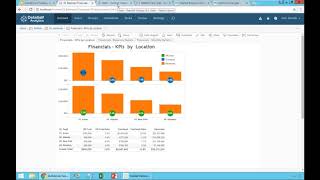
Video demo and product overview by DataSelf AI explaining how users consume BI via a secure web/mobile portal, scheduled subscriptions, and self-service alerts. Demonstrates row-level security (different users see filtered data), subscribing to scheduled dashboard deliveries, and creating/editing email alerts with thresholds. Concludes with three selling points for DataSelf in the mid-market: an enterprise-grade out-of-the-box BI solution, a large catalog of pre-built reports and connectors ("more than 5,000 reports"), and professional services for structured BI journeys (data warehousing, training, outsourcing).
Questions this video answers
September 21, 2017
More than 5,000 reports
Chapters
Now how many people consume data they usually go to, let's say to a web browser or mobile device. They log to the portal, they have a portal and they actually log to the portal through the Internet. So they just log to the portal is on the open Internet, it's very secure. When they log into this portal, the tool knows who they are and only gives them access to their own reports and dashboards. So the CEO has his own project that has its own top level reports and dashboards. Salespeople have reports and dashboard that look at opportunities and sales and sales orders. People from the finance team have GL and some other reports. Now when a user opens a report, let's say a sales report. Suppose I'm the VP of sales and I open this top customers by sales change since last year today report which by the way is out of the box showing top growth and decline since last year to date. If I'm the VP of sales I see the top growth decline across all territories, just the top customers by sales change. On the other hand, when let's say the rep for California opens exactly the same dashboard, this person only views the top growth decline in California. So it uses security by row. Every person has only access to a certain number of reports and dashboards. And within each dashboard report they can only see information that they have granted rights to. So very intuitive, very fast, very easy to access in how people consume data again through desktop web mobile devices. Sometimes people don't want to go to the portal to access. They will actually want to receive information automatically somehow. So they can say hey, I want to receive this dashboard. They can click here, subscribe, show me this dashboard. Send me this dashboard automatically every Friday 4pm subscribe. There it is. I don't need to go to the portal. The report will come to me on a schedule basis. Very easy self service. I choose which ones I want to receive or which ones I don't want to receive. And there you go. We also have a new functionality called the alerts. Alerts is another way that people are using to consume data which is when something goes over or below a certain threshold. Send me an email. I don't care if it doesn't go above or below. I only care if it goes above or below a certain threshold. Most and actually probably all other alert tools I know the mid market are very IT driven. Decision makers have to tell it change this, change the, change the parameter, create a new one. This is very self service. Let me give an example. Suppose I want to create an alert for this particular dashboard. When gross Profit goes above 55% I want to receive an email. I can come here, I click gross profit this axis. I click alert right here. I can select in what condition the alert is going to happen above, below, so forth is going to be, let's say above 0.6. Whatever it is, you just pick and choose and at the bottom behind you see where the line is being set. You give a subject to the urine mail. You define how often you want to receive only once you click Create alert and that's it. Now every time that this alert goes above the threshold, I will receive an email like this, completely automatic, completely self service. And let's say I received this alert now in my inbox and I come here and I see what's going on and maybe hey, I don't want to be more part of this alert. I can decide and I can remove myself or maybe I forward this alert to another person and that person gets the alert. Oh my God, I need to be part of this alert. That person can just click add me to the alert and it becomes part of the alert. They must have a license but they can choose to be added to the alert. Or let's say hey I want to change the threshold. I just click in my email, added this alert, the tool goes right into that particular alert and just I select I want to go to 58 and I edit very self service business people are the ones who want who knows the threats and opportunities they need to be able to set up their own alerts and maintain them if they choose to. So this can be done by the users or it can also be done by it. Alrighty, so that was a quick overview. Let me just move forward here. So in a nutshell, why people choose data self analytics there are three main reasons. The first one is in the mid market. We are pretty much the only vendor that provides a top ranked enterprise graduate enterprise grade BI solution that is ready to go out of the box. Top notch is not perfect, it's not a magic wand but boy is one of the best out there. Second, you don't have to start from scratch. Your BI project there is more than 5,000 reports Devlink APIs with a lot of connectors to a lot of different data sources that are very popular in the mid market. So expediting significantly the time that it takes to get value from your bi. Third is if you need a more structured BI journey with data warehousing with a more sophisticated analytics platform and if you chose our framework, we have expertise, we do this every day in, day out, and we can complement your services. We can train your team. We can be outsourcing here and in the future when you need it. Count on us. We have the expertise to get the job done.