DS ETL FormulaWizard P1: Initial Steps

9 Apr 2014 · 2 min
1:30

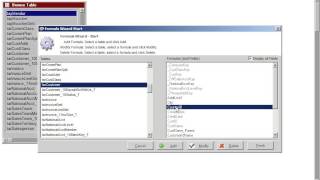
Walk through DataSelf's Formula wizard from start to finish. Open it, pick your table, spot the difference between imported fields (gray, locked) and formula fields (black, editable), add a new formula, set it to numeric with 15 digits and 2 decimals, then jump into the expression editor.

Questions this video answers

Customer table

15 digits total with 2 decimals

Chapters

More from DataSelf

youtu.be

Missed Shipments – Two-Minute Demo

11mo ago
youtu.be

Inventory Planning and Projection – Two-Minute Demo

11mo ago
youtu.be

DataSelf for e-Commerce – Two-Minute Video

11mo ago
youtu.be

Store Loyalty & Placement – Two-Minute Demo

11mo ago
youtu.be

DataSelf Overview – Two-Minute Video

11mo ago
youtu.be

Financials – Two-Minute Demo

11mo ago
youtu.be

Historical Data Loss – Two-Minute Video

11mo ago
youtu.be

DataSelf for Distribution – Two-Minute Video

11mo ago
youtu.be

Top Items to Top Customers – Two-Minute Demo

11mo ago
youtu.be

Google Analytics – Two-Minute Demo

11mo ago
youtu.be

Purchase Orders – Two-Minute Demo

11mo ago
See all content









