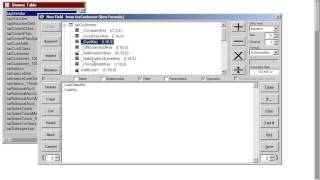
DataSelf AI shows how to use the formula wizard to create a new integer field by adding two fields from the customer table. The step-by-step guide walks through the operation with two fields.
Chapters
I'm in the formula wizard, ready to create a new formula, a new field in the customer table. And in my example, I'm going to create a new integer field, adding two fields from my customer table. So I go on my customer table on this upper panel, I expand it and I find the fields that I want to add. In this example, I'm going to choose customer class key, which is an integer. I double click and then the customer key and I double click on it. So those two fields go down to my expression window. Now I select the first field and select which kind of mathematical operator I'm going to use between the two of them. So if I click the plus, I add them. If I click minus, I subtract, I can multiply or I can divide them. So just select the first field and click the operator. If you want to apply a different function, you have to select the field and then press the function button. Let's say I'm going to apply. Average field or ceiling and I click ok. Now I have the first field plus the ceiling of the second field. And finally I save it and I give a name and then you press OK and you have saved the field. That's it.