Format Numbers More Easily - - - DataSelf / Tableau 10.3
2 Sept 2017 · 1 min
1:24
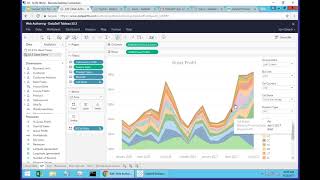
A tutorial on formatting numbers in Tableau 10.3. Learn user-friendly ways to change how measures display in your reports and dashboards.
A tutorial on formatting numbers in Tableau 10.3. Learn user-friendly ways to change how measures display in your reports and dashboards.
Format numbers more easily. So what is that about? If you want to change how a measure is being showed, you can come on a query, come and where the measure is being shown on the query, click the drop down list here, the little arrow pointing down and choose format. Right. Here comes this very user friendly way of choosing different ways to show the data. Point and click. You change and you get a different result. Let's say I'm going to see currency, but I don't want to see decimals. There it is, maybe when I see in thousands. Very easy to change your format and I believe will be very popular among many people. Let me open another query that shows the same idea. So here I'm seeing a plot of numbers on a chart. So I go to the measure per se, I click the arrow pointing down, choose format number and then I can say hey, I'm going to show with decimals. And then it changes automatically the formatting. So this feature I believe will be popular. It's focused on a specific report or dashboard. You cannot change the data source formatting, it's just how it looks on a given report or dashboard.










