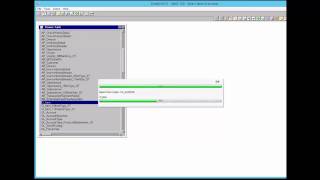
A short DataSelf AI tutorial (YouTube) demonstrating how to add/import fields into ETL table(s). The speaker uses the CIITEM table as an example, shows how to view existing fields (Ctrl+F), how to open Modify → Import Mapping, move desired fields into the import list, run Import, and explains formula-refresh options (Yes/No/Cancel) and timing considerations (immediate vs. nightly refresh).
Questions this video answers
CIITEM
Ctrl+F
Yes, No, or Cancel
Chapters
Add fields to ETL before we begin, be sure you have backed up the ETL metadata. We have another video to explain that process. In this video I will show you how to add some fields into the ETL tables. We have ETL open and the Browse tables windows open. Let's do this for some fields from the CIITEM table. Here I'll also show you how to check to see if the field is already imported. Sometimes a field is already imported into etl, sometimes we just don't have it at all. Finding the table you want and then in this case, right click on that CIITEM table. Right click on the fields to view the field list. Now notice that all of these icons are the same as all of the icons in the upper right. We will choose Ctrl F to show fields. In my example the fields that I need are not here. The black print shows existing fields. Green ones are formulas or calculated fields. In this case we need to import some new fields. So right click on the selected table, click modify, import mapping or press Control. I now don't click on any of the items from the pull down menu. That causes problems. Click Next. If you get a message about a different field size, just say no. Those on the right hand side are the fields already being imported, while those on the left hand side are the ones you want. Find the fields you need, then click the single right arrow button to move them over from the left to the right. Clicking on the left arrow button moves them over. Using double headed arrows are for moving all the fields at a time either to the left or to the right. Ok, that's all we need from here. So let's click Finish now. Let's click Finish and Import now. And the importing process is already beginning. It also has to import the data behind these fields. Usually there are formulas to refresh and then it makes index fields. If these formulas to refresh are also related to other tables and it has dependencies on these other tables, then you'll get this formula refresh message. If you say yes, it will refresh formulas in other tables as well. But we don't need to do that at this point when we're just importing tables. If you say cancel, it won't refresh the formulas at all. Maybe you're going to do some other work. Maybe you want to refresh old formulas later because it takes a long time. Of course you could also say cancel and let the whole thing refresh in the nightly refresh and that's okay too. The automatic refresh comes at night, you can always come back to it later. Usually we select no because that's the same thing as saying yes with recalculate the formulas but only for this table and not the others. But don't calculate the dependencies and formulas of other tables which we don't need right now. It also depends on the size of the database that you're looking at. May take longer. At this point you may want to import fields from other tables, so repeat the steps we've already given you in order to do that. Note that ETL will try connecting with the source data, making sure and testing the size of the data, the field sizes and making sure it's accurate. So it may take a while to connect and this is normal. So continue with this same process until you're done importing all the fields that you need. Well you did it. That's all there is to it. And thanks again for watching.