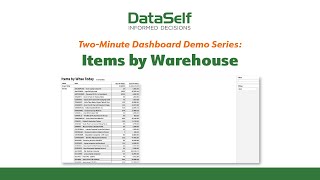
A two-minute walkthrough of the Items by Warehouse report, showing how to sort by header, filter warehouses, use multiselect controls, and set up Watch features for scheduled email snapshots and threshold alerts.
Chapters
Although a great many data self reports and dashboards are powered by such features as Infinite Drill Down, Slice and Dice, and Smart Metrics, there are plenty of times when a simple data listing will do. One example of this is when an organization needs to do a physical count and a source document that lists each item's number current on hand and total item value is exactly what's needed. A second example is the generation of a price list that sales reps and other personnel need updated access to. Let's take the current Items by Warehouse report and use this opportunity to discuss some of the less obvious options for report and dashboard customization. First, record sorting. By clicking in any Data header field, you'll always have the option to specify the order in which matching records are listed. That can be alphabetic, as in the current case of the item names, or it could be numeric, as in the quantity on hand and cost on hand data fields. Second, if you go to the selection criteria on Warehouse, you'll be able to specify whether you wish to use inclusive values, I.e. show all items in the specified warehouses, or exclusive values, as in show all items excluding those in the specified location. And if you happen to forget the names of the values you wish to specify, for example the warehouse names, you can always click on the list button to retrieve those names for you. With Multiselect and all select Always being options among the choices at the bottom of every report and dashboard are choices to undo your last action, reset the report's view to its original settings, and refresh the data shown in the corresponding report. Lastly, under watch, datasoft gives you the ability to create scheduled email snapshots of the report, track key metrics in your analytics, and trigger alerts when data reaches or exceeds a set threshold.