Latest Date Presets - - - DataSelf / Tableau v10.3
28 Aug 2017 · 3 min
2:35
DataSelf shows how to use Tableau v10.3's new latest date presets feature to quickly filter for the most recent data in your dataset without manual date entry.
DataSelf shows how to use Tableau v10.3's new latest date presets feature to quickly filter for the most recent data in your dataset without manual date entry.
Next latest data presets. This feature is helpful especially when you're working with data that is not necessarily related to today.
Sometimes you have data sources that bring.
Data that is old, days old, weeks old, months old, or maybe data that is in the future.
Like when is going to be. When is the last expected shipping date from your orders?
You don't know if it's this month, last month. It's just like the latest. And before version 10.3, seeing the latest date was.
You have to do a little bit of massage and understand how to use.
The right features to get to the latest date.
Now it's so much easier.
This feature is only available in filters using the desktop. So what I'm going to show here.
Now is I have here a sample.
Database where I have all descending orders.
So I have at the top of.
This list the latest date.
So 2017 July and the latest date is July 28th. And then just showing that it goes back to older data.
So if I only want to see the latest data available, what I do is I take the, you know, this invoice date. I take invoice date, drag and drop into my filters, select any of these time buckets.
Let's say I want to select month, day and year.
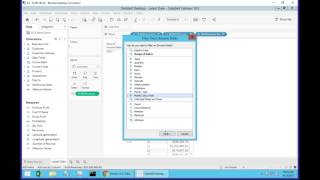
Click next and now I can choose this new checkbox. This is the novelty filter to latest.
Date value when workbook is open. So click this one and I think I have to refresh my data source here. Let's see if that fix it. There you go.
So when I click OK now what's going to do is it's going to.
Show me only the last date, whatever happened the last day, it's not today, not yesterday, it's the last date. Now let me do it again to show a variation drag and drop, I'm.
Going to select now month and year.
And what's going to happen is in.
My sample database, the last month and year is July.
So when I click ok, it's only.
Going to show July, nothing else.
So this is a new feature, very.
Helpful when you're trying to find the.
Latest date in a data set, regardless.
Of what the data is.










