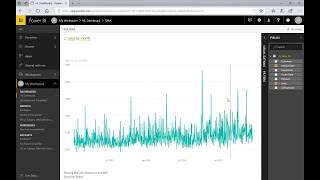
A short instructional/demo YouTube video (DataSelf AI, Dec 17, 2017) comparing natural-language query features. The speaker demos Power BI's Q&A (typing queries like "total sales", "sales this year", "top customer", "customers in Peru") and notes that Tableau acquired ClearGraph in August 2017 to add similar capability. The video shows both successes and a failure case where "monthly sales" and "sales by month" return different results because the model contains two date fields (invoice date vs order date). The speaker recommends starting with a very simple data model, extensive testing before rolling out to non-technical users, and observes that Q&A's machine learning should improve reliability over time.
Chapters
Let's talk about natural language query. I'm so excited about this feature. As machine learning and AI evolve, natural language query should help users articulate their questions correctly. That will drive reliability and eventually wide user adoption. Power BI, Q&A, their natural language query feature was released several years ago. I've seen a few organizations using it very successfully and it's amazing. In August 2017, Tableau acquired ClearGraph to power their natural language query feature. The demo looks very promising, but it's too early for me to make any further assessments. So let's take a look at Power BI, Q&A. This dashboard shows sales, and here's where I can start. Power bi, Q and A. So I'm going to click in this area and type in sales. So right there I have total sales in my whole company history. It's pretty cool. And let's put this year. And there it is. I got sales this year. Very nice. Let me put by customer. And there it is. I see sales this year by customer. Very nice. And let me write here. Top customer. And there you go. I got my top customer by sales this year. And what if I say customers in Pero? Look at that very nicely. My top 10 customers by sales this year. There are a lot of queries like this that just work. I could go on and on and on and it's very cool and very amazing. Now on the other hand, I also know many organizations that have tried power BI, Q&A and and have given up for now. Why aren't more organizations using it? In my opinion. First of all, natural language for data analysis is fairly new and still has a long way to go to become really reliable. Second, with today's technology, you really need to understand how natural language works and how to roll it out to users. The most important thing to consider is will your users know exactly how to articulate their questions and will they be able to validate if answers are correct? If your users are data analysis savvy, the answer is very likely yes to both of these questions. But let me show an example where regular users can really get frustrated with this. So let me go back here and write monthly sales. And right there I get an answer. Okay, monthly sales. What if another salesperson wants to see the same monthly sales, but they write instead sales by month and. Whoa, what just happened? Completely different answers. Both questions should have derived the same answer. The problem here is that this data model uses two date fields. Let me show you. Uses date, invoice, date, and order date. And this query was created using the invoice date while the monthly sales was created using the order date. If the user pays attention to this description, they could validate if they are getting what they ask for. But the question is will known data analysis savvy users do that? Will they double check? Many probably don't or want and I believe that this kind of confusion can quickly kill user adoption. In my knowledge, companies that have been successful with power BI, Q&A started the initiative by dramatically simplifying data sources to a point where questions would be either correctly answered or not enter at all. And as you know, in the world of data analysis, a non enter available is acceptable, but an incorrect answer it's not acceptable. Let me take this exercise I just did, but with a more simplified data source. So I'm going to go to a different dashboard now that has a simplified data source and let's make the same question. Monthly sales and I get this answer. If I write sales by month I get Oopsie, I got the same answer. And pretty much because in this case I only have one date field in all my data related questions, Power BI, Q&A will select the right date field. No problem. So if you're going to try to use power BI, Q&A, I suggest starting with a very simple data model. And before you roll it out to non savvy data analysis users, be sure to test it extensively to a point that is pretty much fool's proof. There's some great news is that the Q and A machine learning will help you make this project more reliable over time. Also over time, as users get the hang of it, you might be able to make your data sources more elaborate. By the way, if you're using Q and A, Power bi, Q and A, I love to hear your success and failure stories. Let me go back here. So this video is part of a power bi vs tableau series. Be sure to watch the other videos. If you found this video informative, please like it in YouTube and make comments. We love feedback and also our YouTube channel has lots of educational materials. I encourage you to subscribe and thanks for watching.