A walkthrough of the Publish Automation Utility for batch-uploading Tableau workbooks to a DSA Server. Set up the utility in your Automation Apps folder, create projects on the server first, then fill in your credentials and workbook paths. Click Publish and it runs in the background, uploading each TWB file one by one.
Questions this video answers
localhost
TWB files
Chapters
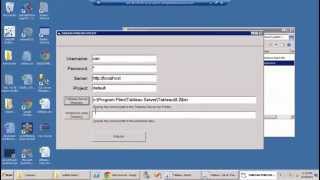
Using the Publish Automation Utility. This utility allows you to publish multiple workbook files to DSA Server automatically. To use this, make sure you have the Publish Utility program in the Automation Apps folder, and you should also identify the folder where the workbook files to be published are located. One should also create projects on DSA Server before beginning. First step is to open the folder with the Publish Utility program. Right click on the program Publish and select Run as Administrator. When the Windows Security window comes up, click yes. Make sure to fill all of these entries correctly and accurately. DSA Server username and password, the server name, project name, and the paths. Now, by default the server name is localhost, but you can change it as needed. Notice the password is hidden from view. You can also specify an existing project name. This will not create a new project on DSA Server. We have another app for that. Click this browse button to search for the Bin folder. That's where the tab command is located. The example path shown here may be similar to yours or may slightly differ based upon the version of Tableau Server that you have currently installed. Check your path and click OK and you'll see the path is listed there. Next, click on this browse button to search for the workbook files that you want to publish. The folder should contain the TWB files, which you should have identified earlier before running. When you have the right path, double check it and then click ok. Double check all the settings you've made and when you're ready you're now ready to publish. Click the Publish button. A message tells you Publish will now execute in the background in a DOS window. Click ok. It will look into the Workbook folder for all TWB files and publish it one at a time. For the number of workbook files being processed, this actual time will change for you. The entire process is finished. Once you see the message, press any key to continue at the bottom of the command line screen. You can review errors on the DOS window or go to the DSA server and now you're done. Good job. Thanks for watching.