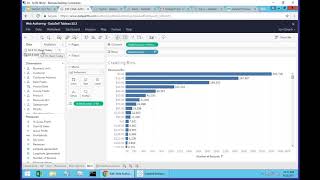
Power users can now publish embedded data sources directly from a Tableau workbook without waiting for an analyst. Save the workbook, confirm the action, and the data source goes live on the server for others to use.
Chapters
Sometimes as a web user, you ask your business analyst to create some new data source, publish a workbook that you're asking some reports and dashboards. The person, the business analyst builds this new data source, publish to the server the workbook, and you go there and you find the information and you get what you asked. But then as a power user, you want to create some additional views and maybe you want to share with other people and let them create their own reports out of this news data source. And let's assume the business analyst forgot to publish this data source to the server. So before this version, you have to call the business analyst and say, hey, can you please publish this new data source to the server so everyone can have access to. Now we're empowering more the end users. They can come here and let's say that this data source here is not published to the server. They can come to the data source that is not published and click Save. When click Save, this data source now is going to be published to the server and everyone that have the same rights as you, other users will also have access to it. As you can see here, this data source is being published. It has a little tableau square. This one is an embedded not published yet. But when they click yes here, I'm going to convert this inside of the workbook data source into a published data source. To server I'm going to click yes and that's it. Now this data source is available to all users with the same rights as you. They can create their own reports and dashboards with the new published data source. So new future, also exciting for some situations.