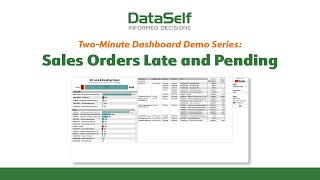
This is a brief (two-minute) demo transcript for the Data Sales Orders Dashboard by DataSelf AI that explains how the dashboard helps manage customer expectations by tracking on-time vs late sales order deliveries. The dashboard includes a multicolored aging bar, an aging-bucket selection box, customer- and item-level summary lists showing open order dollar values and their aging buckets, and a detailed scrollable sales-order grid. The demo drills into client "Alta Ace," showing $52,000 of open sales orders over 60 days late across three products, and notes related analytics (missed shipments, outstanding purchase orders).
Chapters
If there's one phrase that perfectly expresses the key to client satisfaction, it's managing customer expectations. Among those processes that impact the customer experience is on time delivery. Even if a delivery is going to be late, letting your customer know about it sets their expectations accordingly. That's what Data Sales Orders Dashboard is all about. Similar to AR aging analytics, this dashboard looks at whether sales orders have been delivered on time or are late. The multicolored bar in the top left summarizes sales orders mostly on time, a few a little delayed, and a few more alarmingly late. The selection box on the far right lets us choose which so aging buckets we wish to report on from SOS that are on time through those that are increasingly late. On the left are summary listings of sales orders by customer and by item. For each, we are shown the total dollar values of their open sales orders, as well as which aging buckets those orders fall into. In the case of our client Alta Ace, we've got some $52,000 of open sales orders that are over 60 days late for delivery, identifying this account as one that desperately needs our attention. Let's use Data Self's Infinite Drill down to get more details on this particular client. Under item, we can now see Alta's late sales orders. They're for three different products. Over on the right side of this dashboard are even more details about the individual sales orders that make up this client's activity. We can scroll this window to the right in order to get such information as the total dollar amount of each sales order as well as the quantity ordered from this dashboard. You could also peek into a few other related analytics such as missed shipments and outstanding purchase orders. With tools like these, you can keep your clients informed and meet and exceed their expectations.