Learn how to share Tableau workbooks and dashboards: save as TWB or TWBX files for offline use, export as images or PDFs, or publish to Tableau Server for secure online access with scheduled refreshes, role-based viewing, and browser editing.
Chapters
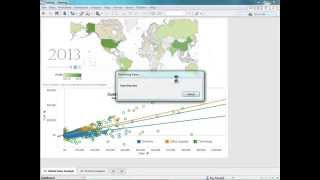
Welcome to the Video on Sharing. In this video, you'll learn about the different ways you can share dashboards and worksheets. Let's get started the first way I can share my workbook is by saving it as a TWB or a TWBX file. A TWBX means that I'll save the workbook as a packaged workbook. You should plan on doing this if the recipient doesn't have access to the underlying data, or if your workbook contains local files such as background images or custom geocoding. When a workbook is received, the recipient can open it using either Tableau Desktop or Tableau Reader. If opened in Desktop, the recipient will be able to view and edit the workbook as if they themselves were the author. In Reader, the recipient will only be able to view and interact with the visualizations shown within that workbook. All interactivity is preserved when viewing from Reader. Note that when you share via TWB or twbx, you're sending in an unencrypted file, so this is not the ideal option for sensitive data. You can also share your dashboard or workbooks by exporting it as an image. You can save it as a jpeg, a bitmap, or maybe an enhanced metafile. You can even print your dashboard directly to a PDF file. All of these methods are great ways to share your data. However, if you'd like your business to have immediate access to the latest data, and if you're interested in having your data secure, or maybe you'd like to view your dashboard from a mobile device, then have a look at Tableau Server. With Tableau Server, I'm able to publish my worksheets and dashboards to a secure online environment. I can set security settings and determine who can view which workbooks, and I can also schedule extracts to refresh on a particular schedule. Once I've published my dashboard to Server, my users will be able to view this dashboard, subscribe to it, and leave comments as well. So now that I'm published, I can access this dashboard from any major web browser, including Internet Explorer, Chrome, Firefox, Safari. I can even access the same dashboard directly from my iPad. Notice at the top that I have several different controls. I have the ability to share my dashboard by either emailing it or embedding it into a webpage of my choice. I can ask Tableau Server to remember my changes in case I conduct some analyses and discover some insight. I can have Tableau remember that same view so others may view it. I can edit my view directly within the browser. I can export the image or the data the crosstab. I can subscribe to this view just by clicking on this little mail icon and typing my email address. And I can also download this workbook directly from the browser if I want to make changes to that dashboard. I'm just loading up into desktop so you can see I can make changes here and just republish it after I make those changes. Thank you for watching this video on sharing. Check out our other videos to learn more about Tableau. If you're interested in learning more about using Tableau Server, be sure to check out the end user training video. Otherwise, happy analyzing.