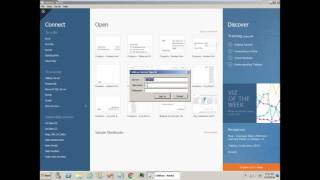
This content was created by DataSelf AI. This content was uploaded by DataSelf AI. This is a YouTube video titled "Tips & Tricks #4 - DataSelf Analytics Desktop (Tableau) - Building a new report" created on June 16, 2016. It provides a tutorial on how to build a new report using DataSelf Analytics Desktop, including preparation steps and a demonstration of creating a sales report by customer and year.
Chapters
Here's how to build a new report using Data Self Analytics Desktop. We'll go through a quick preparation work and then comes the fun part. So let's do it. So first of all you need to open Data Self Analytics Desktop. You may find an icon on your desktop or you may find the application under Start All Programs Data Self. And then you should find Data Self Analytics Desktop. Click it and then when you get to this page, click Connect to a tableau to your tableau server. Here you have to know and enter your tableau server URL. Maybe you have to ask your IT about that. You enter typically your Windows login credentials, username and password and click Sign in. Then you should see a list of data sources and open the one that you want to work with. In my case, I'm going to build a sales report. So I click it and finally I click sheet one. That's the preparation work. Now comes the fun part. The fun part is mostly dragging and dropping. I'm going to build quickly a report showing sales by customer by year. So I see my customers. Here they are. I'm going to drag customers to my rows. So these are my customers. I want to see sales. So I drag sales to this ABC area here. Just drag and drop. So this is total sales by customer in the whole company history. And I want to see by year. I'm going to take invoice, date and drag into my columns. I can drag in my columns here or in my columns here the same thing. And there you go, sales by customer by year. Now what's next? Well, in the next video called B Building a New Report Part two and you can find the link below, I will take this particular report, I'll create a new one. I'll build a dashboard and I will publish it to other users. So be sure to watch it. I hope you have found this video informative. Thank you.