Katharyn Havens explains how Loom, a screen-recording tool, helps homeschooled kids show their work. Her son used it to present a Dungeons & Dragons character he built with AI art, recording a step-by-step walkthrough that doubled as a speaking exercise. The whole project took 30 to 45 minutes.
Chapters
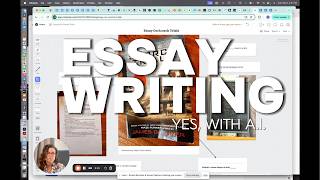
Okay, this week I want to tell you about Loom. Have you heard of Loom? L-O-O-M. So that's when you're watching a YouTube video and you see someone's screen and then their face is in a circle in the corner. You can do that on Loom. They do have a free version, and then of course there's also the paid version. Now, if you are just homeschooling and you're not really participating in business or other activities that would require you to record yourself while you're showing what you're doing on screen, you might think, well, I don't really need to know about Loom. But it's genius for your kids to show you what they have learned and walk you through what steps they took on their laptop. I used it this week and my son showed me a video about how he created, you Using Nanobanana, he created a character for his Dungeons and Dragons game.
And I've been learning on how to make images, and I'm working with ChatGPT to try making an image of an ancient horror called the Wendigo. And this is what I got. This from Nanobanana Gemini. It's pretty interesting. We got the moon, and I tried my best, so I just wanted to show you guys what I was learning.
Also, we love D&D. It's an amazing creative game for kids. So I had him do this video, and of course he had to record and re-record himself a couple times, but that's perfect. It's like mini amounts of public speaking. You do feel a bit of pressure when the camera is on, right? And he had to think about what he's going to say, re-record it, and then send it to me. So it was a great learning lesson. It only took maybe half an hour or 45 minutes, and now he can use Loom. There you go. Hope that helps.