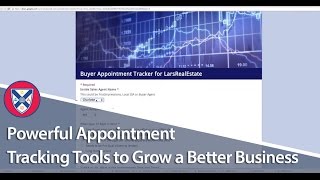
A real-estate team uses Google Forms and Sheets to track buyer appointments, logging agent, date, prospect grade, price range, and lender status. The operations manager filters the data to spot missed paperwork and burned opportunities, keeping the whole pipeline visible without expensive software.
Let's get into the tracking and reporting side of things in the listing and buy sides and how you can make this painless and fun. And again, there's only a certain amount of pain that you can take away from some of this stuff. But I really want to come back to this sort of depiction of real estate. And this is what, over the last couple years, I've worked pretty hard to put simple, simple tracking tools in place to make sure we know what's going on from lead to appointment, to client taken to client sold to referrals. So I know everyone is searching for like one bit of technology to do all of it. There are even clients of mine that are doing a great job with centralizing all of this stuff. But ultimately, the simple tools that I use are going to be everything you need to take your business from wherever it is today to the 100 point mark all the way up to where I'm at today. So these are the actual tools that my team uses. And you'll see that they're not real complicated, but they're super, super powerful. So think about your business. Lead appointment taken, sold referrals. I guess it's lots. Okay. On the buyer side, in terms of lead tracking, we'll go through the buyer appointment tracker, Buyer client pipeline report, and I already showed you, I already showed you the buyer client pipeline report and the weekly success tracker. So we use a simple tracker and a calendar in Google Docs. So let me show you. There's a buyer Klein 500 report. Already went over that listing, inventory balance sheet, Buyer special success tracker. So let me go over the buyer appointment tracker. So every time one of our buyer agents books an appointment, they're going to go to do two things. They're going to go to this link, and this is not the actual link, but it's. This is the exact same form. So you have to go in here and you'll have to save it and you have to change these different things. But they're required to log the appointment into the buyer appointment tracker. So let me show you how this works. So you can see there's. It ends at row five. So if I go in here. And so Charlotte booked the appointment for John. It was a new buyer appointment. It was on this date. Their name is this. Their contact phone number is this. Their email address is this. They own. They're going to purchase. They're an A prospect. They're looking at $200,000 houses in South Charlotte. They've spoken to a lender. They're from Commissions Inc. And then they post any notes from the initial call and they leave the this notes blank. Or you can enter something there. It doesn't really matter. So you hit submit, and then you'll notice. So it just showed up here. So that's all that a form does. I mean, it's super simple. So you can go back, submit another sponsor so those get submitted. So now we have an actual record that an appointment was set by Charlotte for John. If one of our agents said it, they just put agent, so buyer agent. So that means John said it himself. But anyway, so now that it's in there, so now we have a record of it. And the last column we left blank. So we're able to follow up with those agents. We can use this simple tool here. You know, once we get 200 records in here from six buyer agents, you can just. You can filter it. You can sit down with John and go over all of his opportunities and just take notes as he's telling you exactly what happened. So again, it's not complicated, but we're able to track every buyer appointment that we go on as a team. Super powerful. We've created basically the same thing that we have on our listing side, we've created on our buyer side. So every time we go out on a listing appointment, it's a big to do, right? And we've done the same sort of process on the buyer side, so we make it a big to do. Where Cherie, who's my operations manager, Cherie's job is basically from the point at which we secure a client, we have the opportunity to meet with a client through to closing. She handles that side of the process and Keely gets everything up to the point where we meet with people. So we kind of have a break there in responsibility. So ShareEve meets with our buyer agents, and she just goes into this document and she just filters. She'll filter and sort. So she'll filter John out and she'll sort by the. You know, by the time they were. When they were booked. So all John is in reverse order. And she'll just go through and make sure that she has current updates on them, and she'll know when opportunities are being burned or they're not doing a good job of presenting, if they're not getting paperwork signed or whatnot. So very, very simple tool that you have access to.