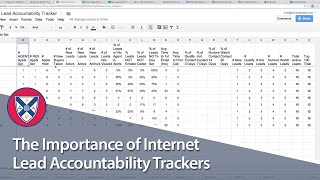
This is a YouTube video titled "The Importance of Internet Lead Accountability Trackers" created in September 2015. The content is a detailed explanation by a single speaker about managing buyer lead accountability using various tracking tools and calendars to monitor appointments and lead follow-ups within a real estate business context. The speaker outlines processes and policies for ensuring leads are contacted and appointments are logged, emphasizing operational transparency and agent accountability.
Foreign we run an Internet lead accountability tracker. Depending on whether or not you have a platform, you know, buyer lead gen platform like Commissions Inc. Or Boomtown or whatnot, you may or may not use something like this. So this is. Most of this is pretty self explanatory. It's all data inputs. So once a week my buyer Isa prepares this report and looks at all of these bits of information. There's about three spots that she pulls them from. And this comes right out of our buyer lead management policy. So these are the things that they've committed to, the things that they've agreed to do. So. Percent of leads with no agent email alerts, that should be 0% have no agent email alerts. Percentage of leads not emailed, it should be zero. Percent are not emailed. Percentage of leads not called, it should be zero percent. So these are the accountability measures that we've already agreed to in the buyer lead management policy. And you know, percentages of hot leads that are contacted that were contacted every seven days should be 100%. Same thing with nurture, same thing with watch. So depending on where you are in the process, if you have a buyer lead gen platform or not, even if you don't, there still are buyer leads that you're going to want to make sure that they were handled properly. But this is a framework to be able to do that. That's what we do on the buyer side. So we give our buyer agents, buyer presentation buyer packets. We set probably about a third of their appointments for them are set for them. They set the other two thirds or so. All of those appointments are tracked on the buyer appointment tracker. You can see. So here you have on yellow, it's our buyer appointment calendar and green is our listing appointment calendar. So I can toggle off basically I can toggle off and see what our buyer agents are doing and what our listing agents are doing in terms of appointments. So when they get an appointment themselves, they're going to this form, they're logging the appointment here. And so my operations manager now has a record of it and they can follow up with them on a weekly basis at the buyer agent meeting. And then they're also going on the calendar and they're setting an appointment that they invite themselves to. So you can set an appointment here and it can be on a different calendar. So you can set an appointment on a buyer appointment calendar, buyer closing calendar, you could set up different calendars in your Google calendars. So you just go to settings, you go to calendars and you create new calendar and you can basically give access to different people. You can share it public with everyone on the team. And that's how we created all these calendars. And again, it's simple, but it's an easy visual tool that I can use to see exactly what's going on in our business. So I can see, you know, so 1, 2, 3, 4. We've only got four listing appointments so far this week. You know, we probably have eight to 10 appointments a week, and they kind of stack up, you know, Monday, Tuesday, Wednesday for the week. So I can see last week what happened. We had a slow, slow week last week. Week before wasn't so bad. 1, 2, 3, 4, 5, 6, 7, 8, 9, 10 appointments. Again, we track these appointments also on the listing appointment tracker, but it just gives us another way to keep up with it. Okay, so that's the buyer side. Again, it's not rocket science, but every appointment is tracked and our agents have to log two appointments per week. So we don't need them just to take appointments from our inside sales or sellers that have to buy. They have to log two appointments of their own every week and fill out their buyer client pipeline report and log their weekly success tracker.