
Nutrition - My Fitness Pal Tutorial 19 May
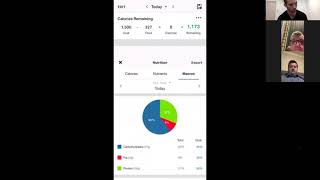
This is a recorded live coaching session (YouTube) led by Matt Dart demonstrating how to use the MyFitnessPal mobile app. Matt explains why tracking and pre-planning food improves results (nutrition > training), shows how to set calorie and macronutrient goals manually, demonstrates logging foods (including adjusting portion sizes to hit macro targets), and emphasizes using the barcode scanner and verified (green-tick) database entries. He finishes with a short task for participants: scan a barcode and report their current daily-calorie setting to him via Voxer so he can verify.
Questions this video answers
1) Try scanning a barcode in MyFitnessPal tonight (no need to log it). 2) Recheck your daily-calorie target in the app and send that calorie number to Matt via Voxer for him to review.
Okay, so we've got a few people on and then obviously I'm going to send the recording through on the portal as well. So what we're going to go through tonight is basically a more in depth session with MyFitnessPal. So I do have a brief tutorial on my portal. Already on MyFitnessPower is about a 5 minute one, but I have got another one that me and my friend have made that goes into a little bit more detail and will actually help a lot of people with the actual tracking of the food. So I've just got a couple of topics I want to cover first and then I'm going to share my screen after that. The video goes for about 10 minutes, so it'll be about a 15, 20 minute phone call. But we're going to go into what my fitness pal is actually made for. The benefits of tracking your food, why it's better to pre fill in what you're eating rather than deciding kind of on the spot what you're going to eat. Actually, here we go, here's Adam. Give me a sec. Yeah, Adam, I think it's there. Cool, cool. All good, Adam. Yeah, sweet. Cool. Yeah, just use my phone instead. Yes. So I was just saying before we're just going to go through more in depth of MyFitnessPal and how to use it more effectively. So I've got a quick video on here that I'm going to screen share and play to you guys that's on YouTube. Just wanted to go through a few things before I play it. So I know you guys have been using MyFitnessPal over the last couple of days and it is a little bit different for a lot of people because you literally do have to track pretty much everything that you're eating and drinking. So it's a little bit, I would say sometimes annoying at times to track everything, but benefits are. Some people might have heard this already, but to get results in the fitness industry it's 80% nutrition, 20% training. So if you're doing heaps, heaps of training but you're eating really bad food, you might get some results. Don't get me wrong, if you're doing that much exercise, but you're going to get more results quicker by comparing one year nutrition and then adding in the training on top of that as well. So another thing as well, why it's better to pre fill in your. A lot of people act on impulse for food as well. So if you're pre planning what you're going to eat and you actually input it into MyFitnessPal, it'll tell you how much calories, proteins, fats, etc. You're at for the day. If you pre do your meals for breakfast, lunch and dinner and your snacks, it'll tell you what you're going to end up on and then you can make any adjustments needed to adjust it to make sure you're getting calories or so that's why it is going to work out better for you to pre plan what you're going to eat, especially meal prepping on like a Saturday or Sunday. But even meal planning for breakfast, snacks, lunches, dinners, everything, just day by day, you don't have to do it for the whole week. That's going to actually improve it as well. Now on the video it actually also goes through. I'm not sure if you guys have noticed, but you can actually scan barcodes on MyFitnessPal and it actually pre populates what that food is. So you don't have to know how many calories are in there or anything like that. Because a common mistake people make when they're on is they'll put in all this data and they'll just kind of make it up and then like someone like me, it doesn't make sense as to why they're not with the stuff they're putting in. And a lot of the time it's because they're putting in the wrong information. So that's why, if possible, if you can scan it, it'll go through on the video.
When you say, when you say scanning.
I know you're on your phone, but you might be able to do it when you get off the phone, when you're actually in the app. When you go to log some food, for example, I'm not sure if you'd be able to see this, but on the top right, it'll have a barcode location thing. Yeah. And then literally you can scan something. Actually, I'll do an example now. So I've got butter chicken. I'm going to scan the barcode and I'll tell you what comes up. So it pre populates everything for me. So it's nice and easy. You can't get it wrong. Very, very easy to use.
What about home cooked, my friend?
Yeah, it's a bit different.
I know, I know. I've dragged out my stove, dusted off the cobwebs and made a couple of things, but I've eaten them in smaller portions so I think I'm okay.
Yeah, I was gonna say if you send me through what ingredients you've got and tell me how many meals you're cooking, how many meals you get from all the ingredients. I can kind of work it out.
Well, I'm going to do another batch tomorrow, so I'll be able to tell you that.
Perfect. Sounds good. So, yeah, that'll be in the video as well. So I've got a few snippets from the video and then afterwards we'll answer any questions. So I'm going to screen share and then go through this. This part will be about seven minutes or so and then about five minutes for the second one. So if you need to, you can jot down notes and whatever, this will be recorded as well.
I want to show you how to use this platform. All right, so we're going to go to the diary and we're going to go into this first. Now, at the top here, you will have a target goal of calories. Now, when you sign up for MyFitnessPal, it will ask for people's height, their weight, their goal, how fast they want to lose weight, blah, blah, blah. And it's going to spit out a numerical calorie number. Now, for you guys that are going to be doing or providing some advice for people, I would do all of this manually. So what you would do is I would get on a phone call with people. All right. Or something along those lines. Or if you've already done this in the gym, well done. But if you haven't, this is the purpose of this video. Get on a phone call, go to nutrition. We're going to go to macros at the top and click on any of the macros. Now, when you go in here, okay, I want you to click goal and it's going to show you the calories and the macronutrient breakdown. Now, for me, if I want to lose weight, okay, quick, and I want to drop some body fat, flush fluid out of my system, and just get lighter. This is personally what I follow here. So this is not going to be relative to you and a lot of guys seeing this, they'll be like, how the hell do you eat 2, 000 calories? Like, that's like rabbit food portions. I know it's small, but for people that do not eat a lot on a large on. On a. On a frequent basis, you're going to need to build them up to larger levels. So I always start on this and then increase my calories. Right. So this is just for me. Now, for example, I'm not going to go into detail with this, but if you wanted to get a girl who's currently eating 1200 calories or 1200 calories a day, you want to get her to lose weight, chances are you're going to need to speed up her metabolism. We're going to type in at least 1500. Okay. Calories. And then you can gradually increase the metabolism. Metabolism will spike. Okay. And then obviously from there, you can play around with this stuff again, communicating with your clients. You can put together a little video like this, showing people. Okay, which is some content showing people how to use the app, or you can just do it with them on the phone. But the next thing you're going to want to do once you. Once you've got the calories. So if we go out of here, it should have changed the calories to 1500. You can see at the top. Okay. The next is the macros. So look for me again, like, for girls, for them to drop weight fast, like, I would probably go like 40 to 50 grams of fats. You might want to drop the protein down again. It all depends on how you like to work out your map, your macros. But then keep the carbs high. You're going to select it, you're going to tick it. That's that. Okay. So that's how you're selecting people's data. So again, just to show you guys, from the home screen, we're going to the diary section, scrolling down to nutrition, or just tap clicking the top, then click any macro, hit the goal, and you've got this here. Okay. All right. Now, with that being said, I'm going to show you how to log. Now. I'm going to add some stuff in here. This is what I had when I last logged some food. So I had. What did I have here? I inputted a little bit. I had a Chobani yogurt here and some. Some toasts. Okay. So I've chucked it in. Now, as people enter data, you can go to the bottom, hit nutrition, and it's going to start to show you here. Okay. On this screen, the carbs, the fats, the protein, and what you want people to do, ideally is go into here, hit the goal. Remember those figures, 150, 113 and 50. Okay. And then go back and you want them to log their food, ideally in advance, so that they can see what they're going to eat. So we're going to other foods in here. Just click randomly. This is stuff that I've used and entered myself before. And then eventually you're gonna get up to the Daily end figure. Let me just get it. I'll get it all the way up to around 1500. Let's go here. There's a bit more protein. There's some chicken in there. 1300, 200 calories more. Let's go for that. Okay, so close enough here. We've got 63 calories remaining. You want to then get them to match these macros here in the brackets. 183, 26 and 108 with the goals. So you can see here 150. 113 and 50. The fats here can go up. Okay. The carbs need to come down and the proteins very close. So look what we're going to do there, it's very simple. We're going to add in an extra serve of this. Good decimal. I like decimal. So two, we're going to take out some carb and then we're going to check it again. All right, so we've got 167 fat still the same proteins pretty much bang on here, I think. So 117.
Does that make sense how that works, how you. If you pre select all your meals, you can kind of adjust it to make sure you're not going over what you're supposed to eat or go under what you're supposed to eat? Yes. Yeah.
113, give or take a couple grams, guys, it'll be fine. But this is still going to change. So let's continue to go around here. Okay, so let's take out some stuff with fats. So all right, let me. Let's. Protein. That's okay. Let's take out the eggs. We're gonna put in egg whites. Okay, now the. I'm just doing this with food, guys, that I've previously entered. So I'm going to show you how to search in a second and give you some bonus data. Okay, we need some more primarily just fat. So we'll maybe just go for some olive oil maybe. Okay. Calories are getting close. Fat's gone up. Proteins close. Carbs aren't too far. Let's just adjust this amount here to 1.5. Carbs need to come down. So I'll take that from 200 to 2, 250 to 200 ticket now we're getting close now, guys, I can sense the macros. So 157 out of 150, 36 out of 50 and 115 out of 117, I think. So you can see here as we're getting close now, if you want to be pedantic again, let's just go fats. So I'm going to go two teaspoons instead. Obviously I'm just randomly putting this in, but people can put this in their specific dinners. Now Look, I've hit 1505. We're going back again. And for the sake of this video, guys, this is very close. Okay, you get, you get the idea. So 150, 113 and 50, 157, 115 and 43. You get the idea. Now that there is the ideal stuff that that person with those macronutrients that we've put and those goals. Again, just to show you quickly, these ones right here should be following obviously that it'll be in a little bit of a better order than this depending on what time of day. Okay, what time of day that do they are. They're logging now. Next thing I, you, I recommend that if people, if you've got clients here, this is a very big deficit you're getting.
All right, that's the first one. So that's how you can go into this. Second part of it is more so the barcode like I showed you before, but you'll be able to see on the actual screen. So this one's just a couple of minutes long, guys.
All right, next thing now like I said before we go and add food. These are all foods that I've inputted. Now this is my next big tip for you with my fitness pal. We don't. You're not going to have all these foods here unless you've used this avidly yourself. The next big tip is this. There is a barcode scanner here. So we're gonna go if I've got any, anything next to me, I don't think I have anything at all. But you can see here, click the barcode. All right, it's going to come up with something. I've got anything. So many food related stuff near me. You're going to scan a barcode. Let me just get a barcode here. You're going to scan it if it's going to work. If I can find something. Let me see if I can get something else.
Hello, we're waiting on this thing.
It'll say invalid but what it will normally say is it'll come up with something this. Now why the barcode scanner? My fitness pal has a database of over, I think, I don't know is it 5 or 25 million types of foods. Now as you can also, or as you also know, I should say there are literally hundreds of types of oil now, with that being said, if I was to go like this. Now this here has got 27. One tablespoon, nearly 14 grams of fat. Now if I was just to search oil search, click that. Okay. And add it in. Okay. It's not necessarily gonna be the right oil. So look, look at this here. That's 14 grams of fat. That one's also got 14, but for some reason it's got 120 calories. Now that doesn't. Right. It's different. It's a variable. Okay, this one 14. This one 4.5 in 5 milliliters. One gram in one tablespoon. That's incorrect. So what I'm trying to say to you guys here is this. If you can see things with ticks on it, nine times out of 10, these are ones that have been verified by my fitness pal. Like these ones, you can.
No, I've not noticed anything. I was wondering what was going on.
Right.
Yeah.
The ones that don't have to tick on it.
Like brain ticks. Let's go back slightly. When it has the green ticks beside the product, that means it's been certified from MyFitnessPal. So otherwise you can manually add in anything you like, which is where it doesn't have the certification, which if you can't find exactly what you're after, then you can add it in yourself. But more than more oftenly, it's usually incorrect. So you want to try and go to the ones that actually have. If you want to only have those ones to the right where it says search results versus a little tick. And then only if you click on that, it'll only display results that have certification. So you try, try if you can to do that. Otherwise as I said before, you got the barcode, you can just scan stuff straight into it. Okay, cool.
Calories, Both.
All of them.
And they've all got 14 grams of fat, which is roughly about right. The ones that don't have the tick on it, like this oil truffle. One gram. 120. That's impossible. One gram of fat is nine calories. This says 120. What I'm trying to say again, guys.
Wes said I actually made something today. It wasn't sort of pre made. So I will send you the recipe what I actually used. So Matt, so you can actually have a look what you think my calories are. It was basically four to six serves, but it's made basically four.
Okay, cool. Just send it to your email in box. I'll have a look after this.
I can do that are huge because everybody can choose to enter recipes and if they don't have a green tick, anything else, someone has made that recipe.
Up and there's one little part after this that I want them to go through. And then I've got a small little task for each person because I just want to make sure we've got everything right for the MyFitness tile because it's putting in the wrong information. Then it's going to assess the results. So obviously don't know what you can.
Actually then throw off the data that you have in your diary. So the best thing for you to do is do your research on the right types of food, the right types of food that you should be entering in my fitness pal. Now, if we go here, add food, these are my types of foods that I have researched. For example, egg whites. I know for a fact that this is correct.
Let me know what task you want.
Me to do that is done. So let me stop screen sharing. Then it should go back to the normal screen. All right, perfect. So that gives you a bit of an idea in more in depth of how you can use MyFitnessPal to your advantage and make it a lot easier, especially if you're pre planning what you're. So the little task that I've got for everyone is very simple. First thing is first try the barcode. Grab something tonight and just scan it, see if it actually comes up. Just so you actually know what to do. You don't have to actually input anything into MyFitnessPal. I just want you to try it just to make sure you're aware of how it works. The second thing is I just want you to recheck what your calories are per day and send me a message on voxer because some of the people that I've been checking so far, they've got either many calories that they're supposed to be having or not enough calories. So I just want you to double check it. Send me through just how much calories you've got loaded into MyFitnessPal at the moment. And then I'm gonna check them all in the morning and I just make sure it's all correct going forward. So very, very easy task. Only take a couple of minutes. Just try out the barcode, make sure that works and you're familiar with it. If you have any questions, you can re watch this recorded video. Otherwise, just send me a quick message and I'll explain how to do it. And the second one, as I said before, just check everything to make sure it is all good on myfitnesspal, and then I'm gonna check it once you've sent it through to me on voxer. That's it, guys. Easy. Done. Cool.
Okay.
If you have any further questions, send me a message on voxer. I'm going to be checking everyone's my fitness pal in the morning, but, yeah, apart from that, any other questions, just send me a message. Thanks for jumping on, guys.
Okay, thank you.
Bye.
Bye.
More from Matt



Your staff aren’t lazy. Your systems, standards and leadership might be. Check out Episode 138!

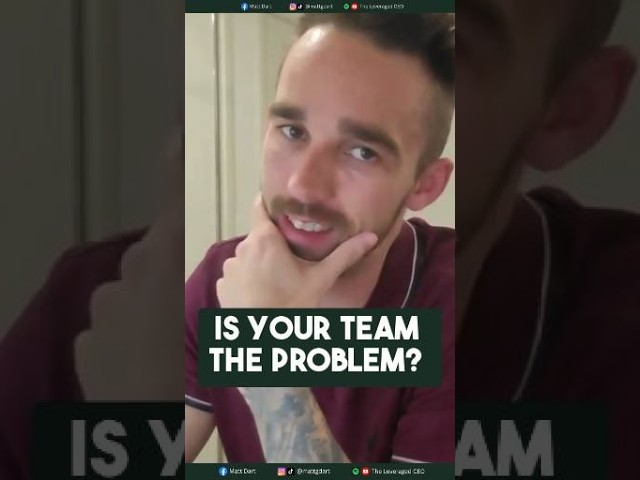
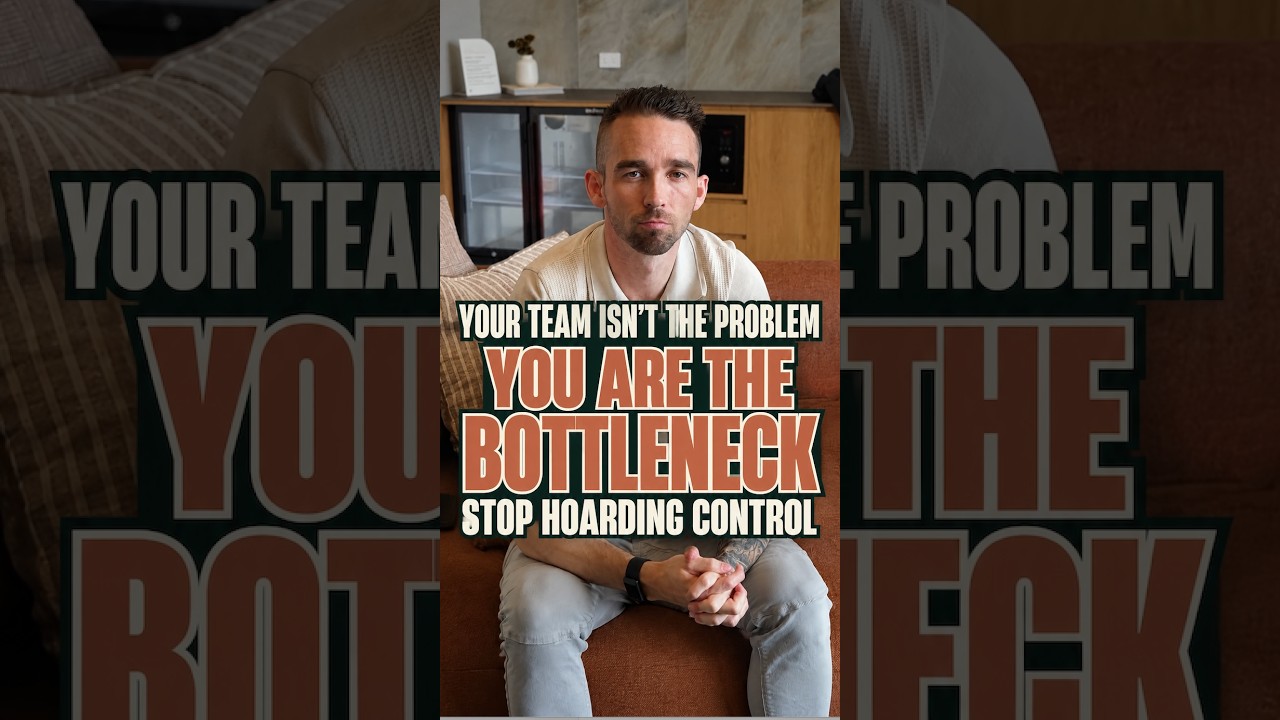
Your team can’t take ownership of work you refuse to hand over. Stop being the bottleneck! #shorts

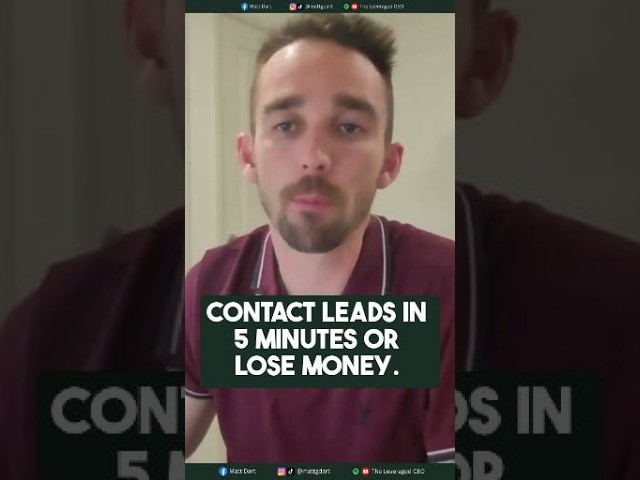
Slow lead replies cost you sales. The fastest business usually wins. Full episode in my channel!