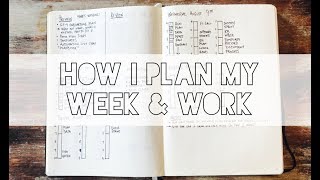
Matt Ragland shows how he uses a bullet journal to plan his week, starting with Sunday priorities like onboarding plans and demo scripts, then breaking them into daily top-3 tasks. He uses a bar-graph time-blocking layout adapted from Mike Rhode to map out work chunks, allocates more personal project time on Tuesdays and Wednesdays, and reviews outcomes at week's end to spot obstacles. He emphasizes handwriting commitments by hand sticks better than typing.
Chapters
Morning, it's about 7:20 on Monday. Happy Monday to everyone. Check out the view. There they are. I love when trying to show the mountains on a video and it has to come into focus out there. It's like, no mountains, mountains. Headed down to grab some breakfast now, but I'm gonna be showing you how I plan out my day and plan out my week. It being Monday, it's a great day to do this video. And some of the things that maybe I do a little bit differently, maybe I do the same as you. The important thing is, is to find a process that works for you. So I'm going to show you the process that's working for me. All right, so here we are. I am at a coworking space here in Black Mountain, North Carolina for the next couple of days. This is called The Junction. It's a great space. It's where I'm going to be doing my work, and it looks like I'm in a Tuscan villa. Let me show you how I plan out my week. I use a bullet journal. It's a— I don't know how to pronounce it. Leuchtturm. But what I'm going to do is show you how I put each day down, how I plan out each day, what I do on Sunday, Monday, and how it sets me up for success for the rest of week. So what you'll see here is my bullet journal laid out for the week. And the way that I start out, this is either Sunday night or Monday morning, I'm going ahead and I'm putting in front right here the preview for the week. So these are my main tasks. So getting an onboarding plan done for the remainder of Q3 and going into Q4, what we want, what is needed, how to do it, doing a demo video script for the new automations that we have coming out, putting together some automation templates, and then an automation live chat playbook for when we start to roll it out for all customers at the beginning of September. And then I will graph out the rest of the days. I have this bar graph that I borrowed a great idea from Mike Rhode, and he might have gotten it from somewhere also. I've talked about it in the past, but this way I can kind of see a graph of where my day is going and things that I'm doing in these chunks. So trained our experts today in visual automations, had a bunch of meetings, working on some Bonjuros. And this is another big part. So right up here, I have my top tasks for the week, and I'll transfer these day by day into my top to-dos for the day. So I'm probably not going to get this demo video script done, but normally like 3 or 4 top to-dos for a day, in addition to meetings, in addition to other things that come up, getting 3 or 4 primary things done each day is a great win. And then I'll come down and I will migrate demo script And this is just a little bullet journaling thing for here. So I'll get this and I'll migrate this down. On Wednesday here, you'll see that I've got a little bit more structure and I really know where the day is going. It's not as much as you'll see over here with a bunch of meetings. Wednesday is much more of my day to get my own stuff done. So you can see I have some time here for to record a template, to write for the knowledge base. Work on my Q4 plan, spend some more time on the onboarding process and the documentation process over here. So a lot more personal work is done here on Wednesday and Tuesday. That's when I get the majority of my personal tasks done. And then Thursday, I just, I haven't filled it out yet, but I know I have a workshop here and another success sprint here. So when I'm looking at my week and I'm looking at my days in this method, so on Sunday, on Monday morning, I'm thinking about what are my top things for this week? What are the things that I absolutely want to accomplish to make it a successful week for myself, for my team, for the company? And that's what I put up again. Preview of the top tasks go up here. At the end of the week, I'm going to review what were those top tasks, what were the results, Was I stuck on something? Did I just not do something? What were the reasons for that? So previewing the priorities and reviewing the results— just came up with that, it's really good, steal it. Previewing your priorities and reviewing the results of those. So that's how I plan out my week using a bullet journal. I really like to handwrite everything because it really helps lock it in for me. So I encourage you to try and do the same. You can use any kind of You can use any kind of method that you want for this. Use something digital, use something on your phone, write something down, but I do think that you're going to find better results. Honestly, it's science. I'll see if I can find a piece of research because I know I've seen it, but I encourage you to write things down. Try and write out your week. I think you're going to see great results. That's how I plan out my week. I would love to hear in the comments how you do some of the same. I always like to hear how people are being productive, how you're setting your priorities and accomplishing them. So leave a comment below, I would love to hear, and subscribe for more of these videos. I would really appreciate it. Share it with a friend so that they can get out in the world. Take care, and I hope you have a great day. Bye.