A Minimalist Time Tracking System for the Bullet Journal
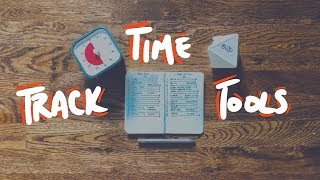
Matt Ragland shows how to track your time in a Bullet Journal using simple hourly blocks. Time tracking exposes hidden excuses and reveals how long tasks actually take. He covers reactive logging, proactive planning, and optional tools like the Timeular device and Pomodoro technique.
Chapters
Hi everyone, my name is Matt, and welcome to another Bullet Journal productivity video. In this video, we have the comeback of the Time Tracking Challenge, Time Tracking 2.0. I'm gonna tell you everything that you need to know about tracking your time, why it matters, how to do it, and what you can do with that information once you're done with the challenge and going forward into the future. Coming off that video last year is probably one of the more popular questions I had for the rest of You're like, why would I track my time? Why does that matter? It seems like overly anal almost, and it's like almost counterproductive if you're thinking about like, oh, I gotta, I gotta go write down the things that I've been tracking, the things that I've been doing. What I believe you'll find is that if you track your time a little bit more generally, say in like 15 to 30 minute blocks, then it's not something that you're doing like all the time, like every single minute, but you're still getting a really good overview of how you are spending your time and are you spending it on the people, the projects, and everything that matters most to you. Now, before we get started, I want to tell you 2 ways that time tracking can be really beneficial. The first one is that it really peels back the excuses that I have for saying like, oh, I don't have enough time to do like X thing. And if that is my excuse, then time tracking really helps me see what I've been spending my time on so I can redirect some of that time from meaningless to meaningful by just doing a quick time tracking challenge for a day or two. And we're going to do a 5-day one starting next week, so make sure that you are signed up in the link here or in the description below to make sure that you are getting those emails and that we're going through the time tracking challenge together. The second reason for time tracking is that it gives me a much better understanding of how long tasks or projects take. For example, it could be something as simple as like preparing a meal. If I say block out an hour or 30 minutes for a quick meal, but then I quickly realize that I have to prep the meal, and then I have to cook, and then there's dishes, and there's the actual eating. So something that I think may be like a 15-20 minute meal really ends up being 30 or 60 minutes. So here's what we're gonna cover in today's video. We're going to talk about a few simple techniques that you can use to start time tracking today. We're also going to cover the tools that you need, and just as a quick spoiler alert, you can just use a notebook and pen, but I'm going to show you a couple other things that I have found useful after getting past like just the initial time tracking with a notebook. And then third, I'm going to show you how you can implement those new blocks or chunks of time that you have in your day and again move them, transform those time blocks from kind of meaningless or mindless to really meaningful and mindful. All All right, let's go ahead and get into the first set of layouts that you can be using. These are all of the tools that we're going to use with our time tracking. Now, you don't have to use all these, especially these two physical objects, but I want to show you definitely in a small Field Notes-style pocket notebook. This is what I normally track my time in. Of course, the Bullet Journal for time tracking, and then afterwards we'll talk about these two options. We're going to set these to the side for now. They're both really neat, and I think you're going to enjoy them. We're also going to move the Bullet Journal off to the side a little bit and just concentrate on this Field Notes pocket-size notebook. So there's a couple of different ways that I want to show you how to track time. We're going to keep this really simple, and you'll notice right here that I just have the date and the day of the week up at the top. This 30 is for the 30-minute mark of each hour. And then I have each hour listed on the left side of the page right here. So 5:00 AM going all the way down to 11:00 PM. And really, if you think about it, it actually goes, it would end right here. This would be 12:00 AM, midnight. So for today, This is what I would call more of a reactive time tracking. And for this, I recommend doing it every few hours. It doesn't have to be every minute. It doesn't even have to be every 30-minute mark that you look back. But I would do it, say, mid-morning, early afternoon, and then at the end of the quote-unquote workday. And so what I would do is, and this is just 1 hour across, So you can think of it like the 5:00 to 5:30 block and then the 5:30 to 6:00 block. So for here, this would be writing. My 4-year-old was up early, and so I stayed up for a while and was up early as well. And normally if I write or I do anything for more than 30 minutes, more than just the single block, I'll just draw an arrow line. So I wrote for about 2 hours and then just like a terminus kind of stop dash right there at the end. A lot of times you'll see this in a couple other examples I show you. You don't have to have this 30-minute line that goes all the way down. I just did it so you could see the distinction. I commonly won't do this just because I think it's a bit of an eyesore, but when it comes to these videos, I just wanted to show you. Kind of how that breakdown was happening. You know, you can see my lines aren't perfect, they're not super straight, I'm not using a straight edge or a ruler or anything. And then I worked on this video for a couple of hours. It's just short of 1 o'clock, so actually it's 12:30, this will take me another 30 minutes. 1, let's just say we're going to do lunch here. Now this is getting into a little bit of proactive time tracking. I don't recommend this at the beginning because it can be kind of frustrating to think, oh, I was supposed to do this and then not doing it. We're talking about more reflective time tracking here at the beginning instead of being more proactive, which we'll talk about in just a moment. Now there's another way that you can think about this that I kind of recommend is if you don't want to worry about tracking all of your work time right now, depending on what kind of work you do, I, I believe that it's useful and helpful. But you could also just completely block out the work zone of your day. So from the time, from the hour-ish you wake up through, even if you wake up at 5:30, you could write in like sleep here from 5 to 5:30. And then I, many mornings, will do like coffee and reading or journaling, 5:30 to 6, and then start something else. So I'm just tracking what I'm doing before I start the main work zone and then for the rest of the day. So that is another thing if you don't want to think about doing it as much during your normal work time. You can just track the time that you have because most likely this is going to be— if you're trying to fit something new into your day, whether that is exercise or a side hustle or just time with people that you care about, where you're trying to fit this in is normally going to be outside of your work time. You're, you're work time is fixed, and so that's why I have this right here. But another thing that you can do is write out your plan for the day on the left side of the page. And so this is where you get into a little bit more of the proactive way of thinking about how you're going to take on the day, and then you still have a re-reflective or reaction actual for what ended up happening. And so to be honest, I wasn't planning on waking up until 6 today, and so If I had been doing this last night, I would have said I was playing, my alarm was set for 6, so I would have said, okay, sleep until 5, boop, and then get up and write from 6 to 7. Now my son woke up at 4, and so I don't even have a 4 here, but I would say the actual instead because I took care of him from 4 to 5. 5-ish, it would be right, as I already showed you, right from 5 to 7. So if I was doing my planning, I would normally do this either the night before or first thing the morning of. I would plan out the entire day. And then I would go into, then I would, like I said, check in usually mid-morning, early afternoon, end of the workday, and then end of the day. And go back and see like, where did the things that I intended to do match what I actually ended up doing? And this isn't a way to beat myself up. Like, things change, meetings change, projects change, especially when you have kids and you work from home, things come up. It's a lot of times just looking back and seeing like, okay, how can I, how can I change something? How can I understand more of what I want to be doing going into tomorrow? So that is that. Those are the basics Now I just want to show you real quick, if you want a little bit more space, I totally understand that. Let me show you how this would look in a bullet journal. The reason that I like to have it in this Field Notes is because it fits right in the back pocket. A little bit easier to think about right here. A little bit easier to break down. So this is just another layout that I have for it. And this is, you could say, uh, day So I could put August 2nd here and say this is what I planned. These are the results or the reaction. This is what I actually did. And the way that I laid these hours out in the middle instead of on the side is that way, the way that I think about it is this is the top of the hour, 5 right here, and then this would be like the 30-minute mark. And so I'm going more down this way. So you can see there are two, you know, kind of two spaces for each hour. Again, that's kind of top of the hour, so top of the hour and middle, uh, the 30-minute mark of the hour. Uh, sleep from 5 to 5:30, so that is just the one, you know, the one block right here or the one space. And then 5:30 5 o'clock, 5 to 5:30 sleep, 5:30 to 6 read and have coffee. And what actually ended up happening, uh, right, and then just expand it down. I can also just do it really big. So this would be taking up the entire hour because it takes up those two spaces, 5 to 5:30, 5:30 to 6, 6 to 6:30, 6:37. Hope that makes sense. Uh, let me know any questions that you have. In the comments below. But this is a good way to do it inside of the Bullet Journal as well. You have a little bit more space. It's likely something that you already are going to be using throughout the day. The only other thing that I wanted to show you in terms of using it for Bullet Journal specifically is that it can also be easy to do multiple days on a single page, especially if you're doing just the reactive time tracking. Like, so you can see, these are— this is actually 4 days. Right here. So it might be like, I might put August 1st, August 2nd, and then down here, see it's starting over, 30-minute mark still there. And then I'm just going from basically, these are the hours that I'm normally awake, some wake up sometime in the 5 o'clock hour, go to bed sometime in the 10 PM hour. So I could actually, you know, fit 4 days Now that I've shown you how to track your time in the Bullet Journal and in a pocket-size Field Notes notebook, the— I want to show you a couple of time-tracking toys that I think you're going to enjoy. So let's bring these two back in. And the first one that I want to show you is called a Time Timer, and there are multiple sizes of this. But what I love about this little thing is it's a visual timer. So what you're gonna do is if you want to focus on your work for, say, 30 minutes, 60 minutes, whatever it is, you just turn the little dial all the way to the amount of time that you want to focus on a task. This is fantastic for tracking time, albeit for up to an hour. There are timers that go a little bit longer, but then you can take off, you know, you can turn off your Wi-Fi, you can take your watch off, you can do whatever you want and really focus on the task at hand and try to keep distractions to a minimum. So this thing is great. I talked about it in my craft and commerce talk, which, oh, by the way, you should, you should watch it. It is linked somewhere. It's definitely in the description. It's great for my 4-year-old son because he asked like, Dad, how much more time do I need to play? And I'll say you need to play for 30 more minutes, you need to read for 15 more minutes, because, you know, he doesn't understand time. And so, Time Timer. This other thing is a— it's not a cube, I don't know, it's, it's a shape, kind of a star shape. It's really cool. It's called the Timeular. But what I love about this thing, you assign different sides for different tasks. And so this could be say, I'm just going to write BuJo on it, vlog. And so you put it in a stand, and then when you're ready to start tracking your time for a task, it's going to set it— whatever side is facing most up would start tracking time in the Timeular app. So let me take a look at this, and you can already see I haven't updated this in a little bit, but you can see there's a little notification that comes up that says you've started tracking time for this task. I can go in and see that it has started tracking. You can see 26 seconds, and then I could— so I can track it for as long as I want to. So this gives me a really good idea of how I'm spending time on different tasks. This is really useful for me for work, and definitely I've recommended it to a ton of freelancers, especially when they are tracking their time for client projects. See, when I flip it over right here, it's changed from the one that it was on, from BuJo over to Vlog. And so you can see the color has gone from purple to orange, so it's tracking a new task. So these are my favorite time tracking toys. The Time Timer is also great to use for the Pomodoro technique. So you could set that for— and the Pomodoro is just like 25 minutes on a task, 5-minute break. And then so you have a 30-minute chunk right there and then you refocus. I often like to do the double Pomodoro, the double tomato, and do a 50-minute chunk and then take a 10-minute break. So I'll link to, for those of you that aren't familiar with the Pomodoro technique, I will link to a description or just write about that a little bit in the description. So make sure you check that out. And these are all of the fun toys that you can use to supplement your time tracking. Even though I will say again, this comes up all the time, but really all you need, all you need to get started, just a notebook and a pen. What I love about time tracking is that it gives me a really clear, brutal assessment of where I'm spending my time and allows me to see what I planned on doing and what I ended up doing. And when I track my time in those ways, I can see at the end of a week if I want to like add it all up or like just see what the trends are. I can see what I've been spending my time on, and that way I can go into the next day or definitely the next week deciding and being really mindful and intentional about the kind of projects that I want to work on, the people that I want to be with, and how I want to spend my days. It was the author Annie Diller that said, how we spend our days is how we spend our lives. And time tracking is a really great way to make sure that you are spending time on the kind of life that you want to live. No matter what life situation you're in, no matter what you want to be doing, you can carve out 15, 30, 60 minutes a day to live the life that you want to. So make sure that you sign up for the 5-Day Time Tracking Challenge. Again, there's a card up here. There's also going to be a link in the description below and an end card with that fancy YouTube stuff. So Make sure that you sign up for that. Over 2,000 people have gone through it in the past year, so I would love for you to join as well, even if you're going through it for the second time. Would love to see you. So let me know in the comments below if you're going to be joining us for the time tracking challenge, and also any specific questions you have about time tracking. Again, I just want to encourage you and affirm you that this isn't like some minute-by-minute super anal thing. It's a way to program proactively and reflectively— reactionally? Those aren't words. To reflect back and think about how have I been spending my day, how have I been like focusing on the things that matter to me, and can I do a little bit better job of it tomorrow so I can get closer to the life that I want to be living or continue on the path that I've set on the life that I've chosen. All right, hope everyone has a great day and I'll see you in the next video. Thanks, bye.
More from Matt









Journal reading 📖 Reflectjons on how I’m living & how it aligns with the vision I have for my life.

You don’t have to listen to me. But you do have to be intentional about the systems in your life.
