A Simple Bullet Journal Tracker for YouTubers, Podcasters, & Bloggers to Measure Creative Work
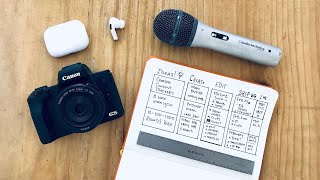
Matt Ragland shows two ways to track creative work in a bullet journal: a spreadsheet-style tracker with columns for title, status stages, and one-week metrics, and a Kanban-style version using sticky notes. Both help content creators monitor videos, podcasts, and blog posts from idea through publication.
Chapters
Hi everyone, my name is Matt, and welcome to another Bullet Journal productivity video. In this episode, I'm going to show you 2 simple spreads for content creators. So whether you're a YouTuber like me, a podcaster, a blogger, social media influencer, whatever it is and however you communicate and share with content online, I'm going to show you a couple different ways that I plan and see progress for my content in a Bullet Journal. If I was to specify what type of bullet journal content or template this is, I would say it's a tracker. I'm not doing a whole lot of deep planning in what I'm about to show you. That is often done in like a content creation collection. That I have in my Bullet Journal, in a Field Notes notebook where I'm taking fast notes, or like just brainstorming an idea. I also do a lot of content planning, curation, and scheduling with Notion, because that's how I work with my assistant and other contractors that might be coming in to help with editing, or like making the piece pop really well. Like all of my Bullet Journal videos, I want to keep this really simple and straightforward. The way that I'm going to be laying out this content tracker, this content spread, is just like a simple table. Columns and rows based on the different ideas or pieces of content that I'll be creating. For the first simple tracker I have set up, you can see it's very similar to how you might put together a monthly habit tracker. So it really looks more sort of like a spreadsheet template than anything else, but it's a table with your columns and your rows, and in each row we have different columns. So the first one is just the title of the content. So Creator Template, the type of video that it is, the date that I start working on it. The next column is where I track the status of the content. So I have 4 different stages or status types in my content tracking, and that is the idea stage, the creation stage, the editing stage, and finally the publication or shipping stage. And it's just these 4 stages right here. And the reason that I like to track these 4 stages is I can start to see where are my different content projects. So this Content Creator Template, that's the title of this video that I'm working on right now. And the— it's our— it's past idea. I'm actually in creating. I've kind of started editing a little bit, but I'm not there yet. And then finally, this is going to go out on 1/25/21. So you can see I have about a 2 week cycle on this. I probably could have gotten it done last week, but I just figured let's hold it on, hold it out until Monday. So a little, a little too much lag there for what I like. But this way I can start to look through the different content projects that I have and see like what stage am I in? Why is this one still stuck in idea? Is there any— am I just not interested in it anymore? It helps me easily and quickly see the different stages or the status of that piece of content. Then the 5th and final column in this content creator tracker spread is just the date that it shipped. And sometimes I'll also put an additional, like, mini row to see what are the 1-week views, downloads, you know, visits if it's a blog post, just some kind of quick analytical metric for letting me see, like, how are these doing after a week of being published. That's the simplest layout for a content creator to track the status, the ideas, the, like, duration of the different types of pieces and platforms that you might be publishing on. Now, a lot of this, like I said, is very similar to what a spreadsheet might look like, and I actually got the idea from a content calendar, a content spread that I have inside of Notion, which basically is just a table with the title, the start date, the type of video that it is, the status of the video, and then the date that it was published. Now, I thought of another type of content creator spread that you could use inside of a Bullet Journal, and it's based on the Kanban-style Agile Scrum framework. If you didn't know what any of those words means, that's totally okay. But the way that you think about it is, instead of focusing on, like, more of a spreadsheet style, you look at it instead and say like, okay, the thing that's most important for me to track is what kind of stage or status is each piece of content. Is it still in the idea stage? Am I moved into creation or editing, or is it finally all the way to published? The main thing that you do with a Kanban board is you literally like move a card from one status to the next. So it would move from, okay, this is moving from idea into creation. So I'm going to literally move it. You can't literally move things in your Bullet Journal. Now, if you're going to do this physically, it's a great use for sticky notes. I love doing this with sticky Post-it notes. But in a Bullet Journal, where things are more static, what do you do? And to give you an idea of what that looks like, a lot of times people will use sticky notes for a physical manifestation of a Kanban or Scrum style. So you have your different stages like idea, create. So you have your 4 different stages of idea, create, edit, and ship. And then you move your piece of content through these 4 stages. So I would say BuJo for Creators. And this is a new pod that I'm working on, 8-Week Cycles. So at the beginning, these are both in the idea stage, but right now this is in the creation stage and 8-Week Cycles is still in the idea stage. As of tomorrow, this is going to go into editing and it's going to be time for me to move 8-Week Cycles into the creation stage. And then finally, on Monday, this is going to go out and it's going to ship, and 8-Week Cycles is going to be in editing. So you can see how you move a piece of content through these different stages. Now, because you can't physically move these through in a Bullet Journal, because it's a little bit more static, here's what I did instead. I still have these 4 columns as the different stages or statuses, if I'm even pronouncing that properly, of of a piece of content, but what I'm doing instead is moving kind of the different details of the piece of content through these different columns. So the idea, which is like the title, is right here, obviously in the idea column. And then in create, I'll write down the date, and here I'll also put the type of content that it is. I'm starting it on the 12th. It's a YouTube video. In editing, most of the time it does differ by content type, but I'll make sure that like, okay, I'm in editing, I have a good YouTube title, I have the thumbnail. So I have these like almost like mini checklists right here in editing. For a podcast, then it's make sure you have the show notes, the clips are ready, and it's gone out for review. Then once I'm in the shipping column or status, It's gone out as Connect the Dots. I've repurposed it as a YouTube video. And then the other, like, little mini— I'd say, like, mini column I'm almost doing right here is just to track the 1-week views or visits. So for YouTube, what's the views? What are the number of visits to the blog? Maybe if I'm also thinking— I'm also thinking about click-through rate on YouTube as well. What's the 1-week click-through rate for this video? And then for the one week on the podcast, how many downloads or how many views if it's going out on YouTube as well. So like, for example, if I just had the idea for an, you know, another notes video, then right now it's just in the idea stage. I haven't started creating it. I'm not 100% sure if it's going to be a podcast or YouTube video. So I can see that it hasn't progressed past the idea stage into creation. Now, if I start working on it next week, So that would be start 1:25. Great. And let's say I'm going to do it as a YouTube video as well. So that's what I'd be looking at. Now I know, okay, I've started creating it. Now when do I get into editing? In my opinion, the most important column and thing to track when it comes to your content is that status. Like, what stage is your content in? Is it in idea or creation or editing or the publishing stage? And the reason that I think that is so important is it's important to kind of realize where your different ideas are. And you can use this content creator spread as a way to, like, list all the ideas that you have and kind of see what the progress of each one is. And so if you look at that status column, you'll be able to see, like, okay, I've been able to get this type of content created a lot faster than other types of content. That's maybe something to pay attention to if you're a content creator. I'd really love to know in the comments how you track your content creation in a Bullet Journal. If you do, or if you use something like Notion or Trello, please let us know in the comments. And I'd also really love to know if you are a content creator like me. Are we content creators together? In the description below, you're going to see a signup for my new creator-specific newsletter, because we talk about productivity and Bullet Journaling a lot in my main newsletter,, but I'm going to do a little less frequent but really cool perspective on my time as a creator, my time at creator-focused companies like ConvertKit and Podia, and how I see like the creator economy going forward and ways that you can like benefit from this new era that we're in for creators. So go ahead and sign up at the link below if you're interested in joining. I'd love to have you. And thank you so much for watching this video. We're going to be back really soon with the upcoming Plan With Me video. We're going to be talking more about habits and a couple of cool app reviews that are going to be coming up to help you with your productivity. So thank you so much for watching, and I'll see you in the next video.
More from Matt









Journal reading 📖 Reflectjons on how I’m living & how it aligns with the vision I have for my life.

You don’t have to listen to me. But you do have to be intentional about the systems in your life.
