A Super Simple Way to Manage Your Time
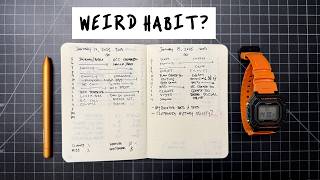
Matt Ragland shows a pen-and-paper method to track where your time actually goes: 30-minute rows, two columns, tally the hours by category. Once you see the pattern, you can block your calendar better and shift more time toward your own work instead of client projects.
Chapters
Tracking your time might sound like the most obsessive-compulsive thing that you can do, but in reality, what it does is it gives you a very clear picture of what you're doing so that you can make better decisions about whether or not it aligns with what you want to be doing, why you're doing it, and how it fits into the vision that you have for your life. I started tracking my time about 6 years ago, and I don't do it all the time, and I don't track every minute of every day. But every 3 or 4 months I go through a time audit. And when I do this time audit, I track my time during working hours for about 2 weeks. It's especially helpful to do early in the year because as you have reviewed the year behind and you've previewed and planned for the year ahead, now you can look at the time that you're actually spending on different activities and ask yourself, Is this too much like what I was doing last year? And how does this fit in to the vision and the goals and the outcomes that I want to achieve in the year to come? In this video, I'm going to show you a very simple pen and paper method for tracking your time, categorizing it, understanding what you're doing, when you're doing it, and how to make effective changes to your life and to your work so that you can achieve the goals that you have for the year ahead. Hey, real quick, if you want some instruction and inspiration on this time tracking experiment that I'm encouraging you to run, what I want you to do is go to the link in the description. And what I'm going to send you is my 5-day time tracking challenge, you'll get like a what to expect, how to prepare type of email immediately upon subscription. And then every day for the next 5 days, this would be starting tomorrow, you'll get a little bit of instruction, a little bit of inspiration, a little bit of how to implement this instruction, inspiration, implementation in your life for time tracking. So this is going to guide you through everything, give you some tips. And if you have any, if you have any questions, or if you get stuck on anything, make sure just click reply, I'll be on the other side of that email. But all you have to do to sign up, really simple, just go to the link in the description below, or it's on the screen right here too. There are two ways to approach this understanding of how much time am I spending on specific activities in my life or business. The one that I'm going to show you first that you might be less familiar with, but I think is really instructive, is this more reactive reflective time tracking. And what that means is as you go through the day, just check in with yourself every couple of hours. It doesn't need to be like every 15 minutes, every 30 minutes, even every hour, but check in with yourself every 2 or 3 hours and just look back and think, okay, whether it's in 15-minute chunks or 30-minute chunks, I tend to focus things more in like general 30-minute blocks of time, what was I doing over the last few hours and just like very simply write it down. I use a super simple, like 2-column, like multi-row, every, every row in the notebook is an hour of the day. And then there are 2 columns, like say 6:00 AM to 6:30 and then 6:30 to 7:00 AM. And then I write down what was the thing that I was doing the most consistently. If you find that you're like kind of chopping up your time in more like 15-minute blocks, and you could have 4 columns per hour for every 15 minutes, that gets a little too messy for me. And so I do 2 columns, 2 30-minute blocks for each hour. And when you're going through this, one of the things that's challenging about time tracking, especially reflective time tracking, is this temptation or like mindset we kind of get sucked into. I know this can happen for me where you're kind of judging yourself on the thing that you said that you wanted to do, or like you kind of got off track with your plan, so you feel like very judgmental about how you've spent your time. And again, like I've talked about this in some other videos, a key component of all of this work is acting more like a reporter than a judge. And so you're looking at it and saying Okay, this is just what I spent my time on. I'm going to be objective. I'm not like judging it. I'm not like deciding anything about it. Just like, this is what I've been doing for the last few hours. And then at the end of the day, you're just adding up your time into like key categories. And you can have as many categories as you want. I again, like try and keep things really simple. So I can just kind of see how many hours was I spending on client work? How many hours did I spend on YouTube? How many hours did I spend spend on, hey, creator, and then what were some of the other miscellaneous, like, maybe it's calls, whatever it is, like, I would try and keep your categories as, as simple and minimal as possible. Like, for example, I just have, for now, a client category, I don't have a specific category for each client, maybe in the future. And there have been times in the past where I've done that. But right now, I'm just trying to see How much time am I spending on all client work? How much time am I spending on Hey Creator community work? And then how much time am I spending on YouTube and then kind of everything else? Because those are the 3 things that I'm trying to balance: clients, Hey Creator, and YouTube. This is why I like time tracking so much, especially if you can approach it from a reporter's mindset and saying like, reactively, reflectively looking back and saying, here's how much time I spent on this particular project in this particular category or in like bucket of responsibility that I have. The other way that you can manage and understand your time commitments is something that you might be more familiar with. And that's time blocking or calendar blocking. This is something that I've used for years. And you can actually start with blocking your calendar for certain activities or categories that you're spending time on. I find that that can often, like, that proactive time blocking can be really effective. The downside of that, and again, like, this is where the judgmental side can kind of come in, is if something, something very reasonable happens and you aren't able to spend all the time on a certain block that you, like, protected. And so then it can be, it can feel frustrating when you're like, okay, I protected this time time, and it wasn't near enough time. This is where, to me, time tracking and time blocking really work well in tandem together, because when you've tracked time for long enough, or consistently enough, that you have a really good feel for how much time you need to protect for certain activities. When I'm tracking my time for editing this video and videos in the past, like, okay, about 5 minutes, I would say like every 5-ish minutes of published YouTube video content takes like an hour and an hour and a half to edit. Okay, so that means if I'm gonna have a video that's 10 to 15 minutes, it's gonna take me 2 to 3 hours. If a video that's 15 to 20 minutes, probably gonna take me 3 to 4 hours. So that reflective reactive, time tracking now helps me better block, time block my calendar going forward. This is especially relevant for me at the beginning of 2025. The challenge of the year will be shifting the revenue and profit that I make in my business from client-based services to creative and product-based services. So that means focusing more on the YouTube channel, focusing more on the Hey Creator community that I run. Those are the two things that are the businesses and the projects and the products that I want to focus the most on. I kind of want to pull myself back from a lot of the client work so I can focus more on the creative work and the community-oriented work that I'm doing. I need to track my time, protect my time better going into 2025 so that I can start to shift more of my time and my revenue from client work into creator work. Hey, don't forget, you can also join my free 5-day time tracking challenge by entering your email at the link in the description below. Take you through everything, little instruction, little inspiration, little implementation for this time tracking experiment that you've learned about today. And if you want to know more about time blocking and time management specifically, I recommend checking out this video.
More from Matt









Journal reading 📖 Reflectjons on how I’m living & how it aligns with the vision I have for my life.

You don’t have to listen to me. But you do have to be intentional about the systems in your life.
