Best Self Planner Review and Flipthrough - is it the best daily planner?
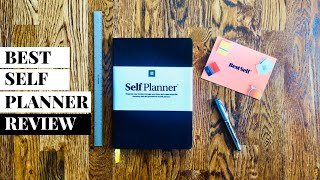
Matt Ragland reviews the BestSelf Self Planner, a 6-month analog planner with habit trackers, project pages, and reflection prompts. He likes its lightweight design and structured reflection sections but notes the yearly calendar has limited space and the weekly task sections need more room.
Chapters
Hey everyone, my name is Matt, and welcome back to another Bullet Journal productivity video. In this week's episode, I'm going to be showing off the brand new Self Planner from my friends at BestSelf, who also created the best-selling Self Journal. I'm going to walk you through every piece of this. It's built for 6 months of use. You can see it's a little bit bigger than the Self Journal. I'll show you the differences. Once we get into the review, but I think you're really going to like this. It's a little more lightweight than the Self Journal. And by the way, if you're new here and you haven't seen my Self Journal review, it is my most disliked video ever. So go check out why after you've watched this one. So let's go ahead and get into it. So let's dig into the Self Planner. You can see that it is designed to organize your to-dos, Manage your time and create work-life harmony with this powerful 6-month planner. Let's dive in, everybody. All right, a couple of things right from the beginning that I want to point out to you. One, rulers. That's neat. In centimeters too. There's also a little, um, you know, just a little cover thing here. One thing that I didn't notice was an get the most out of your new tool inside your guidebook, which is tucked into the back pocket. I saw that late, not until I got all the way over to the end and saw check out the guidebook. So it was a little— it's right, it's right here. This might have helped at the beginning a little bit, like just for different ideas, best practices. But now that you've seen that, let's go ahead and get rid of it. So we've got a nice kind of fabric covering. Like any black notebook that— or dark notebook, it does kind of catch dust a little bit, so I'm not always the biggest fan of that, but it does look really good. So, planner details: started, completed. We have our table of contents right here, and as many of you know, I am not a big fan of the first page of any journal or planner because it has this weird kind of glue. You can see it kind of— it's just, you know, it's just the way things are with notebooks. But I like using the hated first page just for the contents, table of contents, so we can get that out of the way. And then it— and I'm going to walk you through all this, but the basic parts of this: the calendar, the bucket list, the benchmarks, project plans, Then it goes through the calendars and the reflections, the weekly spread, quarterly planning and reflection, benchmarking again for Q2, and going through the whole thing. It does have about, hmm, just under 50 pages, 43 pages of freedom pages and what they mean. What that is just to show you is it's just a large dot grid page. Now this is a pretty good size, this is a pretty good size planner. Comparatively, here is the BestSelf, the Self Journal that I did in 2016. You can see the difference in size here. 7x10, 10x7, 10x7. 7. All right, let's look inside a little more. One thing they do have are these perforated corners that are kind of cool, but I don't know if needed. I'm a big dog ear person, but I can do that without them being perforated, and they're easy to tear off or fall off. I don't know if that's supposed to be the, the case. And come on, you can't— it can't be a self It can't be a best self product review if I don't rip something. Here we have the 2019 calendar, 2020 calendar. What I would probably have done is maybe smush this into two. Just leave— it has important dates down here, but then it's not a whole lot. Like, we're looking at, what, 5 or 6 lines for the entire year? So if you're going to say important dates, I would give more space. I would rather just have a page of the dates instead of— yeah, I mean, this is only for 2 quarters, 6 months. It's only a 6-month planner. So I don't know if I would care about having all of 2020. I'd rather have more. If I'm going to say important dates, I'd rather have a whole page for it. Moving on. Bucket list. Things to do, experiences to have, people to connect with, places to visit, explore, Explore, and then Books, Film, Culture Hit List. We saw this in the Full Focus Planner, and I like how the Self Planner is doing this as well. Just more planners in general benchmarking yourself. So health and fitness, 1 through 10, work, social, mindfulness, finance, home and family, giving yourself again that benchmark to return to. And then if you want If you want to, you can add up all of your scores and then divide it by 6, so you kind of have like a benchmark score. More about that when we get to Q2. And then what areas do you plan on working on over the next 3 months? BestSelf has always been really good at this, but for customized personal resources, tips, and recommendations, bestself.co/benchmark. So Katherine and her team have always been great about integrating a digital experience with their analog planners and journals. All right, so the project plan page, you can see that it's the project plan here and then just a blank dot grid page here. They also have these little, you can kind of see them, zoom in as much as I can, these indentions to be like, this is halfway, these are the halfway marks of the pages. Right here, and then it also has it kind of these slightly smaller quarter-page tick marks. So if I wanted to, say, quarter off some of the pages, yeah, I could do that and know that— oop, missed— know that it's on the right track. So something that you could do. I do like these little tick marks. The first place I saw them was in the Clear Habit Journal from Baronfig. So I like the project plan layout right here. Project description, due date, completed on, difficulty level, milestones, resources. I didn't really know at first glance what it meant by resources. Are those like things that I have or things that I need? Let me see. And this is where the guidebook might come in handy. Okay, it doesn't show anything here for resources. So, I don't know. And then Task Action. I think I might need more than this list. So, I don't know, maybe not. Time estimated to do, priority, due date. So, this is, this is good. I honestly think like maybe this project plan could be a planner all by itself. So, there are a few pages of project plans and then you get into the monthly layout.. And right over here on the left-hand side, I guess a little confused by thinking, should I take this from a bucket list? Is this from the benchmarks on pages 4 and 5? These just things that I want to do throughout the month. So I don't know, normal monthly layout here, you can put down, maybe not, I wouldn't say necessarily your, I just say like the big events, I wouldn't put like daily tasks in here. The other cool thing that it has down here is a habit tracker. So the habit that you want to track, number of, number of sessions, the goal, goal sessions, and then you would go through and you would mark those off. So I think, let's see. So if I have done, you know, just keep filling those out until the total, and then, you know, maybe I would circle it if I hit the goal. So, real simple habit tracker there. I dig it. Not one for fanciness. And then it goes through your monthly reflections. How was the last month? What did you make progress on? Least progress? Done differently? What are 3 things that you could do to set yourself up for the next month? So, we've talked about this a ton in our own videos and setups and layouts, but reflection I think is really key and this self-planner does it well. All right, so another month. So then we have, basically at the beginning you have the 3 months of the first quarter. Okay, like I said, this is a 6-month, this is a 6-month planner, so the first 3, 1, 2, 3, are here, and then it gets you into week 1 of that first quarter. So now we're getting into the weekly and daily planning. So each full spread gives you that Monday through Sunday, which I like. I prefer to do my work weeks, think of my planners Monday through Sunday. This whole Saturday and Sunday being the weekend, not Sunday as the week beginning. It has right up here, it says this week's focus. I guess this is supposed to be where I'm supposed to put like the one thing and type top top priority tasks here at the top. So 1, 2, 3, 4. I like this as well, just to make sure you're staying on task. We talked about that a lot in the Full Focus Planner interview with John Meece. So similar, similar idea of going after the top 3 or 4 things that you want to accomplish that day. And then right here, I would list my weekly tasks. I could see maybe needing more more room, more space, but I could also kind of use, like, let's say, you know, today is, let's just say on this day, instead of like listing a task here to buy stamps, then I could say, all right, Thursday during lunch, I'm going to go buy stamps. So I could use this as both Like, this is when I want to do it, and this is when I'm going to do it. So, maybe I don't need to have everything that's in the Weekly Tasks if I can, like, kind of schedule it in, time block it, if you will, for that recent video. And this is just notes. Just notes. Kind of quartered off, and then more notes. Just more blank with those little tick marks around the page. And then it goes into another week. So another week, another week, another week, all the way through to, let me see where I have a little dog ear. Okay, so that takes you through the entire quarter up to the quarterly reflection and planning. You can see, come back here a couple of pages and it'll give you week 13. So we started back here, on Week 1, all the way up to Week 13. And then more, instead of the monthly reflection, we are doing a quarterly reflection right here. Now, this whole section right here, this whole section is all just weekly layouts and extra notes. If you, it's not interspersed with those months. So if you wanted to look at, say, monthly, monthly plan and reflection here, then like this would be on page 18. And if you say go to, what I might do here on week 4 is I might make a little note down here and say month number 2, or name it. Page 18, just to give me a little callback reference. But then here on the quarter, same kind of prompts. I'm resetting my benchmarks here. I might have added a section for the last quarter score. So remember, I might say like, what, what was your last quarter score so I could compare it? So let's say, yeah, let's say it was 48. And last time it was 45. So may put last quarter. And then everything else are very, very similar, very similar questions. So good reflection and previews. And it's the same thing, project plan going into the next quarter, quarterly layouts, monthly plans, reflections, monthly planner. Weekly layout and spread. And then taking you all the way through home to your next Quarter 2 reflection and planning for the upcoming quarter. And then 43 freedom pages. Just blank, dot grid right here, your index, page number, and note. I don't know if this would be as necessary for something that's as structured as the Self Planner is, but I guess it could be like if I had a specific note or project that I wanted to reference back to from a particular week, then I could say Week 6 maybe page 46, let's say number 46, vlog calendar layout, some kind of topic or something, and then say maybe 2 pages or number 1. So I'm not sure, that's probably how I would use it. And then in the back I have a nice pocket, nice good-sized pocket. That's where you'll find your guidebook. And that is the Self Planner from Best Self. Recommend. What I love about the Self Planner is it's a very lightweight but still structured way to think through your projects, your habits, your goals. I really liked the monthly and quarterly reflections. That you could use to make sure that you're staying on task, staying on track with the people, with the projects, with the purpose that matter the most to you. So definitely check this out. You're going to see a link in the description below where you can go pick up your own Self Planner. It is an affiliate link, just FYI. I think that is pretty much understood, but just, you know, to disclaim, proclaim, to tell you that it is an affiliate link. Let me know what you think if you do pick up the Self Planner, if you're interested in it. Some things that stood out to you, and also if there are any other questions that you have about the layout, the questions, just the type of planner that it is. And going to be having some more journal and planner reviews coming in the latter quarter of the year as we ramp up towards 2020. So make sure that if you are new here, give this a thumbs up and definitely subscribe. Like I said, I say this in a lot of videos, but if you're watching at this point, you should subscribe because I think you like this enough, and there are going to be a lot more videos like this. Thanks so much for watching, and I'll see you next time. Bye.
More from Matt









Journal reading 📖 Reflectjons on how I’m living & how it aligns with the vision I have for my life.

You don’t have to listen to me. But you do have to be intentional about the systems in your life.
