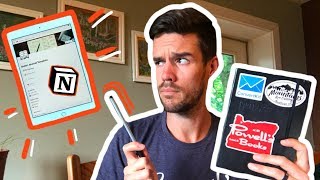
Matt Ragland uses CAMP for analog bullet journals (capture, evaluate, migrate, plan) and CORE for digital tools like Notion (collaborate, organize, research, expand). Ideas start on paper, get filtered and moved into Notion, then developed into projects. Paper gives focus; software handles collaboration and scale.
Chapters
Hey, what do you think of my new— what do you think of my new backdrop? The bookshelf that you're used to seeing behind me is right here, but this is natural light, and so in the afternoon it's much better to shoot on than going from here because it would just be light on my face. Now it's going to be much better. One of the things that people ask me a lot is, okay, you're the bullet journal guy, do you still use digital tools? Of course I use Google Calendar. I've made a couple of videos about Notion. I love digital tools. I just find them a little overly distracting. And what I want to talk to you about today are the systems that I have for being productive with analog systems like a bullet journal, and then digital systems like Notion. Those are the two examples that I'm going to use. They don't have to be your specific examples. If you have a different kind of planner or use something besides Notion, that's totally okay. I'm just going to tell you how I think about usage and systems between the two and ways that you can think about applying those to your own productivity workflow. I'm going to give you an acronym for both sets of tools to help you think through how you can use each one for maximum productivity. I'm going to start with analog because it's kind of my thing, and the acronym that I have for analog systems is CAMP, C-A-M-P, and that stands for Collect, Axe, Migrate, and Plan. The collection is for any ideas or notes. As they happen. AXING is for figuring out what needs to merge or migrate into a digital system like Notion. And then the P is for planning out the day. And so I always write down my plan or agenda for the day just so I can have a quick look at it and I'm not being distracted by any other notifications that might pop up in a digital tool. What is the acronym for digital tool like Notion? And what I've come up with is CORE. CORE, which stands for Collaborate, Organize, Research, and Expand. Because one of the best advantages of a digital system is the ability to collaborate with others. That's what the C stands for. The O is for Organize, because you can use categories, you can use tags, you can search for specific words or phrases, and you can't do that in a bullet journal system. Now, I'm gonna have a separate video where I do talk about collections and organizing and threading, all of those things, But let's not kid ourselves, it's way easier in a digital tool. The R is for research, because as I'm putting together my videos, my emails, I'm using links, I'm like embedding other videos and documents, files. All of that again is way, way, way, way easier in a digital tool. So the R is for research, and then the E is for expand. And this is where everything starts to tie together, because once I have the seed of an idea that I've collected in the Bullet Journal, and I've decided not to axe it. I've decided to merge and migrate it into Notion. Now I can start to expand on that idea, and it could become an email, it could become a video like this one, it could become a course lesson, it could become a bigger project. All of those things start with collecting the idea, with deciding not to axe it, but to advance it, to merge it and migrate it into Notion where I can organize it, I can collaborate with others, and I can do all those things to research and make it the best idea that it could be. So those are the ways that I think through how analog and digital tools can work together Just remember C-A-M-P, CAMP for analog, and C-O-R-E, CORE for digital. I hope you enjoyed this short video. It's a part of my 5 Minute Friday series that I'm doing for the next little bit, just to get some quick and simple ideas out to you. I want to do a bigger video on this, but I, like I said, I just wanted to get something quick and simple to you so you could capture the essence of the idea and decide how you want to apply it to your own productivity workflow. Before you go, I do have a giveaway to tell you about from my friend Nir. He wrote a book called Indistractable that comes out on September 10th, but he has 5 copies that he wants to give away to our community. And so all you have to do is enter your email in the link in the description. I'll announce it on the night of September 8th, I think it is. Yeah, that's Sunday night. I'll have it out Monday morning. I feel really strongly about helping people, helping myself reduce distractions so I can increase the focus and attention that I have for the things that matter in my life. And Nir has done a ton of thinking and research on this. Now you do have to be in the US. All the international viewers, I'm sorry about that. It's just a publisher thing in terms of shipping. Even if you don't win, I highly recommend the book. I've had a couple of looks at it and I'm really excited. Thanks to Nir for having it, for being able to do a giveaway. Again, 5 books. Just enter at the link below. Hope you enjoyed this video. Thanks so much for watching. Let me know what you think about 5 Minute Friday, about these little snippets. Of ideas, give it a like and a comment and subscribe if you're new here, and I'll see you in the next video. Thanks so much. Bye.