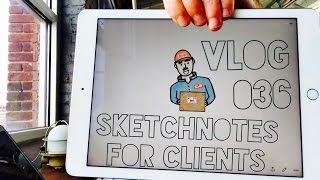
Matt Ragland walks through creating a commissioned sketchnote for ConvertKit, from client consultation to final delivery. He uses Paper by 53 for its clean interface, records screen-shares and time-lapses on iPad, and explains how his workflow differs from daily versus weekly production schedules.
Chapters
Wasn't supposed to go like that. The phone is miraculously unharmed. All right, back to it. One of these days this this is going to look as cool as it feels. Hello and welcome to today's vlog. In today's vlog, I'm going to give you a little bit of a look behind the scenes of how I create a sketchnote, specifically like a for-hire, like, sketchnote project. The client in this case is actually like my, my company ConvertKit, and so Not Hydro Flask. Maybe it's a little bit of cheating, but anytime they— someone asks you to take some time out of your normal day to like make a sketchnote, that's still a client. It's just an internal client, and the process is still the same for me. I'm still talking with them about what the project is. You can still see, like, I'm still having still having this conversation. What do you expect to see? What are some ideas that you have? Just trying to uncover that value and discover how can I make, how can I create a sketch that delivers the idea concisely, effectively, and beautifully in my own way. There's still conversation, there's still buy-in, there's still talking with the client. So that all still happens. For this, I'm using an app called 53 by Paper, or Paper by 53, one of those two. So it makes— oh man, that's the thing that I love the most, is that it's a really easy app to use. The colors on it are, and the brushes are just fantastic. Like, I haven't been— I use a ton a ton of different apps, I can't recreate kind of the, just the nice subtle colors on this. The downside of Paper is that their exports are very limited. You can't really resize at all. They don't have layers. And so when it comes to like just straightforward quick sketchnotes, this is what I use. You know, paper is what I use. If you're talking about like, oh Matt, we want an illustration, which is different. Matt, we want an illustration. That's using something different like Concepts or Procreate because I can do layers, I can go back, I can resize, I can wipe things. It's totally easier to use if you're going through a lot of different iterations. But oh man, the color. So what I'm going to show you in the rest of this is just a little bit. I'm going to do a screen share. Over there on my computer, and I'm gonna be doing a time-lapse on this, and I'm gonna be sketchnoting on the iPad, and you're gonna see that on the screen share. This is the most— I'm gonna have this camera on too— most cameras I've worked with, and it's going to be probably one of the ones that I end up editing the most. So we shall see. How all of it goes and how long it takes. I'll tell you at the end of this— no, I won't. I'll put it in the description how long it actually took me to do all this, which is more doable when you're doing a weekly vlog instead of a daily vlog. If I was doing a daily vlog, like this right here, this would be the vlog. Like this video that's on right now, you, you have like, yeah, maybe just a little, just a little bit of this. There's nothing on here. Just a little bit of this, but it wouldn't be very much. We'll see how it goes.