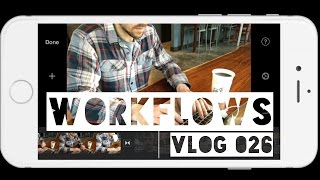
Matt Ragland shows his month-long workflow for daily vlogs using just an iPhone 7 and GorillaPod. He edits in iMovie on iPad, pulls music from YouTube Audio Library and Broke for Free, and makes thumbnails by extracting frames and adding text with the Over app.
Chapters
Hey everyone! One of the things that I've been wanting to share with you for several days is the process that I've been putting together for these vlogs. What the editing is like, what I thought up for kind of a workflow and a scene progression. So what you'll be seeing for the rest of this video is my workflow. So setting things up in iMovie, the editing process that I have, music that I'm using. Sources for that music, anything that I'm using for thumbnails or anything like that. That's what you're going to see for the next few minutes. All right. So finally, I get to share with you my workflow and the process that I've been using for the past month to create these vlogs every single day and asking myself the question right at the beginning of what can I do to make this easy? Because it was always kind of a challenge for me of wanting to over-edit or not really sure what to do in terms of creating a video, what should the structure and the process be like. And so I wanted to share with you today my workflow for getting these videos done every single day for the past month and kind of tell you the thinking behind what I've been doing and how you can recreate this for yourself. So to start these videos out, I will do a welcome intro. Normally I'll just say, hey, how are you doing? Here's what I'm gonna do for the video today. And then I'll follow that immediately with some kind of time-lapse or a motion shot of something that's happening during the day or the morning, usually silence so that the music that I've selected can stand out. And these could be anything. These have been workouts, time with family, setting up for work, going for a run or whatever it might be. But just kind of showing you, you know, this is a little bit about what my day is like. And then I'll transition. This is only after a couple of minutes, if that. I'll transition to the idea or thought for the day. Sometimes it could be a single clip if I'm kind of double-dipping into Facebook Live, or it could be a series of shots also like you saw in a recent one where I was just walking through Publix doing different shots. I like them both, but I feel the series of shots is better for the viewer. There is going to research and it'll show that most videos don't have shots or scenes that are more than 10 seconds, and so I try and keep it around there. So I do like that better, and I've even experimented with some voiceover shots last week in the trust episode, but that took a lot longer on editing, and I'll talk about that in just a second. I'll normally close with just a, you know, thanks for watching and maybe another small set of time-lapse or motion shots, or me just saying goodbye. So equipment— all I use right now is the iPhone 7, and that's it, along with the Joby GorillaPod. The kind that are set up for large phones like the iPhone 7. I'd really like to get a more stable tripod, but I haven't yet. And also looking at the GoPro Session 5 camera, but right now $300 is just more than I'm able to spend right now. Okay, editing. Let's talk about editing, and you'll see this on the screen, but I edit entirely on either my iPhone or my iPad using iMovie. So a lot of i's in there. And because I think it's easy to use, I understand it, and can work really quickly, and that goes back to the beginning with the ethos of What would this look like if it was easy? How can I keep this simple but still be effective? I really try not to overedit and overthink it because it really eats up time that I don't have. I add in the music after the shots are edited and synced up and just try and sync everything up, fade in and out with the music as needed. And again, just try not to get bogged down here. On the music, I've only used 3 sources so far: the YouTube library, the Wistia music library— there's about a half dozen songs in there that can be really useful. And then the Free Music Archive, and I've linked to all of those in the notes below. I found plenty there that I like, but I mean, I really don't have time to fuss much with it. And my favorite artist is Broke for Free. He has some great music that I've used in multiple videos and you should definitely check him out. Finally, I just use the option directly inside of iMovie to publish to the YouTube channel for, you know, export and publish. I add in the description details because I have them all written up in a note. On my phone, and just like that, it's live, ready to go, and I start to share on social media. I embed something in— not embed, but link up to something in an email that I'm sending out, or things like that. I guess the, the true last thing is that most of the time I will go back and create a custom thumbnail from a shot I like in the video. I might put a filter on it using Camera Plus, and I'll always add in some text with the show name and vlog number. And for this, I use the Ofer app. All right, everyone, that's it. Thanks so much for watching this over the past month. I can't wait to share more with you this year. I've really enjoyed this and I'm excited to use this as a new channel for sharing ideas and interacting with you. So please leave a comment. Let me know what you think. I'd love to hear more of your thoughts and I will see you soon. Thanks. Bye.