My Complete Productivity Workflow - A Simple System for Analog to Digital Planning
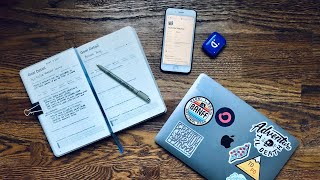
Matt Ragland shows how to plan on paper with the Full Focus Planner, move big ideas into Notion templates for project tracking, then pull the top three tasks back to paper each day. The system keeps strategic planning digital and daily focus analog to avoid distraction.
Chapters
Everything that you learn about on my channel is based on the idea that a Bullet Journal, that a notebook, that a planner is the best tool that you can use to plan out, brainstorm, and get work done that matters to you. But what if that isn't the only tool? What if that isn't the only way that you can actually get things done? Hi everyone, my name is Matt, and welcome to another Bullet Journal productivity video. In this episode, I'm going to show you my entire analog-to-digital-back-to-analog productivity workflow. If you've ever gotten stuck or confused about what should go in a Bullet Journal or planner, and what should go into a digital productivity app like Notion, I'm going to show you exactly how I structure my productivity workflow for maximum efficiency and making sure that the right kinds of work is happening in the right kind of tool. The reason most people struggle with the analog to digital synergy, for lack of a better, less corporate-y term, is because they're not following these 5 steps that I'm going to share with you in the video today. I want to thank the Full Focus Planner for sponsoring my YouTube channel this month. They're an incredible company with a mission to help you win at work and life. I've used it to help focus my attention and energy on the work that matters most, something that's even more important in chaotic times. One of my favorite parts of the Full Focus Planner is the workday shutdown ritual. Going through this practice really helped with one of my biggest remote work struggles, which is actually stopping work at the end of the day. I love that remote work allows me to do my work at any time, but the challenge is making sure I'm not working all the time. The shutdown ritual helps me avoid that by mentally giving me the opportunity to clock out for the day and shift my focus to family activities, allowing me to recharge for a new day. If you want to know more about the Full Focus Planner, just check out the link below and watch my complete review up here. Each week in May, I'll be giving away a Full Focus Planner, and all you have to do to enter is comment below with what you want to use it to achieve this summer. Now let's get back to the video. The first step in this workflow is to start with your analog journal. You can use a Bullet Journal for this also, but for something that is very goal-specific, I enjoy using a guided planner like the Full Focus Planner you're seeing here. They're a great supporter of the channel, and I definitely wanted to show you how I would use this to start my analog planning session. Because for me, what I always do here is I start with a very clear set of goals and details for what I want to do., and then use that to continue to brainstorm, sketch, annotate, mind map, whatever it is. So what's really helpful for this process in the Full Focus Planner is that it gives you a guided goal detail. So you name the goal that you want to achieve, write a summary for it, whether it's an achievement or a habit goal— talk about a habit goal in a second— and then if the, the domain of the goal is spiritual, parental— this one is vocational and A vocational, to be honest, I'm not really sure what a vocational means, but I think it's like, in addition to your regular vocationals. But that's what I selected here. And then I'm writing down my key motivations, ranking them, next steps. And when I do next steps for any type of goal like this, is really just emphasizing the first few actions that you need to take in order to reach the goal. This isn't an exhaustive list of everything that you need to do to achieve the goal. This is just the first few critical actions. Another thing that is important is your reward. Decide how you will celebrate once you achieve your goal. And then if it is a habit-focused goal, then there is a streak tracker down here. And this is where you can see for my meditate daily goal and habit goal, streak Spiritual, emotional motivations, next steps, reward, and then streak tracking down here. You can see that I am 4 days in. Yay for me. So from this detail page, I'm going to go all the way back to the beginning of the notes section of the Full Focus Planner. I'm also going to recognize that this is page 286. So I'm going to come back over here and also write down Notes, page 286. All right, so now I know I can go and find more notes and details for this all the way back. Here we go. And now this is where I'm going to start to brainstorm, sketch, annotate, mind map, anything that I need to. If I don't want to do like anything in with these kind of pre-formatted lines, I can also skip over a little bit and into the sketches section as well if I want a little bit more free-flowing thought and notes. Like I said, the Full Focus Planner is an excellent guided motivational habit and goal-focused journal, but you can certainly do any of this in a regular Bullet Journal as well. Now that I've named the goal, I've created a summary for it, listed my key motivation so it helps motivate me to keep going. Now I need to think about the next steps and the notes that I've taken over on page 286. So I've already edited, kind of organized, threaded this in. Note that right here, goal and brainstorm notes I have on page 6, so it links back, you know, in an analog sense, back to the goal detail page. But what I'm doing right here is I'm going through all the notes and ideas as I, like, list them. And making asterisks or icons like this question mark or a little dash for a note of things that need to be moved into the project. And we're going to talk about that in a second with Notion. But this is my rough edit after the brainstorm. So after the brainstorm, I go through and I just kind of edit, not necessarily edit the idea, but think about what do I need to migrate into Notion. So as I'm doing this, I'm, I'm using and placing an asterisk next to things that I know is an idea or a lesson that I want to move into the Notion project. And you want to— this is only probably about, you know, a half, maybe a third of the total ideas and notes that I will make for this project. You want to have enough ideas in here so that you don't necessarily take all of them. You want to only give your best, your best tips, and you have to come up with a lot of ideas in order to only choose the best ones. So now that I'm back here on the goal detail page, still in, you know, kind of the brainstorm, making, you know, making, making everything happen, doing the planning stages in analog on paper. Now I'm coming in here and I'm saying these are the next steps, these are the first few actions I need to take to reach my goal. So note that this is not all of the things that I need to do. These are just the next steps, the first few actions. So it would be outline the slides and content. So I want to make sure that I have that, I have that down. I have basically a map of where I want to be taking people on this workshop. I need to set a price and create sales page. The next step, the final next step, many more steps to come. Is that I'm going to start creating the slide deck. And since this is a workshop presentation, this is, this is actually going to be the most important and also most time-consuming piece. So these, I would think of these, there are a lot of subtasks that are going to go along with this. And that's what's going to be a really good fit inside of Notion because I continue to update it. And can organize it and edit it. But finalize a resource guide, I'm thinking of these also. So it does say the first few actions. I'm starting to think of these as kind of like the milestones also. So this could be next steps. I could also, you know, kind of call it milestones for the project because there's not enough room here to like list everything anyway, and I wouldn't want to do that. That's again something something that I would migrate into Notion, into the productivity application of choice, and that's where I can just make list upon list of all the subtasks. Okay, now that I have everything in the full Focus Planner on my goal detail page, and over here on page 286, I've gotten into all of the notes, whatever I want to use for the brainstorm on this product, it's time to get it into Notion. Okay, good. Pointed the right way. When I use my streaming camera, it's here, the computer's there. And so I get a little mixed up. So now I'm looking at the computer, just so you know, not ignoring you, I care about you. So from here, I have some templates set up in my Notion workspace that I use to get this done really quickly. But from the beginning, since this is going to be a product for me, a product, a paid webinar. So these are the sort of things that in terms of like changing a status from planning to shipped to being an idea to being on hold, all of those things would be a little tricky to do in a written journal. And so that's why it's in Notion. Same thing with doing like, you know, a database formula, even a really simple one, like this is the price of it, TBD, the number of sales, like a count, and then just doing a simple formula to to account for revenue. I have the product link here. Of course, that might change also. Again, digital, really easy to update. And then the launch date, so May 19th, 2020. Keep your eye out. Let me go ahead and move this around because it looks kind of odd. Doesn't need to all be about me and the images. So this makes it really easy. Right from here, I have a couple of things that I can go ahead and put in because what I want to transfer in this stage, in this third phase of like moving from analog into digital, is taking like the rough outline, the starter ideas, everything that I kind of put into the brainstorm. I'm now moving the most important ones, and very generous with the term most important, it's pretty much everything, moving that into the rough outline and then setting up the project scope. So I'm just going to go through here and put in everything that I might want to migrate from the Full Focus Planner, from the analog start, the analog brainstorm, into the digital planner. So key motivations, I can move all that in if I want to, but mostly what I'm putting in here are like the main takeaways, the things that I want to do, and the project scope. The other thing that I'll look at, because I've, you know, I've often done like maybe earlier brainstorming on something. I have a page for this already that maybe some of you have seen, but I can link to other existing pages that I might have in— here we go. I think this is it. Advice for YouTubers. Let's take a quick look. Yep, this is it. So I can go back. So now I already have this page that I can reference. As, you know, a starting point to add in some more details. And this is where I'm talking about things like 4 types of vlogging archetypes, how to create your first 10 videos. This is another, you know, just again, there's another nice thing about Notion or anything digital is that, you know, there are lots of easy ways to go back and forth to other things that you might have created. So kind of the inspiration for this is VidFest talk. So I've already— yeah, 10 steps to 10K, consistency, commitment. So a lot of different things that I put in here, where to find inspiration for your first 10 videos, these 4 things. So I'm going to go ahead and copy these, a lot of different things that I'm going to put in here. So this project scope is going to be basically creating the sections of the webinar of the workshop that I can then start to fill in with a new slide deck. Alright, so now at this point, I have my rough outline, I have a project scope, and I'm going to start to put in like additional tasks. Update slides. Add product in Podia. Create webinar in Zoom. So I've got all this in the full Focus Planner, I'm moving into Notion. This is like the big shift from analog into digital, setting all these things up, creating webinar in Zoom, update slides, add product. So now the only other thing I'll show you in Notion here, and then, like I said, just another like nice little thing that you can update and edit really easily is right here, I'm working on the slides, just setting a status for each task. Just need to get a couple of these things done. I'm going to continue to add into this. What I will also do many times is if I get an idea and I'm not in Notion or not near my computer, I'll jot it down in the Full Focus Planner in a field notes like pocket notebook that I might have on me, really easy to access. And then same thing, I'll just kind of, you know, oscillate back and forth between the two. The project now lives in Notion, but there's still one important important step that I'm going to do that takes me back into the analog planning tool, that takes me back into the Full Focus Planner. So let me show you what that is. Now, the final stage in this analog to digital, back to analog workflow is that I go through at the beginning of each day and definitely at the beginning of each week and look through the project details in Notion so that then I can transfer, migrate back into the analog what I need to do on a weekly basis, on a daily basis. So for example, on this Wednesday, in the big 3 most important tasks of the day, I'm going to say that the first number 1 main task is update the slides. That's gonna be my number 1 thing that I need to do. It's the most important. I can start to add in other tasks, and certainly the other 2 big tasks of the day. But really what I'm looking at is once I have the project scope and all of the, like, everything about the project lives in Notion, but from a day-to-day, week-to-week standpoint of making progress, of looking at the Full Focus Planner on what I need to do each day, that way I'm not getting into Notion and getting distracted by everything else that is in here. Not just this project, but everything that's in here. The only other thing that I'll do that keeps the workflow fluid between analog and digital is that I'll keep making notes in a Full Focus Planner and a Bullet Journal, whatever it might be. So it might be something like, uh, make sure email marketing is a part of the workshop. Down to my task list and say add email. So you can see add email marketing section. So I'm just going to keep this fluid and flexible. The— once I have the project scoped out and living in Notion, the daily to-dos will come into the Full Focus Planner. And as I have extra ideas and notes in Full Focus Planner, I'll, I will continue to migrate those into the Notion project as needed. So remember the basic steps of this workflow. It's pretty simple. Start on paper, do all your brainstorming, your mind mapping, your list making, get everything out of your head and onto the page. The reason that I like to do this is because it's single task, single focus, can't be distracted by anything else that's on my computer. But that takes us into phase 2, which is taking all of your brainstorming brainstorm notes, everything that you put down on paper that you believe is going to matter to the project, and move it into the project digitally. Once you have your notes, your brainstorm, your bullet points down on paper, there are a lot of clear benefits to now getting into a digital productivity app like Notion. So migrate those in, be very generous with what you feel like matters in terms of the project, because if you thought of it, there's a really good chance that it might matter in some way. So go ahead and move as much as you want off paper to online. Now, I have used Notion for a couple of years now, and I found it to be the best productivity app for me, but you use what works best for you. Now, once I have the project set up digitally, there is still a transition for me back into analog, back into the Full Focus Planner, back into the Bullet Journal, because at this point I'm looking at my project as a whole, and I'm deciding what the most important tasks are for the week and for the day ahead. At this point, I take those tasks and I migrate them back into the Full Focus Planner, back into the Bullet Journal. And when I do that, now I'm back to that single task, singular focus of just opening up the notebook at the beginning of the day and seeing what those important tasks are and not being distracted by even anything else in the project. Certainly nothing else in Notion and even most importantly, nothing else that could distract me online. And there are plenty of things that can do that. I hope this video was helpful for you for seeing like how analog and digital tools can work together seamlessly and effectively, because there is space for both. There are effective uses for both that can help you be your most productive, most focused self on a day-to-day basis. Thanks again to Full Focus Planner for not just sponsoring this episode, but for sponsoring the entire channel for this month. Make sure you check them out at the link below. You can also go to fullfocusplanner.com/MattR to see their planners, see all of the different tools and courses, things that they have to help you win at work and life. Now, if you're watching me plan out this YouTube Live workshop that I'm going to be doing in a couple of weeks, there's a link in the description below that you can check that out at as well. If you You want to join us live, or if you're watching this afterwards, you can also access the replay and the resources that I shared in the link below. If you have any comments, thoughts, or feedback, advice for the community, even for me, on how you balance analog and digital productivity, shifting between the two, how you make it migrate, how you make everything work, I know everyone, including myself, would love to hear from you. Thank you so much for watching this video, and I'll see you in the next one. Bye. Hey, thanks again for watching. I love doing these videos for you, and it means so much to me that you watch them. Make sure that you leave a comment below so that you can be entered to win the Full Focus Planner giveaway. Kano, say hi! Thanks for watching!
More from Matt









Journal reading 📖 Reflectjons on how I’m living & how it aligns with the vision I have for my life.

You don’t have to listen to me. But you do have to be intentional about the systems in your life.
