The Smartest Calendar App for Productivity | Meet Woven
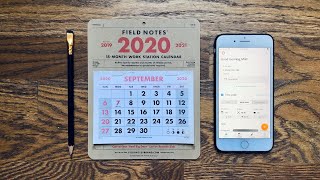
Matt Ragland uses Woven to track how he spends his time with templates, tags, and weekly analytics. The app shows him how long projects actually take, replacing separate tools like Calendly and Doodle with calendar-native features.
Chapters
One of the weird things that I really like to do is track my time. Now, this may sound like very miserly or kind of weird or kind of— what's the word—
OCD.
I don't know why I couldn't think of that word. What I realize is when I reflect back and realize, raise my awareness of what I'm actually spending my time on, it gives me the tools and the clarity that I need to refocus my time and activities on what I really need to be doing to move my life forward. Hi everyone, my name is Matt, and welcome back to the channel. In this video, I'm going to be sharing with you a few new time tracking tools and tips, including this month's sponsor, Woven. Now, Woven is a calendar app that is so smart, so useful, saves me so much time, and I'm going to show you exactly how to do all of that in this video. But it has this really smart way of using tags and templates. So that as you're scheduling out your day, as you are reviewing your time at the end of the day or the end of the week, you can look back and see like, oh, these things that I've tagged as YouTube or working on this particular project, that took up, you know, 17 hours of my week, and I thought that was only going to take like 8 to 10 hours. And so that time tracking tagging piece allows you to look back and be like, oh, now when I go to plan my week ahead, I actually need to block out like 15 to 20 hours for this project instead of only spending like, you know, thinking that I can get away with only doing it in 6 to 8.
Okay, so here we are looking at Woven, and like I said, at first glance it looks like a pretty normal calendar app, but I'm going to show you my favorite features, the things that I get the most use out of, and how it's replacing a couple of tools for me. Like I said, we will look at those, we'll expand upon this in some future videos as well, but I want to give you like the really, like, powerful top few features that I'm really excited about and I'm using the most. Let me show you my favorite feature of Woven. Let's just go ahead and get into that. And it is the ability to create templates. Now, a template— you can see I've got a few of these right now, but what's so helpful about templates is that it allows me to create a template for recurring events or tasks that I can easily now spin up a new template, schedule common events faster. I'm going to come in here and I'm going to say, let's just say YouTube video creation. I'm going to keep this really high level at first. Like if I wanted to get really nitty gritty with either the time tracking or the templating, I could say like, this is when I outline YouTube videos. This is when I shoot YouTube videos. This is when I edit YouTube videos. This is when I do YouTube video thumbnails. I'm just going to have a master template for now for just YouTube video creation that includes all of those things. I don't normally mess with these like available times because unless it's a scheduling link, which we'll talk about in a minute, then there's no reason for me to really like adjust the available times that much because I can move this around. Once it's created, I can move it around wherever I want.
Now I'm going to show you how you can transition from the paper like notebook time tracking, which I still think is really valuable, because that way you just, you know, you can have a little notebook in your pocket, you just make a couple of quick marks on the page and that's it. You don't have to like bring up the app and type things in. One of the things that's really cool about Woven that I'm gonna show you is that you can use these templates in order to even, if you're just doing that, like really reduce the amount of time that it takes to like create a new event or go back and change one, make a couple of updates.
So that it's an accurate reflection of what you have actually been doing over the past 2, 3, 4 hours or entire day. One of my favorite things, we'll talk about this more, are the tags. And so I could say for YouTube, then the tags are for YouTube. With these tags, I can use this, we'll talk about this with time tracking, to look back and think to myself or like literally see this is the amount of time that I spent working on YouTube videos. And what this helps with, with the template is when I use this template for YouTube video creation, then it's automatically going to add these tags in. I don't have to go back and do that retroactively. So this hour has been YouTube video creation. So even though it has passed and you can see that I have this template right down here, I'm gonna click on YouTube video creation, expand it. Let's just say to 7:30. So now I have this scheduled in, even though it's a little like retroactive, you can totally do that in Woven, just like you can in any calendar app. But now I can start to see like YouTube, family, working on the Podia Summit, working on Podia things in general. You can see how powerful this is from an analytical standpoint to look back and be like, okay, even if it's just like you're tagging things like your side hustle, your side hustle work, or, you know, seeing how much time you've spent on that. So 4 hours this past, this past week on YouTube, an hour and a half on mastermind, working on working with affiliates. These are all really, really cool things to be able to look back and see.
This entire month on the channel, we're focusing on raising awareness of time. And when you just understand what you're spending your time on and how long things take— as I have like coached and worked with a bunch of different people, one of the things that gets me stuck on my projects is I don't know how long this project is going to take. And I might underestimate it, but often I overestimate it. And that makes me feel like really bad and frustrated because I think I can get this done in 2 or 3 hours, but in, in reality it's going to take me 2 or 3 sessions of 2 or 3 hours at minimum. So like a 10-hour project that I thought was only going to be 2 or 3. If you're tracking this, you know, just in, in a Field Notes notebook, something really simple, or you're putting it proactively into Woven as a time block—
and we'll talk more about that in future videos—
or you're kind of going back reflectively and being like, Okay, I blocked out 1 to 3 in the afternoon to work on this, but I actually ended up working on it all afternoon. You can go back and adjust that in Woven.
You can change the tags.
You can, you know, you can retroactively change the, like, calendar events that you have in there. And that way, again, when you're doing a weekly review and you're looking back, you're like, oh yeah, this thing, I spent 4 or 5 hours on it and I'm still not done. I thought it was only going to take 2 or 3.
That is one of the most valuable things that I have found with Woven.
One of the other things that people would often tell me about paper-based time tracking is like, what do I do with this? I can see, but like, I can't, I can't like add it up necessarily automatically. I mean, you could add it up, but I can't add it up automatically. I don't like get this like analytical view of what I was actually spending my time on.
And that is something you get really easily in Woven with these templates and tags. So let me show you a couple other things that I find really, really cool about Woven. Just maybe some fun little details. You can have light or dark mode, which I really like. You could also set it to auto. So if your computer, if your MacBook has the auto, you know, light or dark mode, Woven will respond to that as well. You can also just I'll give you a look at the dark mode. It's so nice. It's such a nice dark mode. And you can have multiple calendars, of course. So if you just come in here to calendars, you can see that I've got my work calendar, my personal calendar. So another really cool thing that I love using Woven for and is going to replace Calendly for me is call scheduling. So between the Podia calls that I do, some coaching calls that I do, Woven makes that so so much easier and better. And there are a couple of ways that you can do this. One is with a template, and I'll show you that in a moment. But let's just say you have a few call times that you are available for, and you're saying to a friend or a coworker or a client, hey, let's book a call for this time. So, what we're going to do, just, you can do this as a recurring availability or as a one-time scheduling link. Let's just say it's going to be 1 hour. I could say offer all available times. It's going to be a little overwhelming. So let's just say choose specific times. So I still need to go through and do all my time blocking, which we'll talk about in a future video. But what I can look at and say like, okay, these are the essential things that are already scheduled for me. I can, you know, create templates and recurring events to kind of autofill these in as well. But I like to look at each week as, as much of a blank slate as I can so that the review that I've done from the past week can be used to inform the preview and planning that I'm doing for the upcoming week. All right, let's look and try and do this on— let's try and do this on Wednesday the 9th. So I'm going to say I'm going to add times, choose specific times, add, you know, 11, 12, and 2. It'll automatically add in a unique Zoom ID. So if you're using Zoom, it just creates a one-time link, and once that meeting is done, that link is done as well. So that's really nice. And then I'm going to create a link. Their mobile app on iPhone will allow you to kind of, you do a lot of this in like messages as well. So that's really cool. So with templates, you can combine these two things together. So one thing that I could use right here, I'm going to come down to this template. So I already have one of these ready for Podia customers. So when a Podia customer wants to book a call with me, they can use this link. Okay, use this link right here. And I already have, see, some of these times set up. So workdays between 11 and 2, you can see these are all available as 30-minute calls. Now when I schedule something over it, those go away. I'm going to work on the Podia Summit. Another thing that you'll see right here that I love is if you have entered, it'll kind of do like a smart kind of sort of template for you. So you can see I've worked on, you know, Podia Summit before. It's my big project this month. And I already have something that I already have an event from the past. So if I click on Podia Summit right here, it's going to automatically create it based on those, that past meeting, which that past event, which is amazing. You can see that the tag Podia and the tag Summit already exist. So 11:00 to 11:30, I could put it in as a repeating task as well. I could expand it out to all the way to my next meeting. Let me show you one other thing for Woven that I think a lot of you will get a lot of use out of is doing a group poll. Now this isn't something that I've used a ton so far because there's not that many people getting together or scheduling things. I mean, I guess like for Zoom calls or whatever, but I used to use these a lot for for like, hey, when can the 6 of us go to dinner together? Yeah. So let's just say I would use a new blank group poll. Again, you can also use templates for this. Let's just say dinner together, 2 hours. I'm going to click on Friday or Saturday, the 11th or the 12th. Okay, just as an example. So now instead of using Doodle for something like this, I could create this and now it's the same thing. So, and then I'm going to say my best option is Saturday night and everyone will vote and you're going to start to see how many selections each person has. And then you can say like, hey, looks like it looks like Saturday night works best for everybody. See you at this place this time. I'll make the reservation. So if you've just been using Calendly, Acuity, like the basic call scheduling, then like Woven can replace that. If you've been using Doodle for group polls, Woven can totally replace that. I love the templating and the tagging. We'll get into that in more videos going ahead in the future as well. But I hope this gave you a good like initial overview. All I did to get this like set up initially was just connect my like Google, my Google account. And so this is all from my Google Calendar. It's just reading directly from that, but I can create different events, you know, entirely within Woven. I don't open really Google Calendar anymore unless there's like some specific setting that I have to change. So I highly recommend it. It has like really saved me a ton of time and helps me understand how I'm using my time that much better and more clearly so I can better execute on the things that matter to me.
Thanks so much for watching this video. Let me know in the comments what you think about time tracking, if that is something that you you do, if you think it's totally weird, and if that has helped you do anything differently in your life in the past, if it's something you're gonna try in the future. So hope you have a great rest of your week and into the weekend with everything that you are doing. Like and subscribe to this video if you have enjoyed it, and I'll see you next week to talk more about time.
Thanks for watching.
More from Matt









Journal reading 📖 Reflectjons on how I’m living & how it aligns with the vision I have for my life.

You don’t have to listen to me. But you do have to be intentional about the systems in your life.
