Upgraded Rapid Logging in a Bullet Journal + How to Do a Mini-Migration [November Plan with Me]
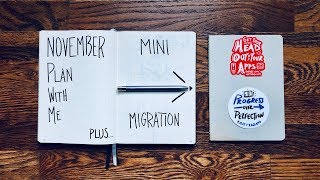
Matt Ragland shows how to separate timed appointments from task lists in a half-page daily layout, then use small notebooks as overflow when your main journal fills up. He walks through weekly spreads with habit tracking and a mini-migration workflow to start fresh each year.
Chapters
Hi everyone, my name is Matt, and welcome to another Bullet Journal productivity video. Happy November to all of you. It's insane that the year is almost drawing to a close, and what I want to talk to you about in the context of that is that November and December tend to be very busy months, whether it's work or travel. You know, you're buying gifts, you're going to parties, you're doing all these fun things, but it can make life a little bit busier than what it has been in the previous months.. And so what I always find myself doing, and what I'm going to share with you today, is how I do this like upgraded rapid logging, which is a very classical Bullet Journal system, but I'm still detaching like the timed, the time of day agenda items like meetings or child pickup or appointments that I might have, in addition to like just rapid logging of tasks and notes. So I'm going to show you how I combine those two together when I have a, when I am short on time, but still busy on the things that I have to do, this is the layout that I always default to, and it still allows me to have a really big picture, consistent view of what I have to do, while not spending a lot of time on the layouts that, even for me, as a pretty simple minimalist bullet journal— bullet journalist, still saves me that time so that I can spend more of the time on the projects that I'm working on, the purpose that I feel called to, and the people that matter the most to me. So, there are a couple other things I'm going to intersperse some comments with, but for right now, let's go ahead and jump right into the Bullet Journal layout. So, I want to do a review/flip-through for you of how I've done this kind of upgraded rapid logging the past couple of weeks, and how you can use it for your own setup. If we zoom in a little bit, then you can see that what I do for each of these days, Tuesday, Wednesday, Thursday, I was traveling Monday, so I didn't write anything down. But I have up here at the top, you can see that I have all of my meetings listed, 9, 10, 1, 2:30. I have all my meetings or appointments listed at the top of the day. I write down like a daily note if needed. So like my wife worked on the 29th., and then I will start to add in just that standard rapid logging. So the bullets, X them out as I get them done, might write a little bit of notes in here at the bottom. And basically what I will do is I will break out the days. I'll break out the days like in half sections of the page. So I won't always like write them down like just as the day is going. And to give you a little preview, kind of look, this is more of a plan with me for November, is the way that it would look for a week, so this is the week ahead, is that it would be Monday, Tuesday, Wednesday, Thursday, and then Friday, Saturday, Sunday. So, I may not get into adding, like, content, like, filling up every single dot on here, but from doing this for a really long time now, I know that about a half page of agenda items and rapid logging is pretty good for me. And what I can also do is sometimes I like to have a little chunk right around here where I can put in some additional notes. Or what I will also do is just continue on to the next page. This is where you can see that I'm like getting my notes down for this particular video, which is very meta. And then I'm just doing a normal monthly layout. So days big events here, holidays, habit tracking. You can see this in a bunch of other plan with me videos that I have, but habits for movement, journaling, reading, mood for AM and PM, and then a little one-line journal entry right there. But for the week ahead, I would write down the dates, the objectives that I have for the week for my work. I'll have a little bit of space down here for reviewing the week in the past, and then I have like extra tasks and notes on the next page. And what this does is I would put in here whether I had like notes that didn't really fit understandably in this half page, or for tasks that didn't have a specific day they were assigned to, they just needed to get done. So like there's not a specific day I have to get a haircut, I would write down haircut here, or oil change, or, you know, a lot of, a lot of those kinds of tasks, they just have to get done. It's similar, there are a lot of like work things that are like that too. There's not a specific day. I might have to do a webinar, I just need to pick a day and get it done. And then I have these half, I have these half pages for each day. And then like I said, if we look back at the week that was, or is, then you can look at it and say, I'm going to create, I'm going to put all of my, we already talked about, meetings, appointments at the top, and then tasks and notes underneath. And then I can just keep going through. Another thing that I'm going through right now with my bullet journal method is that I'm basically out of space in my latest bullet journal, but I like to start each new year with a fresh bullet journal. So, I don't know if any of you face this or want to, like, have that fresh bullet journal, but also don't want to, like, start a new one and only have like 2 months, you know, maybe, I don't know, however many pages that would be, certainly not all of it. So I don't know if anyone else faces this, but it is a problem for me. And so what I do, and I'm gonna show you on, you know, the overhead shot, is that I use these little Baron Fig Vanguard, or Conf Vanguard, yeah, softcover notebooks for like 1 or 2 or 3 months at a time if needed. And use that as like a little addendum to the primary Bullet Journal that I might be using. So I want to show you how I might set up and do that little mini migration, keep everything organized, and transition from one big Bullet Journal to the little like softcover insert, basically, and then back out to another Bullet Journal as the new year starts. So when I only have a couple of pages left in a Bullet Journal, like this is not enough for 2 months, obviously, especially because my son likes to use it for his art, which is great. And this is, I think this is actually me. You know, you can see I've slimmed down, you know, just, just a head basically. But this isn't enough. So I still might use some of this for notes, but for the most, for all intents and purposes, this, this Bullet Journal is complete for me. Now I will want to create, I want to have a fresh Bullet Journal at the beginning of a new year. And so I don't want to just have like, you know, a full-on BuJo notebook that is only going to have like maybe this much filled up or something like that, if, if that. So what I do is I use these larger, these larger Baron Fig Vanguard softcover notebooks. And what I really like about them is, one, it's the same kind of quality. I mean, the paper, the Baron Fig paper is probably my favorite. But what this does is it gives me a smaller flexible way to complete this next couple of months. And what I'll do is when I'm done, I will, you know, when it's done, it's time to go into the next Bullet Journal, I'll just pretty much tuck it right in there. I mean, it's not the super ideal solution in terms of fit, but you can see that I could still, like, you know, store this on my bookshelf, and this is still going to be like 2019 for the year. So if you ever get in a situation where you're like, man, I only, I only have a month or two or possibly three left that I need to like add in before starting like the, the annual New Year, New Year, New BuJo. This is a really good option to do that. Now what do I do to migrate? I keep my migrations really simple. I don't, I don't migrate a ton of content. What I will do is like on the last page, that I've really used is I'll just make a little note here like, "Bullet Journal continued on BF." That stands for Baron Fig. And then I name my notebooks based on mountains or national parks. And so this one is Tewinot. Tewinot. I hope— probably pronouncing that incorrectly. But what that is, is Tewinot is a smaller mountain in the Teton Range. And the name of this Bullet Journal is Teton. And so that's where that came from. The other thing that I'll do is I'll write down the next bullet journal. So that's this one, Baron Fig Soft T1L. And the other thing, and I haven't added this in because I need to get the name for it. Here we go. And so this was last year's, and it is named BAMF. And so what I would need to do here is just go ahead and add in Baron Fig dot Banff. Hate this pen, but you get the idea. So that way I know the previous bullet journal, this one, 2018 Banff. Next BuJo, Baron Fig Soft T1O. And then inside here I'm saying these are the dates, November, December 2019, T1O. A little description of it: a slightly smaller peak in Grand Teton National Park. Reference 2019 BuJo Teton book. That's this one right here. And then the previous bullet journal, again, Bullet Journal Official, that like half O at the top. Bullet Journal Official Teton. And then the next one, I'm almost positive— I just wrote it down here for you— almost positive I'm going to start 2020 with the Baron Fig Clear Habit Journal. If you haven't seen this, check out the review video for it. So that is how I would migrate my bullet journals and also create and have a, like, basically a— I think I'm using this term correctly, but like a little addendum notebook instead of starting, like, I don't want to start this. I don't want to start that clear. In November. I mean, I totally could, and if you want to do that, no, no judging. That's totally— that's 100% fine. It's just not something that I like to do, but I also don't, you know, yeah, I don't want to like use a whole other notebook, whatever. So that's why, basically, that's why I like this little thing. And you can get these, I think they're like $12 for 3 of them, so pretty cheap. Then like I said, I'm talking about my objectives for the week. Ahead, review the week behind, tasks and notes that don't necessarily need or can't fit on the daily rapid logging, and then half-page, half-page layouts for each day going all the way through Friday, and then a split grid for Saturday, Sunday. And then I would just start the next week right here. So again, the November 4th, like whatever the weekly layout first page, this would be Days, the 11th through the 17th. Objectives, reviews, notes, and then starting Monday, Tuesday. So that is what I do for my November planning and also how I would do a little mini migration of my bullet journals before getting into the new year with the Clear Habit Journal. What I want you to take away from this layout is it can be a really good way to keep things simple but still have a distinction between the things that you have to be at at certain times of the day. Again, whether that is a meeting or an appointment or picking up your kids or like a workout that you, workout class that you want to go to. So you still have those set aside as agenda items, as you know, times of day that you have to be somewhere. But then it also gives you a good chunk of rapid logging time where instead of doing like, for me, like writing out every hour of every day and yeah, something like that, it still gives me a good way to look at like, here are the, here are the meetings that I have, here are the tasks that I have to do, and you know, I can still expand on that anywhere that I need to, but it helps me get through the daily preview a lot faster and the daily review. So, this is especially good when I'm being really efficient with my time, I understand what I need to do on an hourly basis. This wouldn't work as well if you were doing like a time blocking, if you're doing a time-blocking calendar setup, because it's not listing all the hours in the day that is so efficient for, for time blocking. Now, another thing that you could do is you could time block in a digital calendar like Google Calendar or something, and still like do your primary like scheduled meetings and tasks inside of the Bullet Journal. That could be a really good way of balancing a digital and an analog system. So that's an idea for you as well. Thank you so much for watching this video. If it's your first time here, make sure you give it a thumbs up if you liked it, and subscribe if you really like it. And like I've said at the end of a lot of videos, if you're watching the end of this and you're not subscribed, then you probably like it and you should subscribe because we have a great community around here. The comments are excellent. So if you have any thoughts on rapid logging or just like more, more efficient, concise bullet journal systems or methods that you might use, please go ahead and drop those into the comments below. And we have a really great community that likes to talk to each other. So that's fantastic. Thank you so much for watching. I'll see you next week with another video, but until then, happy November and happy holidays coming up real soon. Bye.
More from Matt









Journal reading 📖 Reflectjons on how I’m living & how it aligns with the vision I have for my life.

You don’t have to listen to me. But you do have to be intentional about the systems in your life.
