Spray Application GROWNOTES™: Checking controller inputs & settings
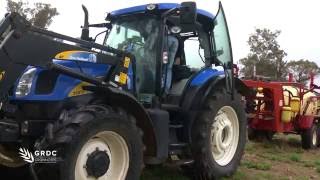
Gerri walks through checking sprayer controller settings before spraying: speed calibration, flow rate (pulses per unit), and boom configuration (40 nozzles across 20 m). She runs speed tests at 16, 20, and 25.6 km/h to verify flow and pressure match the plan, using the controller readout and pressure gauge to catch errors.
Chapters
Okay, well, now we've completed the plan and the days hasn't turned around, so we can't do any spraying. I'm going to use this time now to actually test this sprayer out. Before I actually use the spray plan to check out the test features in this sprayer. I want to record all the actual parameters that are in the sprayer. I want to look at the width, the speed calibration factors and the flow meter numbers. So I can basically have them as a reference point if I do need to make any changes to the spray unit. So that would be the first place I'd start. So I'd go into the rate controller and I'd go into calibrations and I'd have a look at my speed calibration. Get the constant out and record that down on a spray plane. Once I've done the speed calibration number, I'll go now and take a look at the flow calibration figure. Flow calibration constant and record it. 1-3383. In this case, pulses per unit. Also want to make sure that we haven't had any interruptions or changes made to the actual boom width. So I'll go back into calibration and check our other parameter which is going to be boom width. Go to width and that's all checking out. Right? 5, 5, 5 and 20 meters in total. Okay. Okay. So we've gone and we've taken the speed constant, the flow constant. We'll be able to use these in future calibration exercises. The boom width is total of 20 meters, four sections in this particular unit. Each section carrying 10 nozzles. So that gives us a total of 40 nozzles. Okay, so I'll just do a rough working example now which will relate back to our completed plan. We're going to average a test at 20 km per hour. Here we have half a meter nozzle spacings. We have a 20 meter boom with 40 nozzles on it. We've said that we're going to be doing 60 liters per hectare. If I quickly calculate that out 20 by half a meter nozzle spacings by 60 divided by 600 means my nozzle will be running at 20 kilometers an hour, doing 1 litre per minute. As we discovered earlier, that's 3 bars 1 liter per minute from an AIXR110.025 lilac nozzle. Our speed is 20. So this is straight down our constant where we're trying to average the sprayer all day. Now we can look at some of the Summary figures. At three bar, each nozzle is giving us one litre per minute. So litres per minute multiplied by the number of nozzles will give us the figure that should appear in total flow. 1 by 40 equals 40 liters per minute. Speed we can move down into this summary area. Pressure we can move down. And our spray quality was in the very coarse range. Once we've checked the sprayer in that part of the plan, we'll check the low speed pressure and the high speed pressure. So with all that recorded, I can now start to input the parameters from the plan. Now, we've said that we're going to be doing 60 litres to the hectare, so I gave him a panel. When looking at the rate controller here, you'll notice that I have litres per minute showing up on the screen. I already have inputted a test speed here. Now I've done that through a toolbox feature. This is so I can infect this spray plant at our average speed of 20 kilometers per hour. So I come down to toolbox and I'll go into a section called speed simulation in this particular unit and I can input the value of 20 km per hour as per our plan. Now, providing the sprayer is in automatic mode, it will think it's doing 20 kilometers per hour. So it should start feeding back that important information from that summary area of the spray plan. So it will show us flow, speed and litres per hectare. That probably brings us to a consideration of what we're looking at on the panel. Our spray plan is running at 60 liters per hectare. So we go in, we've got that inputted, so we've now got 20 kilometers per hour on the screen. An application rate of 60 liters per hectare. We have 40 nozzles on the rig at 20 kilometers per hour and 60 liters, the unit will be running at about three bars. This will mean each nozzle is giving us about one litre per minute. So we should end up with a figure down the bottom here of about 40 liters per minute. That's really critical when putting someone on a spray unit, especially an inexperienced operator when they're driving, to have as much information available to them as possible, because this gives them a back check of what's actually happening with the spray unit. From referencing here with flow to the corresponding pressure mark that you've got on your pressure gauge, it just reassures the operator that things are running as the plan is set out. Now that we've got the parameters of speed and application rate in the controller, we'll start the spray unit and we'll actually check through the test following through our spray plan to see the numbers coming up on the rake controller. Now for the moment of truth. We'll kick this thing into gear and see if it actually is doing what it should be doing. I've actually rearranged the panel here to show us our programmed rate. So that's telling me what application rate I have set. The actual rate will cycle here. I've got my speed locked in here using a shortcut icon which is showing that 20 kilometers that's in the test speed. And down here we'll have our liters per minute. Now, when you do a speed simulation test like that, this is to be done in automatic mode with the hand flashing. Currently we're in a manual mode, so I have the sections on. I'll throw the master switch and I'll press automatic and we'll watch the numbers line up as we go. Once the sprayer settles down, it should settle around 40 liters per minute. When it hits 60 liters per hectare and happy days. It's managed it so it makes sense. Why don't we test the slow speed and then try the high speed just to see that we've got enough regulation control to achieve the 25.6 and that we're achieving the right flow at both 2 bar and 5 bar at the extremities of our spray plan. So the next step I'll do still have our 60 litres per hectare as per the plan. I'll go back into a simulation into our toolbox and remember, we can't get the point in here. We're only going to get the round number. So we're looking for 16.2 as calculated, but we'll just put in a speed of 16. 16 is now showing up on our icon there. Our flow will start high because of where the position of the regulator is at the moment and it will cycle down to somewhere around 32 to 33 litres. 32.4 is the exact figure. But remember, we haven't got the exact speed in. And away we go. It's chasing down. It's about to hit the 60 and we're around cycling between 32. Yep, settled around that 32 figure, so that's pretty good. Next thing to do is why don't we test the high high end? So we've got to put the top speed in now at the of our off our spray plan. So we're now looking here for our 25.65 bar and we're going to then end up with a flow of 1.28 litres per nozzle and 40 nozzles in total. So we're looking for a figure of 51.2 in the litres per minute flow figure here. So we'll go into toolbox again, we'll go to speed simulation and I can only input. We might input 26 because 25.6 is the figure we're looking for. But this will give us a fair indication of what's going to happen. So our flow should be somewhere around 51 to 52 and a half. Start it up and the sprayer's taking a little bit of time to settle because we've taken it from a two bar setting now up to a five bar setting and it's managed to achieve that there and it's running 51 litres on the screen. So I'm fairly happy with the setup there that that spray unit is going to be able to achieve. What we're trying to achieve. The value of the spray plan is really critical. Having this information in the cabin can help any operator. But especially if you are trying to train someone that's inexperienced in spray applications, this information can be given to them and they can drive to this with all the direction they need to ensure the spray job is going to be achieved as per the plan. We've just used a speed simulation to successfully test our spray plan. Everything worked out pretty good. If we were calibrating the sprayer, I would use manual pressure to check the flow rate across the boom.
More from Gerri






GRDC National Variety Trials (NVT) Case Study: Helping Oat growers make informed variety decisions



Managing rhizoctonia in wheat and barley: Impact in low and medium rainfall zones 🌾🌾