He Built Uber Eats to $25B, Now He's Pushing AI Beyond Chat | Stephen Chau
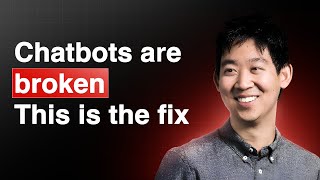
This is a YouTube video titled "He Built Uber Eats to $25B, Now He's Pushing AI Beyond Chat | Stephen Chau" created in April 2025. It features a conversational interview between Peter Yang and Stephen Chau, co-founder of Cove, a Sequoia-backed startup focused on innovative AI workspaces. The discussion covers the development of Cove, its generative AI visual interface for collaboration beyond traditional chatbots, and demonstrations of its features such as AI apps, multi-user collaboration, and contextual workspace management. The conversation also touches on Stephen's background building Uber Eats and the challenges of building AI products in a rapidly evolving landscape.
Maybe the right UI is a generative ui. Imagine the entire layout of the workspace is actually something made just in time based on what you're trying to do. Cove is now going to be building out the workspace. And so as it builds out the workspace, it's trying to first understand what you're trying to do, how to break down that problem and how to help you make progress. And that includes, for example, for you to be in automatic transcript. As product builders, we're trying to kind of predict the future, and that's already hard, but the future feels like it's changing faster and faster now.
Steven built Uber Eats from scratch, of course, with his team to a $25 billion business.
The initial group that worked on Eats was a really interesting combination of some folks that had been at Uber for a very long period of time, some of the original ops people, some original engineers, and they're mixed with a new set of folks on, for example, the product and design side. That mixture of new perspective, but also folks that really knew the Uber culture and really knew how to get things done at Uber was a really interesting kind of like, cocktail for an actual team.
Well, welcome everyone. My guest today is Stephen, the co founder of COVID Cove is a Sequoia backed startup that lets you work with AI through a groundbreaking visual interface instead of using chat threads. And before COVID Stephen built Uber Eats from scratch, of course, with his team to a $25 billion business. So I'm super excited to have him demo Cove and talk about how he's thinking about AI beyond the chatbot. Welcome, Stephen.
Hi, thanks for having me.
Yeah, so why don't we get right into it? I would love to for you to show us how Cove works. I don't know, maybe we can do like a travel use case, like I'm heading to Japan soon, we can maybe show how Cove works in that context.
Sounds good. We'll try to plan your trip for you. So let's do it. All right, so this is Cove, and what we'll do is we'll go ahead and tell Cove what we want to work on. And so you said you're going to head to Japan soon, right? And like, what cities are you going to be going to?
Yeah, I'm going to Tokyo and then Kanazawa and Osaka. My family.
All right, cool. Help me plan the trip to Japan. Say I'm thinking about going to Tokyo, Kanazawa and Osaka. All right, cool. So Cove is now going to be building out the workspace to try to help you figure out how to deal with this task. And so as it builds out the workspace, it's trying to first understand what you're trying to do, how to break down that problem and how to help you make progress. And so let's see what it does. All right, so what you see here is a couple different cards. We're going to close this for a second because we're going to talk about that feature in a bit. And so we have a couple different cards here. And so the first is a card that is showing some of the cities that we mentioned. And so it is showing kind of a comparison across some of those cities, because it's thinking about how you might be trying to make a decision over how much time you want to spend there, or the case is. And then it's also starting to build out an itinerary for you as well. And you'll see that there's a card here that actually is trying to almost elicit different preferences from you. Because Cove may want to know different pieces of information before it fully is able to kind of give a good job of giving you that sort of itinerary, sort of plan. So we'll fill out some of these things in a bit, but maybe I'll first show some other things in terms of the product. So Cove is a visual workspace, and so you can think of it as a canvas, and we're going to be able to explore a lot of different things as we work on this. In addition to that, everything in this space is fully editable by you. I feel like for folks that are used to working with a chatbot, you're used to kind of looking at a chatbot's answer and then need to kind of copy paste that or watch it kind of restream in as you kind of make edits. Cove is different. I can come in here and I can just change any of this content automatically and, and I'll show you how that works as we kind of go. So why don't we add some more content to this space? So, for example, I'm gonna drag in a new card and then let's say a table of kid friendly museums in Tokyo. We're both parents, right? So I think this is probably something that might be helpful. And so I could just start to create that content myself. Cove is also always available to help fill it in. So I clicked fill and. And so now this table is being created for me. And what you'll find is, when you're working in Cove, what we're trying to do is Almost kind of create the experience of how you tend to collaborate with other people. Right. So if we're working on something together, we'd be iterating together, building on ideas together. And so similarly, you can do that with COVID as well. And so let's say, for example, we wanted to add some photos to this. I'll just say add some photos to the table and then I'll go ahead and do that.
Yeah, this is awesome. I guess it's kind of like a figma, but I guess AI is generating a lot of things with your input.
And you're working together too. As you notice, when I said add some photos, it didn't restream in the entire table. A new column was added right there and now it's filling in tables and. And we just feel like that's a much more natural way of working with AI, where you're co creating, not needing to kind of see all this content restream in. So this might be on your list. Ghibli Museum, my kids are. So for example, that might be something that you're interested in going to and then a couple other things to kind of call out. So for Cove, as you add more content to the space, the AI is always trying to understand the context of what you're working on, the information in the space, and how those things come together. One of the things that it does is it tries to anticipate other things that you might want to do. Anytime you have a piece of content, you can see that there's actually suggestions here over other things that you might want to do with the content. You might want to get links to the museum websites, you might want to add more museums to the table. And so it's really easy to just continue to iterate on things like really quick, wow, let's see, what else should we talk about here?
Is it, Is it kind of like. Because with a chatbot you only have a single thread, right? I guess you can go back and edit your previous prompts. But like this feels like it's like a multi threaded thing or like it's kind of.
That's right, that's right, yeah. So you can do. You can invoke the AI to do various things all in parallel, and those things will all just be happening in the space. Another thing to keep in mind is right now I'm the only one in this space, but this can be a multiplayer space. You could come in here as well. You could be doing things at the same time. And when you're here with me, Working together, we can both invoke AI at the same time. You see some really interesting things that happen as people start to collaborate together in these spaces.
Oh, wow.
All right, Maybe we'll start to build out an itinerary. As I mentioned, there's a card here that actually is able for you to kind of put in some additional kind of personal information. And one thing that we've found is as you work with AI, sometimes people don't know exactly what's the kind of additional context that you might want to provide AI for it to be helpful. And so we actually have these cards where it actually kind of helps give you hints like, oh, actually if you provide this information, then AI can actually be more assistive in terms of what you're doing. In addition to that, when you fill in this content, sometimes this content can actually change other cards in the space automatically. So for example, let's say that we're going to go for seven days, spend most of the time in Tokyo, but stops in Kanazawa and Osaka and say the chill travel style. Main interests we're going to do nature.
Nature? Yeah, food, definitely.
Oh yeah, food. Yep, food. And then we'll say kid friendly activities maybe.
Yeah, somewhere they can babysit my kids.
No, I'm just kidding. All right, cool. And so anytime you start to do more things in Cove in this space, it's going to take this information into account as it helps you. But in addition to that, there's actually this button that says Do Updates. And so it actually has connected this preference information to this itinerary card. And so if you click Do Updates and it's going to actually automatically update this itinerary based on that new information. And so as you continue to explore, as you continue to learn, you add more context to the space and things are able to continue to update based on what you decide. So you're able to kind of get to that exact, in this case, itinerary for the trip that you want to do.
Yeah, it looks great. It looks like first, first visit is the Gate Ghibli Museum.
That's right. That's right. So it's using the context of that car that we created. And context is something that we think is really interesting in terms of just how you can use that in this product because there is, let's call it implicit context. An example here is we learned about the Giuliani Museum and went ahead and started to use that when it created the itinerary. But you can also direct it as well as you start to add More cards to the space. You can actually ention cards to do specific things for cards connecting to each other. There's a lot of really interesting workflows and things that people can start to build in Cove as well.
Instead of one input box, now you have each of these cards. You can add more roles or add more inputs.
That's right, TAD cards. Also, there's many different types of cards that you can add into the space as well.
So.
So you can add URLs, you can add PDFs, you can drop in YouTube videos. All these things are additional ways you can kind of build context and be able to use that content in some sort of way as you work on.
Things in code and with chatbots. I normally have to copy and paste an entirety to some Google Doc. But you're saying that this one you can just share? If I want to show my wife.
That's right.
And just share it.
Yeah, exactly. So just like a lot of the other kind of multiplayer collaboration products you're used to doing Google Docs, Figma, or the cases, you can share this out to particular people or you can make it read only and share the link. So you can have kind of like all that sort of collaboration as you work with AI, you can also download these cards. You can actually move them into other places. And so we see that to be pretty popular as well. As people are either creating presentations or other things, they're able to use the content that they use in Cove and actually move it to other places too.
All right, let me give you a stress test. So like, can you ask it to, can you ask it to like list the top, whatever, 10, 10 snacks in Japan? Like, ah, okay, premium, premium snacks. I don't want pockets and stuff.
Seriously.
This episode is brought to you by Merge. Product leaders cringe when they hear the word integration. They're not fun for you to build, launch or maintain. And they probably aren't what led you to product work in the first place. Luckily, the folks at Merge are obsessed with integrations. They built a single API that helps SaaS companies launch over 200 integrations in weeks, not quarters. Think of Merge like plaid or for B2B. SaaS companies like Ramp, Drata and Electric use Merge to access their customers accounting data for bill reconciliation, file storage data for searchable databases, and HRIS data for auto provisioning access for their customers employees. If you need AI ready data for your SaaS product, then merge is also.
The fastest way to get it.
So if you want to solve your company's integration dilemma, Once and for all, book a meeting and receive a $50Amazon gift card when you attend. That's merge.devpeteryang. now back to the episode.
So I'll do that. One thing I point out here is that there's also, you know, Covid is always trying to anticipate how you might like something you might want to do next. And so as I come in here, if I don't type anything to the chat, I can also see recommendations of other activities or other pieces of information I might want to dive into. So I can click on any of these and also create a card. But we're going to focus on your snacks. So let's say create a card.
Yeah, I want pictures too. So you got to add pictures.
Okay. Okay. All right. Create a card with pictures of premium snacks to buy in Japan, maybe by region.
Sure.
All right.
Yeah. This is my way of making my wife happy. You know, I wish you gonna go to the fine dining restaurants and stuff. That'll break my bank.
Bring an extra suitcase so you can fill it up with this stuff.
Oh, nice. Yeah, I haven't heard of some of these.
Oh, Tokyo Banana is really good. So I definitely suggest that.
And where is again, the images from? Like just from.
Yeah, so there's various providers that we use in Cove for all the different things that you're seeing here. So you can do web search. We have images and various other things as well. The images here are actually through Bing. It's actually like the Bing API from Edge standpoint happens to be really easy to use, so we're using them at the moment.
Finally. Finally used for Bing. Yeah. Okay. Yeah, this looks good. I think I definitely tried some of these before. The white chocolate ones are great. Yeah. The Japanese have a very high craft for. For their snacks.
Yeah, absolutely. Best part of the airport is you go and you can load up on samples and stuff. So.
Yeah, so I noticed you have on the left here an AI app feature. So what is that?
Yes. So this is something that we just recently launched. And so I can show you a demo, something we're really excited about. So maybe I'll show you a different space. And so this is a space where I imagine you are putting in your class materials because you're studying. And so this is actually a very common use case that we see in Cove. People will put in lecture notes, like lecture videos. They can put all into the space, and then all that becomes part of the context of the AI. And they can do things like ask questions about the content or summarize it or whatever the case is. So now with AI, with this new feature that we launched, you can actually build AI apps right here within Cove. And so I'll show you an example. I'm just going to drag out this card and then I'll say something like create a multiple choice quiz about. And then I'm going to go ahead and show you how app references work too. I can just mention this video, for example. And so this video has, has already been transcribed because I dropped into the space and then now I'm going to just click Build AI app and then it is going to start coding.
You just dropped a YouTube video into the space and transcribed it?
That's correct, yeah. So you can drop in videos, PDFs, Word documents, and so all of that just automatically gets added to the context and the space. And that includes, for example, for YouTube being able to automatically get to transcript. So all that is stuff that you just get as you add content into Cove. And then now you can actually create these AI applications. And because these AI applications are in the workspace, they can actually use information in the workspace as well. And so the example here is I can actually take that lecture transcript and. And then now we're going to create a multiple choice quiz on it. And so this is Cove coding away. And so this is going to take like maybe a minute. And then maybe as we do that, I'll show you something else fun. This is another app that's in this space. So imagine this person studying physics, they're learning about the three body problem. And so this is just a little visualization of the 3D body problem that we created. And so you can change the different parameters for each planet and then you can click play. And then I'll just go ahead and do the simulation. And we have a, we have some pretty crazy orbits going on right now based on.
Yeah, so this is, this is an app that. So what was the prompt? Just like build. Build a simulation.
Yeah, Create a visualization. The three body problem. That's right. And it created that.
Wow.
Yeah. And so. Yep. So here's our multiple choice app. So that's been created so we can, we can test your cosmology. Let's see what's the primary focus of modern cosmology According to this lecture, I'm going to guess this one got it wrong.
Nice. And so if I'm the instructor and I make the stuff and you're here as a student, you can see me make the changes live, right?
Yeah. Because you are creating these apps within A co workspace. Then there's a bunch of other properties as part of the workspace that you just get for free. And so an example of that is the multiplayer part, just like how we talked about in the Japan workspace. You can invite other people and you can be collaborating together. You can do the same thing with these apps as well. So you can come into this space and then you could be answering questions, I could be watching you answer questions. And so you can actually have people create apps that you're able to use with other people. And so that's one thing that we're excited to see. Just like the different types of things people create.
Yeah, it could be really fun. Kind of like in figjam, if you're doing like a brainstorming. It's just fun seeing other cursors around.
Right?
Something similar.
Yeah, yeah, no, there definitely is. When you think about using Cove in a work context where it's teams collaborating, it is really fascinating to think about a group of people working together and they can just, just in time, create any application to do something together. Right. We've seen teams create apps to do things like vote on what, where to go for their next off site. Right. There's kind of like, you know, like things like that that they can do, or there actually can be like more workflow or other things that they build these apps around. So I think it's really fun to see kind of this combination of being able to use context within the space and also be able to bring other people together. And then you're able to have these applications get created so quickly and you kind of mix all those things together. And it's really interesting to see the type of things people are doing.
Can you show us. I notice you have a bunch of other tabs open. Can you show us some of these other use cases?
Yeah, for sure. I'll show you. This is. This is a fun one because it's a little bit more of a personal one. This is actually my. My daughter's space. So my daughter is 11 years old and she always has some sort of project going on. The current project is she's setting up an aquarium. And so for folks who have not done this before, and I count myself as one of those people, there's a lot of things that we didn't know you had to do to set up an aquarium. And one of the things is you can't just put water in and just throw fish in. You actually have to do this thing where you cycle the water so the water can actually be ready to support fish. She actually wants to do a shrimp aquarium, which is why she's dropping this picture of shrimp here. And so this space is an interesting one because this is basically, you can almost see this journey of this project that she's working on. She first kind of was learning about how you cycle an aquarium. And as she kind of was going through that, then there's this card that got created which shows, okay, this is actually the process that the water goes through. Ammonia goes up, the nitrate goes up, then nitrite goes up, the nitrate goes up. And so you basically have to measure the water on a regular basis to see this kind of process happening before you know whether the aquarium is ready. And so as she was learning about it, she's like, oh, maybe I should just create an app to help me. And so she created an app to help basically track the progress of her aquarium. And so this is the app she is able to put in each of the measurements of water, and then she hits add measurement, and then it goes ahead and creates the graph to show that sort of progress. And interestingly, it actually even tells her what part of the cycle that the water is going through based on the data. And so this is fun because when the app got created, it used the context of this image to figure out, okay, this visualization is actually really helpful. And as you kind of continue down her journey, she bought some moss and put it in the aquarium, and then these snails started to appear. And then, because she's already doing this thing in Cove, and she had this particular problem of like, oh, now I want to figure out what type of snails these are. She just came to this workspace, created an app, and this is her snail identification app. She's able to answer different questions about the snail, and it'll tell her what type of snail it is. And so it's just really fascinating to see, kind of when you put the power of creating apps into the hands of different people and you also put it in the context of a workspace where they're already working through a particular problem, then really interesting things happen in terms of, like, you know, the type of things that they create.
Yeah, this is awesome. Like, obviously, I've used, like, ChatGPT and Cloud projects, like, for stuff, but I love. Like, in those projects, you can only do, like, different chat threads, but here you can make different apps, and it saves the context throughout.
Right, right. That's great.
Yeah. Your daughter seems pretty advanced, and I don't think I ever want to. I don't think I ever want to have an aquarium anymore. It seems kind of complicated. Seems pretty complicated. Hopefully she can keep the fish alive after doing all this.
Yes, yes, we'll see. We'll see. I'm sure there'll be a much longer journey that happens in this space.
Yeah, yeah. Let's see. How about the one about Palo Alto? What was that about?
Oh, yeah. Well, I think this was just to show an example where as we start to empower people to create these AI applications, sometimes people may not actually realize that an AI app might be something helpful in terms of what they're working on. And so in this case, a user has typed in. This helped me figure out whether I should move from Paul to Vancouver. This is actually like a user we were chatting with recently who was trying to think through this big decision. They're using Cove as basically their thought partner to try to figure out whether they want to do it. You type in this task and these cards start to get created. And these are things that we showed previously in terms of the demo, but now there's actually a new card that has appeared as well, which is like, oh, well, if you're thinking about doing this, maybe an app would be really helpful. In this case, it's saying, hey, if you're considering doing this move, maybe you actually want to create an app, which will help you figure out the cost of living comparison. This is something that we find really interesting because we've built other features than Cove, where it's all around the AI, trying to anticipate what you might want to do and provide suggestions. And that could be, you know, adding another row to the table or whatever the case is. This is a kind of a new version of that, right? Which is like, okay, actually you. Maybe what you're trying to work on, an interactive experience, would really be helpful. So why don't you consider doing it? Click a button. We'll make. We'll make this tool for you.
Oh, nice. So the AI suggesting that I make an app.
That's correct. That's correct. Yeah.
Got it. How does the AI decide whether to make an app or just make a table or, like a chart?
Yeah, it's a really, really good question. I think, as we have thought about how to design the product, this is one of the things we talk a lot about, right? Because you have particular capabilities that your product can have. And there's a question over, are each of those almost like different buttons and actions that a user is supposed to use themselves, or is it actually the judgment of the AI to be able to figure out when you might want to actually use particular things. And what we found is that being able to provide both of those things is really powerful, right? The AI, and many times actually can have really good judgment in terms of when it might want to actually use a particular tool at its disposal. Users also should be able to invoke those tools when they want to use them as well. An example is web search, right? So in Cove, if you do something where recent information on the web would be helpful, then Cove will actually just automatically do a web search to start to get that information. You can also just say, like, please, you know, look for. Look for this information on the web as well. And so being able to offer both is something that we feel like is important in this case. There are other considerations, right? When you think about these kind of AI applications, you know, one is just the amount of time it takes to create these applications. And so that's one of the reasons why we have this suggestion here that we showed to the user, because it is a pretty intentional action to actually build an app. You're going to actually have to wait for it to code the app before you can actually start to use it. In this case, being able to almost provide that speed bump where you actually are able to suggest to the user, but then actually have them say, yes, I want. That is something that I think makes a lot of sense with the current capabilities of AI. The thing that gets really fun is to think about how that evolves over time. As we approach a place where the models allow us to be able to code more and more things in a faster rate, then what does that mean in terms of the product experiences that we can build? And so as we have have started to build this sort of capability within Cove, right now, the definition of these apps are these individual cards that appear within the workspace. But over time, we actually think that more and more of the entire experience can actually be generative from a UI standpoint. And so we'll start to see that sort of transition as the fundamental capabilities of AI coding improve. And so that's something we get really excited about.
Like, like, like it would just generate a bunch of cards or, like it'll completely change the whole canvas.
Yeah, exactly, exactly. You know, like when you, like, at. At its core for Cove, what we're trying to do is try to figure out what is the right UI for AI. And if you think about, like, know what's the right UI for generative AI? Maybe the right UI is a generative ui, right? And so like imagine the entire layout of the workspace and all its contents is actually something made just in time based on what you're trying to do. Now that might sound a little bit sci fi right now, but I think as the capabilities of the, as underlying capabilities improve, like, those are the software experiences that we can start to try to build towards. And so I think we're taking the first step here with these AI apps and we're excited to see where that goes.
Yeah, I love that. That's why I was really excited to talk to you. But let's talk a little bit more about how you built Cove so far. So you've been building it for over a year now, right? Yeah. So how did you go from I'm sure leading, know, a couple dozen or a couple hundred PMs at Uber to building this, this AI thing? And also, and also, like, what, what kind of user problems are you trying to solve at end of day of this product?
Yeah, yeah, for sure. So, so I can give you a little bit of the context of, of the kind of journey of how, how we got here. So when we left Uber, there was a group of us that had gone through that journey together and we were really excited to do something else together. And it just so coincided with an incredible time to be able to explore all these interesting things happening with AI. And so at first we were really like, first trying to get an understanding of the core capabilities of AI. And we're building all these interesting sort of prototypes. We build something in Gender of Music, we build something that was more of an AI travel planner. And as we were doing that, we kept on kind of coming back to almost this kind of core realization, which is those experiences that we're building were very chat focused. And as we started to think about the capabilities of AI increasing over time, the question that we had for ourselves was, is this actually fundamentally the right way to work with AI? In a world where AI capabilities can be more analogous to what I expect with collaborating with another human, then how do I collaborate with other humans? And should that also be more similar to how I work with AI? And so that was the real initial inspiration. Right. And if you think about how we might work together on something, then you compare that to a chat thread, then I think you start to realize just like how fundamentally limiting a chat thread is. Right?
Yeah, that's a good thing. You and I would probably use a whiteboard or like getting a room.
Exactly, exactly. When you think about how people think, first of all, thinking is a pretty messy process. You Branch in a lot of different directions. It's nonlinear. You explore in a lot of different things. The linear rigidity of a chat thread is really hard to be able to bridge that gap. Then, to your point, when you work with other people, you need to have a shared context. If we're in the same room, we might be in front of a whiteboard, for example. And so context defined in a chat thread is very hard to be able to do. And so those were the kind of starting things that got us really excited about building Cove. In many ways, we kind of think of it as kind of looking at what has happened in the past as we've seen fundamental technology change and also trying to apply that to AI. And so when you look at personal computing moving from command line interfaces to graphic user interfaces, when you look at phones before and after they had touch screens, each kind of fundamental change required almost like a new UI paradigm to kind of get the most out of that underlying technology. And so we think it's very similar in terms of AI and chat threads. And so we're just on that journey of trying to figure out what is that. Right. Interface.
Yeah, that's a really good point. I didn't think about it that way. I think we're pretty old, right? So we were around when there was like, dos and then you had to put everything into the command line. And then there was like Windows 2.0 or like Mac, where you can have a visual interface.
That's right.
That's a really good point. Because now, because I think, yeah, like, AI is basically at the DOS stage, right?
Yeah, yeah, yeah. And so for each of these kind of like, shifts, there tend to be new primitives that get created, new interactions that get created that unlock more of those capabilities. And so that's in many ways what we're really trying to tease out as we're building codes, like, what are those new primitives, what are those new interactions to really allow us to match what the capabilities of AI are going to be as they continue to advance.
So how do you do this in practice? Right, because this tech is advancing pretty fast. And then you're trying to do something pretty groundbreaking, but then you have to use the existing, whatever, chat competition, API or whatever API. Is it kind of a pain to do this or.
Yeah, it is. I mean. Well, I wouldn't use the word pain. I think we're having, we're having a lot of fun trying to figure out, you know, how to, how to, how to piece this stuff together. But I do think, well, maybe First I can give some context over how CO is built and then, and then talk a little bit more about just how we kind of deal with that challenge you kind of called out. So we feel very fortunate because we can sit on top of all the incredible things that all the other companies build from a model standpoint. And so as we kind of think about how to integrate those things into experience for Cove, it's always trying to think through that sort of kind of trade off for a particular task. What's the performance you need, what's the cost, what's the speed? Right. It's basically kind of looking at all those different trade offs and then being able to figure out what the right model is to use. And so when you use Cove today, maybe you'll have suggestions. Powered by Llama, right? But then coding. Powered by Sonnet, and then Perplexity providing some web search results. And so in some ways we feel really fortunate because we're able to really tap into each of these things in a way that we think makes sense and put them together into like one product experience. Your the problem that you call out is still a very important one, right? Because, you know, I think fundamentally one of the just the fundamental challenges of all of us building an AI right now is that as product builders, we're trying to kind of predict the future. And that's already hard, but the future feels like it's changing faster and faster now. Right. And so because of that, like, it requires kind of like, you know, like some additional sort of almost like skills and ways of operating to be able to deal with that. And so as an example, as a team, I feel like we have, as a startup, you pride yourself of being able to be really nimble and very adaptive compared to a larger company or the case is, but even as a small startup, we're eight folks. The speed of how AI is advancing also stress tests how we operate as a group too. And so I think you really have to embrace that as you're kind of working through things. I also think that it really causes you to have to be thoughtful about how you focus your time in terms of what problems you're trying to solve. And in addition to that, when do you think it's the right moment to release different features? So maybe just kind of like just double clicking across both of those things in terms of focusing on the right problem. With this kind of rapidly changing foundation that we're trying to build on, you can sometimes fall into a trap where you might not be focused on the right thing because that thing will actually be solved by a model. Like in the future, like we were. There's when we were building one of our early prototypes, this was before we started building Cove. I remember we were having a chat with someone, very smart person, we're trying to grapple with this context window problem. And he made this comment, a conversation where he's like, well, you could spend the next couple months trying to do some things to try to help with this context window, but I'm pretty sure the models are going to be better at this in a couple months anyways, so you should focus on something else. I always remember that conversation as we're trying to work through these sort of things, because you have to really try to figure out where that focus is then in terms of the readiness of features. Sometimes you get the timing wrong, right? Like you might anticipate that a model is going to be.
More from Peter
Dropbox VP's Best AI Workflows to Help You Take Back Time at Work | Morgan Brown

Canva Co-Founder: The AI Playbook Behind the World's Most Popular Design Tool | Cameron Adams

How OpenAI's Head of Business Products Uses ChatGPT to Save Time at Work | Nate Gonzalez

Complete Vibe Coding Tutorial: Build a Full Stack App in 30 Min with AI | Matt Palmer (Replit)

Complete AI Course (2025): Prompting, Evals, RAG & Fine-Tuning | Adam Loving (Meta)