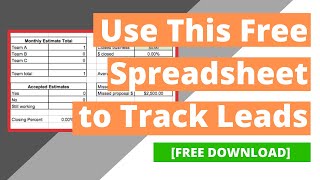
Phil Risher walks through a free Excel spreadsheet for tracking proposals and leads. It logs client names, estimate amounts, status, and follow-up dates, then uses filters and drop-downs to show closing rates and revenue by source. Duplicate the sheet monthly and move to a CRM once you hit 30+ proposals per month.
Chapters
Today we're going to discuss a simple lead tracker that we build for our clients. This is really good for anyone. That's zero to about 2 or $3 million in revenue that does maybe about 20 to 30 proposals max every single month. So once we create a goal tracking on analytics and we're generating leads for our clients, some of our clients don't have CRMs, client relationship managers that they currently use. So we use this spreadsheet that to help them track how they're doing from a month's basis. So I'm going to put a link to this down below where you can download this into an Excel spreadsheet if it's something that you're interested in utilizing or you can recreate something like this on your own. Basically what this is is you can put in the proposal name. So let's say this is John Smith. Let's say that we created an estimate for them that was $2,500. Let's say that they accept it. Well, let's say actually that it's still pending. And let's say the employee was Team A. And if you want to change this, you can highlight here and click data and this date, Data validation right here, you can rename this. So if you wanted to name this, let's say you had three salespeople, you would say Phil, Jennifer, Tim, whatever, then you can save this and then that's going to be what the options are for this drop down here. And if you notice as we're completing this, our tracker over here is tallying up how we're doing. So the follow up step, it's pending email 8, 15. The lead source is Google. All right, so what this is going to allow us to do is see, okay, how many estimates did Team A write? How many have we done as a total team? How many proposals have we accepted? And then what is our closing percentage? It's also going to show us our total estimates, our closed business, our closing percentage, the average estimates. A lot of information here. What this then is going to allow us to do is we can highlight this and we can turn on filters. So the way that we use filters is we can go and do lead source and we can only select all the Google ones or website or Yelp or what have you. And this allows us to see only the Google estimates. And then we can highlight this. Let's say this is 4,000, 7,000. Okay, we can highlight right here and it's going to show us the sum of all the Google estimates that have been written. And let's say that we only want to see ones that were yeses. So we can click right here and we can say only pending or only yeses or what have you. So this gives us some customization. And again, if you're doing more than 20 or 30 estimates every single month, this is not going to be good because it's going to be a waste of time. You need to get a CRM. One that we recommend is like Service Monster or Housecall Pro or Service Titan, those types of places. But this is going to be really good for someone starting out. If you're doing 1, 2, 3, 4, 5, 10. If you have a couple salespeople, this is going to allow you to track. One other pro tip is down here. We recommend naming this your current month. So like August 2021. Going here and duplicating this and this is going to duplicate another tab here and then name this the next month. So September 2021 and take all this stuff out and then basically starting fresh and then go here and click rename. So if you're interested in downloading this, I'll put a free link down below. You can click it and you can download it and use it. I'm curious to see maybe you have some thoughts about a better way to do a lead tracker. Be sure to comment below. If you're interested in content like this, be sure to like and subscribe. We grow local service businesses and we help them grow. One really great way to grow is you don't know if you're winning or losing the game if you can't see the scoreboard. So this helps give clarity into the numbers. All right, talk to you on the next video.