How To Track Return On Google Local Service Ads
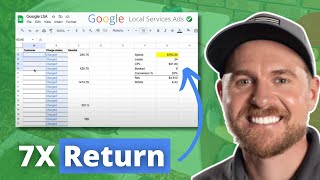
Phil Risher walks through tracking return on Google Local Service Ads: tag leads in your CRM via the LSA message, swap the LSA phone for a tracking number, then monthly export leads and match them to closed jobs in your spreadsheet to calculate cost-per-lead and ROAS. The method works for search and social too.
Chapters
I recently did this podcast episode with Jobber talking about how much you should spend on a lead. And one of the things that we discussed was tracking your return on ad spend, specifically when it comes to Google Local Service Ads. That's how you can figure out how much a lead should cost. So in this video I'm going to show you exact the exact process that we use as a company, but also the process that you can do internally to track your Google Local Service Ads performance. So if you're not familiar with Google Local Service Ads, I'll give you a quick synopsis. When someone searches for H vac contract or whatever service, these things right here are called Google Local Service Ads or you get Google guaranteed or Google Screened. Anytime someone clicks this button to call you or message you or book online, it turns into a lead and it charges you. It's a pay per lead model. How much do they charge you there? I'll put this link down below. There's ads.google.com localserviceads and you can put in your zip code and figure out how much a lead should cost, which is what we talked about in the podcast. But you have to take this to the next step, which is once you get the leads, you have to figure out your return on ad spend, which is did these people actually turn into revenue? And then what do I do with that information? So I'm going to show you a basic outline of what we do once we get to this point, which most companies are at this point, they just don't know how to track it to the next stage. So there's two things that are low hanging fruit opportunities. The first one is if you have a CRM all of the calls that come through. So anytime someone calls this number, there's a whisper message on that call, which means your CSRs or you is going to hear a message that says this is a call from Google Local Service Ads and it's going to patch it through. That should be a notification to your CSRs and to your team that this is a call from Google Local Service Ads. So I need to mark this lead channel in my CRM. The first thing that's going to do is it's going to allow you to track your calls because it's going to tell you straight from there. Messages, same thing. Booking, same thing. You should be notified that they're Google Local Service Ads. So that's the first thing. The second thing is that if you call this number right here, you can actually have them change your phone number to a tracking Number on Google Local Service Ads. You can't do it on the back end. We went back and forth on this for a long time. But if you call this number, you tell them, hey, I want to change my Google Local Service Ads number to a tracking number. Here's the number that I want to use. And they will put it in there. They have to get a couple codes and stuff like that, but they'll put the code, they'll put the tracking number in there. And then now, like if you service it and for example, it's going to pass it directly through and say the campaign associated with it is Google Service Ads. So you don't have to have this manual process. Now if you do those two things, you'll get some decent data from that part. Let's say you use a different tool like Jobber Housecall Pro and you don't have tracking numbers or anything set up for your business. And you just want someone to go in and every single month to pull a return on ad spend results, which is what we do because some of our clients use all these different CRMs. Some have no CRMs, unfortunately. So what do we do? When you log in here, you click sign in, and on the back end you're going to get a dashboard that looks like this. You're going to go over here to leads and you're going to get all your leads. Let me make myself a little bit smaller. All right, you're going to get all your leads here and you can see like it's going to show you the location of the lead. You can see if it got credited or charged to you. And so what we do is we literally go here and we just highlight all these. So we go like this. We just highlight all these and we take all the ones for that month and then we put them into a spreadsheet. The spreadsheet is going to look like this. We. Let me just slide this over a little bit. Okay, so we put the phone number in here, all the phone numbers, and then we filter out obviously the ones that you weren't charged for. And we get a whole list of all the phone call leads. And if they're messages or bookings, you'll get those leads too. You get all the information here. Then what you do is you take that phone number and you plug it into your CRM or however you keep track of your jobs could be in QuickBooks or something else. Plug it into your phone number, into the CRM or into however you keep track of your customers. And then you put Here, the results. So you literally take the phone number copy paste into CRM, see what happened next one, see what happened next one, See what happened. Usually you're going to get about 30 or 40 leads out of this. This company, they got like 24 leads out of this. You can see I'm going to go through this in one second. But you get all this information. So you get all your results. You can total this up. It's going to be $4,900. And right in this revenue box here, you can put $4,900. This is the revenue that was generated from all these leads. Now this is a fancy Dancy spreadsheet that we put together. I don't have any like forms or anything for you to download or anything. I don't even have this as a thing that you can get. But, but I'm just going to walk you through how to quickly set this up for your business. So your spend now if you go back to your Google local service ads account over here, you can click this dropdown and you can go to billing and you can get your statement. Your statement looks like this. Now I cleaned this statement up a little bit because it had some personal information on it. So I just cleaned it up. Basically you're going to see that it got 11 leads for $339.30. That's really the number that you want. And you're going to plug that into your spreadsheet right here. $339.30. You're going to say I got 11 leads. You want to verify the number of leads that you got based off over here. So that way the number of leads that they said you got, the number of leads that you're charged for. There's a quick change, but there's a little discrepancies because now they're actually not letting you audit or dispute your leads. So you might get credited back. So it might say you got 13 leads when you only got 11, but you're going to get credited back in the next months. So I usually just do, do what the true lead number is. So 24 leads. Then you just divide those two. So you divide the spend divided by, or you divide the spend by the number of leads. That's going to give your cost per lead. Then you know that these jobs over here were booked so or they closed, whatever your terminology is. So you know that you in these 4900 people, if you click here, you can see that there's a count of eight. So we know that we did eight, then we can do eight divided by 24 gives us a 33% conversion percentage. So these are decent leads. If we're converting them 30%, obviously we would want them to be higher. It just depends on the service that you're providing in H vac, you know, it should be around 70%, 80%. Then you can do your revenue amount, the totals here. And then you get your return on ad spend, which is your G7, your revenue divided by your G2, which is your spend. And that's going to give you return on ad spend. So this company 6x the revenue, the, the amount spent on to the revenue, which is good. So 5 is good return on ad spend. 10 is great. 1, 2, 3, 4 is not good. So you should always be shooting for over 5. And that's how you get these quick numbers. And you can make a quick spreadsheet like this, Put that stuff over there. And then every month, as you can see down here, we just, we just duplicate this and then go to the next one, Go to the next one and we have a quick snapshot of what Google Ads looks like. Now we do the same process for Google search ads. We run them to a landing page with a custom form and a custom tracking number so we have real data. We can also do this for social media. We do this for some Facebook and Instagram ads. Same process, very similar process. And at the end of the month, our team would say, hey, this is where we're at. This is our return on ad spend. This is what we got going. How can we get this better? How is this good or not good? At the end of the day, the better the data, the better the decisions that we can make. So hopefully this helps you give a good benchmark to how you can track your return on ad spend. If you have questions or you're interested in discussing what you're currently doing from a Google perspective and you're looking for more clarity, we do free marketing audits. I'll put a link down below. We can get together and talk about what you're currently doing and discuss strategies to help you grow your business. If not, hit like and subscribe and we'll see you in the next video.


