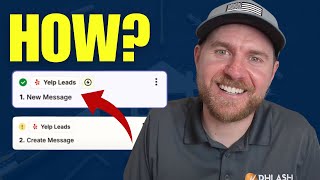
Phil Risher shows how to auto-reply to Yelp messages through Zapier using the New Message trigger. Map your Yelp Lead ID and response content, then test and publish. Faster replies can boost your Yelp ad performance.
Chapters
Yelp Autoresponder just went live on Zapier. And in this video I'm going to show you exactly how to set up an autoresponder for your Yelp messages. It's finally here. All right, so in Zapier, you're going to log in, you're going to go to create a new zap and you're going to go over here on Yelp Leads. Right now it's in beta mode, but you go to Yelp Leads, then you go to the trigger events, which is you're going to get a new lead in Yelp, a new message or a phone number available. So the difference between new message and phone number available is when people send messages, sometimes they say, hey, make my phone number available so people can call me and then go from there. If the phone number is available, then you can run other automations, such as calling them or texting them, that kind of stuff. But to keep things simple, you want to do new message. New message basically means someone sent a message through your Yelp profile and if you're running ads, you're going to be getting tons and tons of messages. A lead is obviously, if you get a lead that were to come through, it's a little different than a message. But I always just say, set up messages first. So messages, then you want to sync up your account. Now, it's very important. If you have multiple locations or multiple accounts, you want to use whatever the login is for the business owner, because the responses are going to come back from a business owner. So, like us as a marketing agency that works with home service businesses, when I sync up my account, we have tons and tons of accounts, so I can't respond directly through those accounts unless I set up what's called an OAuth, which gets things very convoluted and complicated. So the simple way is get the logins from the person that you want to send these emails to and then log in as them here inside of the account. I just did this to set this up, but for our clients, we set it up with their logins. Then you're going to go to your test. You're going to pull a test here, continuous, select a record. If you notice here the information that's coming in is the display name. You also get the message that the person put in and very little other information. A Yelp Lead id, basically, that's it. Now in Zapier, of course, you can run other automations. The biggest thing that I'm looking at here is that there's not much information. There's no email, there's no phone number. There's nothing else really that you can do with this information to reach out to this person aside from putting them into a Yelp lead back. So I'm going to go to that step here. Now this section is once the lead comes in now you can take actions and you can create a message to them. You can mark the lead as replied, you can mark the lead message as read. So obviously you want to set up create message. Now you're going to send a message back to this person. So if we go to configure, you're going to link up the Yelp id. So the Yelp Lead ID here, you just click plus and then you pull in the Yelp Lead ID and then the response content. So I would recommend saying, hey, whatever the user display name is, John D, thanks for reaching out, blah blah, blah, blah, blah blah blah, whatever else that you typically say inside of your messaging and then start the conversation. So from there you click continue. You can test this step and then publish it. And now you have your Yelp autoresponder set up with Zapier. I know people love this. So if you are running Yelp ads and you don't have a strategy for pulling return on ad spend, there's other things you can do inside of this, right? So like a new message comes in with John D. Maybe they go into your CRM, maybe they go into a Google sheet with all of your leads that then at the end of the month you can go and say, okay, all these messages came in. Here's the leads that actually tied to them inside of your CRM. That's something that my company does. We try to line up all of the Yelp ad spend inside of your CRM. So that's tracking numbers, tracking messages, tracking forms so we can get clean return on ad spend data. Another way that you can utilize this integration is Yelp looks at auto responses and they look at your response time as a way of ranking you for your sponsored ads. So if you have a good response time, you're going to be shown more and then you're going to get more leads from there. So much of different things here. If you need help with running Yelp ads, if you need help with attribution, return on ad spend is something my company does. If not, it's all good. Hopefully you found value value in this video and I'll see you in the next one.