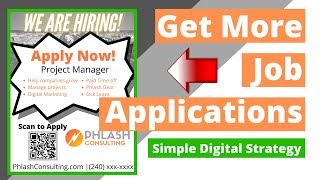
Phil Risher (video creator/presenter) demonstrates a low-cost, organic method to get more job applicants without using job boards like Indeed. He walks through creating a job application using Google Forms (selecting the "job application" template, customizing fields, enabling responses to flow into a Google Sheet and email notifications), shortening the form link, turning that link into a QR code (via a QR code generator), and placing the QR code on Canva-designed flyers to distribute physically (churches, Home Depot/Lowe's job boards) or post online. The approach is positioned as quick, free, and staff-empowering; the video closes with a CTA to comment/subscribe and a note that other SEO/site strategies also exist.
Chapters
Today we're going to discuss how to get more organic applications, how to get people to apply for your job, and spoiler, it doesn't involve Indeed, one of the biggest issues that our clients, our prospects, the whole world is facing right now is that they are short staffed. So let's discuss a way that you can get applicants in that potentially didn't know about you or maybe knew about you, and you can empower your current staff to get referrals. So the first thing that you're going to want to do is create a Google form or a careers page on your website where people can go and apply. What we found is that Google form is pretty easy. It's free. This is a whole free process. So you go to google forms so docs.google.com and who would have thought the first template is a job application. So you're going to click on job application and what this is going to allow you to do is to create a job application form. So you're going to fill in, you know, what information do you want? Name, email, phone number, which position are you interested in? Submit your cover letter or resume. Typically what we do is we'll go here, you can just click on it and take this out, put in here what the job is, what you're going to be doing on a day to day basis, the benefits, et cetera. And then down here, usually we say relevant work experience, allow them to fill that out. You can also put your picture up here. So if you click this customize theme, you can click an image and upload an image. So you can upload like your company logo or something and then you can change the colors of, you know, whatever your colors are. And it will also pull in colors from your logo, which is really nice. So you get this set up the way that you like it. You can go through and add certain things. So if you click here, you can make this required or not, you can copy it. If you want to do something that's like multiple choice or dropdown or what have you, you can add all that stuff in as well. All right, once you get this, you have a simple job application form that's digital. Then what you want to do is click send. And what this is going to allow you to do is email to people, which is nice, but you want to click this little sideways paperclip which gives you a link and you want to shorten this URL. This is going to give you a link that then maybe you could send out an email newsletter or on like Facebook or something. Or LinkedIn, you can post this link and say, hey, go here and apply for this job. So we're going to take this link. Let me just show you one thing real quick. So what you can do is whoever's logged in here, when someone applies for this job, they're going to get a notification. You can also go to Responses and you can create a Google Sheet. And what's going to happen is when someone applies, the response is going to flow through onto a Google sheet, and then you can get notified that way as well. So if you go to Responses and you click that little three, those three buttons right there, you can get an email notification for new responses. So anytime someone responds, you get a notification. All right, so you go back here, you get this link, you're going to shorten it. You're going to copy this link. And now what you're going to do is you're actually going to create a QR code, because this is going to be a way to take this link and then empower your employees to go out or maybe go to where your prospective employees might be. So you take this link. We're going to go to QR Code Generator. You're going to paste this link, and then it's going to create a QR code. So this QR code right here, when someone scans it with their phone, it's going to go to this form that then they can apply for your position. So you're going to take this QR code, you're going to download it. It's going to allow you to. And this is QR code generator dot com. You're going to download it, it's going to give you it as an image. Then you're going to go to a Canva or some resource like this and you're going to create a flyer that looks something like this. We are hiring Scan to apply. What this allows you to do is then print out this and give it to your employees and say, hey, hang this up at your church. Go to Home Depot and Lowe's and hang this up on a job board. Pass this out. Have people apply. When they scan this code, then it's going to go here and they're going to be asked to respond. It's going to look like this. And basically they're going to fill this out. They don't need a Gmail account to fill it out. It's very, very quick process. So this is a great way to get organic job applications. Hopefully it helps. If you have any questions, drop a comment below. Be sure to like and subscribe, please. We post videos and content to help local service businesses grow. And sometimes from a digital marketing perspective, it's not always on the acquisition of new customers. Maybe there's a need for job applicants. This is just one strategy. There's a bunch of other strategies from an SEO perspective for on site SEO for your website, but this can happen outside of your website altogether. So be sure to drop a comment below like and subscribe and I'll see you on the next video.