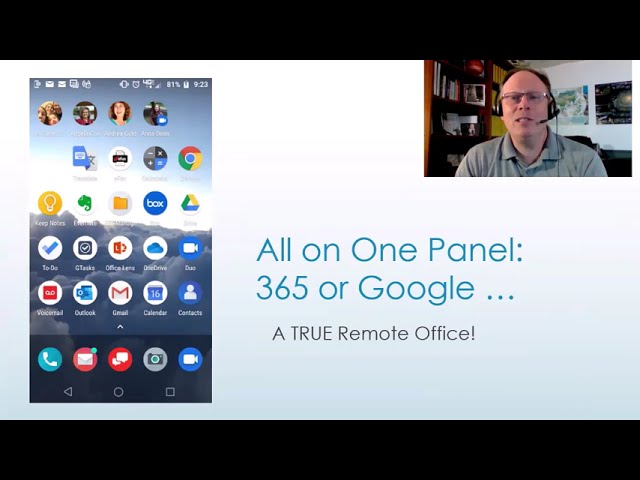
In this promotional preview, Randall F. "Randy" Dean, the Email Sanity Expert, invites Florida Realtors to his upcoming session where he will demonstrate how smartphones and tablets can serve as a full‑featured remote office. He outlines everyday field tasks—reading email, taking calls, checking calendars, texting, and even playing Wordle—and then expands on higher‑value capabilities: client and property notes, communication tracking, photo and listing management, real‑time document scanning to PDF, faxing, video calls, file access, editing, and personal appointment tracking. Dean emphasizes that all these functions can be accessed from a single panel on the device, whether the user works with Microsoft 365 or Google Workspace. He also promises bonus PDF handouts covering Outlook, 365, and general tech‑management tips for course attendees.
Chapters
More from Randall

This simple #ADHD #hack might end your #tasklist paralysis called #executivedysfuntion #productivity

Have #ADHD? Do you make a daily #tasklist ? This might help. #tasks #productivity #procrastination

Found too many cool Petoskey Stones and “Greens” on vacation. Had to do something!


Another free #pallet project: I built a heavy duty #ladder stand for #housepainting

Quick Windows Tip: Organizing Multiple Windows on One Monitor or Screen for Faster Multi-Tasking!

Classic Outlook (New Screen): Converting an Email to Task, Calendar, or Contact Using Drag & Drop

Email Sanity Expert Tests SaneBox: Is This AI Email Tool Worth It? Might be for overloaded inbox!

Taming the Outlook Email Beast: 3 Flexible Learning Paths to Master Your Inbox (Video Course Intro)

#workspace #productivity multiscreen setup #email #calendar #pdf #outlook #gmail #microsoft #google
