Randy Dean shows how Google Calendar's plus button now creates Goals, Reminders, Tasks, and Events. Set recurring writing sessions as Goals, trash day as a Reminder, or tasks that sync with Google Tasks across all your devices.
Chapters
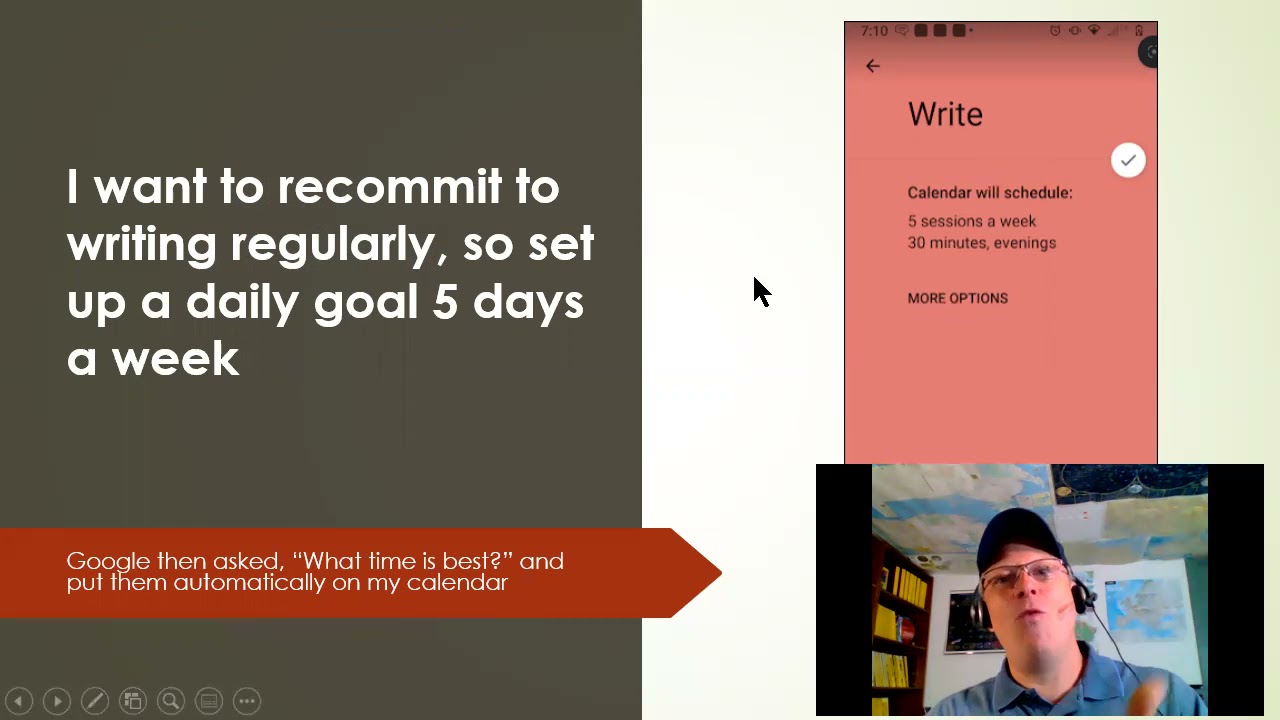
All right. Hi everybody. I wanted to just throw together a really quick video for those of you that are using Gmail and Google Suite about something pretty cool I noticed in the new— in the Google Calendar app that's on your iPhones and Androids. And I have to tell you, this may have been there a while, but I didn't notice it until just recently. So I wanted to show you what they did here, which I think is very cool. If you open up the Google Calendar app on your phone, you'll see that when you're in the Calendar app, there's the plus. And, you know, usually you click the plus to create a new event on your calendar, but they did something here. If you click on the plus, notice that it gives you a series of several other options now, including goal, reminder, task, and event. And so you can actually do some different things here. Like for instance, goal, what this does is it allows you to, it's got several templates that allow you to sort of set something up that you wanna do more in your life right now. Like set up your exercise program, set up time for family and friends, build a skill. Now this is the one I chose because I've been actually thinking it's time for me to recommit per my video blog about my 3-4-30-4-30. I'll put that link in the description below, to, you know, rededicate myself to doing more writing and content development. And so what I did is I opened up the goal and it allows you to set up the schedule and the timing. I decided to put in write. It's asked what time is best and it started blocking 5 sessions a week for 30 minutes on my calendar automatically. And yes, you can move things around if it— if that time is bad on a certain day, you can change it to a different date, different time very easily. But it's making the commitment for you. Uh, you know, I actually, um, have done some work about strategic calendar blocking, uh, which is a habit that some of the best people use in terms of being more productive by blocking time for specific activities to make sure they happen in your day, your week, your life. Uh, so, you know, this is a pretty cool little option that Google has installed in the Calendar app to make that a little bit easier. Now, additionally, if you set reminder— now this is sort of cool— it just helps you with remembering stuff you don't want to forget. Like, I set a reminder to remind me to always take out the trash on Thursday nights, uh, because our trash day is Friday morning. I'm actually going to go in and modify this so it does repeat So, you know, because it's not good when you forget to put out the trash. And, um, the other thing that you can do is you can add tasks. Now what's cool about this, the tasks you create actually go into Google Tasks, which means you can access them in Google Tasks on both your computer and on the Google Tasks app. So like for instance, I went in, created this new task called Make New YouTube Video, And when I put it in, it appeared in Google Tasks and also on my related app on my smartphone. And what's sort of cool about that is that means if you're in your calendar on your phone and you realize, oh, there's something I need to do that should be on my task list, you don't have to move in between the two different apps to be able to do that. You can just throw in the task and then get back to your calendar. Um, and, uh, and this is one of the beauties of what Google has done with their cloud-based tools in the Google Suite is that they can create these linkages that sort of go in between different functions— Calendar, Tasks, email, etc.— so that things are sort of lined up and linked up to make it easy for you. Um, but I, you know, I thought this was super cool. And then of course, obviously You can click on the event button to add something new to your calendar or create a new meeting. That's what it was there before. But I love that they've added these other 3 options, uh, and, uh, they've just made it a bit more intuitive. I have to give them some, uh, kudos for always trying to find ways to make their apps and tools a little bit more intuitive. I would give them a little advantage over Microsoft on that in some ways. So if you like this video, you— well, geez, I'm making myself big. If you'd like to learn more about me and what I do, including my full-length programs, not only for Google users but also for Microsoft Outlook and 365 users, go check out my website, randalldean.com. You can click on the program tabs to see sort of the listing of programs that I have, the e-learning tab to click through and see some of the full-length for-fee programs that I have available. Obviously, if you like these kind of videos, please like, please subscribe, please leave me a comment. And if you'd like to get a whole series of little PDF tip sheets, including a cheat sheet to my YouTube channel, uh, send me an email randy@randalldean.com right down here and put YouTube PDF in the subject line. You'll get a whole bunch of little tip sheets on time management, email management, both Outlook and Gmail, 365 tools, Google Suite tools and tips, smartphones and tablets, how to reduce your distraction. All right, hope you found this useful. Have a great day.